Get an AI summary of this page
 Firebase Setup:
NOTE :
Before launching the app, ensure you have correctly set up the ADMIN LARAVEL and have added all
necessary data through the admin panel.
NOTE : For Firebase Phone Authentication, you need to enable billing on your Firebase account, as it is required.
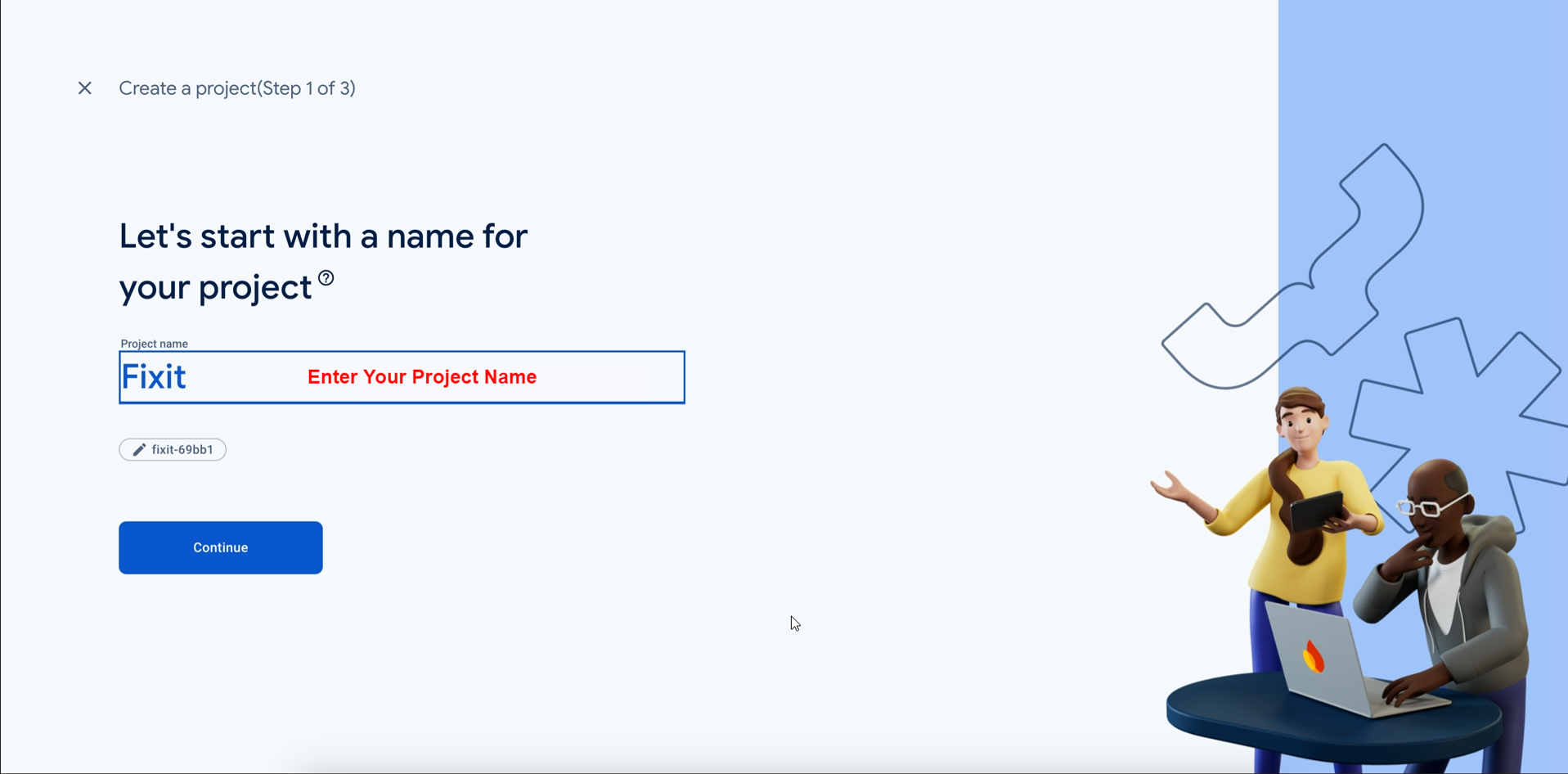
- If you haven’t Firebase Project Account ? Click here for create projet https://console.firebase.google.com/
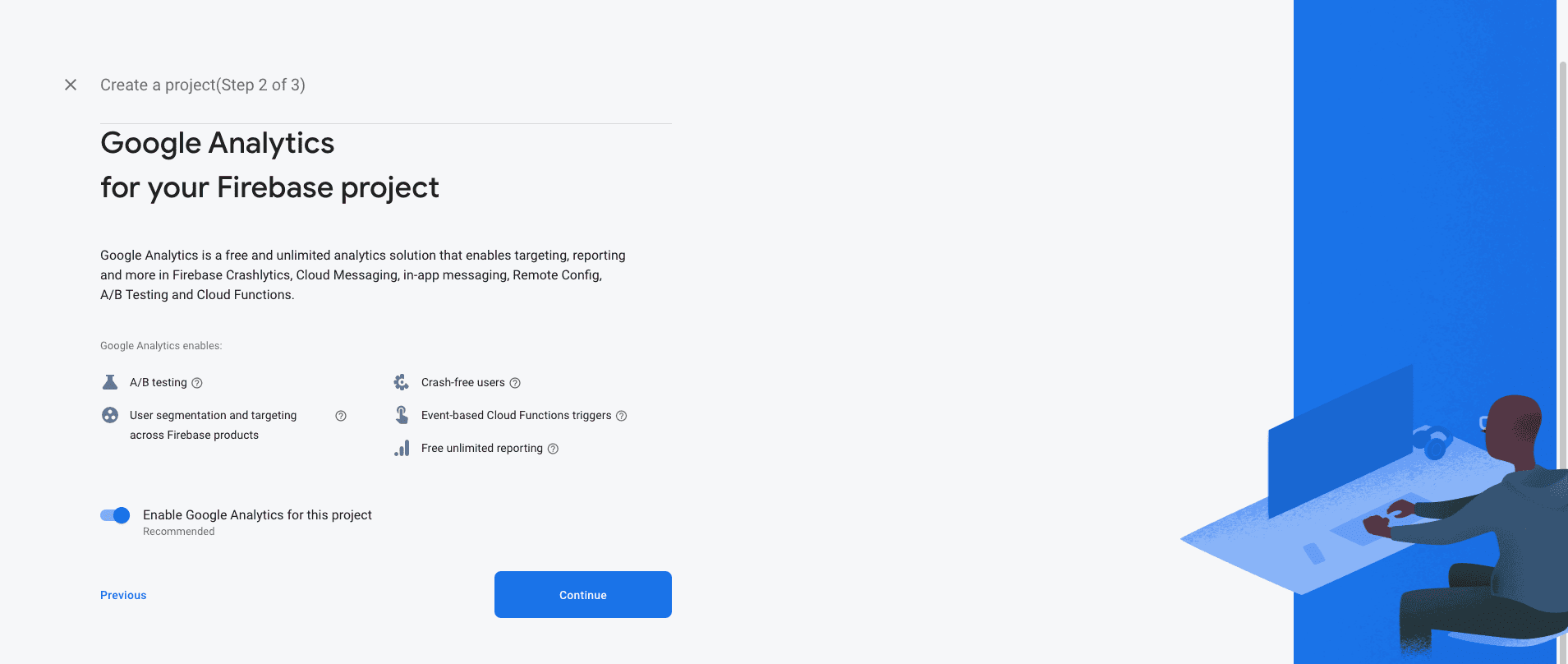
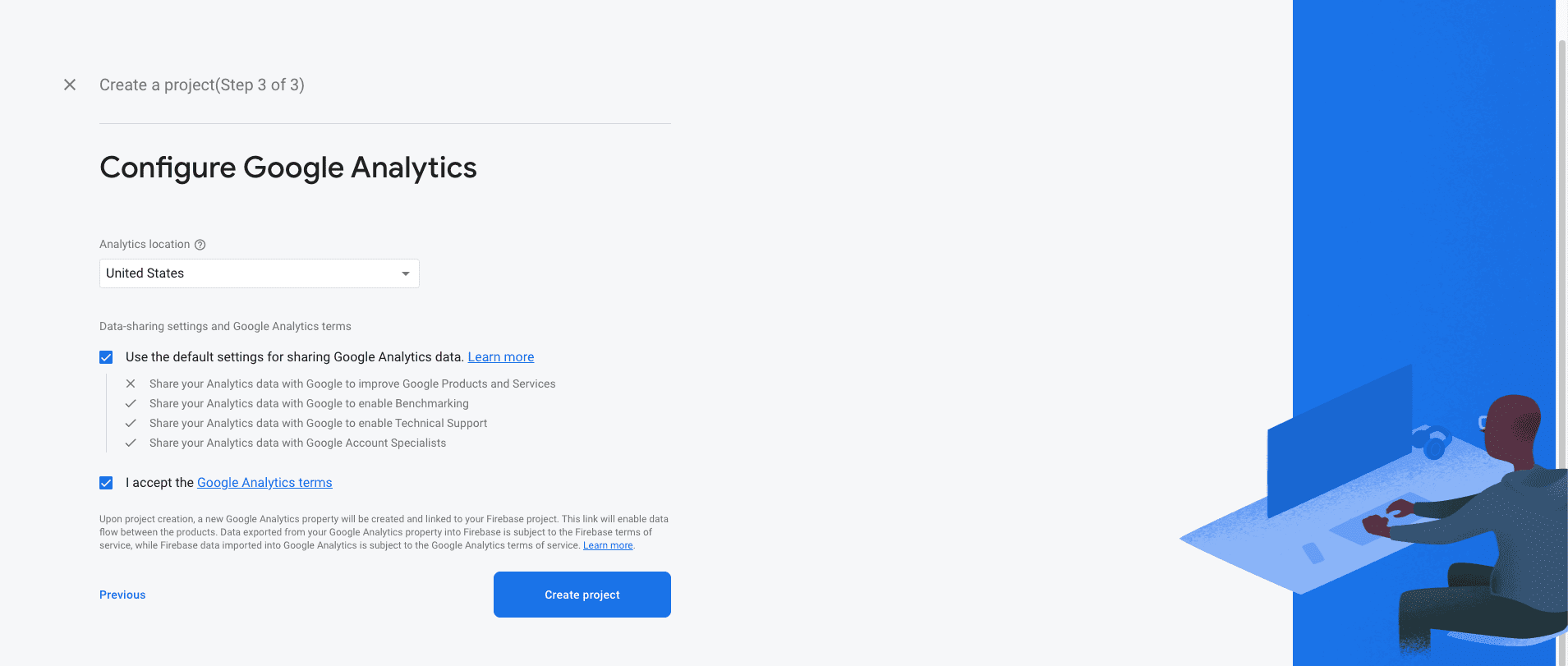

Android :
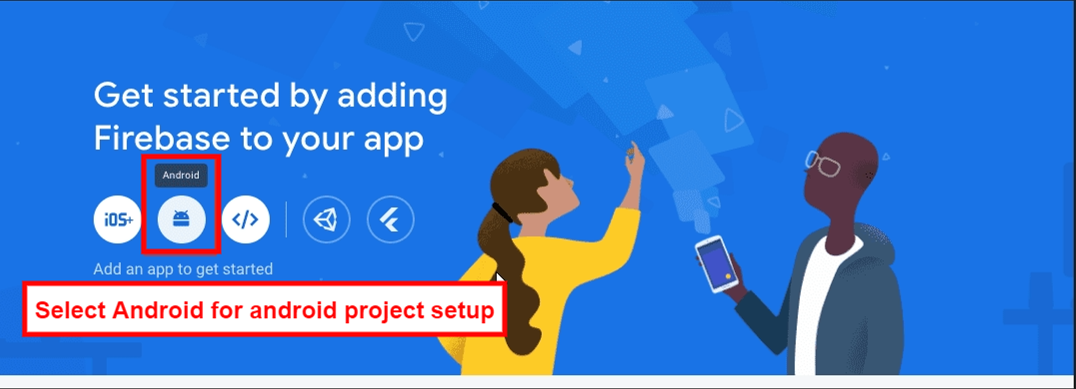
- Select an Android app in the firebase console.
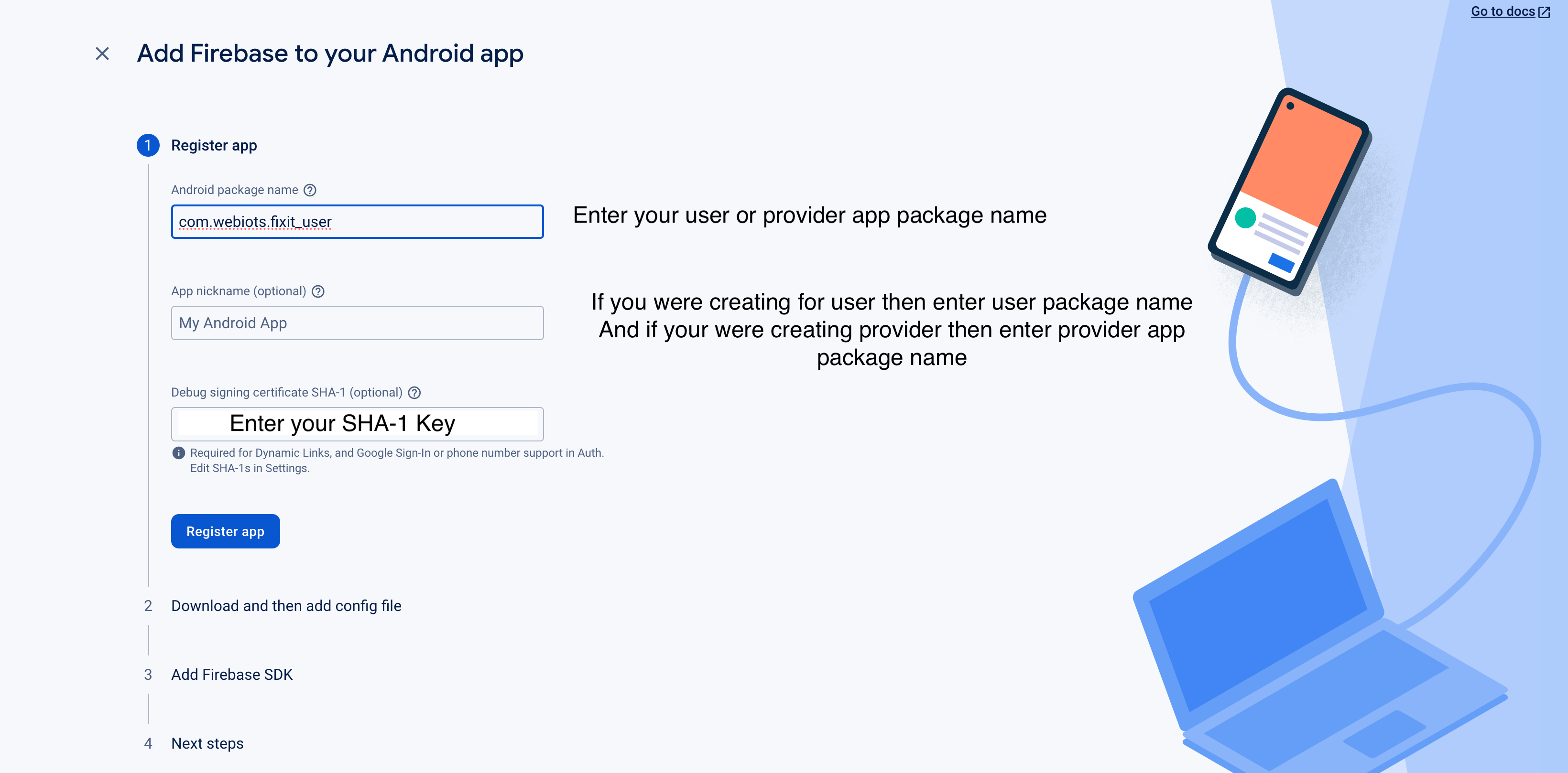
- Write project package name and SHA-1 Key.
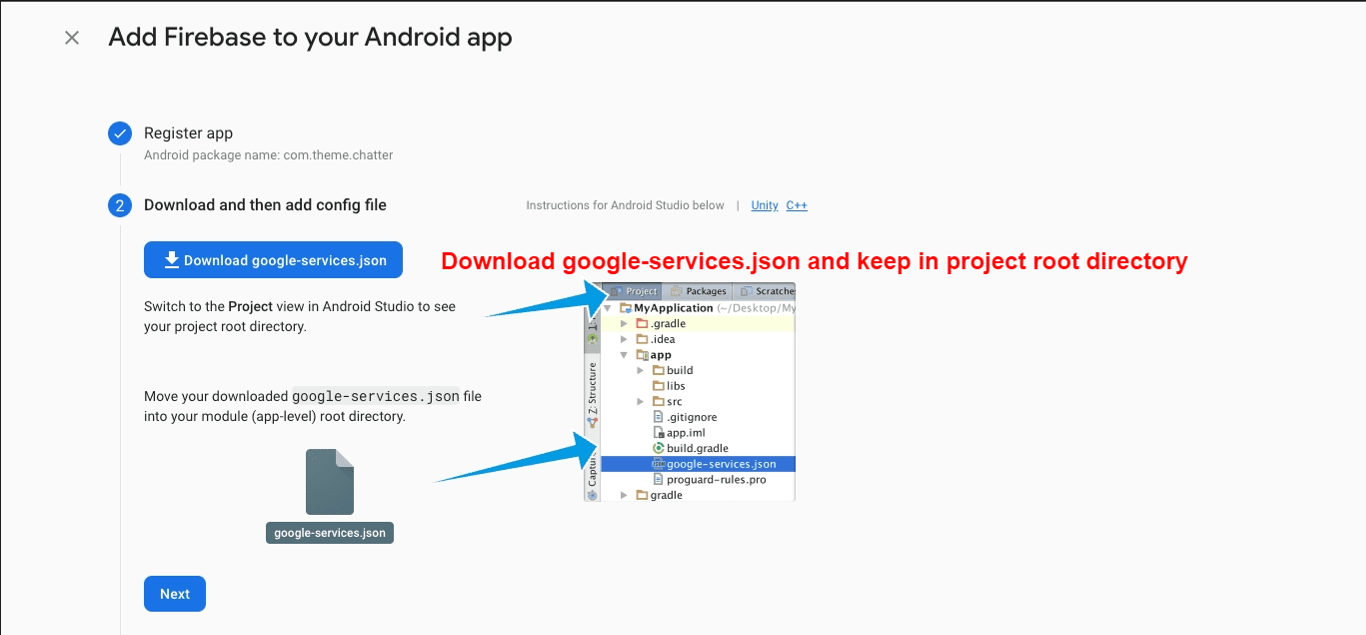
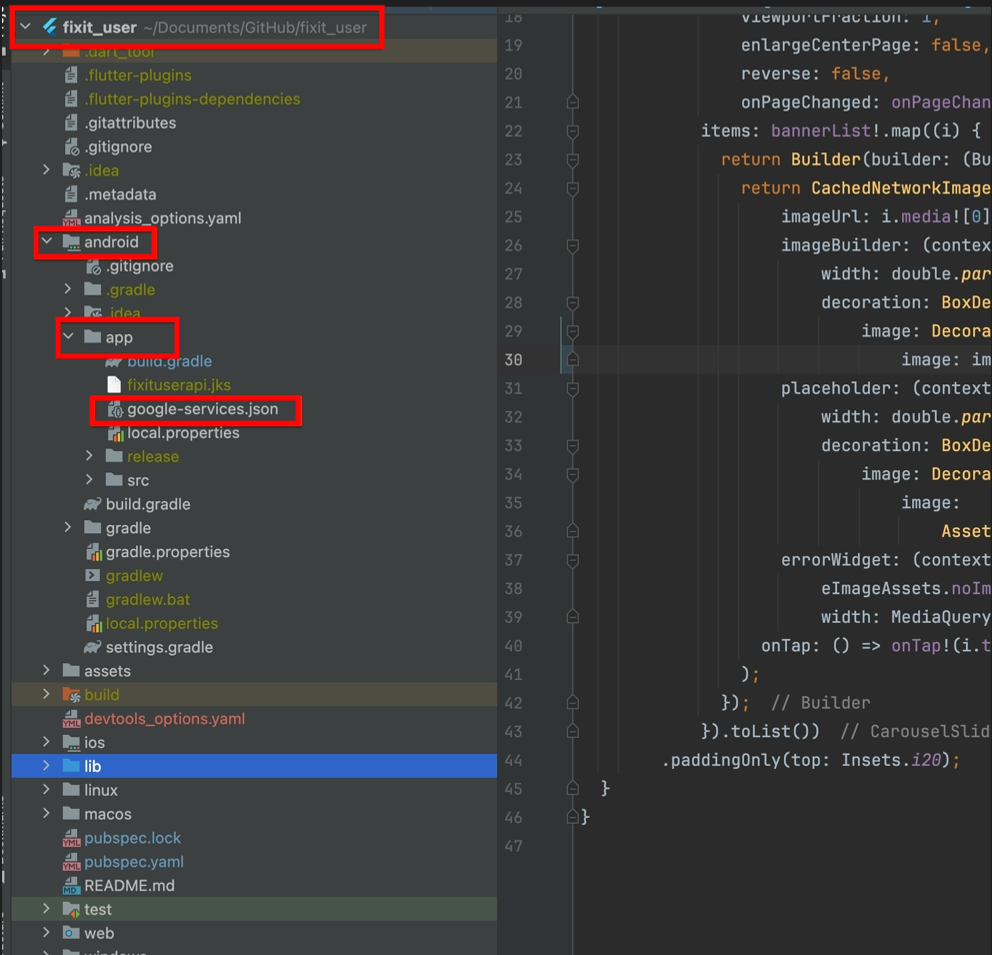
- Download google-service.json file and keep in project root directory
- Example Chatzy(Project Name) -> android -> app
- Replace the file in "android/app"
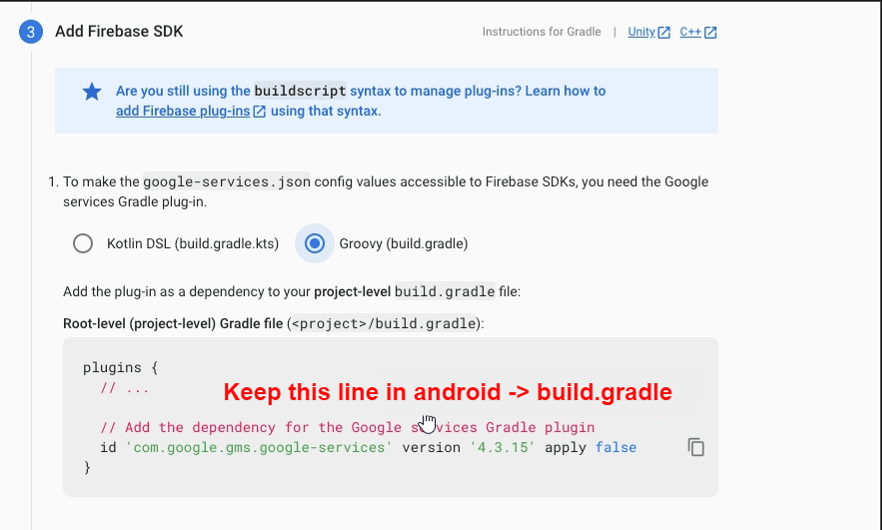
- Update in project -> build.gradile
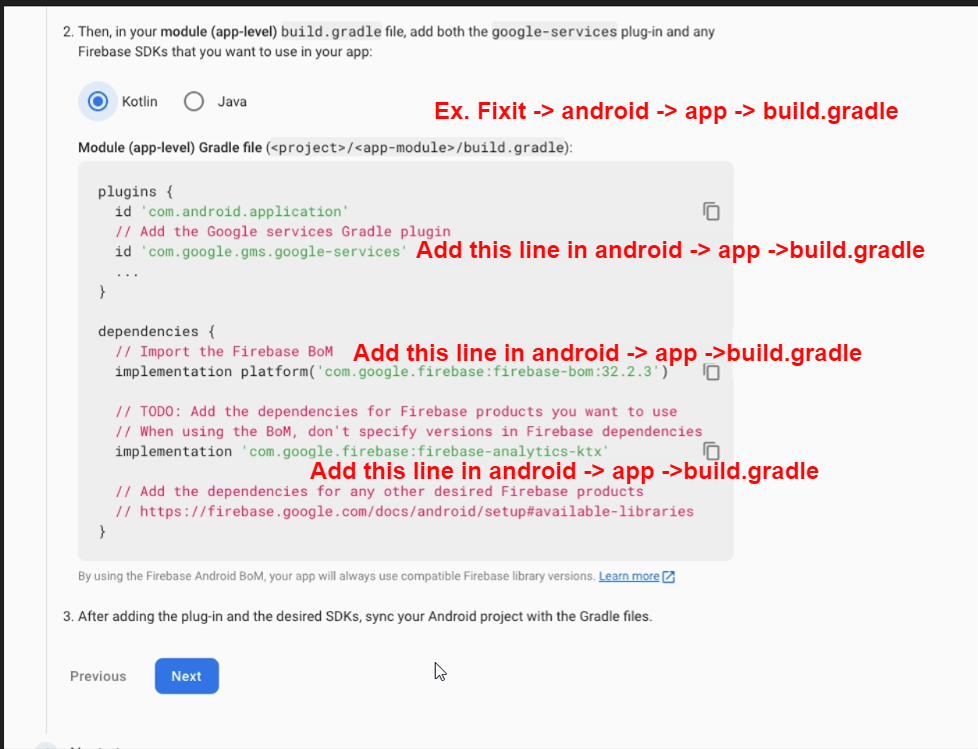
- Update in project ->android -> app -> build.gradile
 l̥
l̥
iOS:
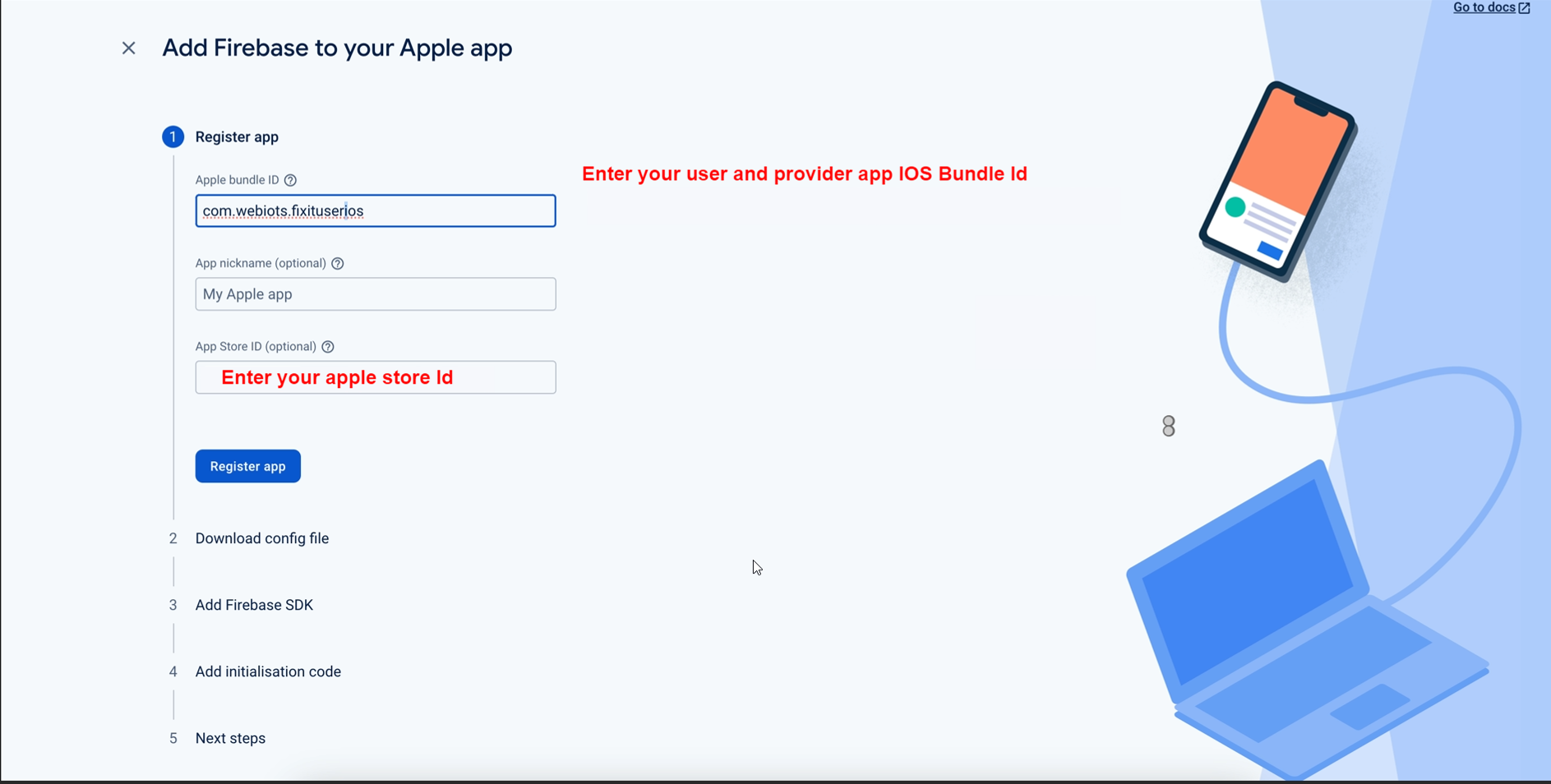
- Create an IOS or Android click on Add app
- Select an iOS app in the firebase console.
- Write bundlid and APPID
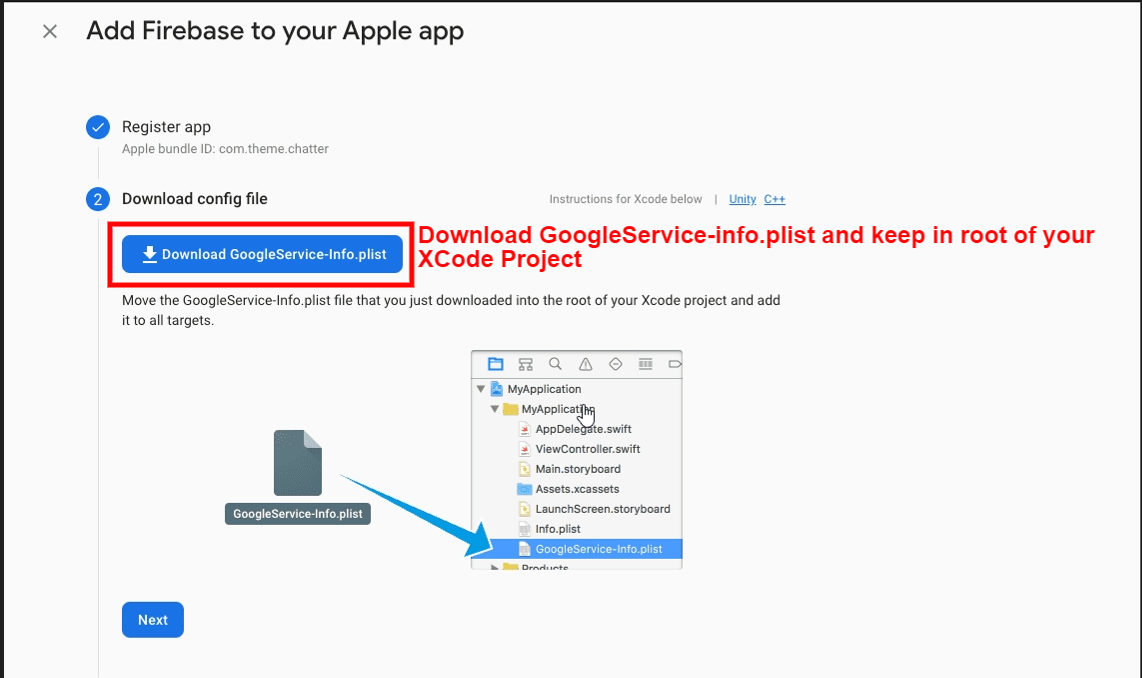
- Download the Googleservice-info.plist file
- Replace the file in "ios/Runner/info.plist"
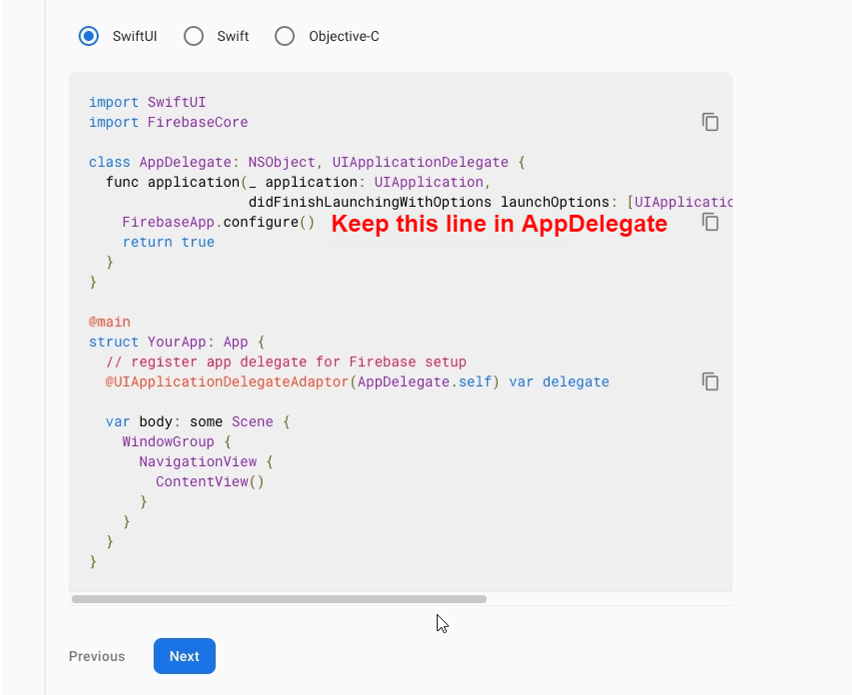
- Update "FirebaseApp.Configure()" in AppDelegate File