Get an AI summary of this page
 Google Map Setup & Get Generated Key :
Important Notice :
Our app requires an active billing account to operate. For safety, make sure to configure appropriate daily or usage limits on your billing account.
If an API key is overused, misused, or exposed and this leads to unexpected or high charges, we will not be responsible for those costs. Securing API keys and managing billing limits are entirely the user’s responsibility.
NOTE :
Before launching the app, ensure you have correctly set up the ADMIN LARAVEL and have added all
necessary data through the admin panel.
NOTE :
Before getting started, ensure you have created a Google Map Key. For Android, add the key to
the `AndroidManifest.xml` file, and for iOS, include it in the `AppDelegate.swift` file.
NOTE :
Before enabling the Google Maps API or JavaScript API, ensure that you have an active billing
account.
-
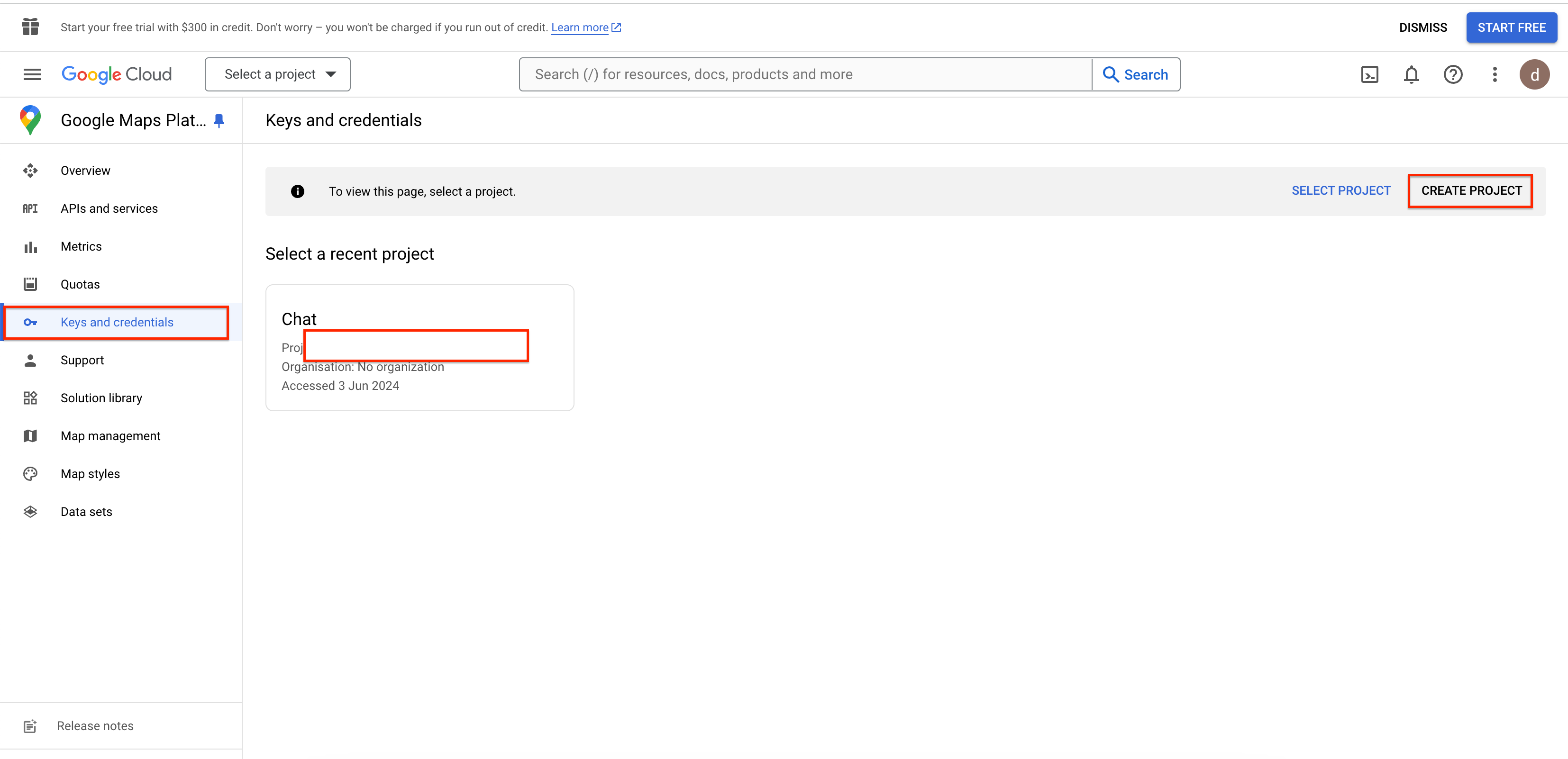
Go to >Google Maps Platform
and create a new project if needed.
-
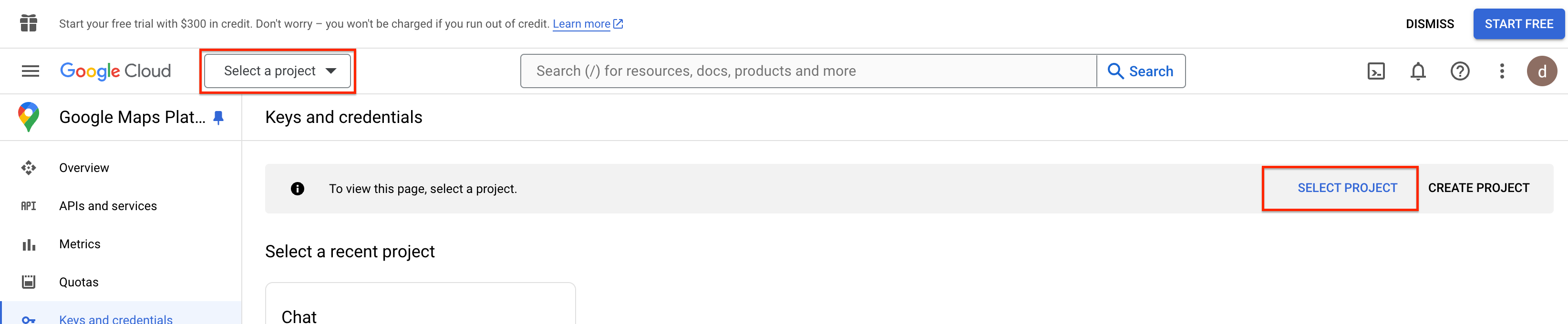
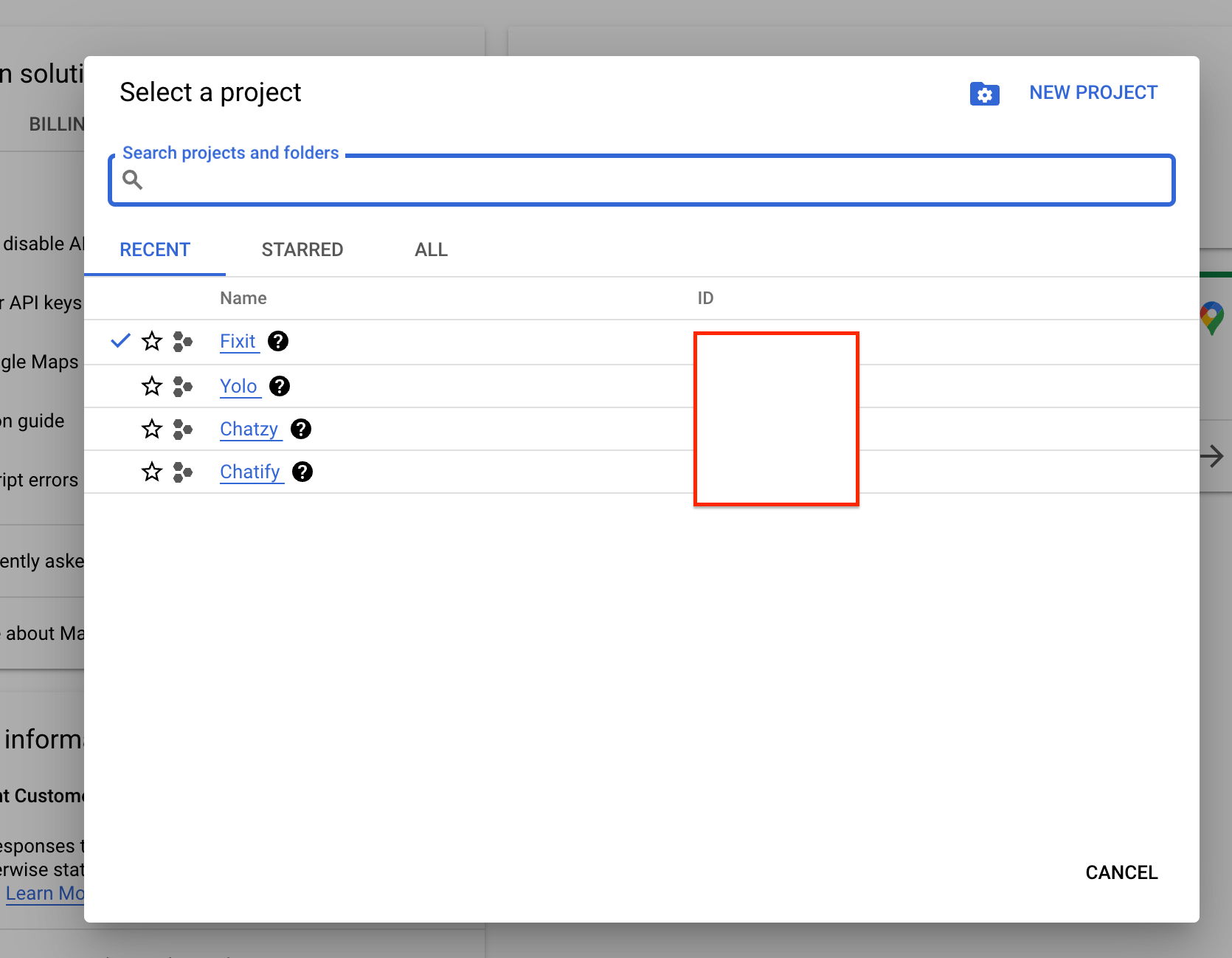
If a project exists, select it.
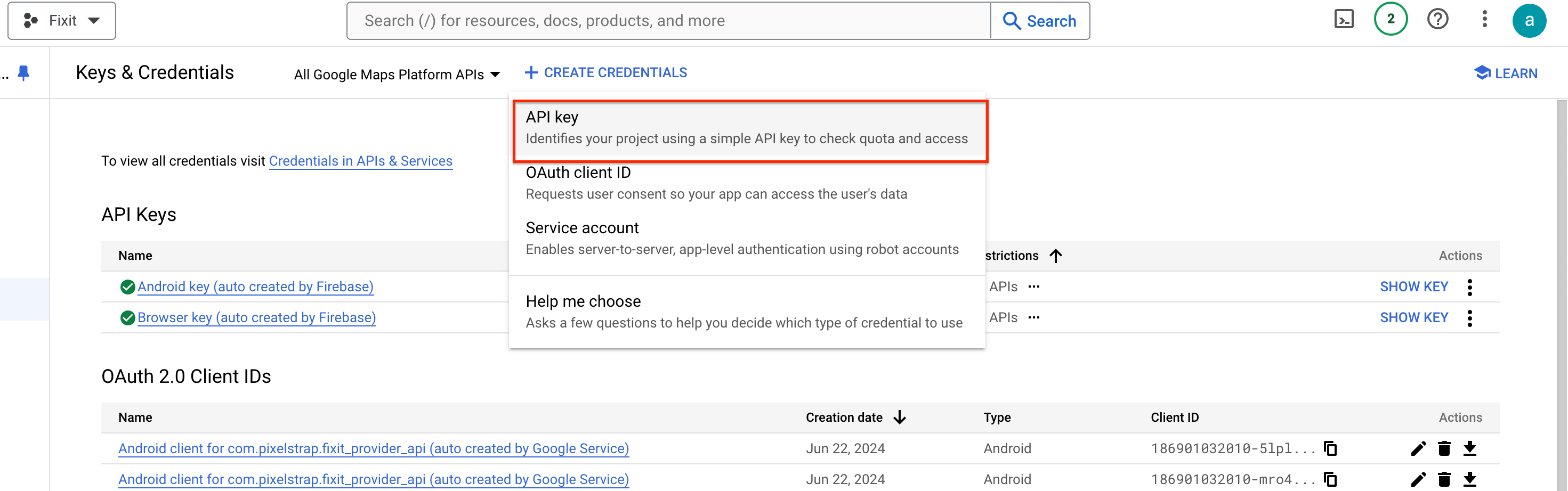
- In the top menu, click on + CREATE CREDENTIALS

- Select the API Key option.
- Copy the generated API Key.
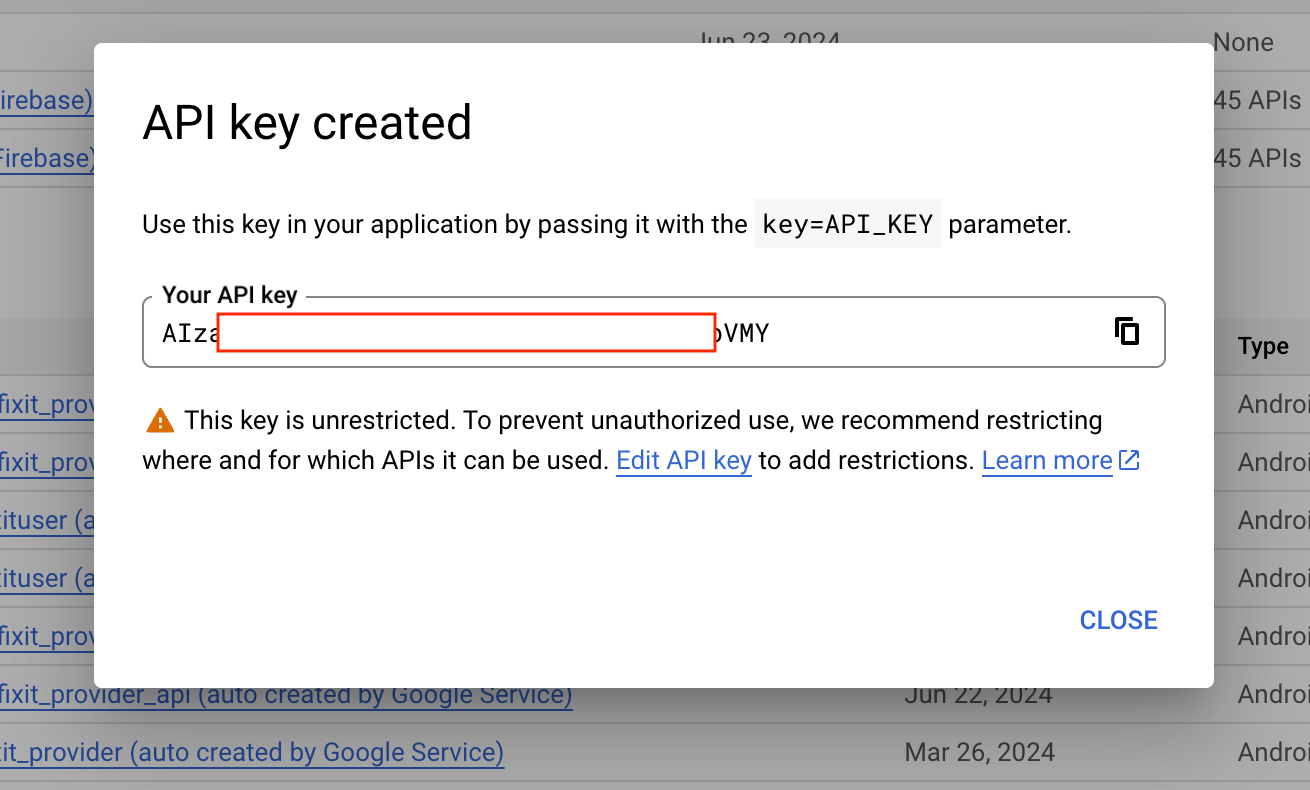
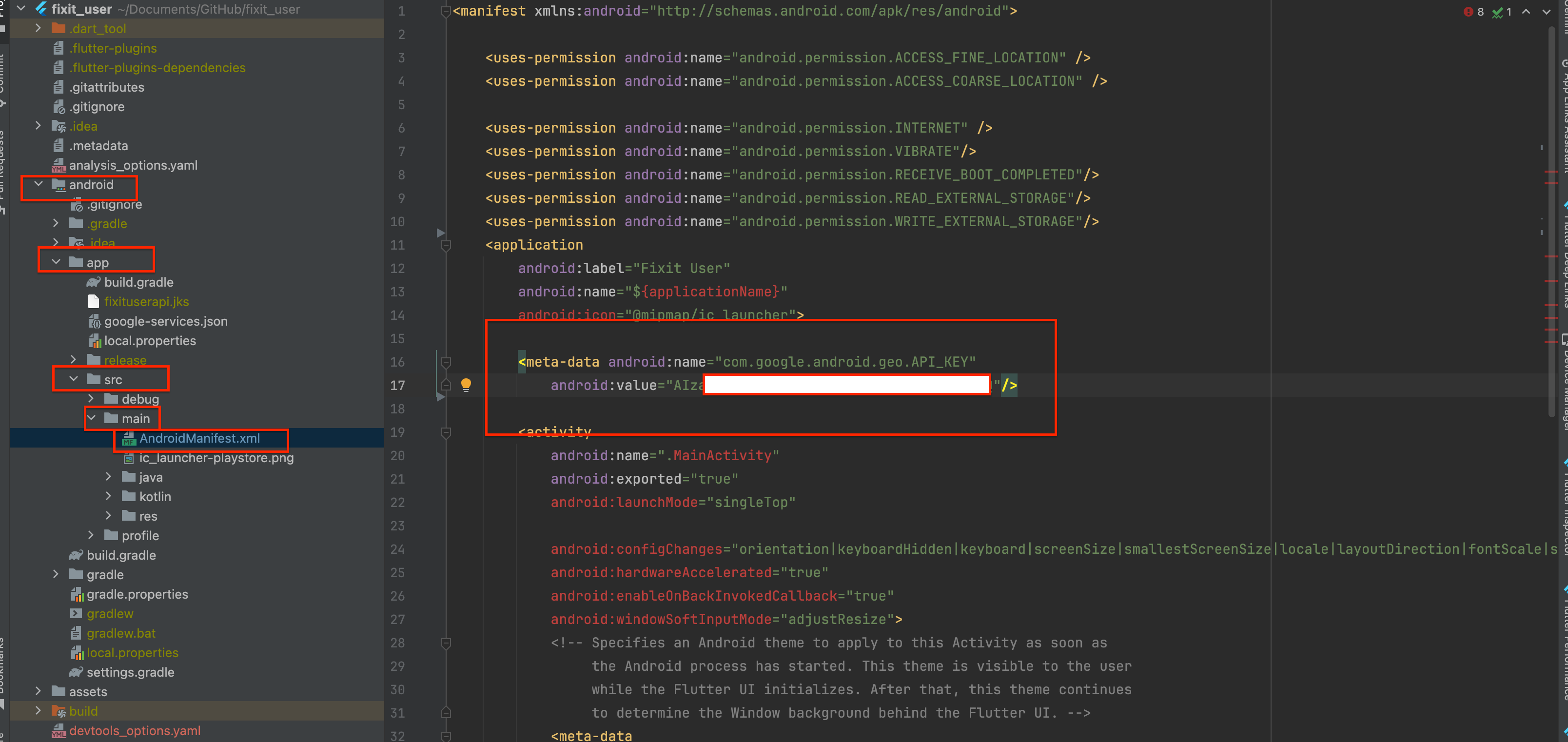
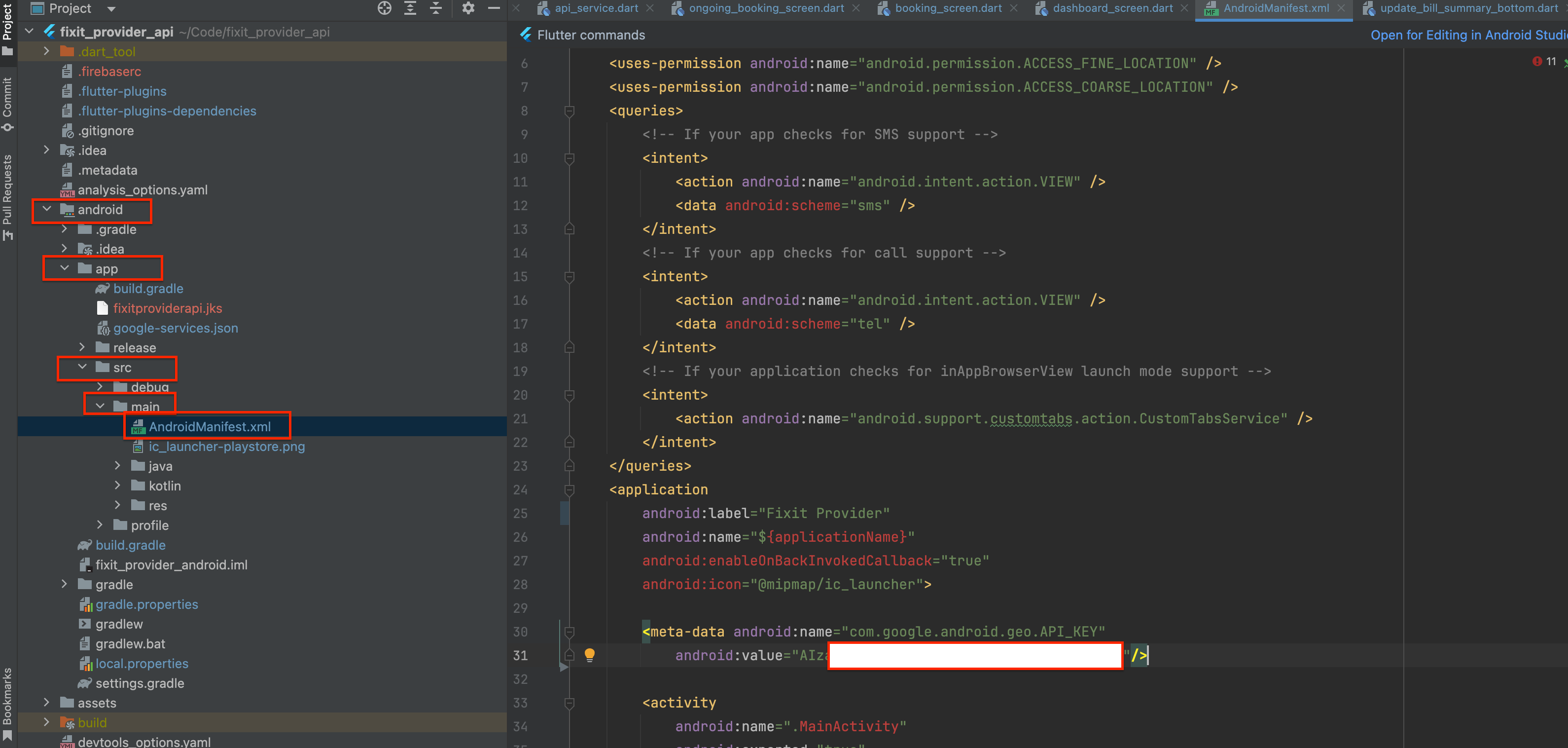
- Navigate to the `AndroidManifest.xml` file in your User App and Provider App under `android ->
app -> src -> main`. Insert your key in this file.
- Navigate to the `AppDelegate.swift` file in your User App and Provider App under `ios ->
Runner`.Insert your key in this file.
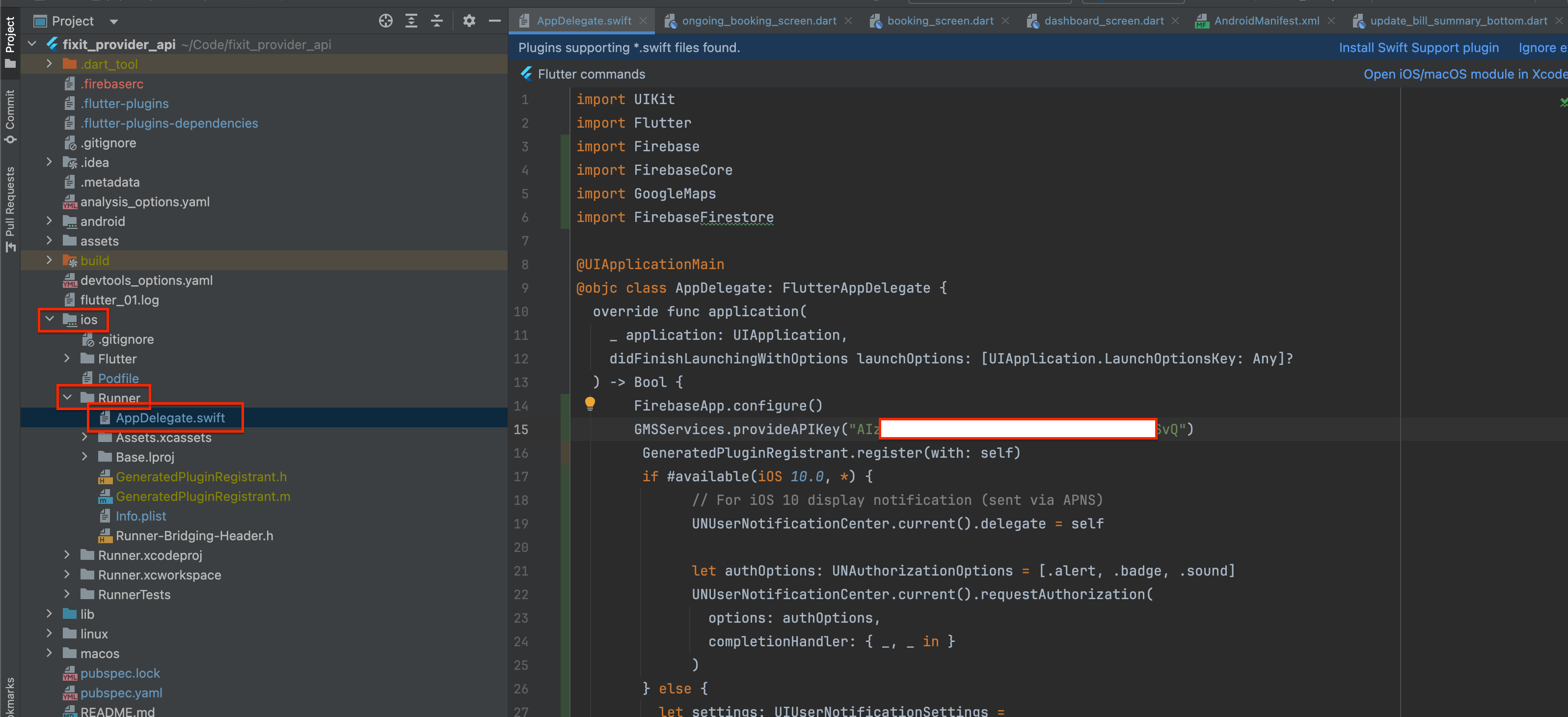
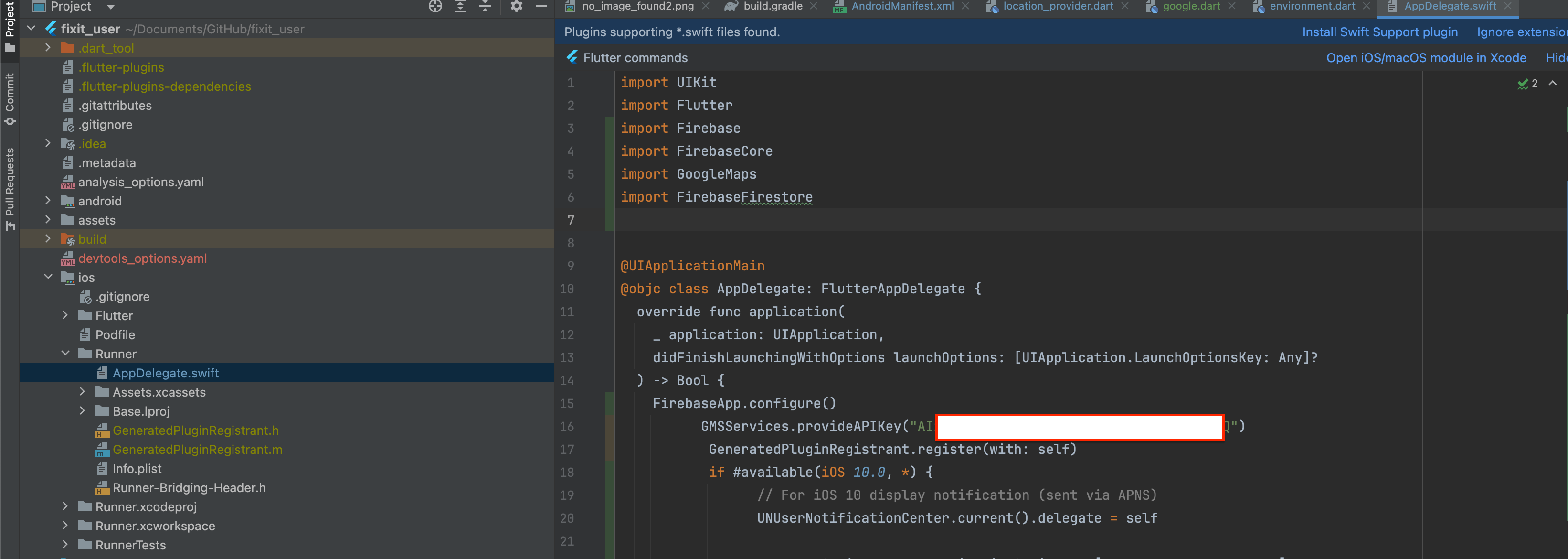
=> How to Retrieve and Configure the Search Location in the App
-
First, navigate to the Google Cloud Console, select your project, and open APIs & Services.
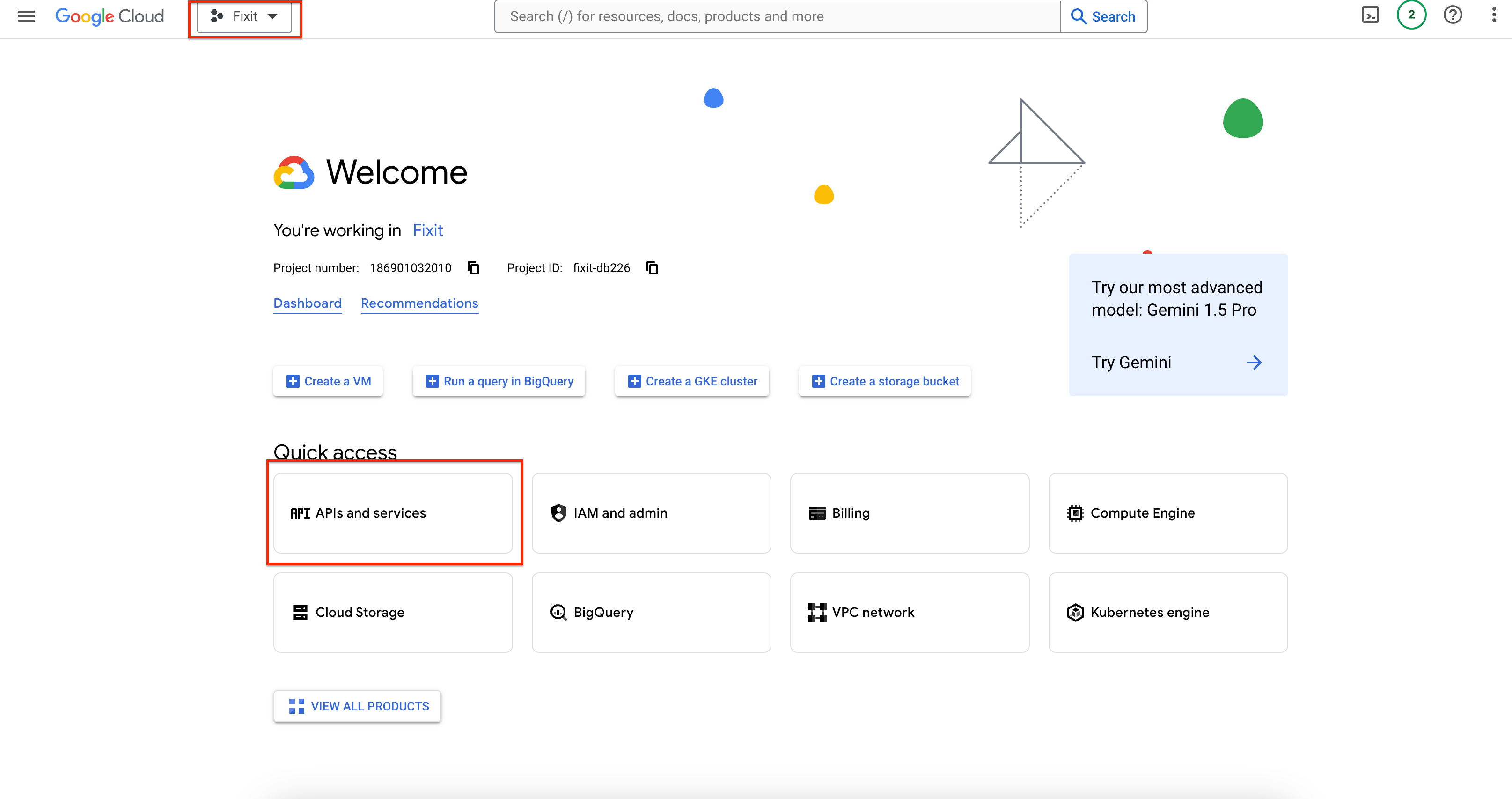
-
Alternatively, you can visit the Google API Library, choose your project, and select the Maps
JavaScript API.
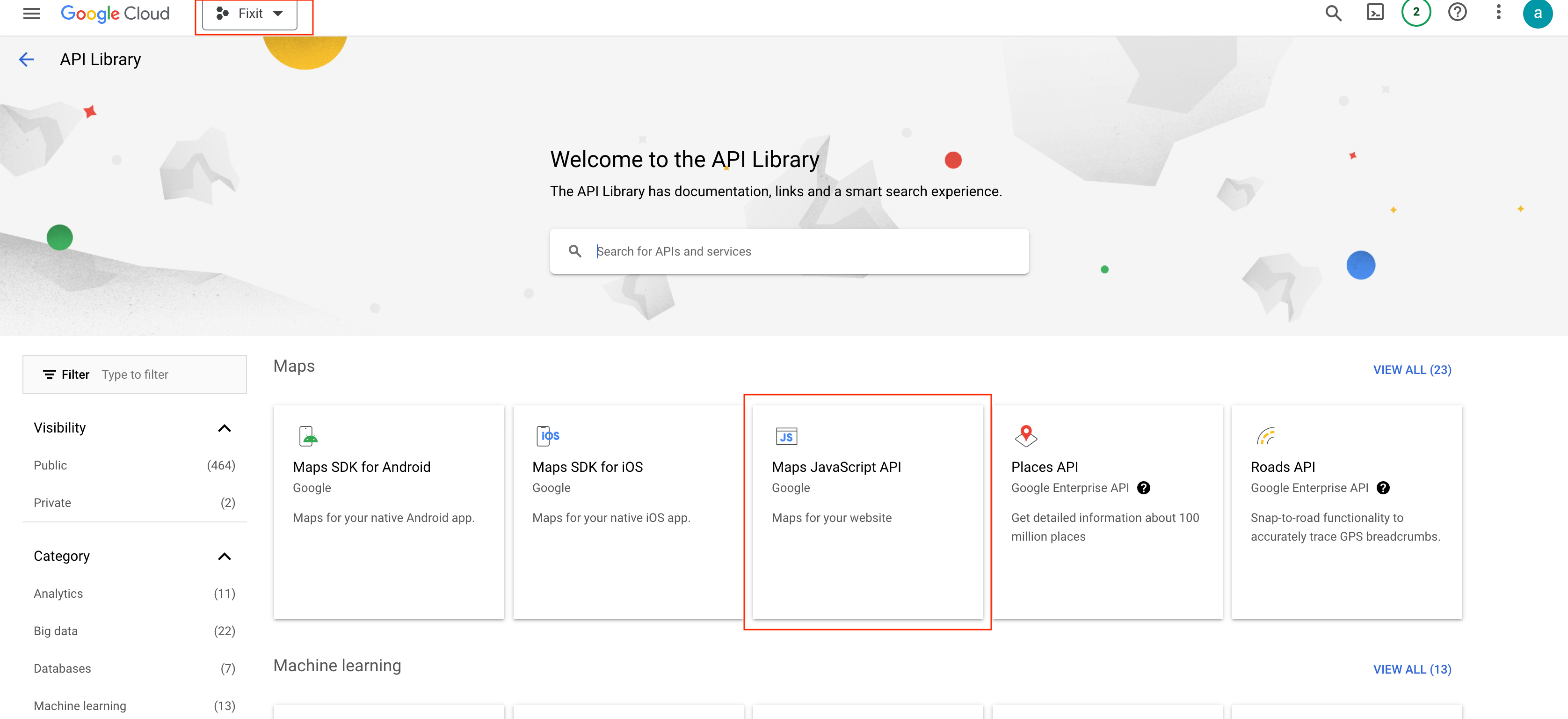
-
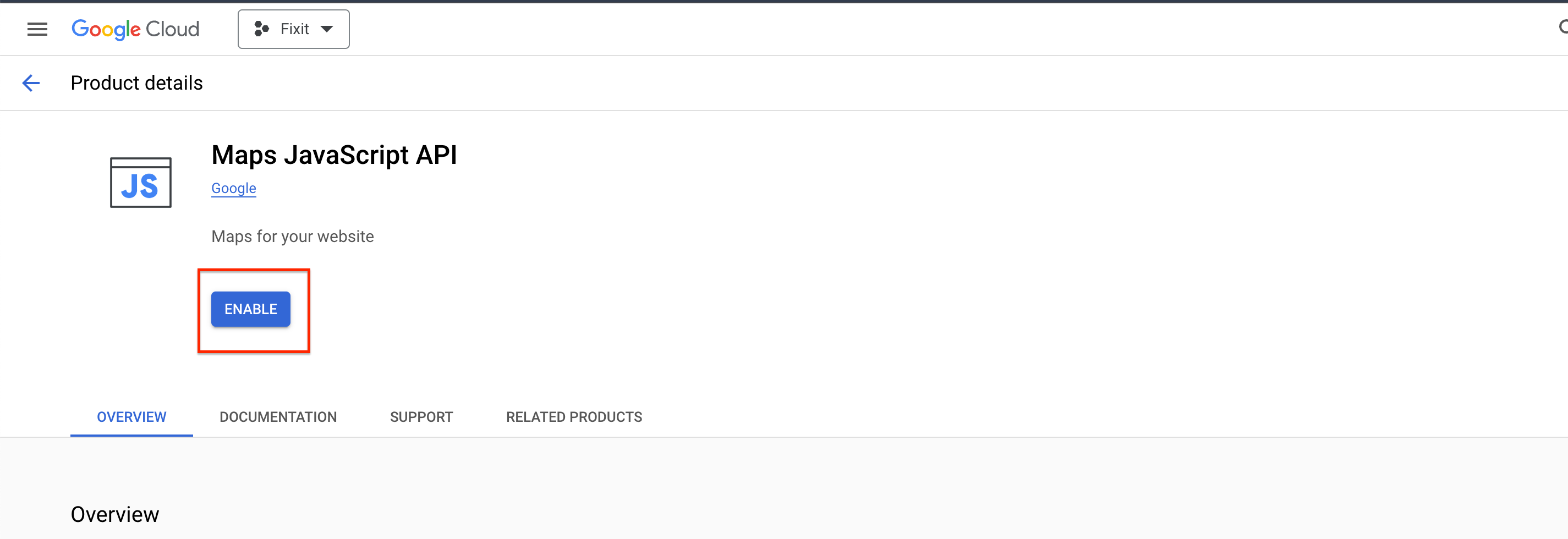
Enable the Maps JavaScript API and ensure you have a billing account set up for Maps services.
-
Once the Maps JavaScript API is enabled, access the ADMIN PANEL (Laravel). From the left-side menu,
go to Settings.
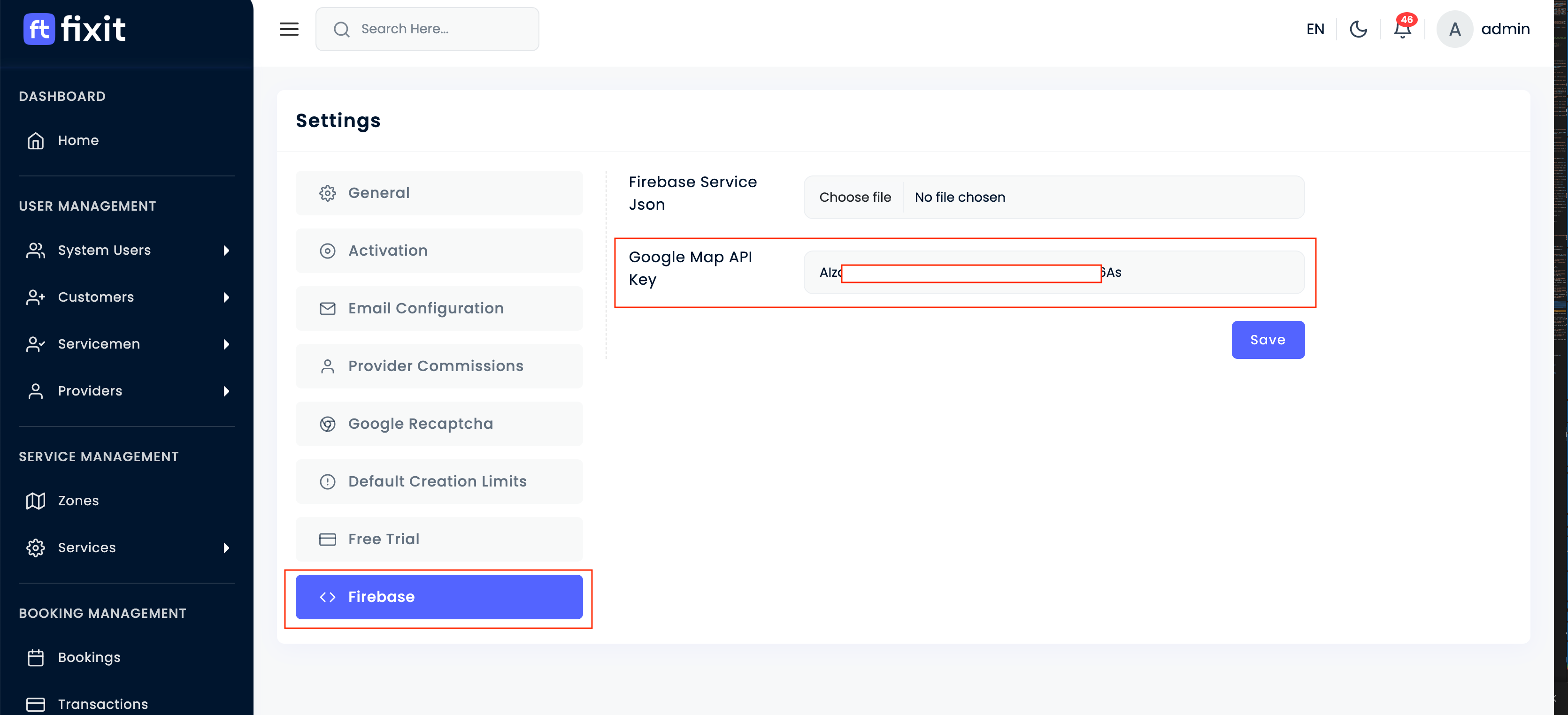
In setting page there are multile option listed, in that click on Firebase - On the Settings page, locate and click on Firebase. Enter your Google Map API Key in the
appropriate
field and hit the Save button.