


Get an AI summary of this page
 Wallet Bonus
How to add wallet bonus ?
Wallet Bonus
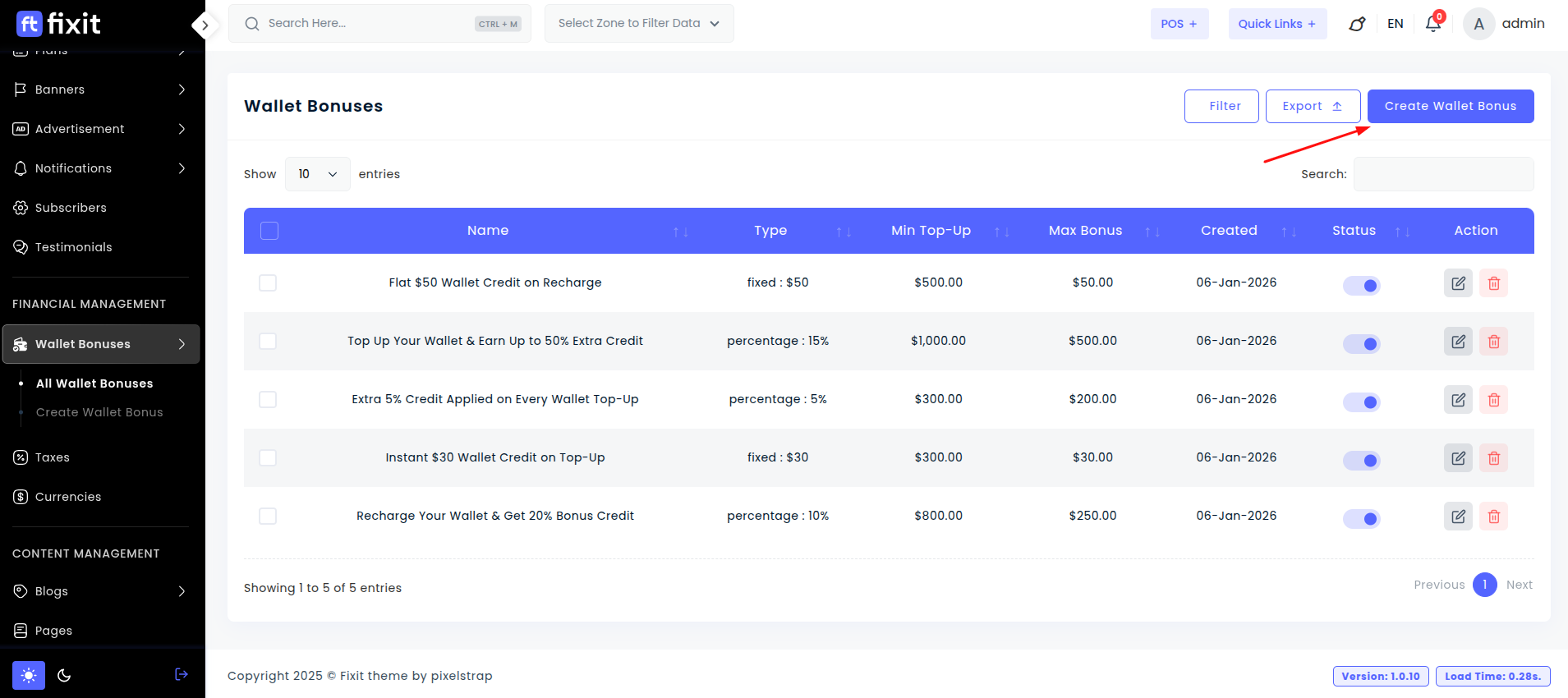
Click the Create Wallet Bonus button to create and configure a new wallet bonus.
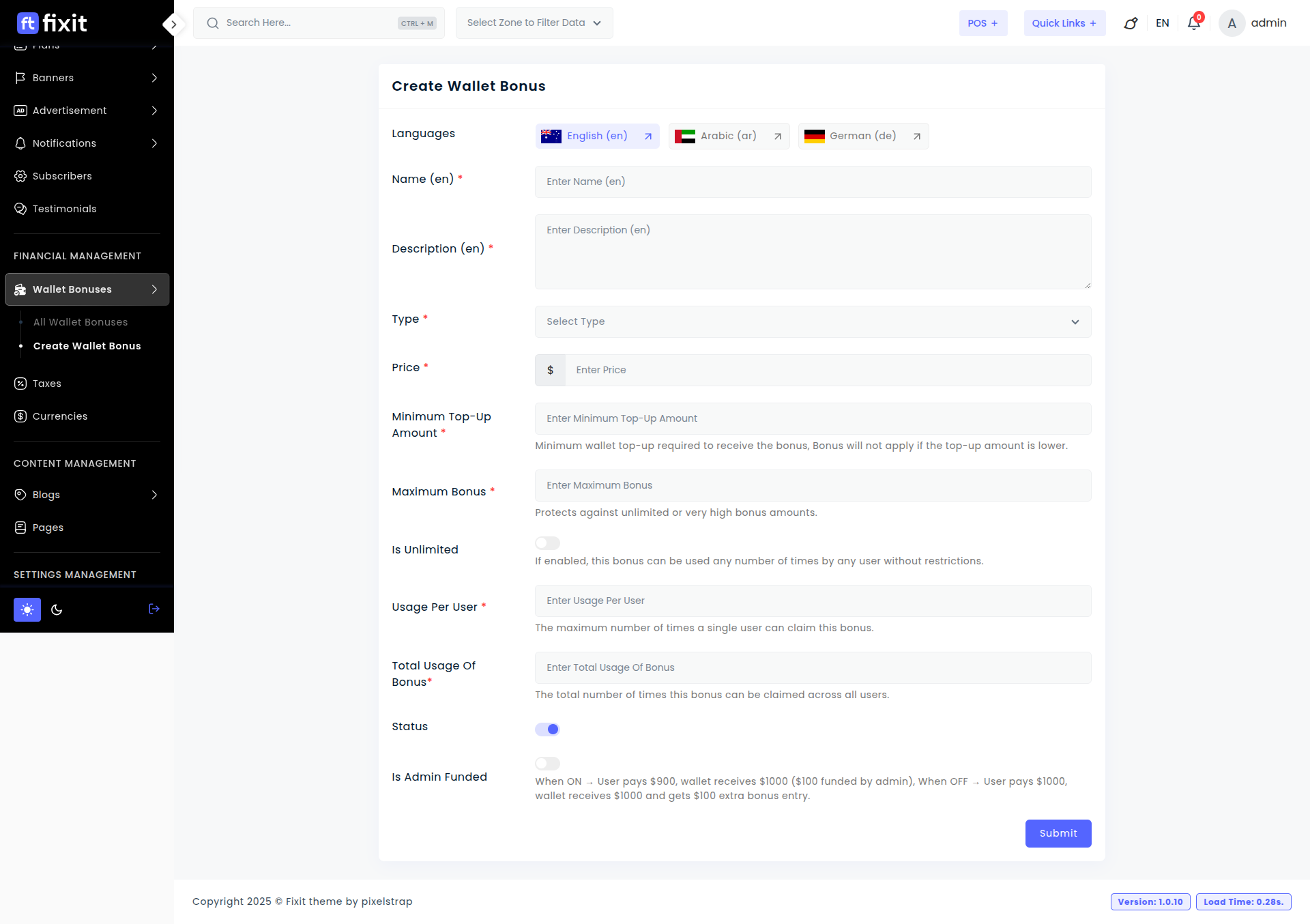
- Name: Enter the title of the wallet bonus that will be displayed to users.
- Description: Provide a brief explanation of the wallet bonus, including its purpose and benefits.
- Type: Choose the bonus type.
- Fixed: A fixed bonus amount is added to the wallet.
- Percentage: A percentage of the top-up amount is added as a bonus.
- Price: Enter the bonus value based on the selected type (fixed amount or percentage).
- Minimum Top-Up Amount: Define the minimum wallet top-up required to receive the bonus. The bonus will not apply if the top-up amount is lower.
- Maximum Bonus: Set the maximum bonus amount that can be granted. This helps prevent very high or unlimited bonus values.
- Is Unlimited: Enable this option to allow the bonus to be used an unlimited number of times without restrictions.
- Usage Per User: Specify how many times a single user can claim this wallet bonus.
- Total Usage of Bonus: Define the total number of times this bonus can be claimed across all users.
- Status: Enable or disable the wallet bonus. Only active bonuses will be available to users.
- Is Admin Funded:
- ON: The admin funds the bonus amount (e.g., user pays $900 and receives $1000).
- OFF: The user pays the full amount and receives the bonus as an extra wallet credit.
Wallet Bonus Settings
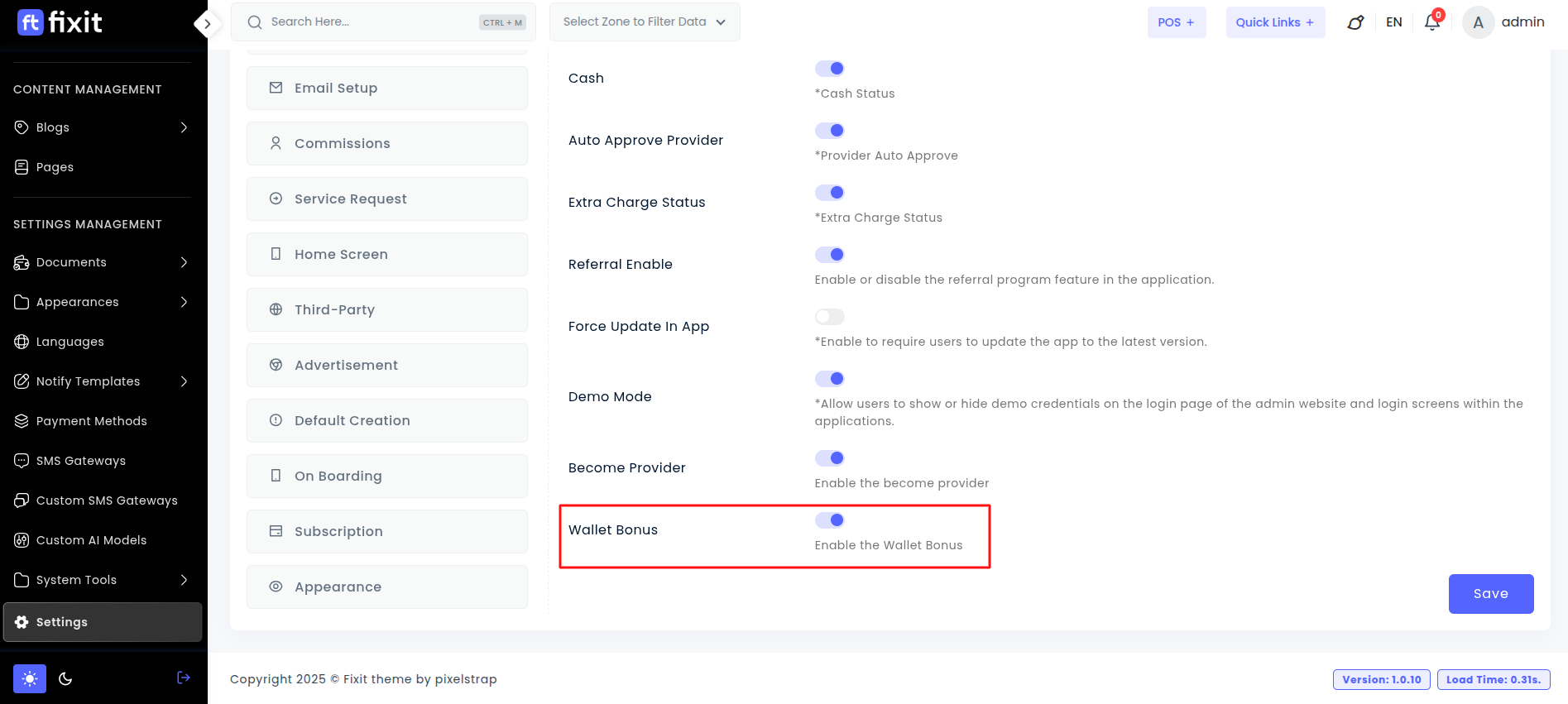
The Wallet Bonus setting enables or disables wallet bonus functionality in the system. When it is disabled, wallet bonuses will not be applied even if wallet bonus offers are already created. Remember to click Save after making changes.