Chitchat Node.js Application
Welcome to Chitchat - Modern Real-time Messaging Platform
Welcome to Chitchat, a comprehensive real-time messaging platform built with modern web technologies. Chitchat delivers a modern, full-featured messaging experience with powerful features for seamless communication, media sharing, and social connectivity.
Our Node.js-powered application delivers lightning-fast performance, real-time messaging capabilities, and a rich user experience that scales beautifully across all devices. Whether you're building a personal chat application or an enterprise communication solution, Chitchat provides the robust foundation you need.
🚀 Technologies Stack
Chitchat is built using cutting-edge technologies to ensure optimal performance, scalability, and maintainability:
Backend Technologies
Node.js Express.js Socket.io WebRTCPowerful server-side technologies for real-time communication
Database & Storage
MySQL MulterReliable data persistence and file storage solutions
Frontend Technologies
EJS Bootstrap 5 JavaScript ES6+Modern frontend stack for responsive user interfaces
- Node.js - Server-side JavaScript runtime for high-performance backend operations
- Express.js - Fast, unopinionated web framework for Node.js
- MySQL - Reliable relational database for data persistence
- EJS - Embedded JavaScript templating engine for dynamic content rendering
- Socket.io - Real-time bidirectional event-based communication
- Bootstrap 5 - Responsive CSS framework for modern UI components
- JavaScript (ES6+) - Modern JavaScript for enhanced functionality
- Multer - File upload handling middleware
- Bcrypt - Password hashing for enhanced security
✨ Key Features Overview
Chitchat comes packed with features that rival the most popular messaging platforms:
- Real-time Messaging - Instant message delivery with typing indicators
- Audio & Video Calls - High-quality voice and video communication
- Media Sharing - Images, videos, documents, and file attachments
- Friend Management - Add friends, send requests, manage contacts
- Message Reactions - Express emotions with emoji reactions
- Message Management - Reply, forward, edit, delete messages
- Advanced Search - Find messages, contacts, and media quickly
- Customizable Themes - Dark/light modes, wallpapers, and layouts
- Security Features - Robust authentication and privacy controls
📋 Prerequisites
Before setting up Chitchat, ensure you have basic knowledge of:
- JavaScript fundamentals and ES6+ features
- Node.js and npm package management
- MySQL database basics and SQL queries
- HTML/CSS for customization and theming
- Command line/terminal usage
- Git version control basics
📖 Documentation Structure
This documentation is organized into comprehensive sections:
- Project Setup - Installation and configuration for all operating systems
- Deployment - Server deployment and production setup
- Core Features - Essential messaging and communication features
- Advanced Features - Extended functionality and integrations
- Customization - Theming, styling, and personalization options
- Security & Privacy - Security features and privacy controls
🛠️ Project Setup
Setting up Chitchat is straightforward and works seamlessly across different operating systems. This section provides detailed installation instructions for Ubuntu, macOS, and Windows.
📦 System Requirements
- Node.js - Latest LTS (v22+) recommended
- MySQL - Latest GA (8.4+) recommended
- npm - Latest (bundled with Node.js)
- Git - For version control
- RAM - Minimum 4GB (8GB recommended)
- Storage - At least 2GB free space
🐧 Ubuntu/Linux Installation
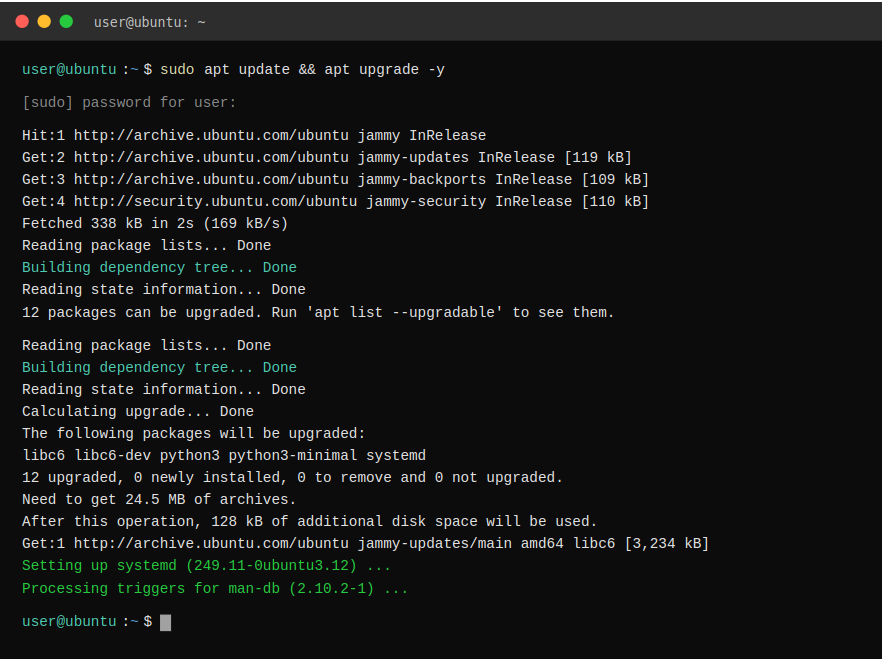
Step 1: Update System Packages
sudo apt update && sudo apt upgrade -y
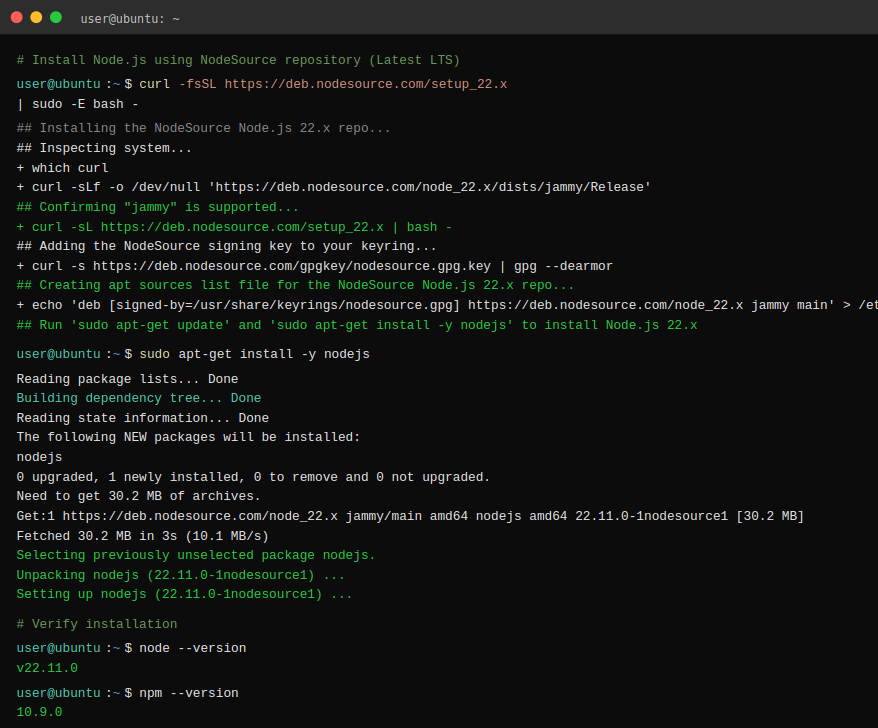
Step 2: Install Node.js (Latest LTS)
                    # Install Node.js using NodeSource repository (Latest LTS)
curl -fsSL https://deb.nodesource.com/setup_22.x | sudo -E bash -
sudo apt-get install -y nodejs

# Verify installation
node --version
npm --version
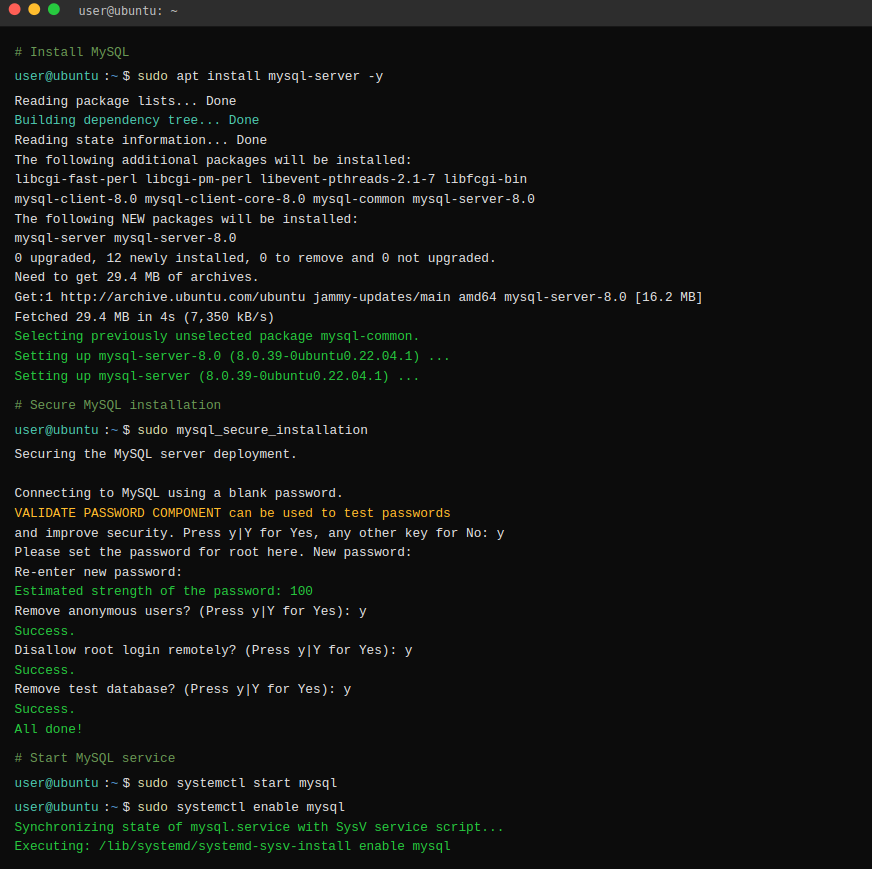
Step 3: Install MySQL Server
                    # Install MySQL
sudo apt install mysql-server -y

# Secure MySQL installation
sudo mysql_secure_installation

# Start MySQL service
sudo systemctl start mysql
sudo systemctl enable mysql
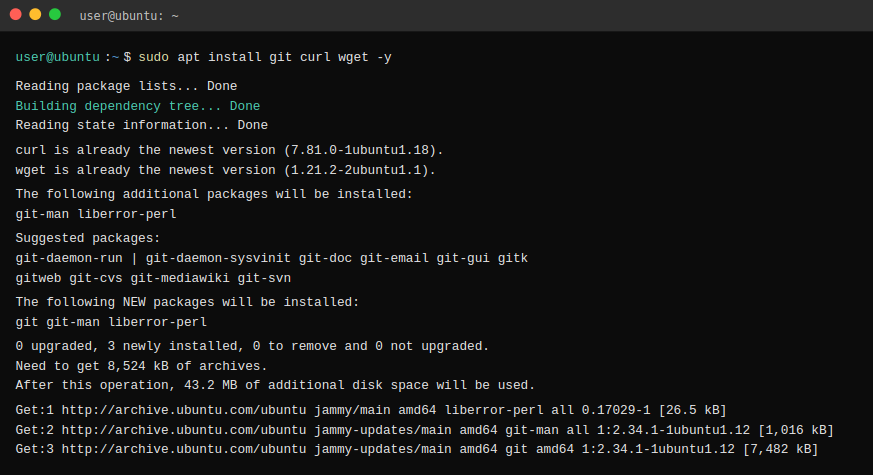
Step 4: Install Git and Development Tools
sudo apt install git curl wget -y
🍎 macOS Installation
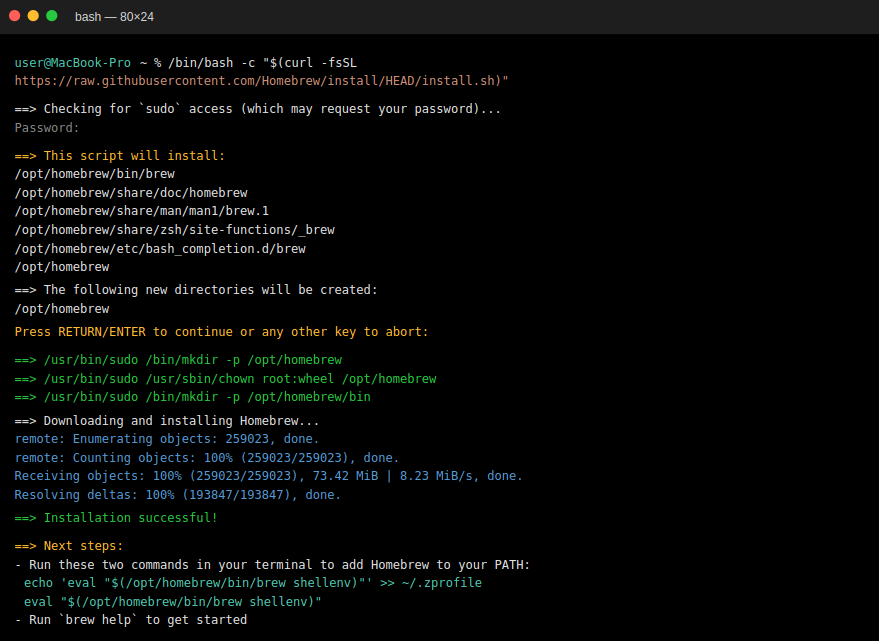
Step 1: Install Homebrew (if not already installed)
/bin/bash -c "$(curl -fsSL https://raw.githubusercontent.com/Homebrew/install/HEAD/install.sh)"
Step 2: Install Node.js
                    # Install Node.js via Homebrew
brew install node

# Verify installation
node --version
npm --version
Step 3: Install MySQL
                    # Install MySQL via Homebrew
brew install mysql

# Start MySQL service
brew services start mysql

# Secure MySQL installation
mysql_secure_installation

🪟 Windows Installation
Step 1: Download and Install Node.js (Latest LTS)
- Visit nodejs.org
- Download the LTS version for Windows
- Run the installer and follow the setup wizard
- Ensure "Add to PATH" is checked during installation
Step 2: Install MySQL (Latest GA)
- Download MySQL Community Server from MySQL official site
- Run the MySQL installer
- Choose "Developer Default" setup type
- Configure MySQL Server with a root password
- Start MySQL as a Windows Service
Step 3: Verify Installation
                    # Open Command Prompt or PowerShell and run:
node --version
npm --version
mysql --version

📥 Project Installation
Step 1: Download from CodeCanyon and Extract
                    # After purchasing, download the ZIP from CodeCanyon
# Extract the ZIP; you will see the 'chitchat-nodejs' folder
unzip chitchat-nodejs.zip
cd chitchat-nodejs
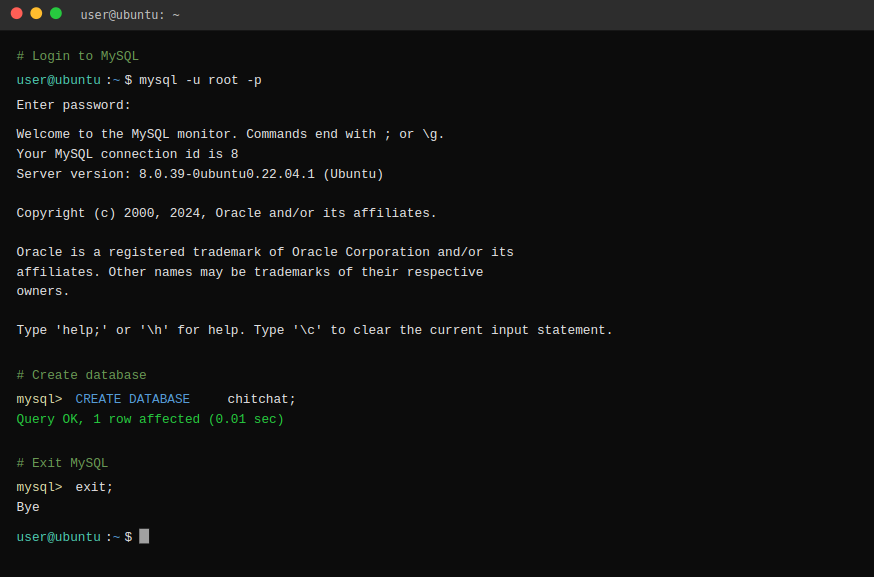
Step 2: Database Setup
                    # Login to MySQL
mysql -u root -p

# Create database
CREATE DATABASE chitchat;

# Exit MySQL
exit;
Step 3: Environment Configuration
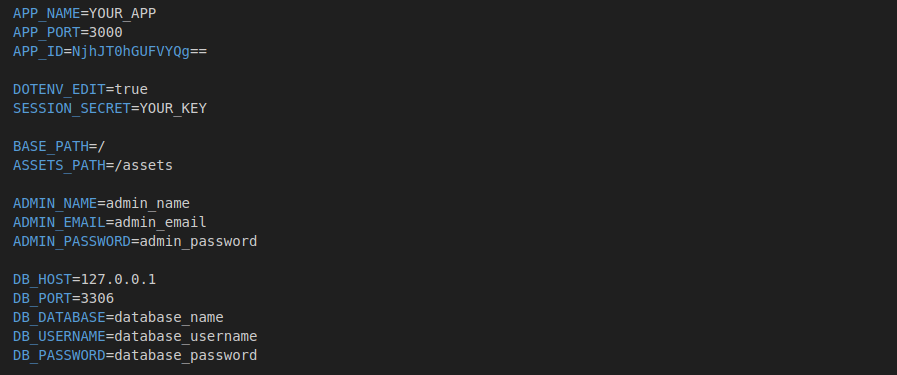
Create a .env file in the root directory with the following configuration (sample):
                    APP_NAME=Chitchat
APP_PORT=3000

BASE_PATH=/
ASSETS_PATH=/assets

DB_HOST=localhost
DB_USER=root
DB_PASSWORD=password
DB_NAME=chitchat
DB_DIALECT=mysql

# For create default admin then you can remove it
ADMIN_NAME=Admin
ADMIN_EMAIL=admin@example.com
ADMIN_PASSWORD=123456789
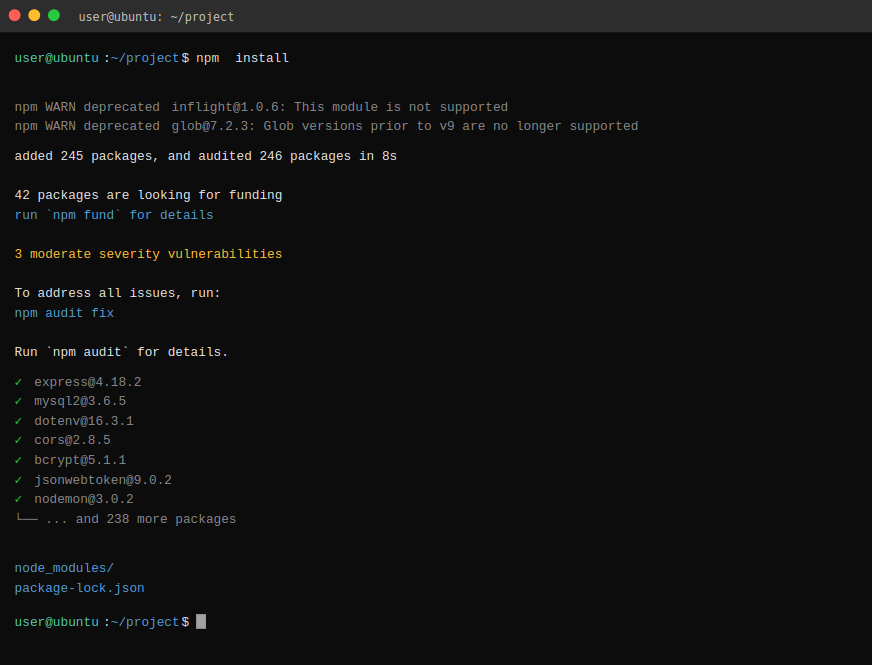
Step 4: Install Dependencies
npm install
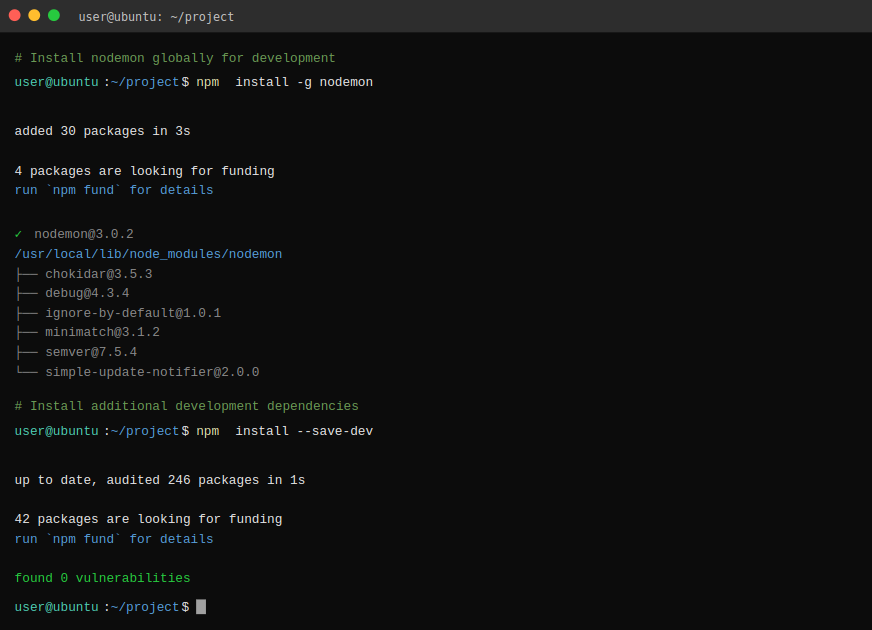
Step 5: Install Development Tools
                    # Install nodemon globally for development
npm install -g nodemon

# Install additional development dependencies
npm install --save-dev

# Seeder
npx sequelize-cli db:seed:all
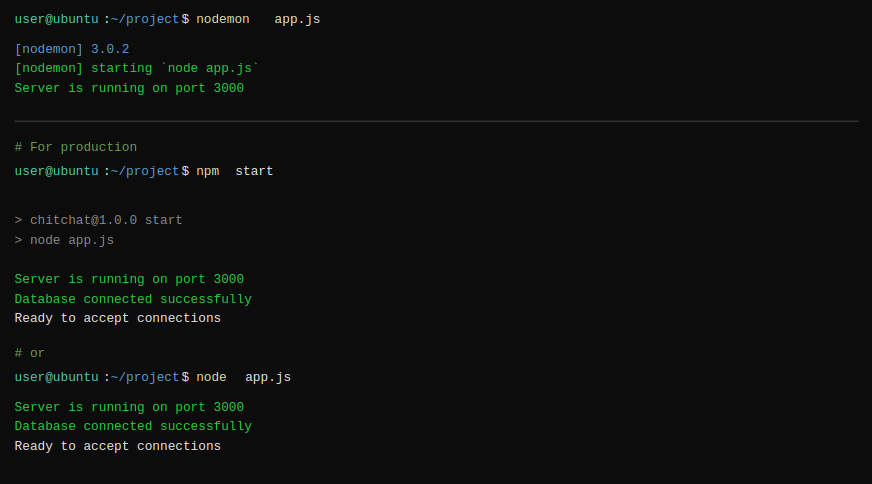
Step 6: Start the Application
                    # For development (with auto-restart)
nodemon app.js

# For production
npm start
# or
node app.js
Local URLs
- Frontend Messaging:
http://localhost:3000/messenger(sign up and log in) - Admin Panel:
http://localhost:3000/admin/auth/login(admin@example.com / 123456789)
🎉 Congratulations! Your Chitchat application should now be running at http://localhost:3000
Installation
1: Open chitchat-fronend-and-admin-nodejs directory that you downloaded from CodeCanyon.
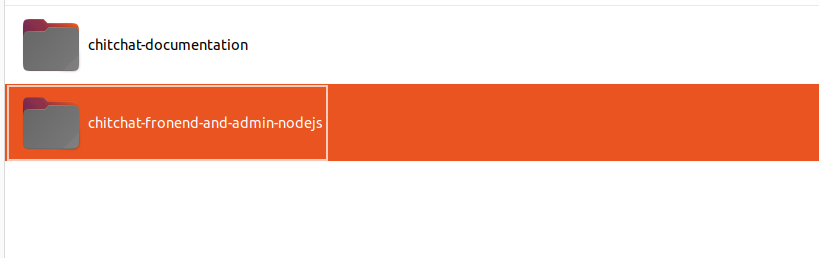
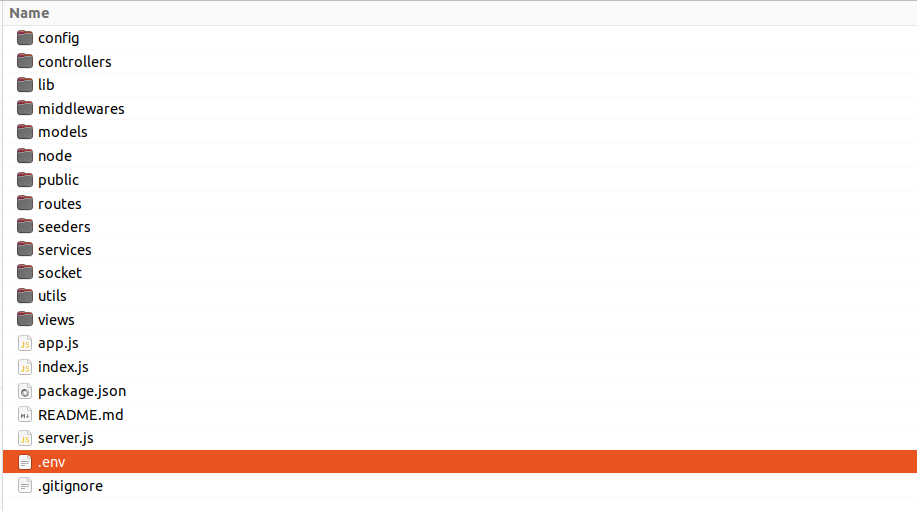
2: Add the required database credentials in .env file.
- Add values to the below keys in the .env file
3: Install Required Dependencies:
- In the chitchat-fronend-and-admin-nodejs folder, run following command in the terminal to install the required dependencies.
npm install
4: Run Chitchat API:
- Once you've finished all the previous steps, you can run Application by adding following command.
                    # For development (with auto-restart)
nodemon app.js

# For production
npm start
# or
node app.js
5: Run chitchat Installation Wizard:
- After starting the server, open the current running server URL (http://127.0.0.1:3000) in your web browser, and the chitchat installation wizard will automatically appear.
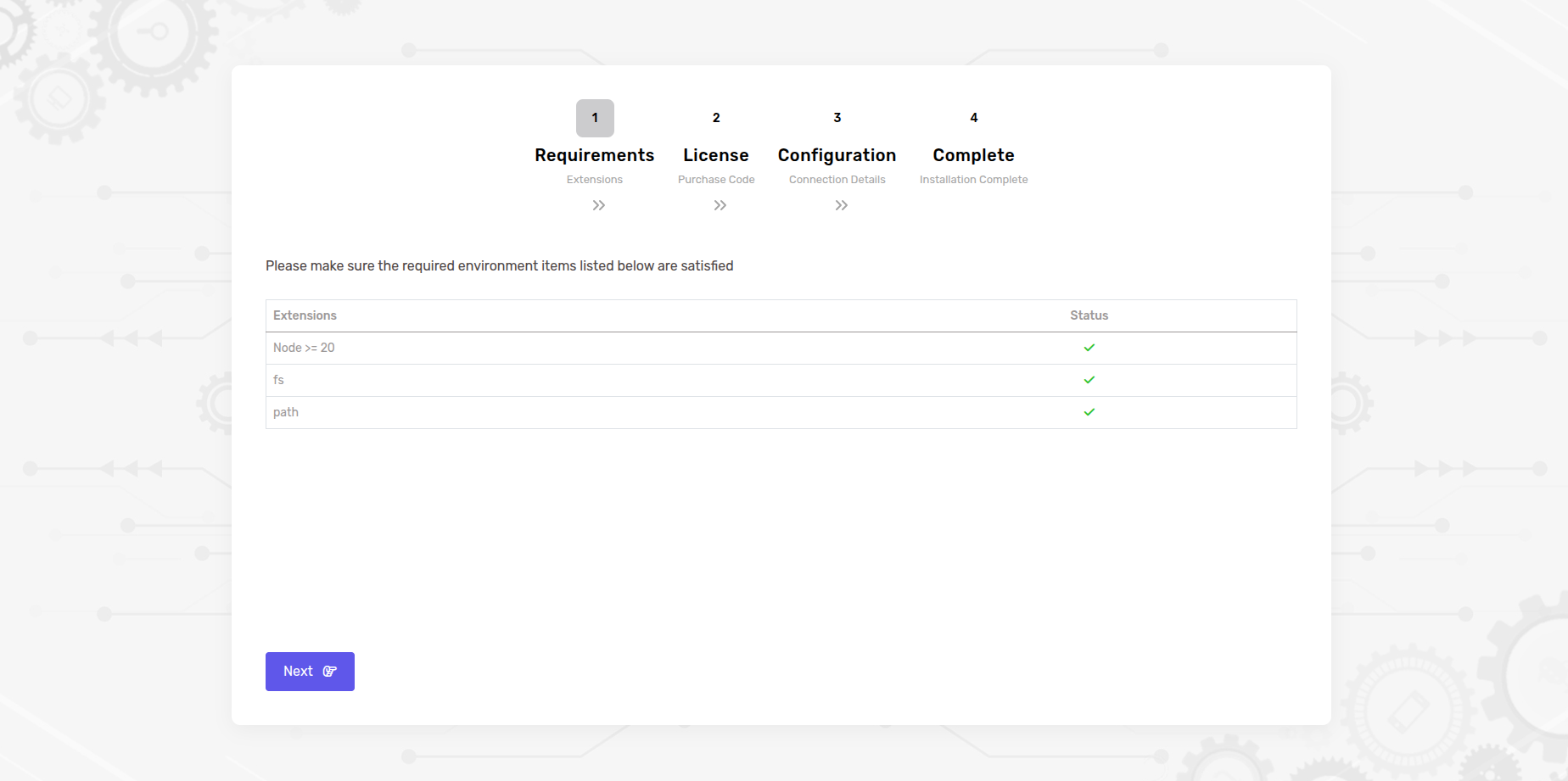
- Step 1: Before you proceed to the next step, make sure that the specified Node extensions are installed on your system.
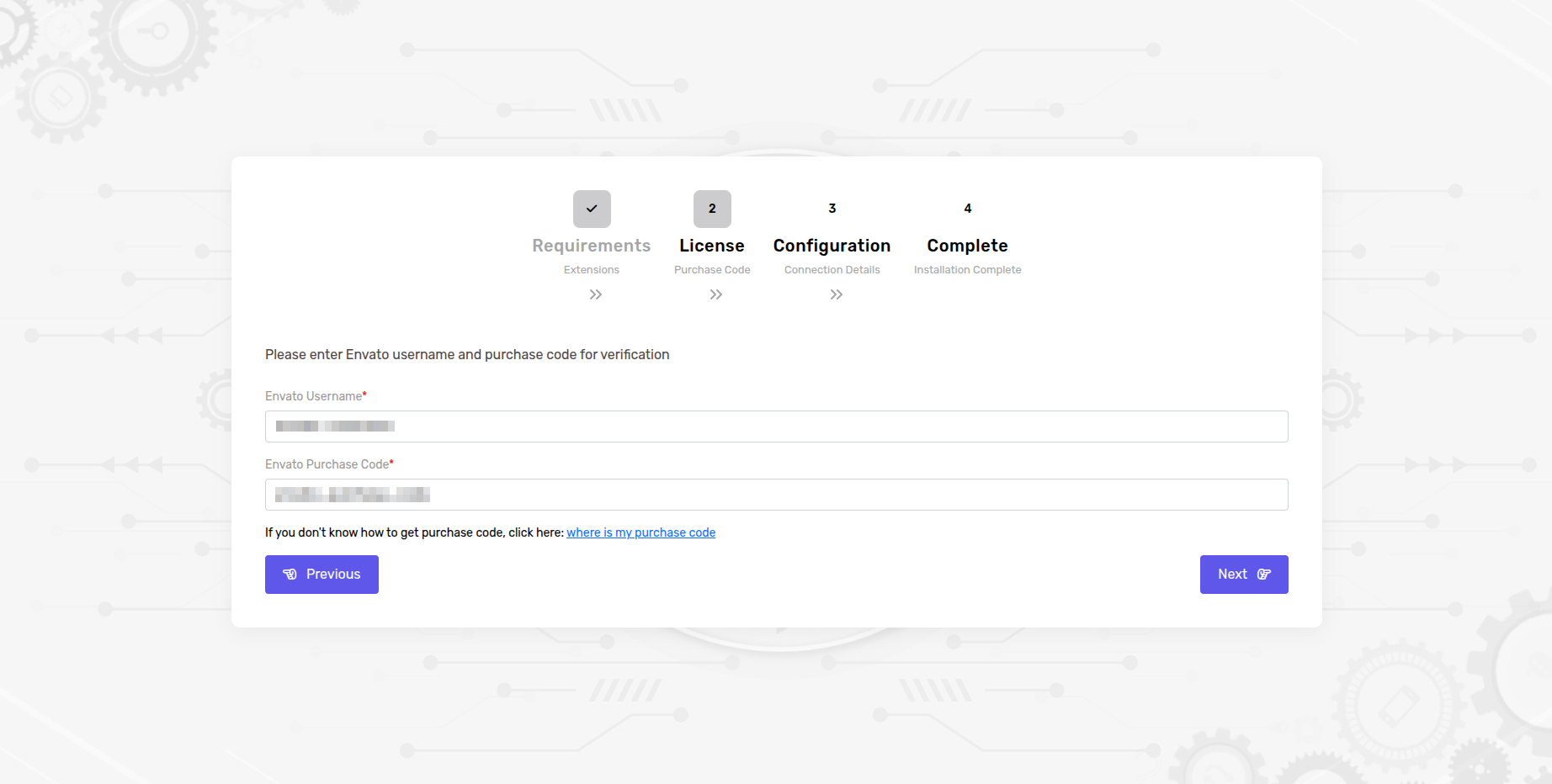
- Step 2: Before using the Chitchat, it's important to verify your Envato purchase license code.
- Enter in your Envato username and the chitchat purchase code and click next button.
- If you don't know where to find your purchase code, click here: where is my purchase code
Note: Once a license is verified, it can't be used for another project. An Envato Purchase License can only be verified on one domain at time.
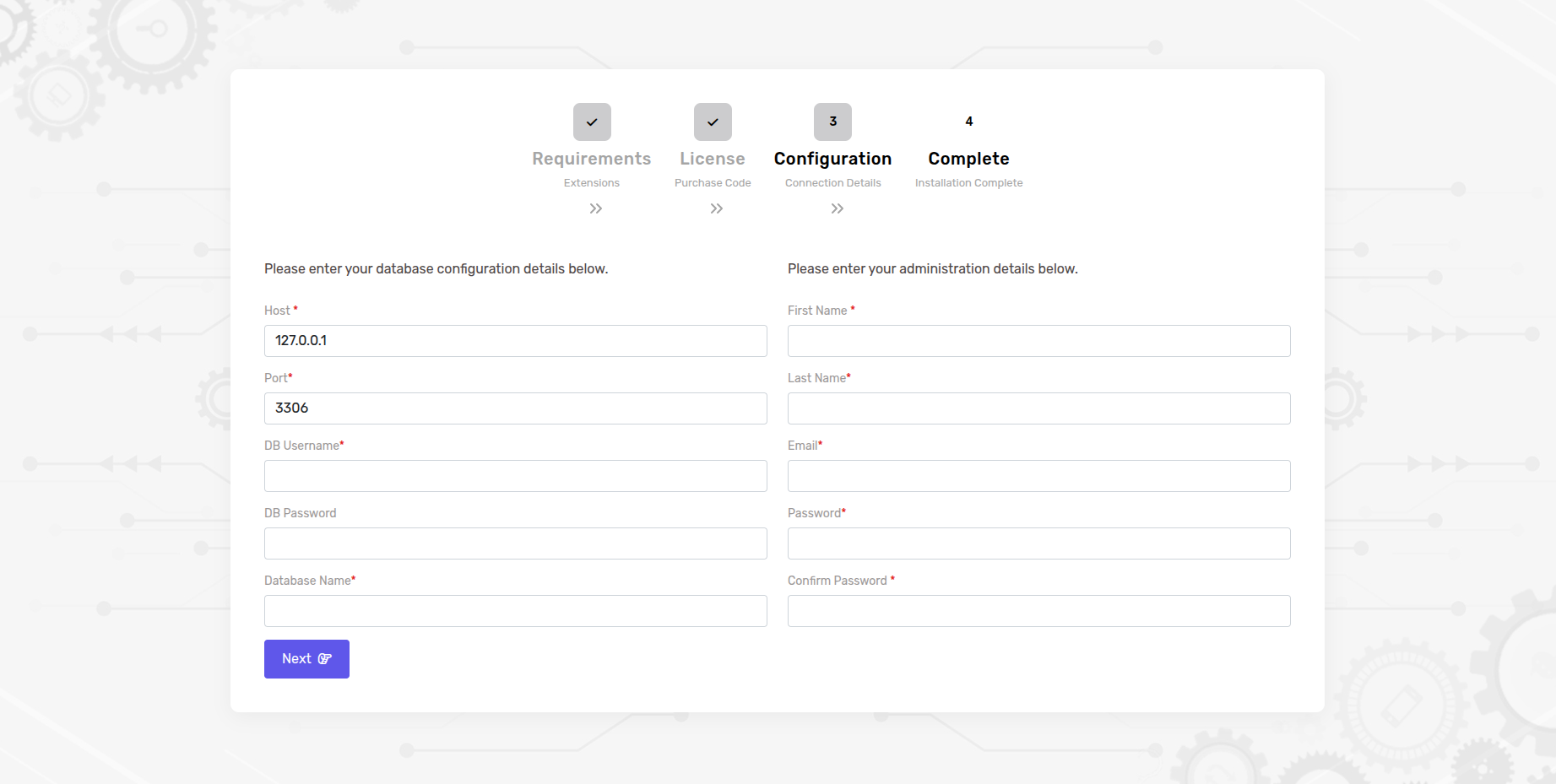
- Step 3: Once the license has been verified, proceed to the database configuration step.
- Enter the essential MySQL database credentials to connect NodeJs to the MySQL database such as a database host, username, password, and database name.
- Enter the administration details as well. Once done, click the "Next" button to proceed.
Note: After entering the required information and clicking "Next," the database setup will start. It might take around 5 to 10 minutes, so please wait patiently.
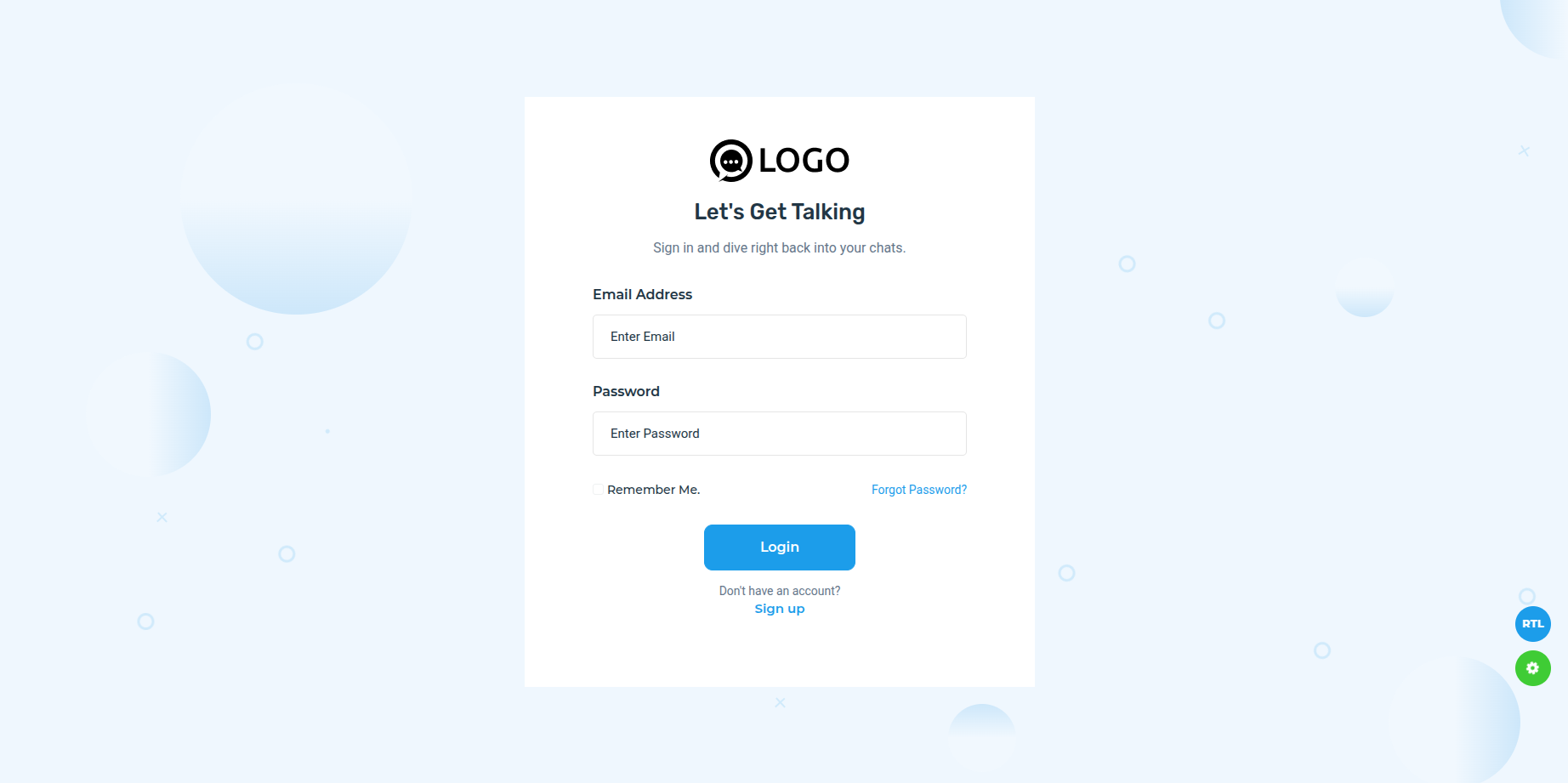
- Step 4: Once all steps are finished, Congratulations! ChitChat has been successfully installed and configured on your system! 🎉
🚀 Deployment Guide
Deploying Chitchat to a production server ensures your messaging platform is accessible to users worldwide. This section covers deployment strategies for various hosting platforms and server configurations.
☁️ Server Requirements
- Operating System - Ubuntu 20.04 LTS or higher (recommended)
- RAM - Minimum 2GB (4GB+ recommended for production)
- Storage - At least 20GB SSD storage
- Bandwidth - Adequate bandwidth for real-time communication
- SSL Certificate - For HTTPS (Let's Encrypt recommended)
🖥️ VPS/Dedicated Server Deployment
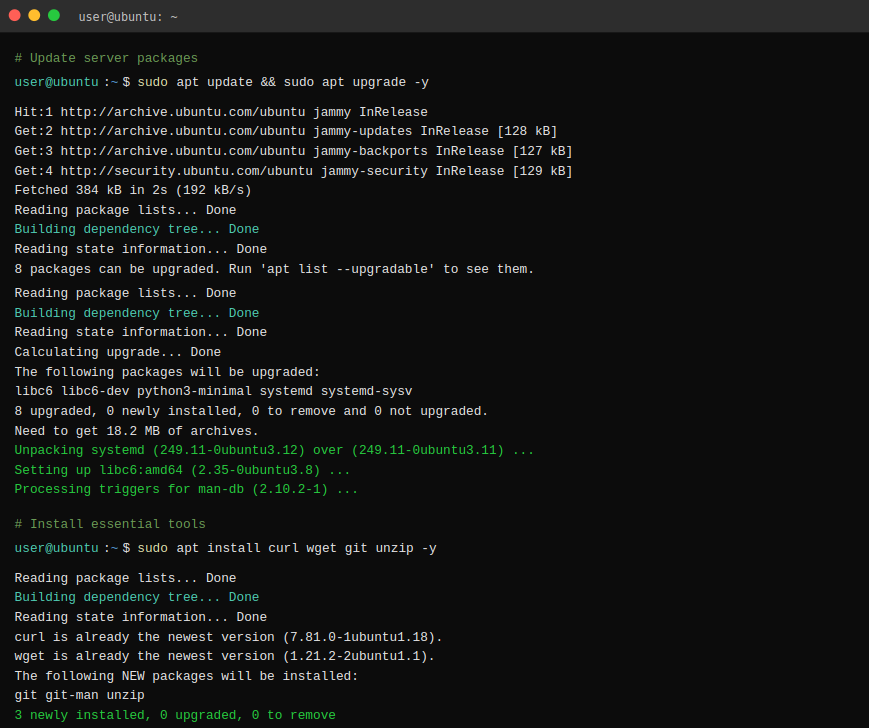
Step 1: Server Setup
                    # Update server packages
sudo apt update && sudo apt upgrade -y

# Install essential tools
sudo apt install curl wget git unzip -y
Step 2: Install Node.js on Server
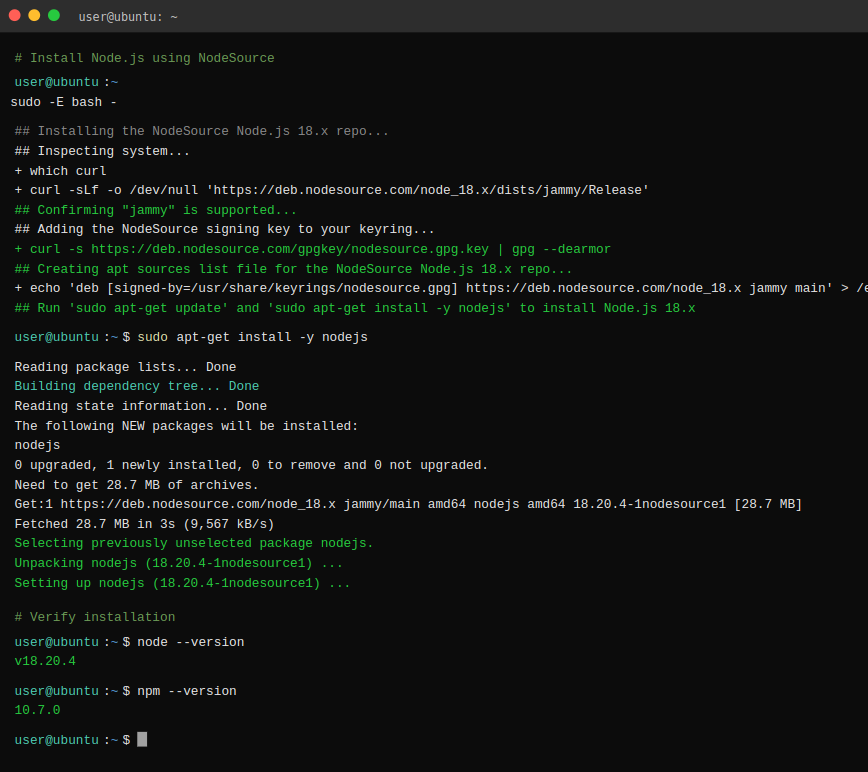
                    # Install Node.js using NodeSource
curl -fsSL https://deb.nodesource.com/setup_22.x | sudo -E bash -
sudo apt-get install -y nodejs

# Verify installation
node --version
npm --version
Step 3: Install MySQL on Server
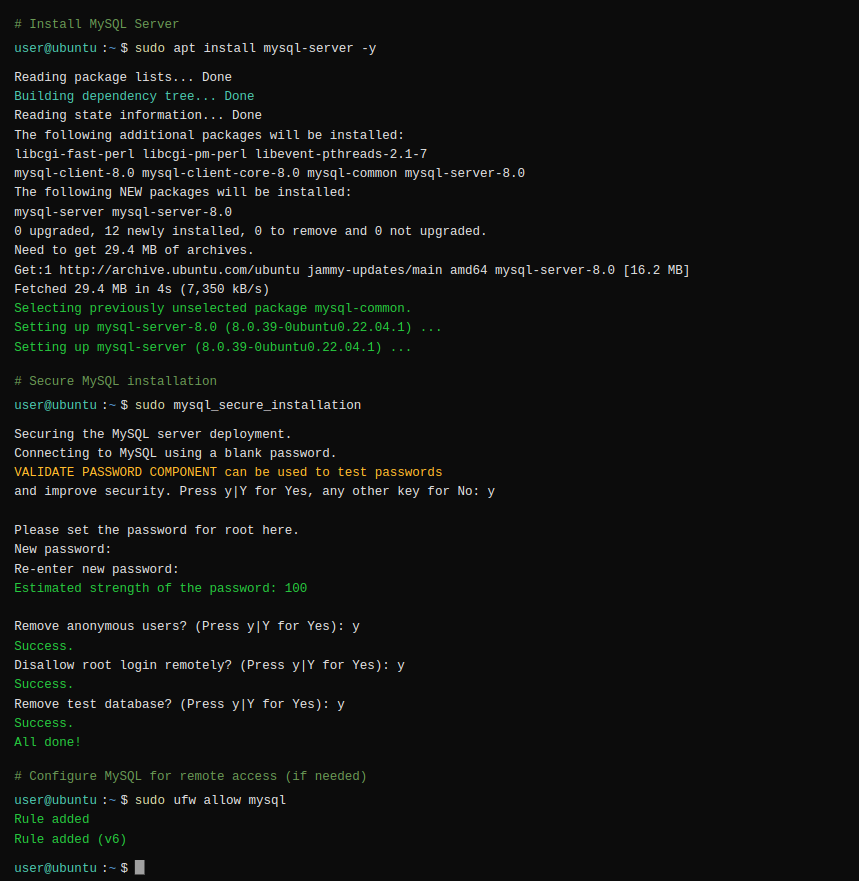
                    # Install MySQL Server
sudo apt install mysql-server -y

# Secure MySQL installation
sudo mysql_secure_installation

# Configure MySQL for remote access (if needed)
sudo ufw allow mysql
Step 4: Deploy Application
                    # Clone your repository
git clone https://github.com/your-username/chitchat-nodejs.git
cd chitchat-nodejs

# Install production dependencies
npm install --production

# Seeder
npx sequelize-cli db:seed:all

# Set up environment variables
cp .env.example .env
nano .env  # Edit with production values
Step 5: Process Management with PM2
                    # Install PM2 globally
sudo npm install -g pm2

# Start application with PM2
pm2 start app.js --name chitchat

# Save PM2 configuration
pm2 save

# Set PM2 to start on boot
pm2 startup

Step 6: Nginx Reverse Proxy (Recommended)
                    # Install Nginx
sudo apt install nginx -y

# Create Nginx configuration
sudo nano /etc/nginx/sites-available/chitchat

# Add configuration:
server {
    listen 80;
    server_name your-domain.com;

    location / {
        proxy_pass http://localhost:3000;
        proxy_http_version 1.1;
        proxy_set_header Upgrade $http_upgrade;
        proxy_set_header Connection 'upgrade';
        proxy_set_header Host $host;
        proxy_cache_bypass $http_upgrade;
        proxy_set_header X-Real-IP $remote_addr;
        proxy_set_header X-Forwarded-For $proxy_add_x_forwarded_for;
        proxy_set_header X-Forwarded-Proto $scheme;
    }
}

# Enable site
sudo ln -s /etc/nginx/sites-available/chitchat /etc/nginx/sites-enabled/
sudo nginx -t
sudo systemctl restart nginx
🔒 SSL Certificate Setup
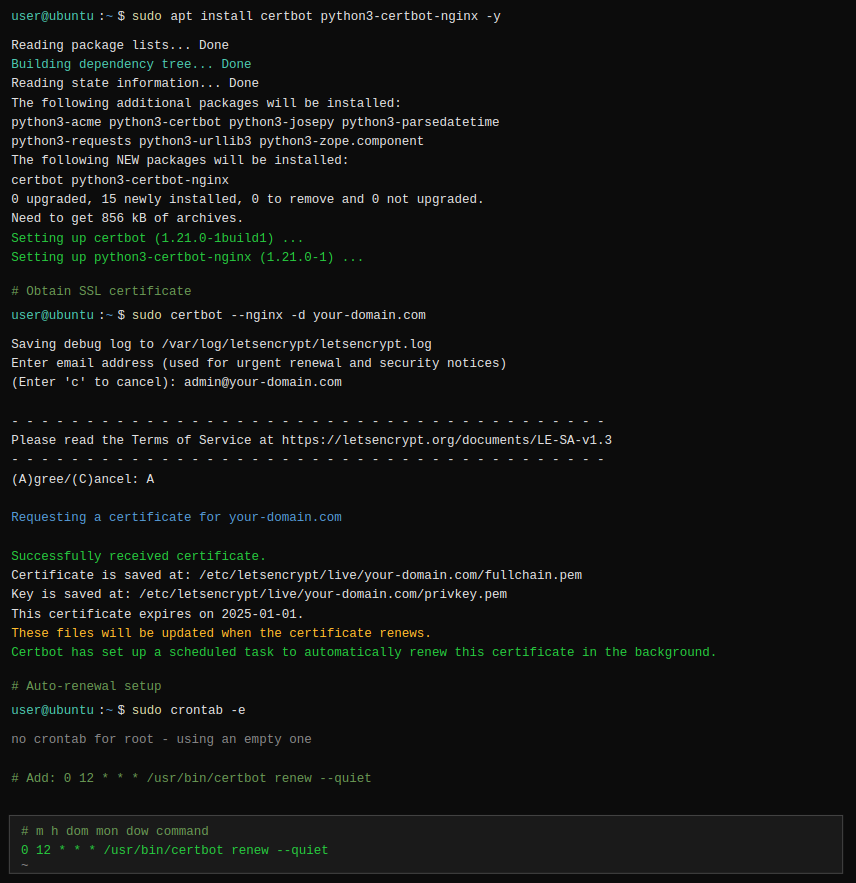
                    # Install Certbot
sudo apt install certbot python3-certbot-nginx -y

# Obtain SSL certificate
sudo certbot --nginx -d your-domain.com

# Auto-renewal setup
sudo crontab -e
# Add: 0 12 * * * /usr/bin/certbot renew --quiet
☁️ Cloud Platform Deployment
Chitchat can be easily deployed on popular cloud platforms:
Heroku
Simple git-based deployment with add-ons for MySQL
DigitalOcean
Droplets with one-click Node.js setup and managed databases
AWS EC2
Scalable cloud computing with RDS for MySQL
Deployment URLs:
- Frontend:
https://your-domain.com/messenger - Admin:
https://your-domain.com/admin/auth/login
🛡️ Admin Features
- Dashboard - Overview of KPIs, active users, and system health.
- Users List - Manage users: view, filter, suspend, or delete accounts.
- Reported Users - Review reports and take moderation actions.
- Frontend Settings - Configure branding, logos, and UI preferences.
- General Setting - App-wide configuration (name, URLs, time zone).
- Pages - Manage static pages like Terms, Privacy, FAQs.
- Report Settings - Define report reasons and escalation rules.
- FAQ List - Create and organize frequently asked questions.
- Chat Wallpaper List - Curate default chat wallpapers.
- Sticker List - Manage sticker packs and availability.
- Contact Inquiries - View and respond to contact form submissions.
- Media and Chat Setting - Control media limits and chat options.
- Deleted Account List - Audit log of deleted/deactivated accounts.
- E-mail Configuration - SMTP/provider setup and templates.
- Admin Profile - Update admin account details and password.
💬 Core Features
Chitchat's core features provide the foundation for modern messaging experiences. Built with real-time communication at its heart, these features ensure seamless interaction between users across all devices.
📱 Real-time Messaging
Experience instant message delivery with our WebSocket-powered real-time messaging system. Messages are delivered instantly with read receipts, typing indicators, and delivery confirmations.
- Instant Delivery - Messages appear immediately without page refresh
- Typing Indicators - See when someone is typing in real-time
- Read Receipts - Know when your messages have been read
- Online Status - See who's currently online
- Last Seen - View when users were last active
- Message Status - Sent, delivered, and read indicators
👥 User Management
Comprehensive user management system with profile customization, status updates, and privacy controls.
- User Profiles - Customizable profiles with photos and status
- Status Updates - Share your current status with contacts
- Privacy Settings - Control who can see your information
- Account Settings - Manage account preferences and security
- Profile Pictures - Upload and manage profile photos
💾 Data Persistence
All your conversations, media, and settings are securely stored in MySQL database with automatic backups and data synchronization across devices.
- Message History - Complete conversation history preserved
- Cross-device Sync - Access your chats from any device
- Automatic Backups - Regular database backups for data safety
- Data Export - Export your chat history and media
💭 Advanced Messaging Features
Chitchat offers a comprehensive set of messaging features designed to be intuitive and feature-rich.
😊 Message Reactions
Express your emotions instantly with message reactions. Choose from a wide variety of emojis to react to messages without sending a separate reply.
- Emoji Reactions - React with thumbs up, heart, laugh, and more
- Multiple Reactions - See all reactions on a single message
- Reaction Counts - View who reacted and with what emoji
- Quick Reactions - Long-press for quick emoji selection
- Custom Emojis - Upload and use custom emoji reactions
📋 Copy & Reply Functions
Efficient message management with copy, reply, and forward capabilities for seamless communication flow.
- Copy Messages - Copy text content to clipboard
- Reply to Messages - Quote and reply to specific messages
- Forward Messages - Share messages with other contacts
- Message Threading - Keep conversations organized with replies
- Quote Formatting - Clear visual indication of quoted messages
📝 Message Management
Complete control over your messages with editing, deletion, and organization features.
- Edit Messages - Modify sent messages (with edit history)
- Delete for Me - Remove messages from your view only
- Delete for Everyone - Remove messages for all participants
- Message Search - Find specific messages across all chats
- Message Selection - Select multiple messages for bulk actions
- Message Info - View delivery and read status details
🔍 Search Functionality
Powerful search capabilities to find messages, contacts, and media across your entire chat history.
- Global Search - Search across all conversations
- Contact Search - Find friends and contacts quickly
- Message Search - Locate specific messages by content
- Media Search - Find shared photos, videos, and documents
- Filter Options - Filter by date, sender, or message type
- Search Highlights - Highlighted search terms in results
📂 Chat Organization
Keep your chats organized with archiving, pinning, and categorization features.
- Archive Chats - Hide inactive conversations
- Pin Conversations - Keep important chats at the top
- Unread Messages - Clear indicators for new messages
- Chat Folders - Organize chats into custom categories
- Archive All - Bulk archive multiple conversations
📞 Communication Features
Chitchat provides comprehensive communication tools including high-quality audio and video calls, making it a complete communication platform for personal and professional use.
🎵 Audio Calling
Crystal-clear audio calls with advanced features for seamless voice communication.
- One-on-One Calls - High-quality peer-to-peer audio calls
- Call Recording - Record important conversations (with permission)
- Noise Cancellation - Advanced audio processing for clear calls
- Mute/Unmute - Easy audio control during calls
- Speaker Toggle - Switch between earpiece and speaker
- Call History - Complete log of all audio calls
- Call Duration - Track call time and statistics
📹 Video Calling
Face-to-face communication with HD video calls, screen sharing, and interactive features.
- HD Video Calls - High-definition video communication
- Camera Toggle - Turn camera on/off during calls
- Video Filters - Apply filters and effects during calls
- Call Recording - Record video calls for later viewing
- Bandwidth Optimization - Automatic quality adjustment
📊 Call Management
Comprehensive call management with history tracking, statistics, and contact integration.
- Call History - Complete log of all incoming and outgoing calls
- Call Statistics - Duration, frequency, and call quality metrics
- Missed Calls - Clear indicators and notifications for missed calls
- Call Blocking - Block unwanted callers
💬 Recent Chats
Smart chat organization with recent conversations, unread indicators, and quick access to active chats.
- Recent Conversations - Chronologically ordered chat list
- Unread Badges - Clear count of unread messages
- Last Message Preview - See the latest message in each chat
- Timestamp Display - When the last message was sent
- Chat Pinning - Pin important conversations to the top
- Chat Sorting - Sort by time, name, or unread status
👫 Friend Management System
Build and manage your social network with Chitchat's comprehensive friend management system. Connect with friends, manage contacts, and build meaningful relationships.
🔍 Find Friends
Discover and connect with friends using multiple search methods and recommendation systems.
- Username Search - Find friends by their unique username
- Phone Number Search - Connect using phone numbers
- Email Search - Find contacts by email address
- Nearby Friends - Discover friends in your vicinity
- Friend Suggestions - AI-powered friend recommendations
📨 Friend Requests
Secure friend request system with approval workflows and privacy controls.
- Send Requests - Send friend requests with personal messages
- Receive Requests - Manage incoming friend requests
- Request Notifications - Real-time notifications for new requests
- Accept/Decline - Easy approval or rejection of requests
- Block Users - Prevent unwanted friend requests
- Request History - Track sent and received requests
👥 Contact Management
Organize and manage your contacts with advanced sorting, grouping, and interaction features.
- Contact List - Organized list of all your connections
- Favorite Contacts - Mark frequently contacted friends
- Contact Info - Detailed contact profiles and information
- Block/Unblock - Manage blocked contacts
- Report Contact - Report inappropriate users
- Unfriend - Remove friends from your contact list
🎨 Media Sharing & Attachments
Share memories, documents, and media effortlessly with Chitchat's advanced media sharing capabilities. Support for multiple file types, drag-and-drop functionality, and cloud integration.
📸 Image Sharing
Share photos instantly with gallery management.
- Multiple Image Upload - Share multiple photos at once
- Gallery View - Browse shared images in gallery format
- Image Download - Save images to device
🎬 Video Sharing
Share videos with playback.
- Video Upload - Share videos up to 2GB in size
- Video Download - Save videos to device
- Video Streaming - Progressive loading for large videos
📄 Document Sharing
Share documents, PDFs, presentations, and files.
- Multiple File Types - Support for PDF, DOC, PPT, XLS, and more
🖱️ Drag & Drop Upload
Intuitive drag-and-drop interface for effortless file sharing and media upload.
- Drag & Drop Zone - Visual drop zone for file uploads
- Multiple File Selection - Upload multiple files simultaneously
- File Validation - Automatic file type and size validation
- Cancel Uploads - Stop uploads in progress
☁️ Google Drive Integration
Seamless integration with Google Drive for enhanced file sharing and backup capabilities.
- Google Drive Backup - Automatic backup to Google Drive
⚡ Advanced Features
Chitchat's advanced features provide professional-grade functionality for power users and organizations requiring sophisticated communication tools.
📜 Load Previous Messages
Efficient message loading with pagination and a Load Previous Messages button for optimal performance.
- Load Previous Messages - Button to fetch older messages
- Message Pagination - Efficient loading of large chat histories
- Smart Caching - Cache frequently accessed messages
- Message Indexing - Fast search through message history
😫 Blocking & Privacy
Comprehensive privacy controls and blocking features to maintain a safe communication environment.
- Block Users - Block unwanted contacts completely
- Unblock Users - Manage and remove blocks
- Block List Management - View and manage all blocked contacts
- Privacy Settings - Control who can contact you
- Message Filtering - Filter messages from unknown contacts
- Report Users - Report inappropriate behavior
📁 Archive Management
Organize your conversations with powerful archiving features and bulk management tools.
- Archive Chats - Archive individual conversations
- Archive All - Bulk archive multiple chats
- Unarchive - Restore archived conversations
- Archive Search - Search within archived chats
💾 Chat Export & Backup
Comprehensive backup and export features to protect your data and enable migration.
- Chat Export - Export individual or multiple chats
- Media Backup - Backup all shared media files
- Cloud Backup - Backup to various cloud services
⌨️ Typing Indicators
Real-time typing indicators provide immediate feedback about ongoing conversations.
- Real-time Indicators - See when someone is typing
- Typing Animation - Smooth animated typing indicators
- Privacy Control - Option to hide your typing status
- Smart Timeouts - Automatic timeout for inactive typing
🎨 Customization & Theming
Personalize your Chitchat experience with extensive customization options, themes, and layout configurations. Make Chitchat truly yours with our comprehensive theming system.
🌓 Dark & Light Themes
Switch between beautiful dark and light themes.
- Dark Mode - Easy on the eyes for low-light environments
- Light Mode - Clean, bright interface for daytime use
- Custom Themes - Create your own color schemes
- Theme Preview - Preview themes before applying
🖼️ Wallpapers & Backgrounds
Customize your chat backgrounds with a variety of wallpapers and the ability to use your own images.
- Wallpaper Gallery - Choose from dozens of beautiful wallpapers
- Custom Wallpapers - Upload your own background images
- Solid Colors - Simple solid color backgrounds
- Gradient Backgrounds - Beautiful gradient color schemes
- Wallpaper Opacity - Adjust background transparency
- Animated Backgrounds - Subtle animations for dynamic backgrounds
🎛️ Layout Customization
Adapt the interface to your workflow with flexible layout options and component positioning.
- Sidebar Position - Left or right sidebar placement
- Chat List Width - Adjust chat list panel width
- Message Bubble Style - Choose from different bubble designs
- Font Customization - Change fonts and text sizes
- Compact Mode - Dense layout for more content
- Wide Mode - Spacious layout for larger screens
- Panel Hiding - Hide/show different interface panels
- Custom CSS - Advanced styling with custom CSS
🎨 Color Schemes
Choose from multiple pre-designed color schemes or create your own custom color palette.
Available color schemes include:
Ocean Blue
#1c9dea
Calm and professional
Sunset Orange
#ff4c3b
Vibrant and energetic
Forest Green
#3fdda7
Natural and soothing
Golden Yellow
#f0b54d
Warm and friendly
Coral Red
#e4604a
Bold and expressive
Purple Gradient
#8b5cf6
Modern and stylish
🔐 Security & Privacy
Your privacy and security are our top priorities. Chitchat implements industry-standard security measures and provides comprehensive privacy controls to protect your communications.
🛡️ Security Features
Multi-layered security approach with encryption, authentication, and access controls.
- Password Hashing - Bcrypt encryption for password storage
- Session Management - Secure session handling and timeouts
- Error Logs - Monitor and log security events
👁️ Privacy Controls
Granular privacy settings to control who can see your information and contact you.
- Profile Visibility - Control who can see your profile
- Last Seen Privacy - Hide or show your last seen status
- Online Status - Control online status visibility
- Call Control - Enable/disable call
- Contact Permissions - Control who can add you as a friend
- Message Privacy - Set default message privacy levels
🧰 System Pages
- Maintenance Mode - Display a maintenance message to users when the site is under maintenance.
- 404 Page - Friendly not found page for invalid routes.
- No Internet Page - Informative message when the client is offline.
🔧 Troubleshooting & Support
Common issues and their solutions to help you get the most out of your Chitchat experience.
❗ Common Issues
Database Connection Issues
                    # Check MySQL service status
sudo systemctl status mysql

# Restart MySQL if needed
sudo systemctl restart mysql

# Verify database credentials in .env file
# Ensure database exists and user has proper permissions
Port Already in Use
                    # Find process using port 3000
sudo lsof -i :3000

# Kill the process
sudo kill -9 [PID]

# Or use a different port in .env file
PORT=3001
File Upload Issues
- Check file size limits in configuration
- Verify upload directory permissions
- Ensure sufficient disk space
- Check network connectivity
📞 Support & Community
Get help and connect with the Chitchat community:
- Support Link - https://support.pixelstrap.com/agent/pixelstrap/pixelstrap/tickets/list/open-cases
🚀 Performance Optimization
Tips for optimizing your Chitchat installation:
- Database Indexing - Ensure proper database indexes
- CDN Integration - Use CDN for static assets
- Image Optimization - Compress images before upload
- Database Cleanup - Regular cleanup of old data
- Memory Monitoring - Monitor Node.js memory usage
🔄 Updates & Maintenance
Keep your Chitchat installation secure and up-to-date:
                    # Update application
git pull origin main
npm install
pm2 restart chitchat

# Update Node.js dependencies
npm update
Changelog
Version 1.0 - Initial Release
Initial release with core messaging functionality and basic features
Version 2.0 – Update Release
– Added Group features (Create, Edit, Update, Assign Admin, Assign Member)
– Added audio/video calling for group participants to join
– Added end-to-end encryption support for text, audio, and video calls
– Minor issues fixed and performance improvements
🙏 Thank You
Thank you for choosing Chitchat! 🎉
We're thrilled that you've chosen Chitchat for your messaging platform needs. Your trust in our product motivates us to continuously improve and add new features.
🌟 What's Next?
- Explore Features - Try out all the amazing features we've built
- Provide Feedback - Help us improve by sharing your experience
- Stay Updated - Follow our updates and new feature releases
- Share Chitchat - Recommend us to friends and colleagues
📞 Get Support
If you need help or have questions:
⭐ Rate & Review
If you love Chitchat, please consider rating and reviewing our project. Your feedback helps us grow and improve the platform for everyone.