
 Subscription Plans
The Subscription Plan Management module allows administrators to manage platform subscription plans, pricing, features, and usage limits. Admins can create new plans, update existing plan details, activate or deactivate plans, and define default plans for newly registered users across the platform.
1. All Plans
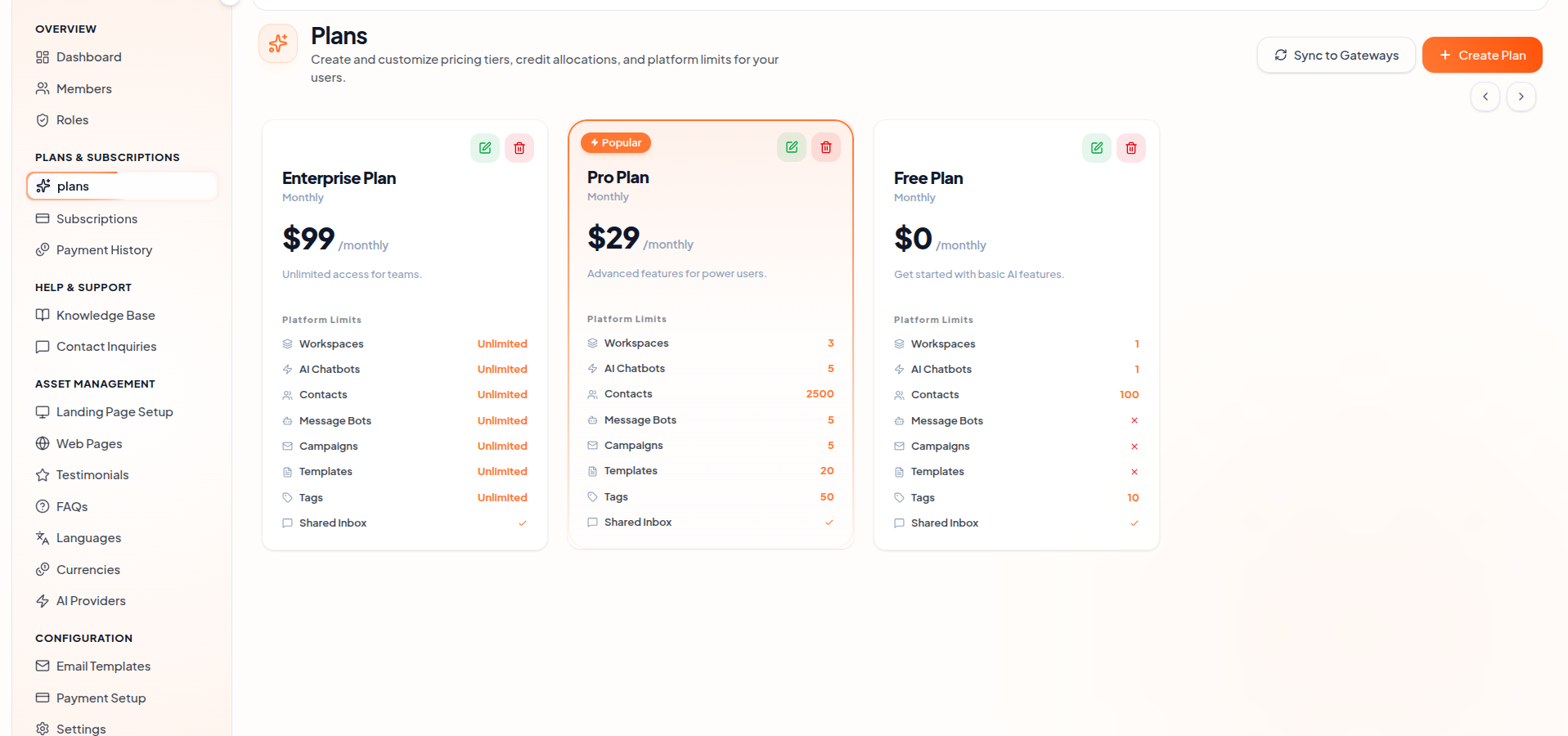
The Subscription Plans interface displays all available plans in a searchable and paginated table for easy management. Each plan includes details such as plan name, pricing, billing cycle, status, and default plan indicator, allowing admins to quickly compare and manage subscription plans efficiently.
2. Plan Actions
Create Plan: Create new subscription plans by defining the plan name, pricing, billing cycle, usage limits, and enabled platform features. Validation ensures all required details are configured properly before saving.
Edit Plan: Update existing subscription plan details including pricing, feature access, usage limits, and billing settings. Changes are applied instantly across the platform after saving.
Delete Plan: Delete subscription plans securely using a confirmation modal to prevent accidental removal of plan configurations from the platform.
View Plan Details: View complete subscription plan information including pricing, enabled features, usage limits, and plan configuration details in a dedicated overview section.
3. Plan Status Management
Active / Inactive Toggle: Enable or disable subscription plans using the Active Status switch. When changed, a confirmation prompt appears to prevent accidental updates, and the status is instantly reflected across the entire platform in real time.
Default Plan: Automatically assign this plan to newly registered users by default.
Featured Plan: Highlight this subscription plan in the pricing section for better visibility to users.
4. Plan Configuration Structure
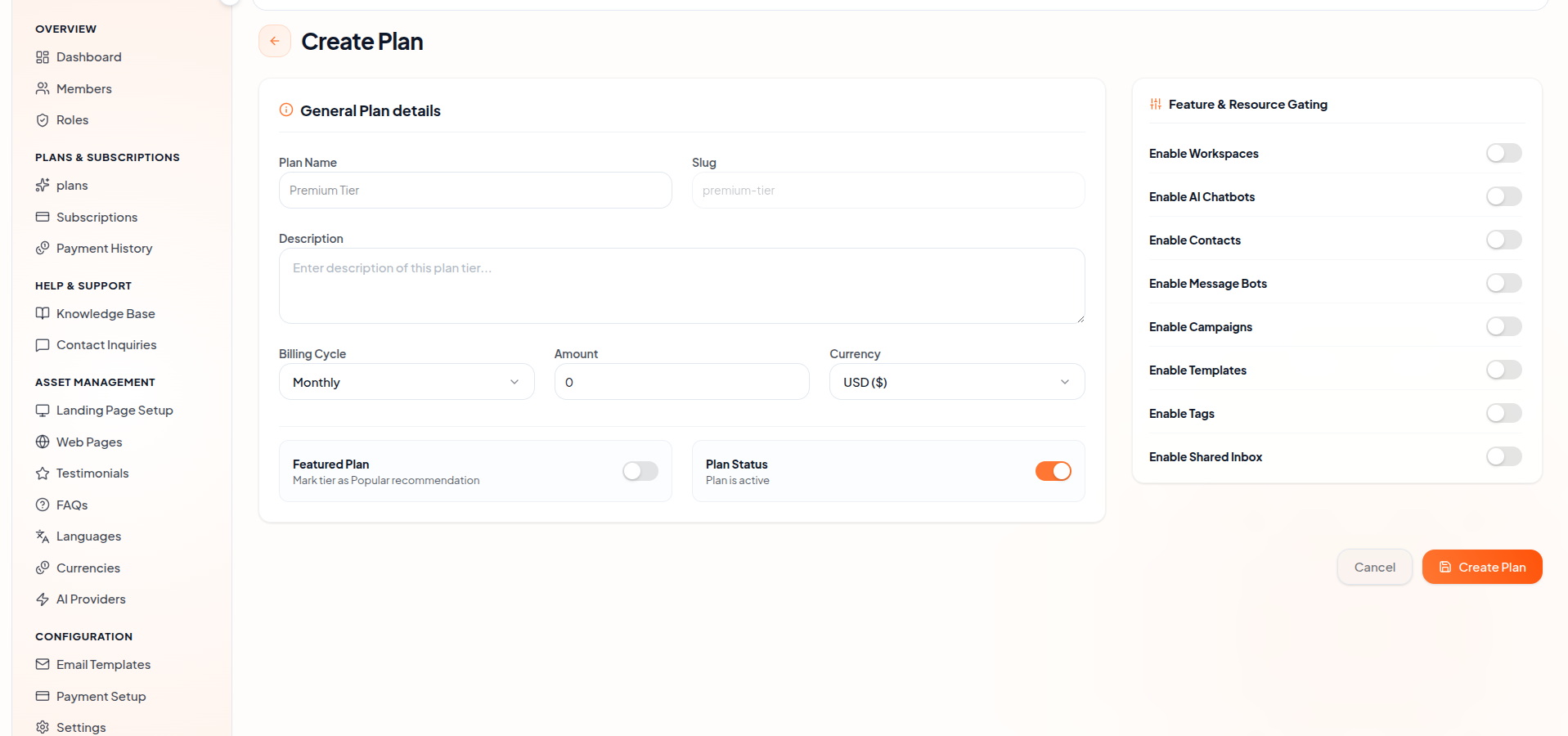
- Define and manage subscription plans by configuring plan details, pricing, billing cycles, and feature access. Add a plan name, unique slug, and description to identify and organize subscription plans effectively.
- Set the billing cycle, pricing amount, and currency for each subscription plan based on business requirements. Control plan visibility by marking plans as active or featured for users.
- Feature & Resource Gating allows administrators to enable or disable platform modules such as Workspaces, AI Chatbots, Contacts, Message Bots, Campaigns, Templates, Tags, and Shared Inbox access for each subscription plan.
- This configuration system helps manage user permissions, platform feature accessibility, and subscription-based service offerings efficiently.
5. Transaction History
View all your transaction records in one place.
Track purchased plans, payment status, and the payment gateway used for each transaction in a clear and organized list.
Key Points
- All create, update, and delete actions require confirmation to avoid unintended changes.
- Only one default plan can exist at any time.
- Validation ensures pricing, limits, and identifiers meet defined constraints.
- Status changes and updates reflect immediately with clear feedback for administrators.
What's Next?
Continue exploring the Admin Module tools.


