
Charts
Google charts Offical link Preview link
you have to install Google Chart
npm i ng2-google-charts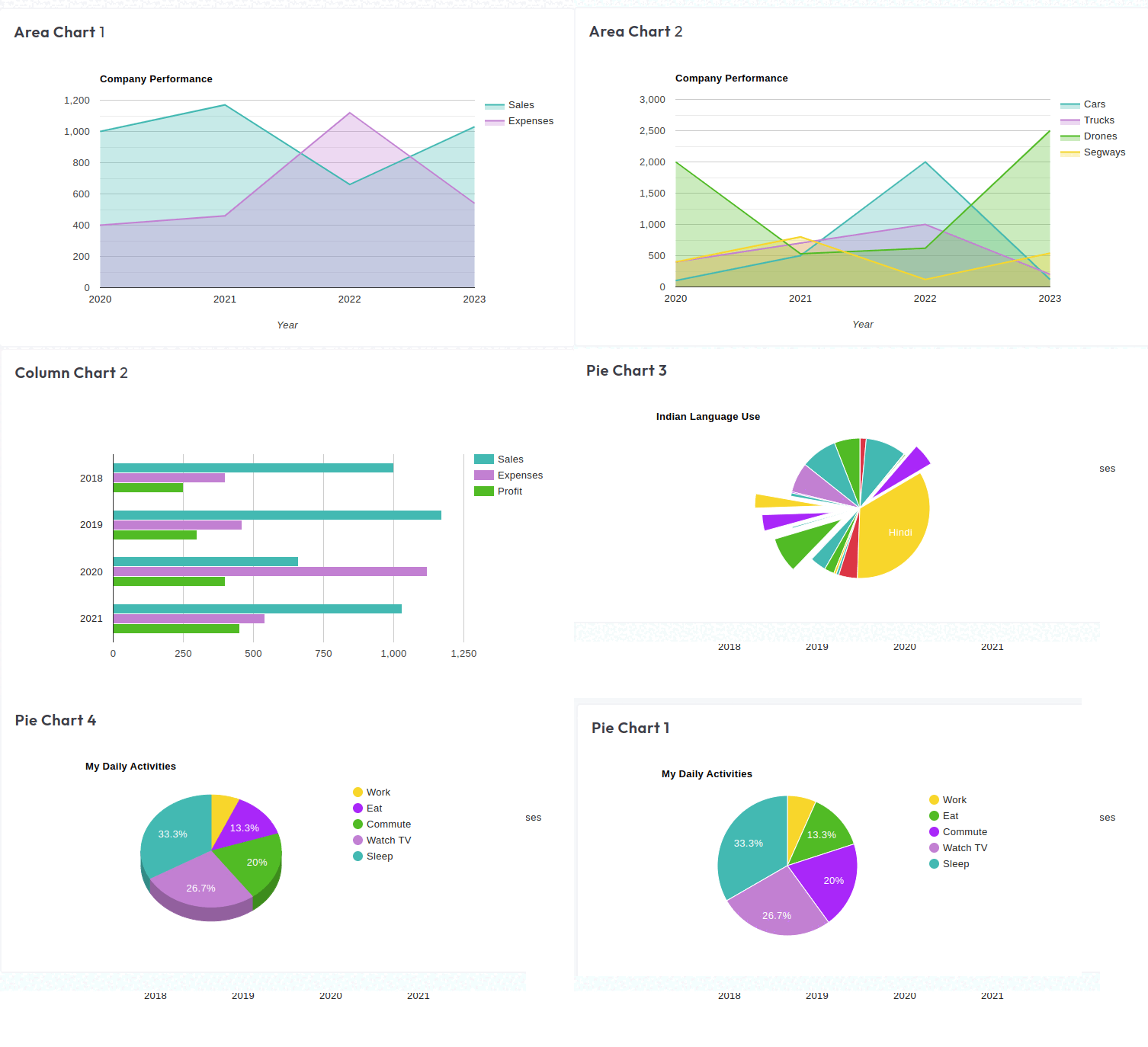
<div class="card">
  <div class="card-header pb-0">
       <h3>bar-chart2</h3>
     </div>
      <div class="card-body chart-block">
           <div id="bar-chart2">
              <google-chart [data]="barChart2"></google-chart>
           </div>
      </div>
  </div>
To use google chart data files
  export var areaChart1 = {
    chartType: 'AreaChart',
    dataTable: [
      ['Year', 'Sales', 'Expenses'],
      ['2020', 1000, 400],
      ['2021', 1170, 460],
      ['2022', 660, 1120],
      ['2024', 1030, 540],
    ],
    options: {
      title: 'Company Performance',
      hAxis: { title: 'Year', titleTextStyle: { color: '#333' } },
      vAxis: { minValue: 0 },
      width: '100%',
      height: 400,
      colors: [primary_color, secondary_color],
      backgroundColor: 'transparent',
    },
  };
custom google-chart.ts file
  import { Component } from '@angular/core';
  import * as chartData from '../../../../shared/data/charts/google-chart';
  import { Ng2GoogleChartsModule } from 'ng2-google-charts';

  @Component({
      selector: 'app-area-chart1',
      templateUrl: './area-chart1.html',
      styleUrls: ['./area-chart1.scss'],
      imports: [Ng2GoogleChartsModule]
  })
  export class AreaChart1 {

    public areaChart1 = chartData.areaChart1

  }
Chartjs charts Offical link Preview link
you have to install chartjs charts
npm i ng2-charts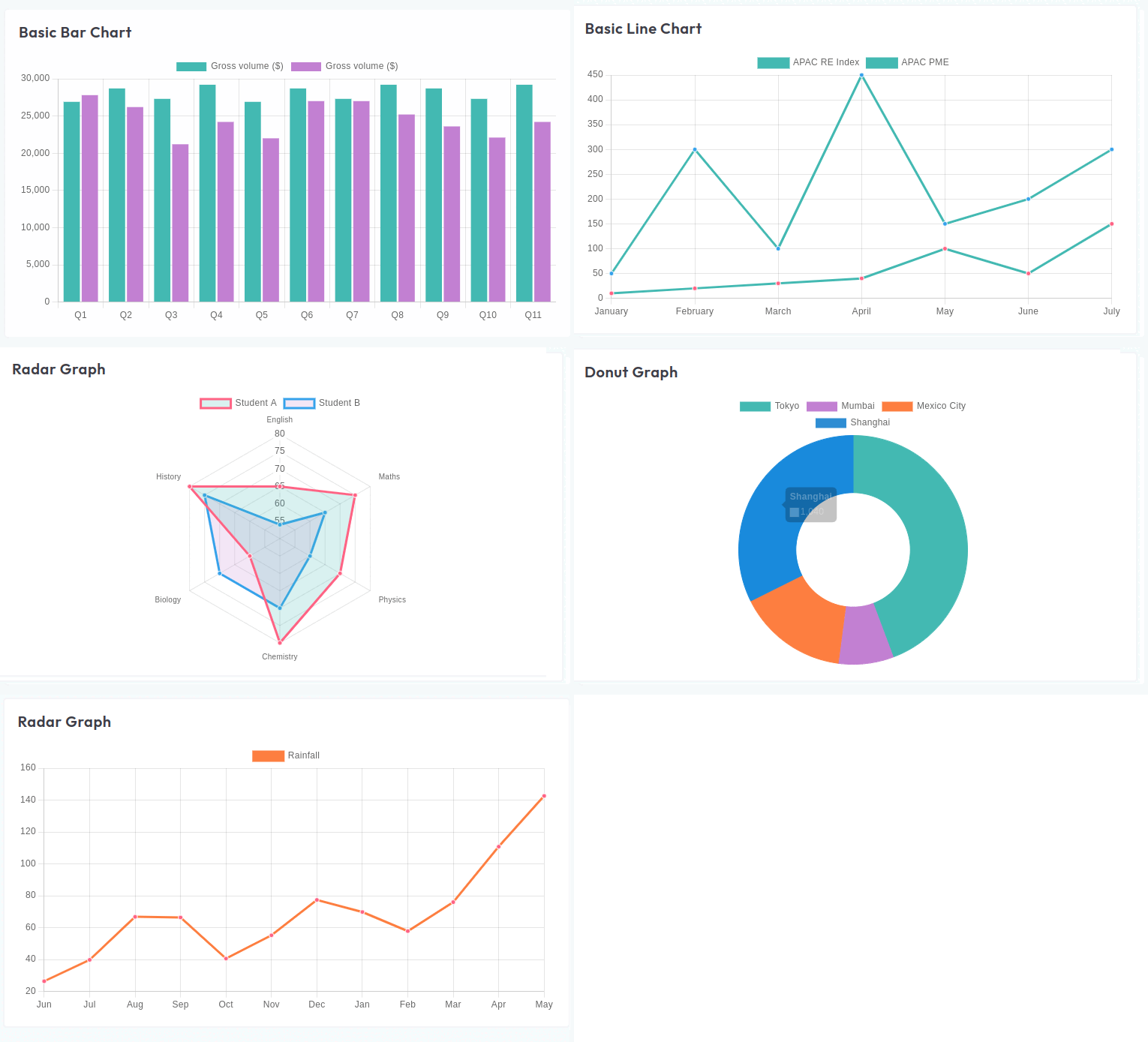
  <div class="card">
    <div class="card-header pb-0">
      <h3>Radar Graph</h3>
    </div>
    <div class="card-body chart-block">
       <canvas baseChart class="chart" [datasets]="radarGraphData" [labels]="radarGraphLabels"
         [options]="radarGraphOptions" [legend]="radarGraphLegend" [type]="radarGraphType"></canvas>
    </div>
  </div>
To use chartjs chart data file
  import { ChartDataset, ChartOptions, ChartType } from 'chart.js';

  let primary_color =  '#2B5F60';
  let secondary_color = '#C06240';

  export const barChart = {
    labels: ['January', 'February', 'March', 'April', 'May', 'June', 'July'],
    responsive: false,
    datasets: [
      {
        label: 'My First dataset',
        backgroundColor: 'rgba(43, 94, 94, 0.4)',
        borderColor: primary_color,
        borderWidth: 2,
        data: [35, 59, 80, 81, 56, 55, 40],
      },
      {
        label: 'My Second dataset',
        borderColor: secondary_color,
        backgroundColor: 'rgba(192, 98, 64, 0.4)',
        borderWidth: 2,
        data: [28, 48, 40, 19, 86, 27, 90],
      },
    ],
    barOptions: [
      {
        scaleBeginAtZero: true,
        scaleShowGridLines: true,
        scaleGridLineColor: 'rgba(0,0,0,0.1)',
        scaleGridLineWidth: 1,
        scaleShowHorizontalLines: true,
        scaleShowVerticalLines: true,
        barShowStroke: true,
        barStrokeWidth: 2,
        barValueSpacing: 5,
        barDatasetSpacing: 1,
      },
    ],
  };
you have use this chartjs chart type script file
  import { Component } from '@angular/core';

  import { BarController, BarElement, CategoryScale, LinearScale } from 'chart.js';
  import { BaseChartDirective, provideCharts } from 'ng2-charts';

  import { barChart } from '../../../../shared/data/charts/chartsjs';

  @Component({
    selector: 'app-bars-chart',
    templateUrl: './bars-chart.html',
    styleUrls: ['./bars-chart.scss'],
    imports: [BaseChartDirective],
    providers: [
      provideCharts({
        registerables: [BarController, CategoryScale, LinearScale, BarElement],
      }),
    ],
  })
  export class BarsChart {
    public barChart = barChart;
  }
Chartist charts Offical link Preview link
you have to install Chartist charts
npm i ng-chartist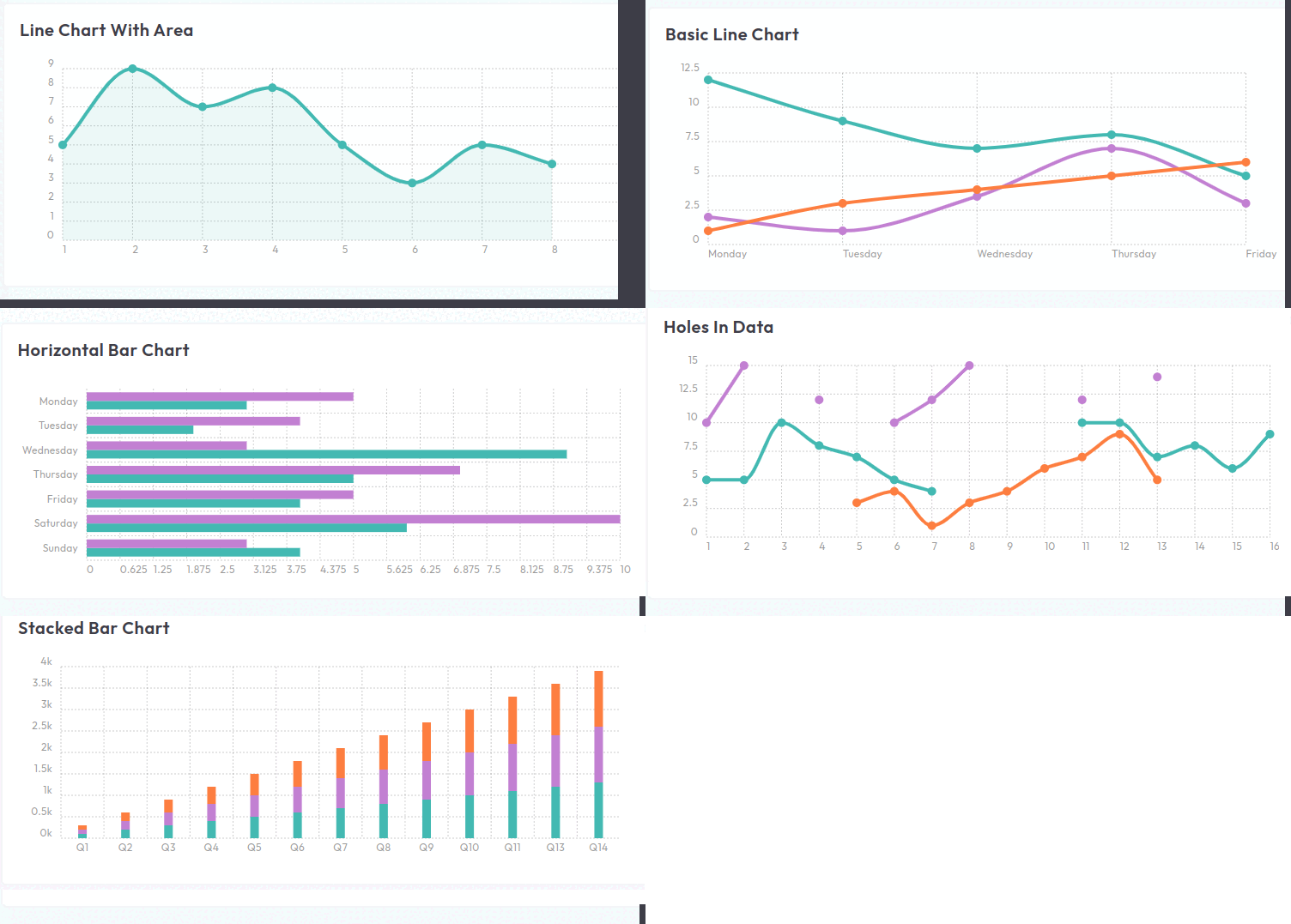
  <div class="card">
  <div class="card-header pb-0">
    <h3>Line chart with area</h3>
  </div>
  <div class="card-body">
    <div class="ct-4 flot-chart-container">
      <x-chartist [configuration]="chart5"></x-chartist>
    </div>
  </div>
</div>
To use chartist chart data files
  import * as Chartist from 'chartist';
import { BarChartConfiguration, LineChartConfiguration, PieChartConfiguration } from 'ng-chartist

var seq: number = 0;
var delays: number = 80;
var durations: number = 500;

let primary_color = localStorage.getItem('primary_color') || '#2B5F60';
let secondary_color = localStorage.getItem('secondary_color') || '#C06240';

export var chart1: LineChartConfiguration = {
  type: 'Line',
  data: {
    labels: ['1', '2', '3', '4', '5', '6', '7', '8', '9', '10', '11', '12'],
    series: [
      [12, 9, 7, 8, 5, 4, 6, 2, 3, 3, 4, 6],
      [4, 5, 3, 7, 3, 5, 5, 3, 4, 4, 5, 5],
      [5, 3, 4, 5, 6, 3, 3, 4, 5, 6, 3, 4],
      [3, 4, 5, 6, 7, 6, 4, 5, 6, 7, 6, 3],
    ],
  },
  options: {
    low: 0,
    showArea: false,
    fullWidth: true,
    height: 250,
  },
};
you have use to chartist type script file
import { Component } from '@angular/core';
import * as chartData from '../../../../shared/data/charts/chartist';
import { ChartistModule } from 'ng-chartist';

@Component({
    selector: 'app-advanced-smil',
    templateUrl: './advanced-smil.html',
    styleUrls: ['./advanced-smil.scss'],
    imports: [ChartistModule]
})

export class AdvancedSmil {

  public chart1 = chartData.chart1;

}
Apex charts Offical link Preview link
you have to install Apex charts
npm i ng-apexcharts
<div class="card">
 <div class="card-header pb-0">
  <h3>Basic Area Chart </h3>
</div>
 <div class="card-body">
  <div id="basic-apex">
    <apx-chart [chart]="turnover.chart" [series]="turnover.series"
     [colors]="turnover.colors"
     [dataLabels]="turnover.dataLabels" [xaxis]="turnover.xaxis" [yaxis]="turnover.yaxis"
     [stroke]="turnover.stroke"
     [labels]="turnover.labels" [legend]="turnover.legend">
   </apx-chart>
  </div>
 </div>
</div>
To use apex chart data files
  import {BasicChart} from '../../interface/charts/apex-charts';
  let primary_color = localStorage.getItem('primary_color') || '#2B5F60';
  let secondary_color = localStorage.getItem('secondary_color') || '#C06240';

  export let splineArea1 :BasicChart = {
      series: [
          {
              name: "STOCK ABC",
              data: [8107.85, 8128.0, 8122.9, 8165.5, 8340.7, 8423.7, 8423.5, 8514.3, 8481.85, 8487.7, 8506.9, 8626.2, 8668.95, 8602.3, 8607.55, 8512.9, 8496.25, 8600.65, 8881.1, 9340.85],
          }
      ],
      colors: [primary_color],
      chart: {
          type: "area",
          height: 350,
          toolbar: {
              show: false
          },
          zoom: {
              enabled: false
          }
      },
      dataLabels: {
          enabled: false
      },
      stroke: {
          curve: "straight"
      },
      labels: ["13 Nov 2017", "14 Nov 2017", "15 Nov 2017", "16 Nov 2017", "17 Nov 2017", "20 Nov 2017", "21 Nov 2017", "22 Nov 2017", "23 Nov 2017", "24 Nov 2017", "27 Nov 2017", "28 Nov 2017", "29 Nov 2017", "30 Nov 2017", "01 Dec 2017", "04 Dec 2017", "05 Dec 2017", "06 Dec 2017", "07 Dec 2017", "08 Dec 2017"
      ],
      xaxis: {
          type: "datetime"
      },
      yaxis: {
          opposite: true
      },
      legend: {
          horizontalAlign: "left"
      }
  };
you have use the apex charts type script file
import { Component } from '@angular/core';
import * as chartData from '../../../../shared/data/charts/apex-charts';
import { NgApexchartsModule } from 'ng-apexcharts';

@Component({
    selector: 'app-basic-area-chart',
    templateUrl: './basic-area-chart.html',
    styleUrls: ['./basic-area-chart.scss'],
    imports: [NgApexchartsModule]
})

export class BasicAreaChart {

  public BaicAeraChart = chartData.splineArea1

}