 Create project in Visual Studio & Android Studio :
Before you begin, make sure your development environment includes Flutter and Dart install in Android Studio or in Visual Studio or in Intelli J IDEA
Create project in Visual Studio:
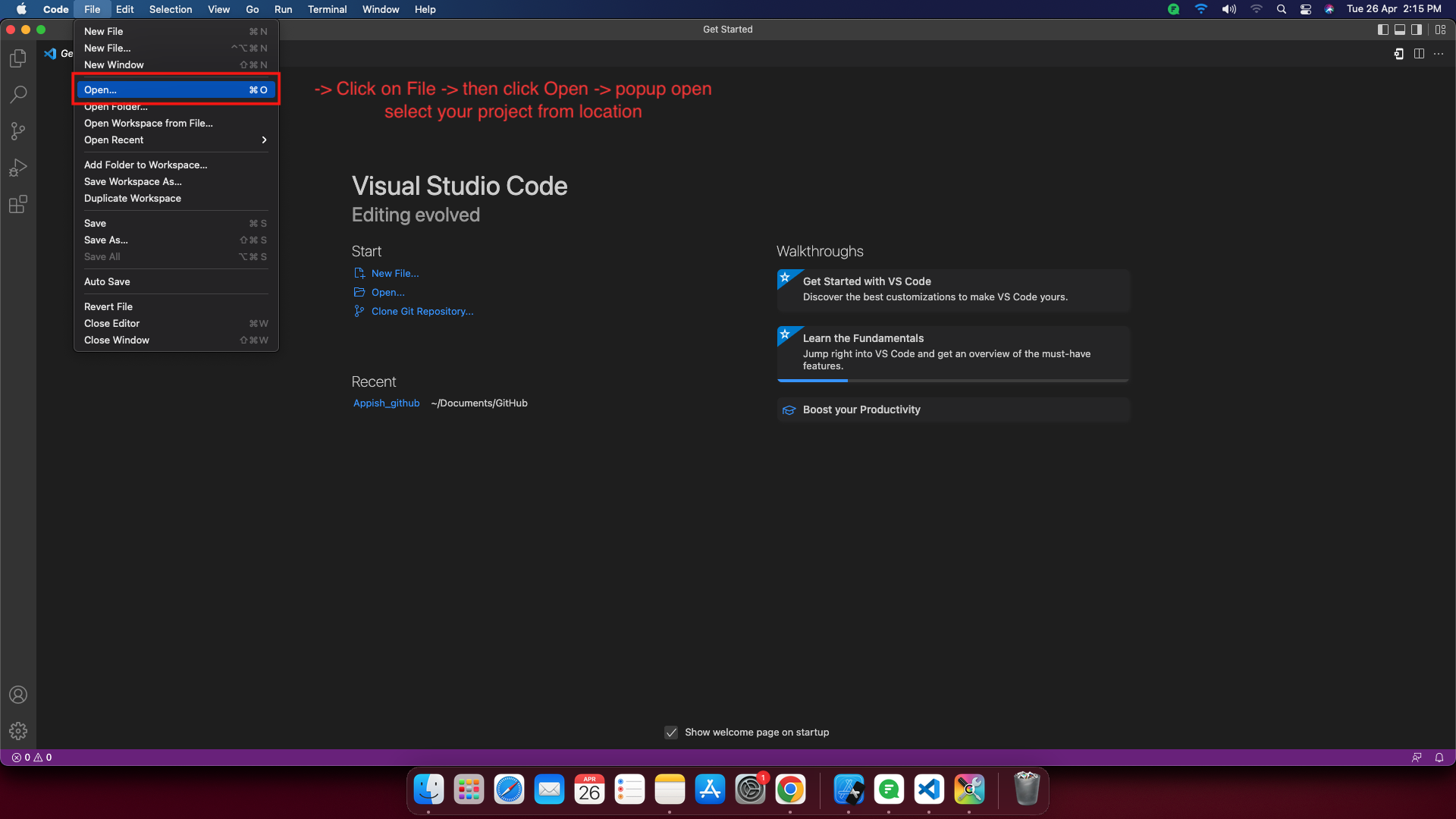
- Now open your project, go to File -> Open -> select your project from location.
- Replace Project name and Package name Fixt User with your name.
- Change Your title Name in main.dart

- ANDROID - Change Your App Name in AndroidManifest.xml

- IOS - Change Your CFBundle Name in Info.plist

Create project in Android Studio:
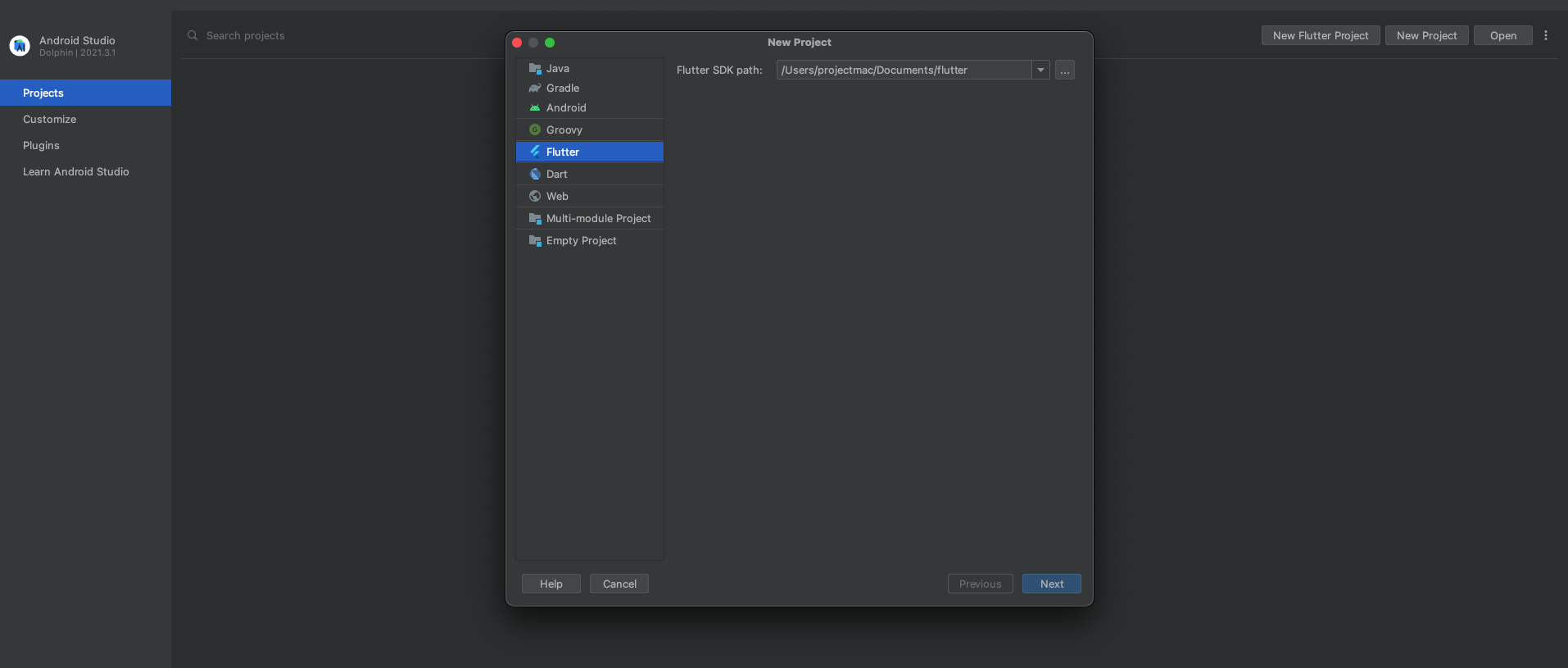
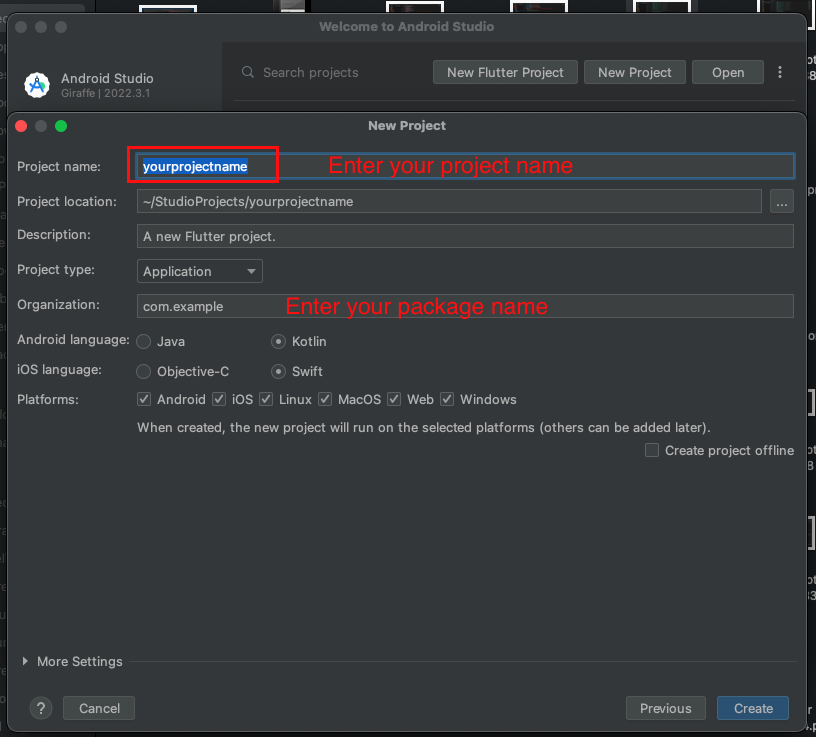
- Create new project, select flutter path -> select location where project create -> give your project name.
- Replace Project name and Package name Fixt User or Fixit Provider with your name.
- Change Your title Name in main.dart

- ANDROID - Change Your App Name in AndroidManifest.xml

- IOS - Change Your CFBundle Name in Info.plist
