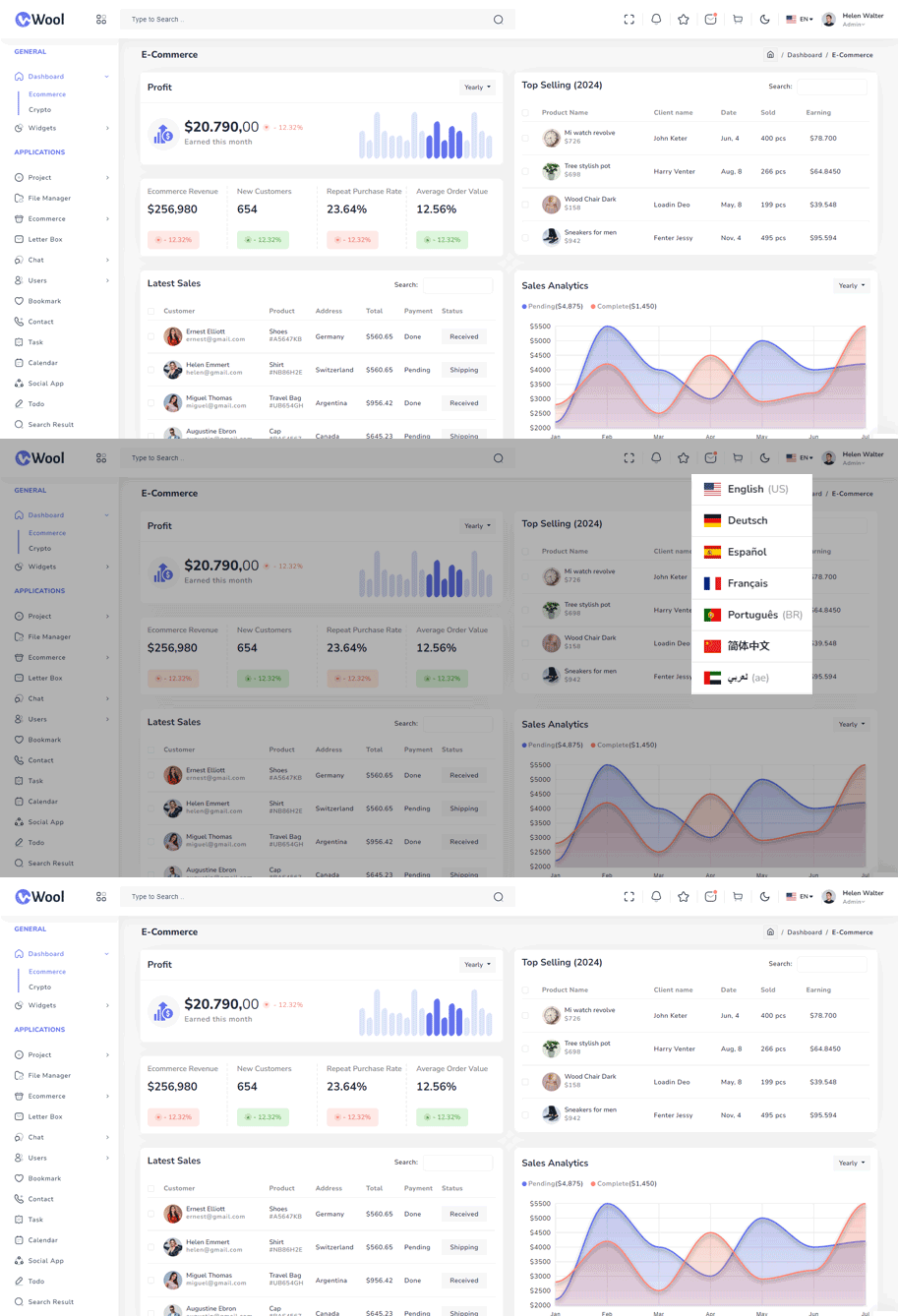
Multi-Language Support
Considering that there will be users from multiple different countries, you might need to add the support for multiple languages.To help you with that, we have made the sidebar compatible with the multiple language functionality.
You can find the dropdown that changes the language in the header.

How does multi-language functionality works?
We have used the package react-i18next, you can install it by running the following command in the terminal.
npm i react-i18nextreact-i18next package configuration and implementation in the project:
After you finished installing react-i18next package in your project, follow the below given steps to add the multi-language support.
Requirements
- react >=
> 18.2.0, - react-dom >=
18.2.0, - i18next >=
13.5.0 (typescript users: >=17.0.9),
-
A locale dictionary is a regular JSON object which contains message definitions for a certain language.
import i18n from "i18next";
import LanguageDetector from "i18next-browser-languagedetector";
import { initReactI18next } from "react-i18next";
i18n
.use(LanguageDetector)
.use(initReactI18next)
.init({
  resources: {
    en: {
      translations: {
        "General": "General",
          "Dashboard": "Dashboard",
          "Ecommerce": "Ecommerce",
          "Crypto":"Crypto",
          "Widgets": "Widgets",
          "Chart": "Chart",
          "Applications": "Applications",
          "Project": "Project",
          "Project-List": "Project-List",
          "Create New": "Create New",
      }
    },
//ae.json
ae: {
  translations: {
    "General": "عامة",
    "Dashboard": "لوحات القيادة",
    "Default": "افتراضي",
    "Project": "مشروع",
    "Online Course":"دورة على شبكة الإنترنت",
    "Ecommerce": "التجارة الإلكترونية",
    "Education": "التعليم",
    "Widgets": "حاجيات",
    "Chart": "رسم بياني",
    "Applications": "تطبيقات",
    "Project List": "قائمة المشروع",
    }
  },

//cn.json
cn: {
  translations: {
    "General": "一般的",
    "Dashboard": "仪表板",
    "Ecommerce": "电子商务",
    "Crypto":"加密货币",
    "Widgets": "小部件",
    "Chart": "图表",
    "Applications": "应用",
    "Project": "项目",
    "Project-List": "项目清单",
    }
  },

//de.json
de: {
  translations: {
    "General": "Allgemein",
    "Dashboard": "Dashboards",
    "Default": "Standard",
    "Project": "Projekt",
    "Online Course":"Online cursus",
    "Ecommerce": "E-Commerce",
    "Education": "Bildung",
    "Widgets": "Widgets",
    "Chart": "Diagramm",
    }
  },

//es.json
es: {
  translations: {
    "General": "General",
     "Dashboard": "Paneles",
     "Default": "Predeterminado",
     "Project": "Proyecto",
     "Online Course":"Curso por Internet",
     "Ecommerce": "Comercio Electrónico",
     "Education": "Educación",
     "Widgets": "Widgets",
     "Chart": "Gráfico",
     "Applications": "Aplicaciones",
     "Project List": "Lista de Proyectos",
    }
},


//fr.json
fr: {
  translations: {
    "General": "Général",
    "Dashboard": "Tableaux de bord",
    "Default": "Défaut",
    "Project": "Projet",
    "Online Course":"Cours en ligne",
    "Ecommerce": "Commerce électronique",
    "Education": "Éducation",
    "Widgets": "Widgets",
    "Chart": "Graphique",
    "Applications": "Applications",
    }
},

//pt.json
pt: {
  translations: {
    "General": "Geral",
    "Dashboard": "Painéis",
    "Default": "Padrão",
    "Project": "Projeto",
    "Online Course":"Curso online",
    "Ecommerce": "Comércio Eletrônico",
    "Education": "Educação",
    "Widgets": "Widgets",
    "Chart": "Gráfico",
    "Applications": "Aplicativos",
    "Project List": "Lista de Projetos",
    },
  }
  }
  fallbackLng: "en",
    debug: false,

    // have a common namespace used around the full app
    ns: ["translations"],
    defaultNS: "translations",

    keySeparator: false, // we use content as keys

    interpolation: {
      escapeValue: false,
    },
  });
Language.tsx