
Multi-Language Support
Considering that there will be users from multiple different countries, you might need to add the support for multiple languages.To help you with that, we have made the sidebar compatible with the multiple language functionality.
You can find the dropdown in header from which selected language will change the content in the sidebar.
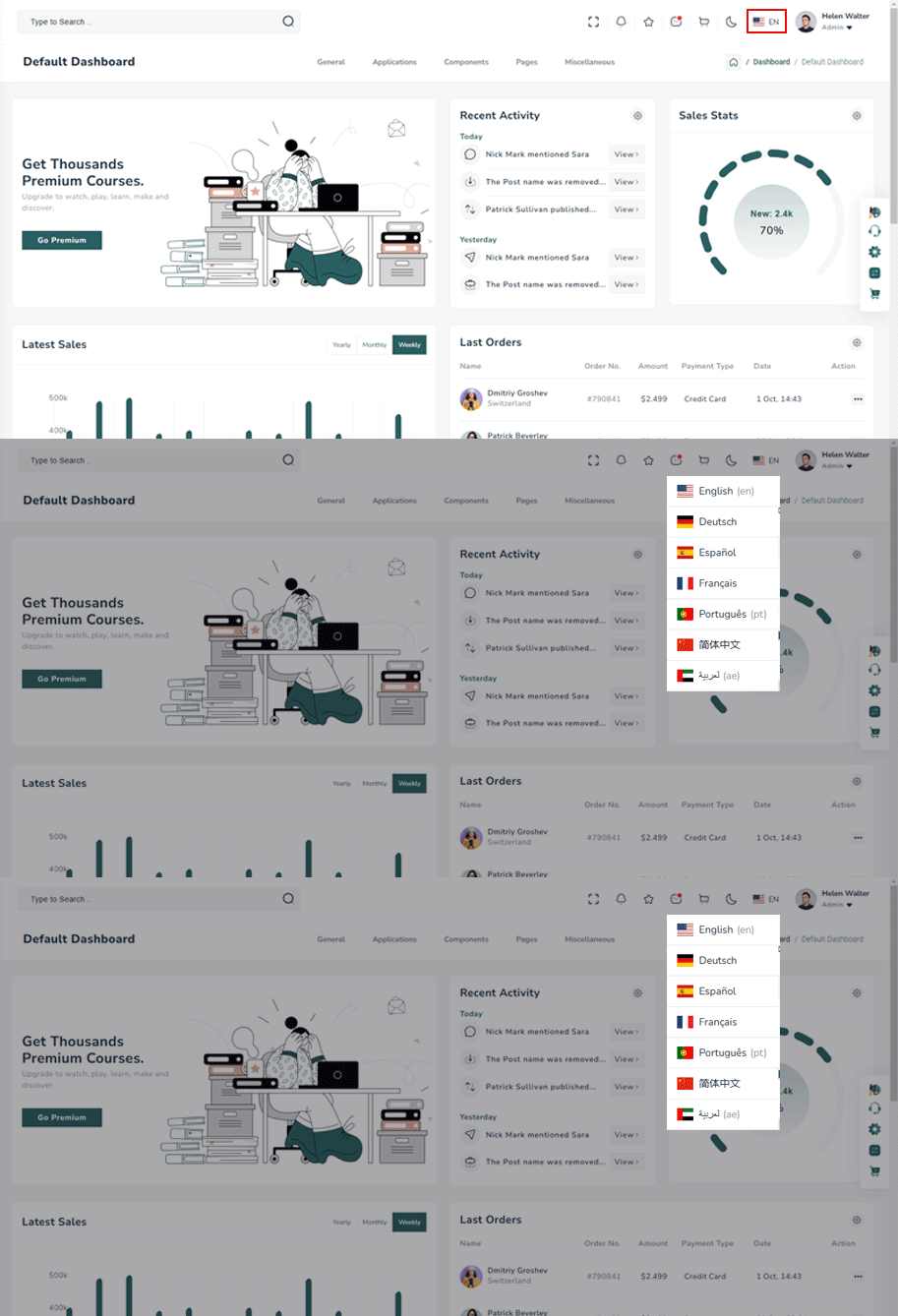
How does multi-language functionality works?
We have used the package react-i18next, you can install it by running the following command in the terminal.
npm i react-i18nextreact-i18 next package configuration and implementation in the project:
After you finished installing react-i18next package in your project, follow the below given steps to add the multi-language support.
Requirements
- react >=
> 18.2.0, - react-dom >=
18.2.0, - i18next >=
13.5.0 (typescript users: >=17.0.9),
-
A locale dictionary is a regular JSON object which contains message definitions for a certain language.
import i18n from "i18next";
    import LanguageDetector from "i18next-browser-languagedetector";
    import { initReactI18next } from "react-i18next";
    i18n
    .use(LanguageDetector)
    .use(initReactI18next)
    .init({
    resources: {
      en: {
        translations: {
          "General": "General",
          "Dashboard": "Dashboard",
          "Default": "Default",
          "Ecommerce": "Ecommerce",
          "OnlineCource":"Online Cource",
          "Crypto":"Crypto",
          "Social":"Social",
          "POS":"POS",
          "Chart": "Chart"
        }
      },
    //ae.json
    ae: {
    translations: {
      "General": "جنرال لواء",
      "Dashboard": "لوحة القيادة",
      "Default": "إفتراضي",
      "Ecommerce": "التجارة الإلكترونية",
      "OnlineCource":"دورة على شبكة الإنترنت",
      "Crypto":"تشفير",
      "Social":"اجتماعي",
      "Chart": "مخطط"
      }
    },

    //cn.json
    cn: {
    translations: {
      "General": "一般",
      "Dashboard": "仪表板",
      "Default": "默认",
      "Ecommerce": "电子商务",
      "OnlineCource":"在线课程",
      "Crypto":"加密货币",
      "Social":"社会的",
      "Chart": "图表"
      }
    },

    //de.json
    de: {
    translations: {
      "General": "Algemeen",
      "Dashboard": "Dashboard",
      "Default": "Standaard",
      "Ecommerce": "E-commerce",
      "OnlineCource":"Online cursus",
      "Crypto":"cryptovaluta",
      "Social":"Sociaal",
      "Chart": "Grafiek"
      }
    },

    //es.json
    es: {
    translations: {
      "General": "General",
      "Dashboard": "Tablero",
      "Default": "Defecto",
      "Ecommerce": "Comercio electrónico",
      "OnlineCource":"Curso por Internet",
      "Crypto":"Cripto",
      "Social":"Social",
      "Chart": "Gráfico"
      }
    },


    //fr.json
    cn: {
    translations: {
      "General": "Générale",
      "Dashboard": "Tableau de bord",
      "Default": "Défaut",
      "Ecommerce": "Commerce électronique",
      "OnlineCource":"Cours en ligne",
      "Crypto":"Crypto",
      "Social":"Sociale",
      "Chart": "Graphique"
      }
    },

    //pt.json
    pt: {
    translations: {
      "General": "Geral",
      "Dashboard": "painel de controle",
      "Default": "Padrão",
      "Ecommerce": "Comércio eletrônico",
      "OnlineCource":"Curso online",
      "Crypto":"Criptografia",
      "Social":"Social",
      "Chart": "Gráfico"
      },
    }
    }
    fallbackLng: "en",
      debug: false,

      // have a common namespace used around the full app
      ns: ["translations"],
      defaultNS: "translations",

      keySeparator: false, // we use content as keys

      interpolation: {
        escapeValue: false,
      },
    });
Language.tsx
