How to build APK or AAB ?
You can create an APK in two ways:
- Using the Command Line
- Via Android Studio
flutter build apk --release
 By Opening in Android Studio :
- Access the Android folder within Android Studio.
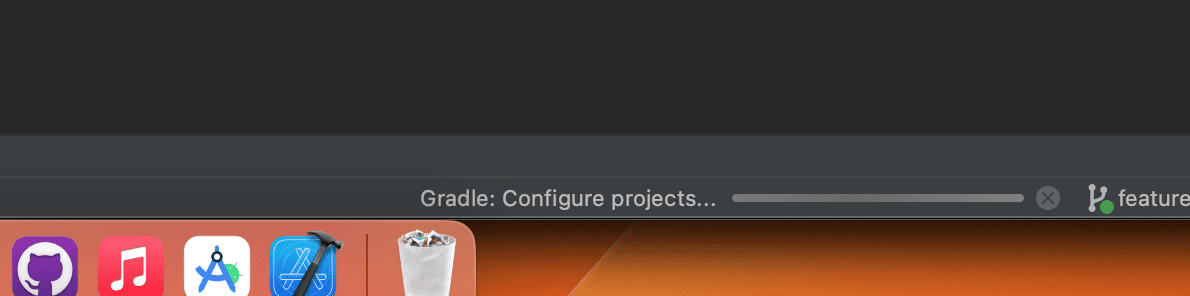
- Allow time for the Gradle build process to complete.
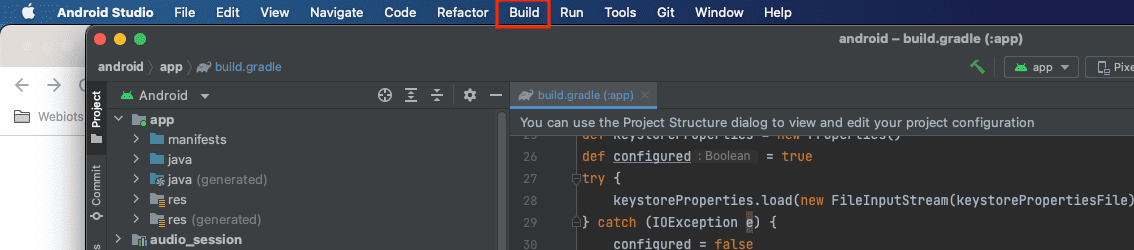
- From the top menu bar, select "Build."
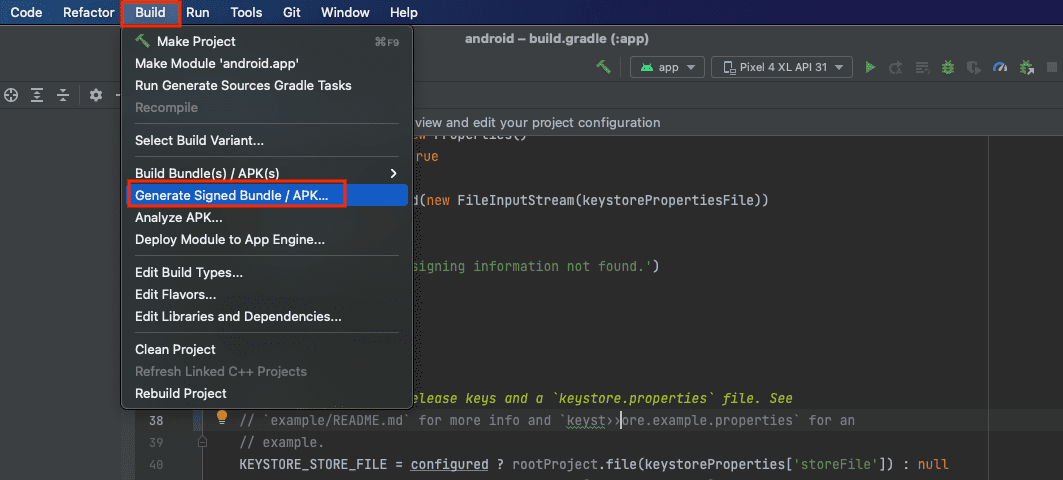
- Next, choose "Generate Signed Bundle / APK" from the options.
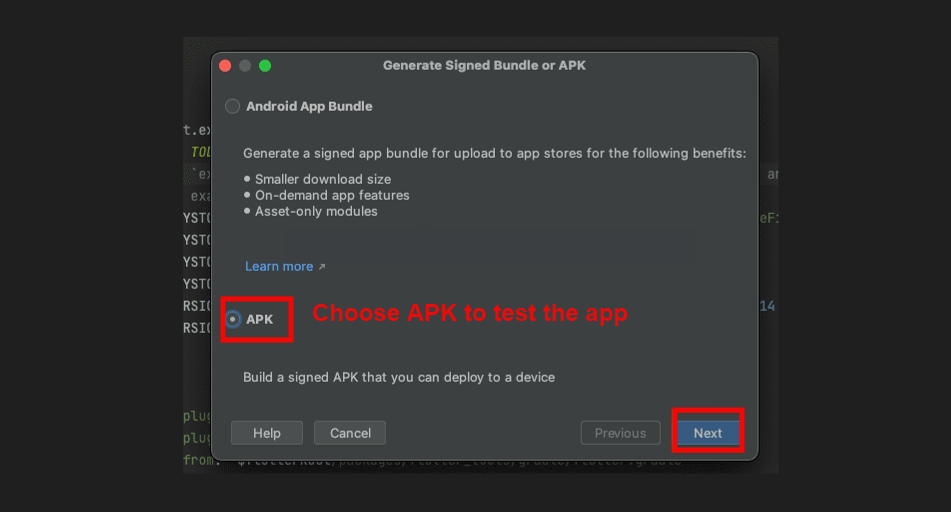
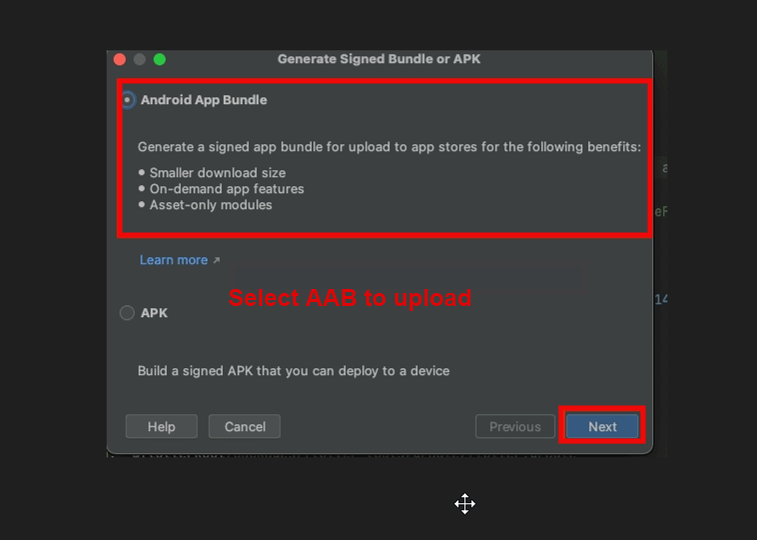
- Choose APK for testing your app and Android App Bundle (AAB) for uploading to the Google Play Store.
- After choosing an option, click the 'Next' button.
- If you don't already have a key store, click on "Create New" to set one up.
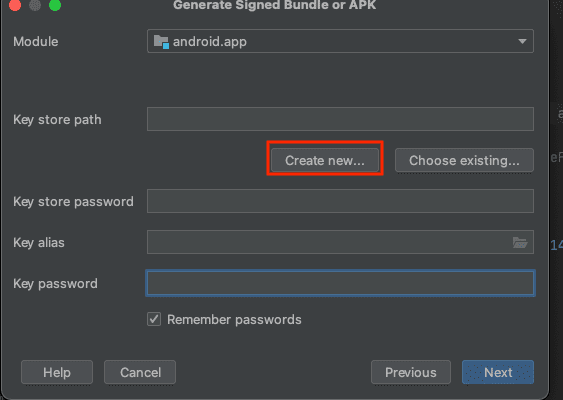
- Your keystore is essential when uploading your AAB to the Play Store. It is a one-time use; if you upload your app using a particular keystore and then lose it, you won't be able to upload your AAB again with a new keystore.
- Ensure you remember your alias name and password, as they are required to generate the SHA key for the release.
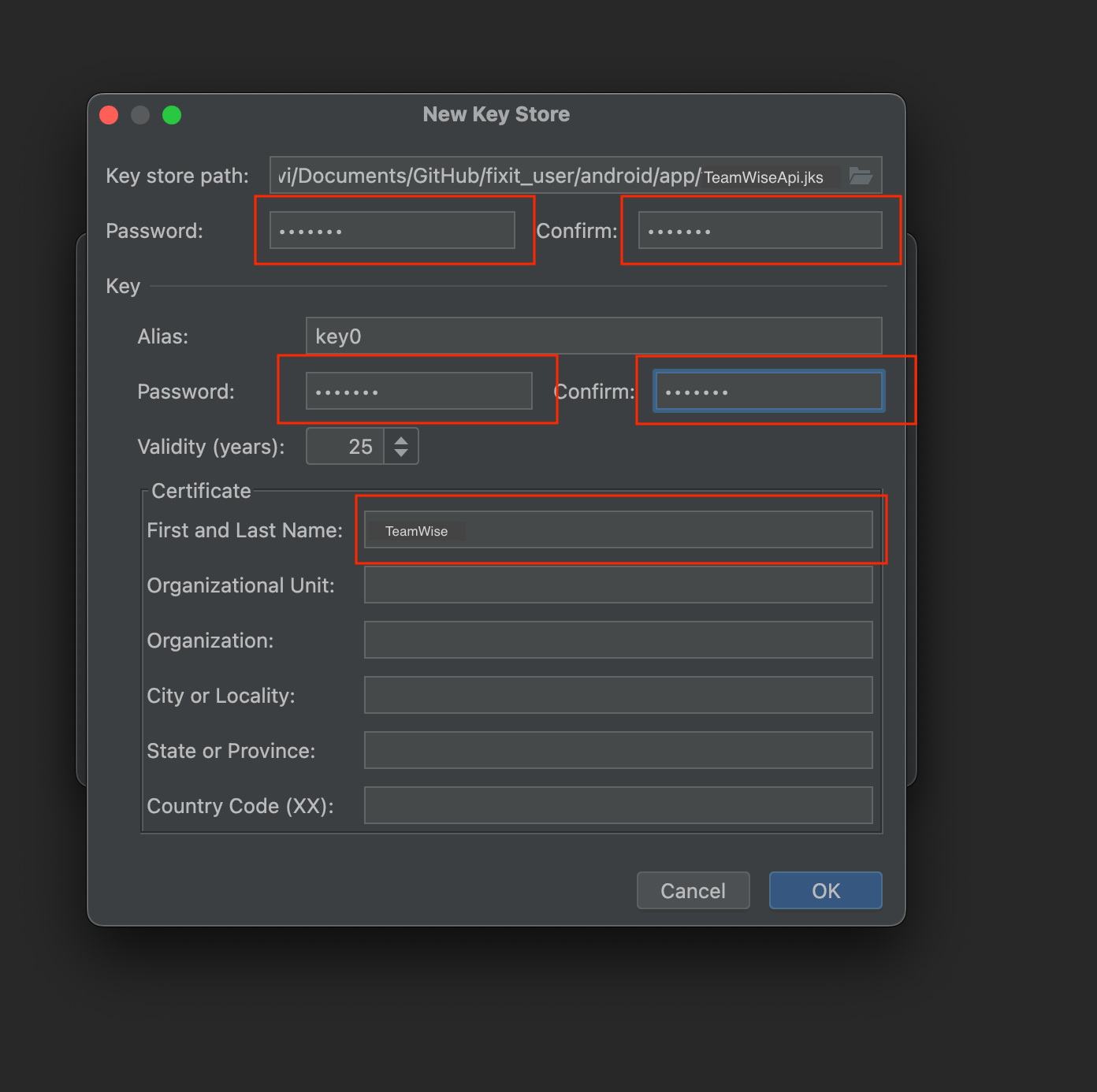
- Specify the location where you want to save the keystore, enter the keystore password,
choose an
alias name and alias password, and then click the OK button.
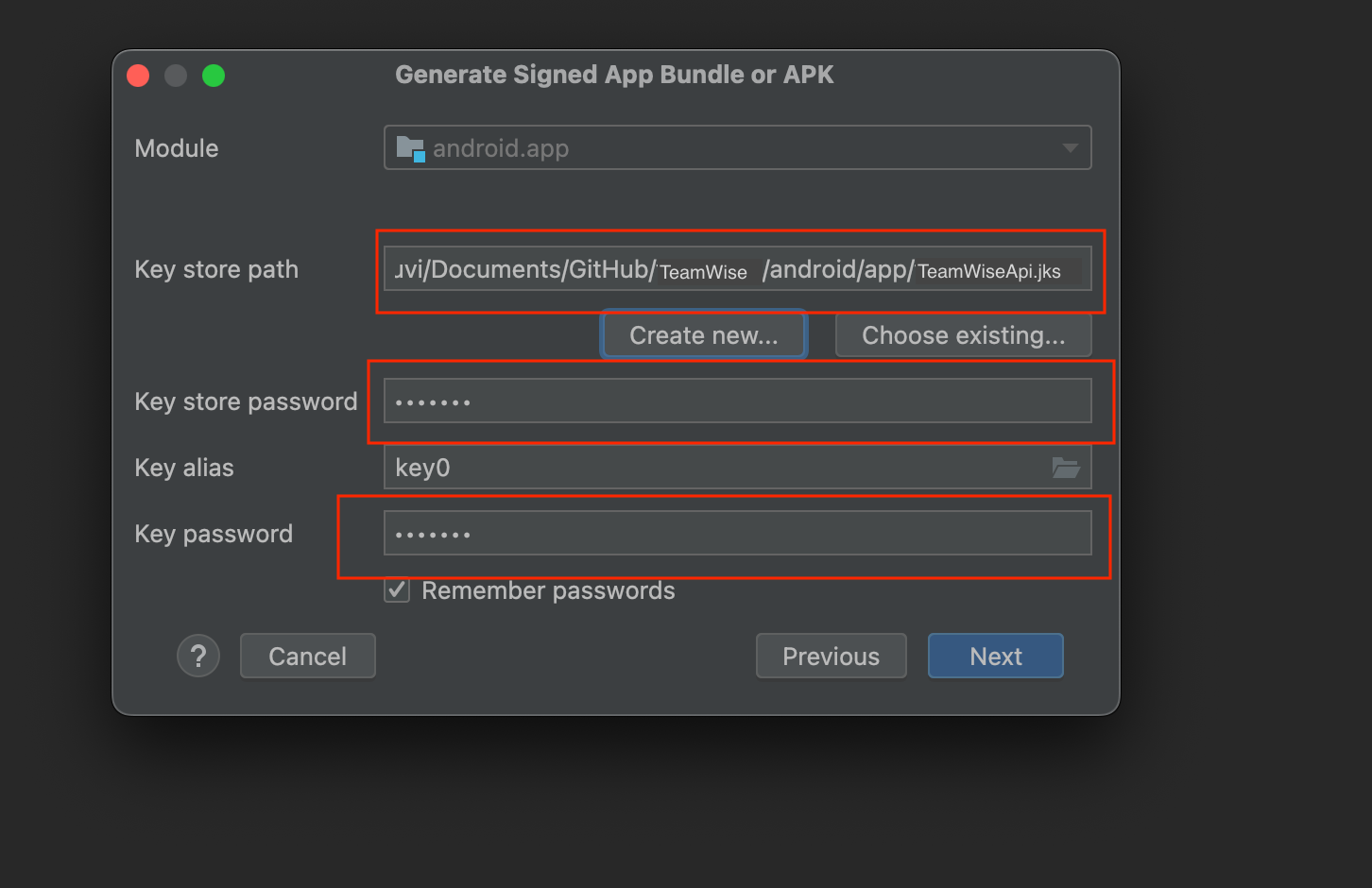
- If you’ve already created a keystore, simply choose the file path, enter the alias name
and
password, and then click the Next button.
- Choose "Release" from the Build Variants menu and then click the "Finish" button.

- It may take a moment for the APK to be generated. Once it's ready, you can find it located in the bottom right corner.