Change Project Name
How to Change Your Project Name
To change your project name in the Medigo Flutter application, you need to update the app configuration file. Follow the steps below to change your project name.
-
To change your Site title, open the Medigo project in your editor and navigate to the app
configuration file.
-
From the App options, go to
app.jsonorpubspec.yaml
-
From the App options, go to
-
Update Project Name in Configuration:
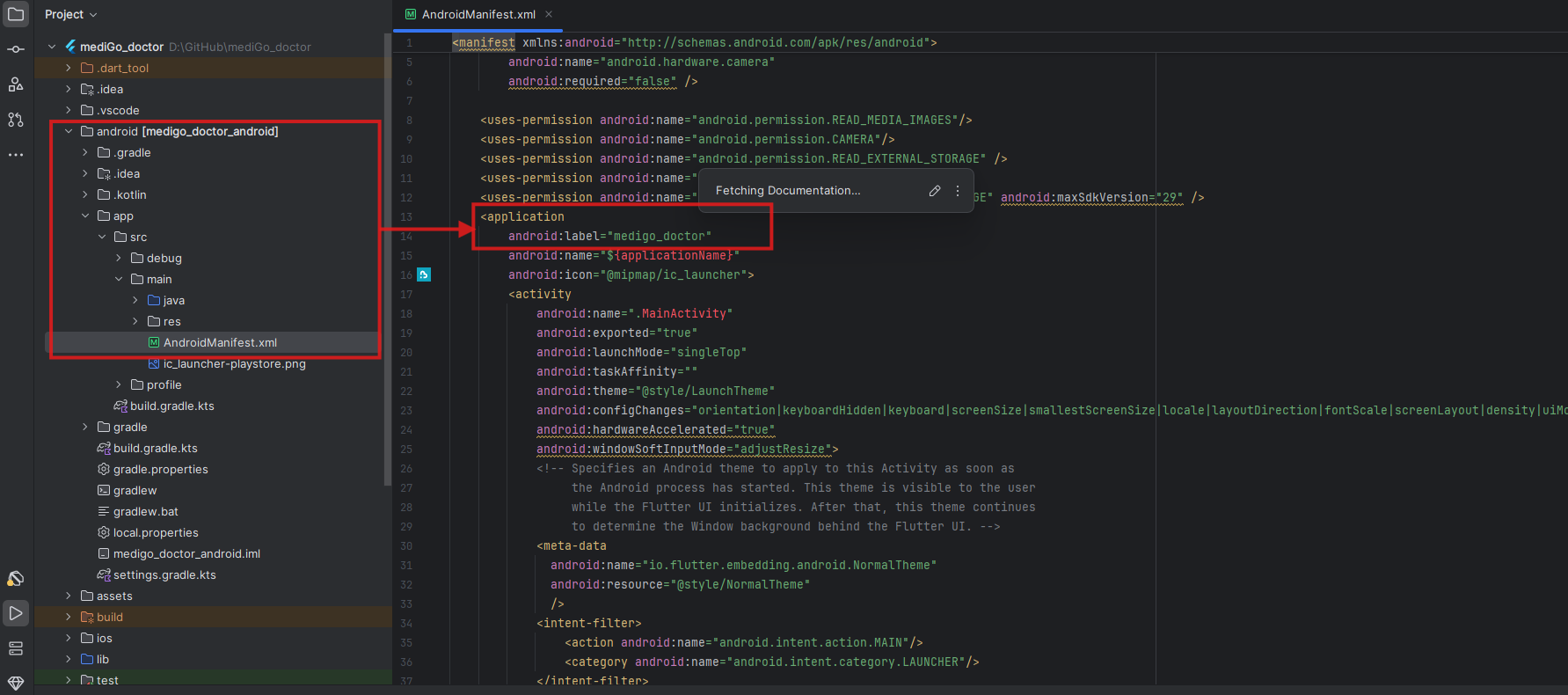
By following the screenshot above, you can change your Site Title. Make sure to update the name in both the configuration file and any related display names in your application.
-
Additional Steps for Android:
For Android applications, you may also need to update the app name in
AndroidManifest.xmllocated in theandroid/app/src/main/directory. -
Additional Steps for iOS:
For iOS applications, update the display name in
Info.plistlocated in theios/Runner/directory.
Note:
After changing the project name, make sure to rebuild your application for both Android and iOS platforms to see the changes reflected in the installed app.