 Theme Options
You may be able to find the JSON file at the path "/src/app/api/themeOption/themeOption.json." to make the changes.
General
Change Site Title
Then, make changes in the option => general => site_title
{
      "site_title": "FastKart Marketplace: Where Vendors Shine Together",
      // Other JSON fields
  }
Change Site Tagline
Then, make changes in the option => general => site_tagline
{
      "site_tagline": "Shop Unique, Sell Exceptional – FastKart's Multi-Vendor Universe.",
      // Other JSON fields
  }
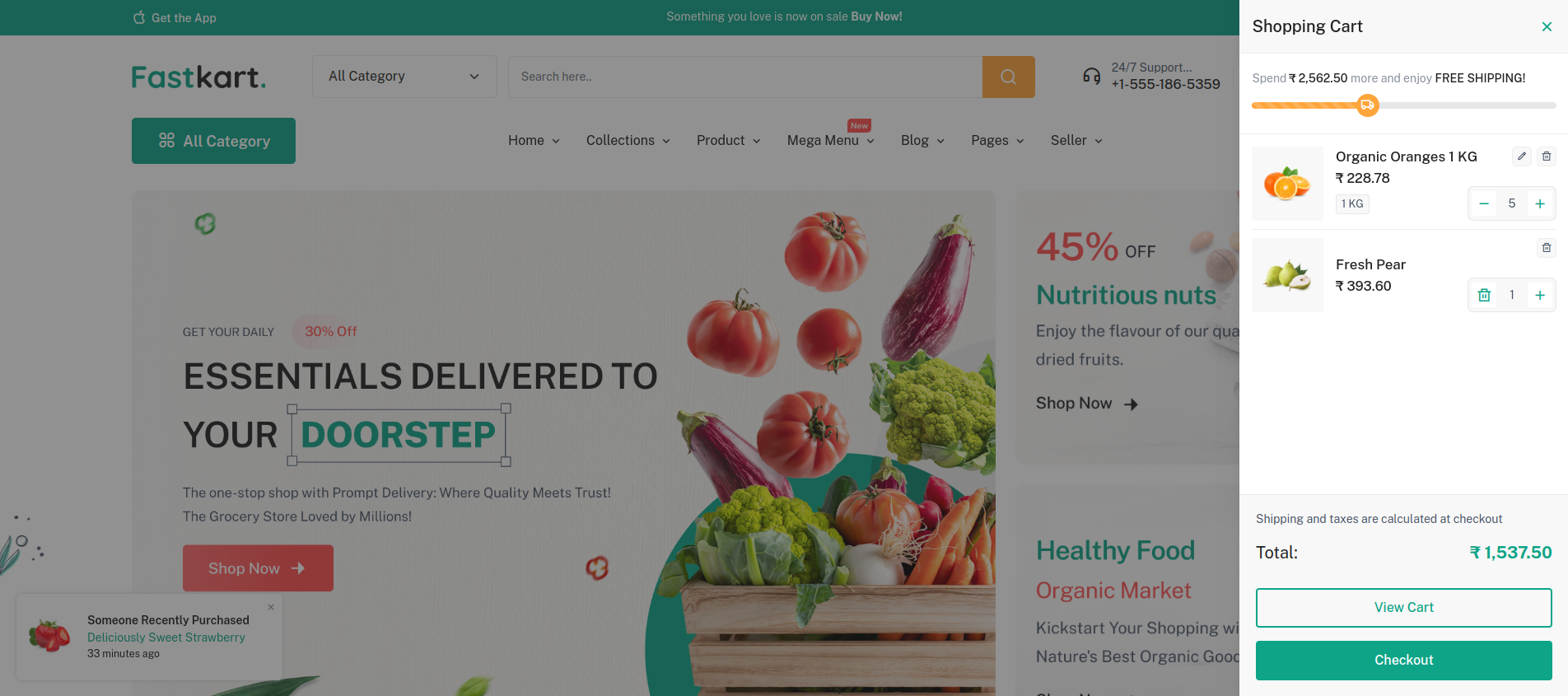
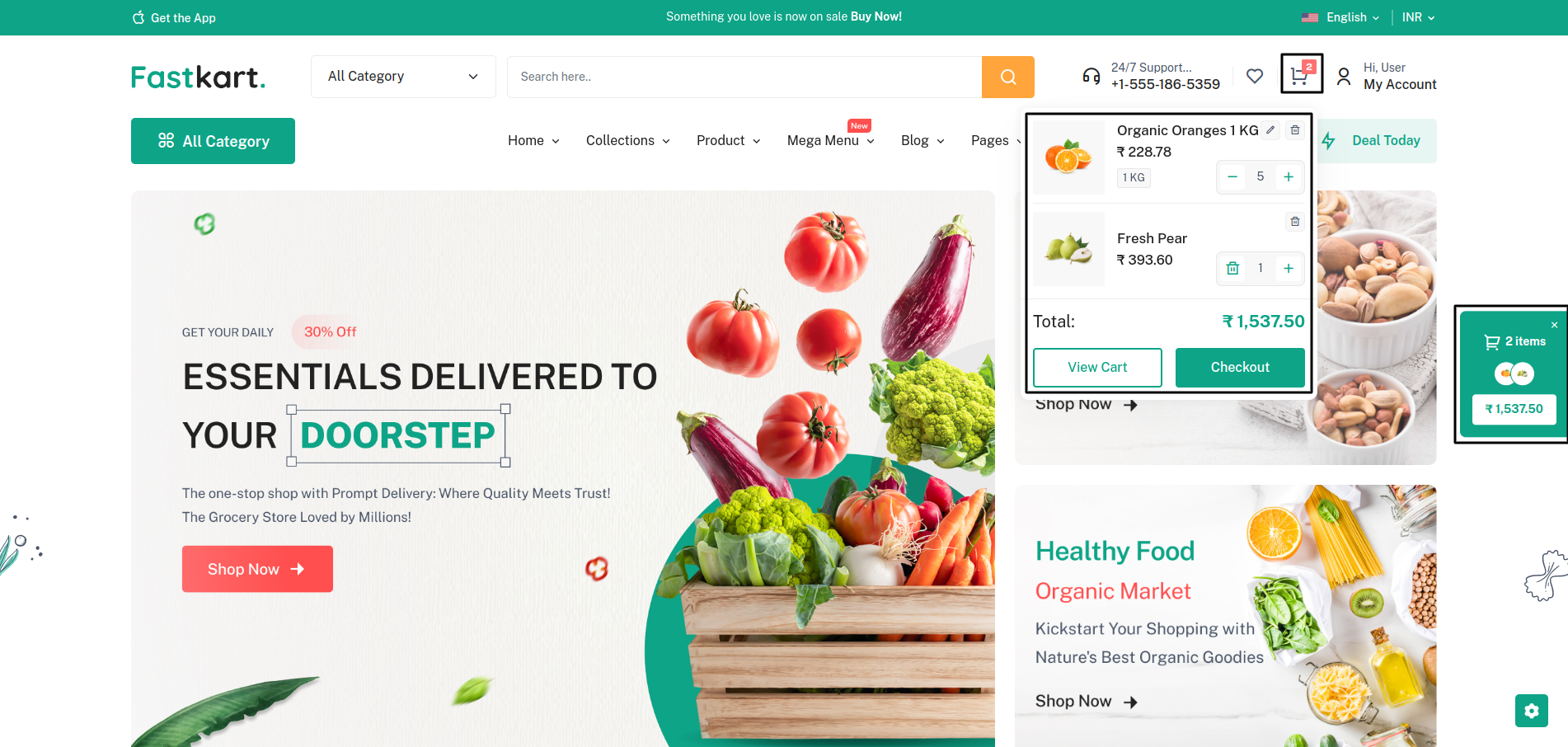
Cart Style
Then, make changes in the option => general => cart_style
2 option "cart_sidebar" and "mini_cart"
{
      "cart_style": "cart_sidebar",
      // Other JSON fields
  }
Cart Sidebar
Cart Mini
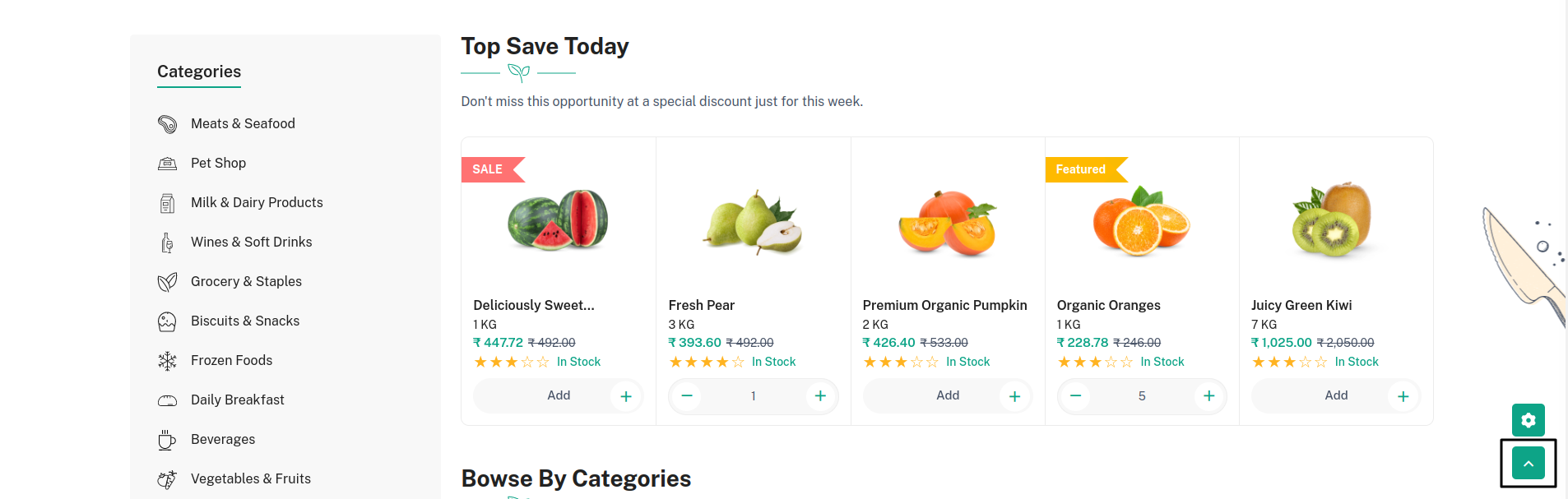
Back To Top
Then, make changes in the option => general => back_to_top_enable
{
      "back_to_top_enable": true,
      // Other JSON fields
  }
Set Default Primary Color
Then, make changes in the option => general => primary_color
{
      "primary_color": "#0da487",
      // Other JSON fields
  }
Logo
Set Header Logo, Footer Logo And Favicon Icon
Then, make changes in the option => logo => header_logo
It would be similar for Header Logo, Footer Logo And Favicon Icon
"header_logo": {
      "id": 4,
      "collection_name": "attachment",
      "name": "logo-dark",
      "file_name": "logo-dark.png",
      "mime_type": "image/png",
      "disk": "public",
      "conversions_disk": "public",
      "size": "4997",
      "created_by_id": "1",
      "created_at": "2023-08-24T08:16:03.000000Z",
      "updated_at": "2023-08-24T08:16:03.000000Z",
      "original_url": "https://laravel.pixelstrap.net/fastkart/storage/4/logo-dark.png"
  },
Header
Header options
Then, make changes in the option => header => header_options
You can choose any of the 4 Styles:
- "basic_header"
- "classic_header"
- "standard_header"
- "minimal_header"
{
"header_options": "basic_header",
// Other JSON fields
}
Basic Header

Classic Header

Standard Header

Minimal Header

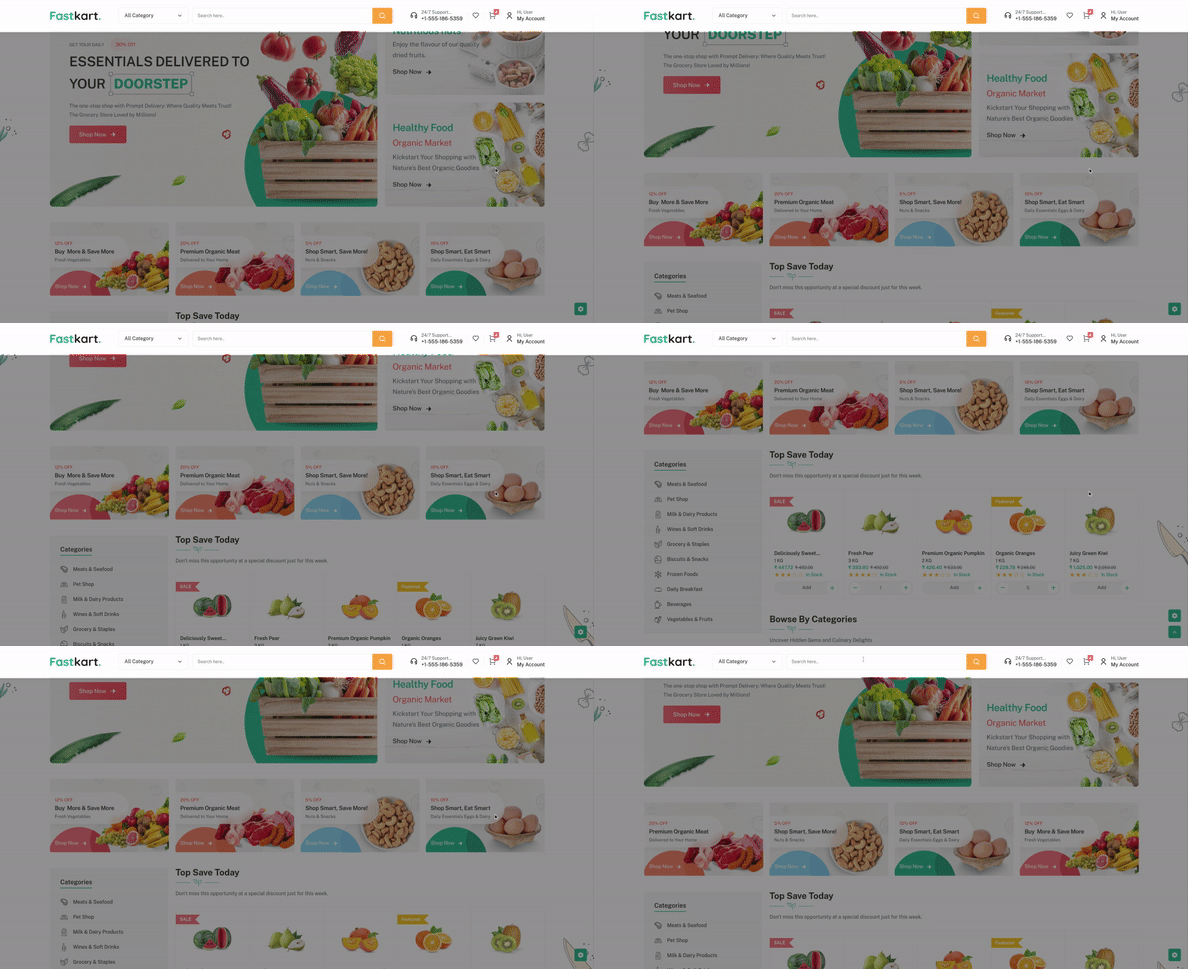
Sticky header
Then, make changes in the option => header => sticky_header_enable
{
      "sticky_header_enable": true,
      // Other JSON fields
  }
Page Top Bar
Then, make changes in the option => header => page_top_bar_enable
{
"page_top_bar_enable": true,
// Other JSON fields
}
Page Top Bar Dark
Then, make changes in the option => header => page_top_bar_dark
{
"page_top_bar_dark": true,
// Other JSON fields
}
Top Bar Content
Then, make changes in the option => header => top_bar_content
You can change the text in the Content Key.
"top_bar_content": [
{
"content": "<strong class=\"me-1\">Welcome to Fastkart!</strong>Wrap new offers/gift every single day on Weekends.<strong class=\"ms-1\">New Coupon Code: FAST50</strong>"
},
{
"content": "Something you love is now on sale <strong>Buy Now!</strong>"
},
{
"content": "Your must-have item is calling – <strong>Buy Now!</strong>"
}
],
Change Support Number
Then, make changes in the option => header => support_number
{
"support_number": "+1-555-186-5359",
// Other JSON fields
}
Today Deals
Then, make changes in the option => header => today_deals
{
"today_deals": [1, 12, 8],
// Other JSON fields
}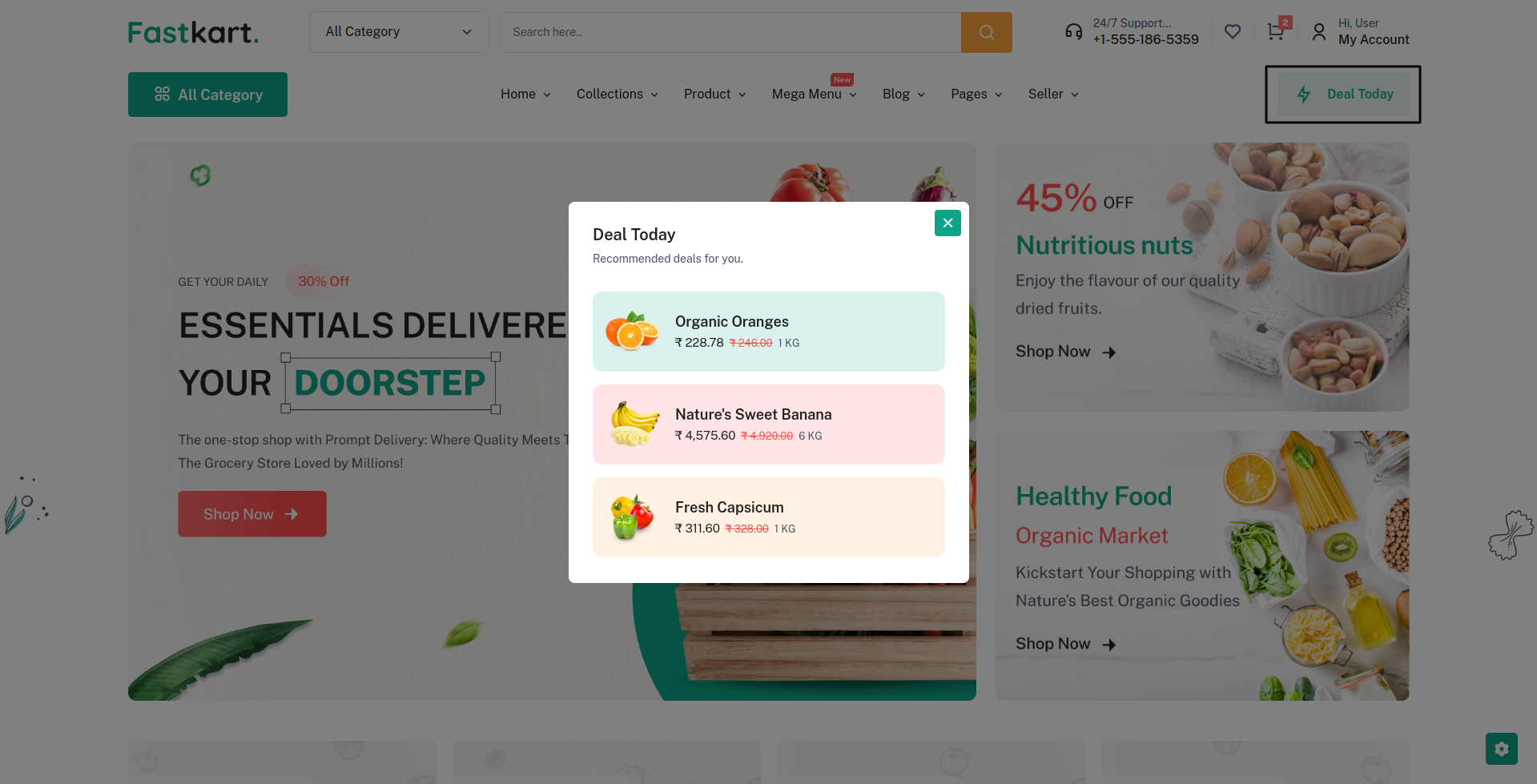
Warning: Make sure
today_deals: [1, 12, 8] ids are present in the
product.json
Select Categories
Then, make changes in the option => header => category_ids
{
"category_ids": [1, 2, 3, 4, 5, 6, 7, 8],
// Other JSON fields
}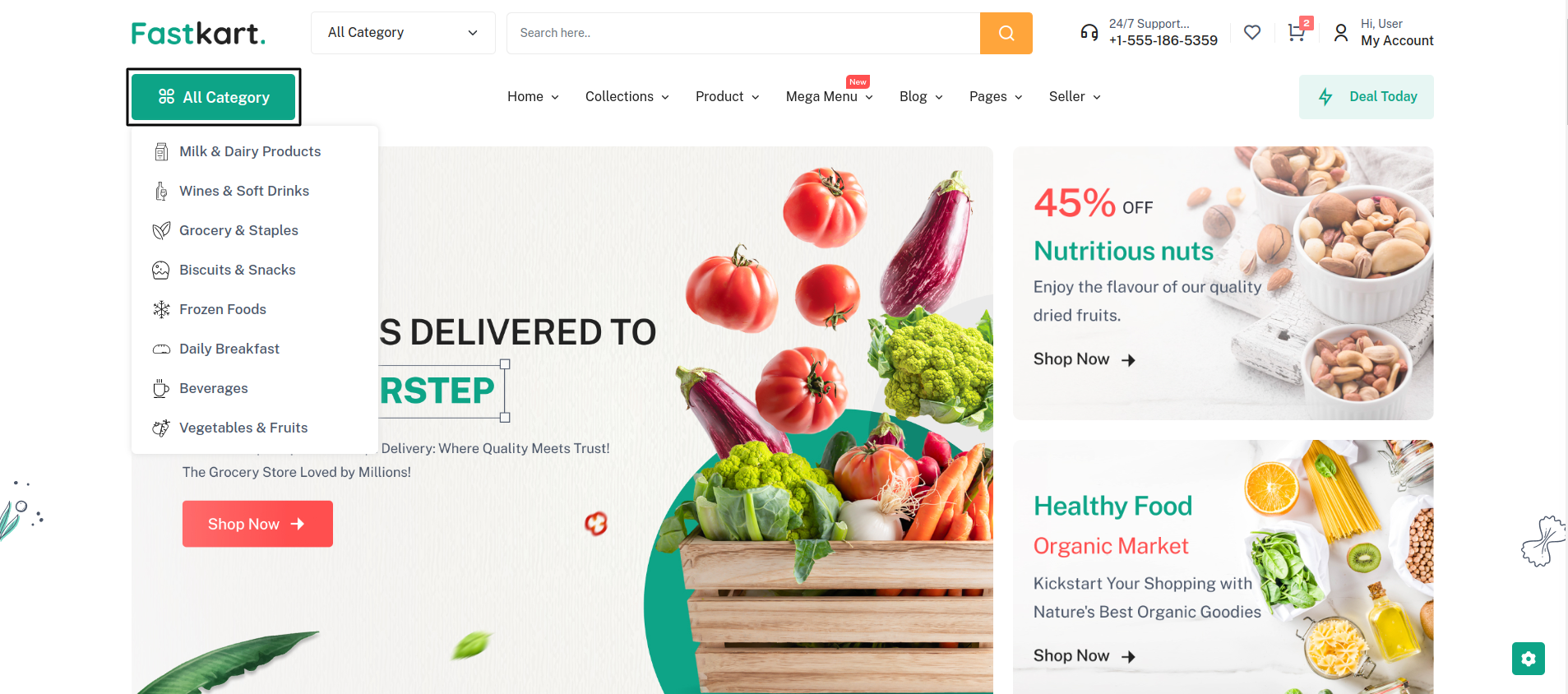
Warning: Make sure
category_ids: [1, 2, 3, 4, 5, 6, 7, 8] ids are
present in the category.json
Footer
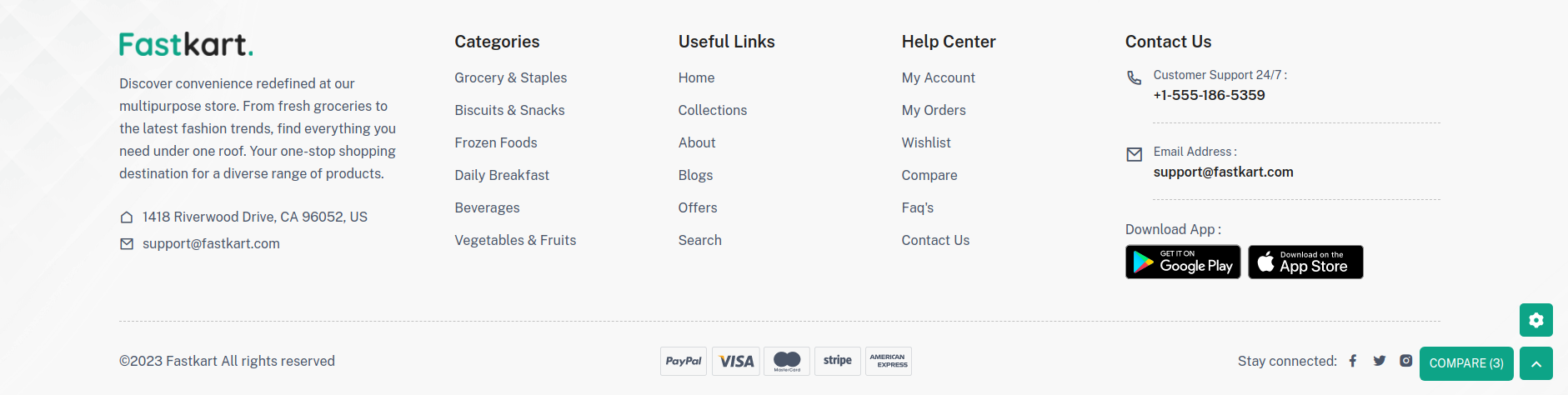
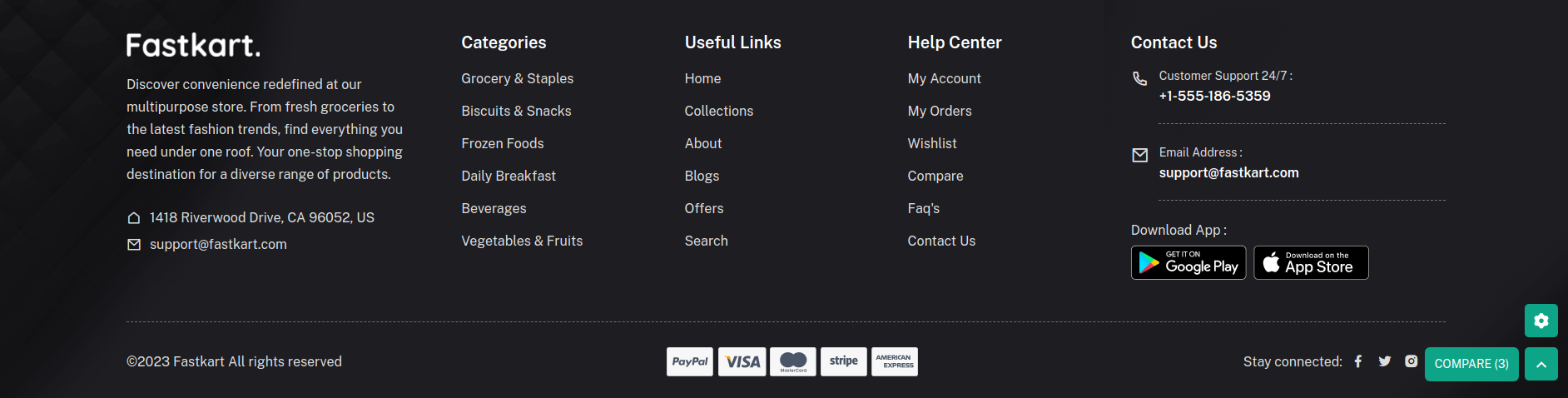
Set Default Footer Style
Then, make changes in the option => footer => footer_style
You can choose any of the 2 Modes "light_mode" and "dark_mode"
{
    "footer_style": "light_mode",
    // Other JSON fields
}
Footer light
Footer Dark
Footer About
"footer_copyright": true
If you enable this, the copyright content will be visible.
"copyright_content": "©2023 Fastkart All rights
                      reserved",
You can make changes in the Copyright Content.
"footer_about": "Discover convenience redefined at our
                      ...",
You can make changes in the Footer Description.
"about_address": "1418 Riverwood Drive, CA 96052, US",
You can make changes in the Footer Address.
"about_email": "support@fastkart.com",
You can make changes in the Footer Email Address.
Select Footer Categories
Then, make changes in the option => footer => footer_categories
{
    "footer_categories": [1, 2, 3, 4, 5, 6 ],
    // Other JSON fields
}
Warning: Make sure
footer_categories: [1, 2, 3, 4, 5, 6 ], ids are
present in the category.json
User Full Link
Then, make changes in the option => footer => footer_categories
6 Pages are available: "home", "collections", "about-us", "blogs", "offers", "search", "faq"
You can also add more pages by adding the string name in "footer_categories"
{
    "footer_categories": ["home", "collections", "about-us", "blogs", "offers", "search"],
    // Other JSON fields
}
Warning: For the new page, you have to create component and routing!
Contact us
Then, make changes in the option => footer
You will be able to make changes in the values in the below keys.
"support_number": "+1-555-186-5359",
"support_email": "support@fastkart.com",
"play_store_url": "https://google.com/",
"app_store_url": "https://apple.com/",
"social_media_enable": true,
"facebook": "https://facebook.com/",
"instagram": "https://instagram.com/",
"twitter": "https://twitter.com/",
"pinterest": "https://pinterest.com/"
Collection
Set Default Collection Style
Then, make changes in the option => collection => collection_layout
{
  "collection_layout": "collection_category_slider",
  // Other JSON fields
}- Collection Left Sidebar
- Collection Right Sidebar
- Collection No Sidebar
- Collection 3 Grid
- Collection 4 Grid
- Collection 5 Grid
- Lection List View
- Category slider
- Category sidebar
- Category banner
- Offcanvas Filter
Set Collection Banner
"collection_banner_image_url":
                    "https://laravel.pixelstrap.net/fastkart/storage/1461/02.png"
This collection_banner_image_url can be used in all Collection Style excluding these 3: collection_category_slider, collection_category_sidebar, collection_offcanvas_filter
Product
Set Default Product Page Layout
Then, make changes in the option => product => product_layout
{
  "product_layout": "product_thumbnail",
  // Other JSON fields
}- Product Image
- Product thumbnail
- Product Slider
- Product Sticky
- Product Tabs
- Product Accordion
"is_trending_product": true,
Enabling this will showcase the product in the sidebar of the product page as a trending item.
"banner_enable": true,
Enabling this will showcase the banner in the sidebar of the product page.
"banner_image_url":
                      "https://laravel.pixelstrap.net/fastkart/storage/1463/03.png",
"safe_checkout": true,
A safe checkout image will appear on the product page.
"safe_checkout_image":
                      "https://laravel.pixelstrap.net/fastkart/storage/286/payments.png",
A secure checkout image will appear on the product page.
"secure_checkout":
                      "https://laravel.pixelstrap.net/fastkart/storage/287/secure_payments.png",
"encourage_order": true,
A random order count between 1 and 100 will be displayed to motivate user purchases.
"encourage_max_order_count": 50,
Specify a number between 1 and 10 to encourage orders.
"encourage_view": true,
This feature encourages users to view products by presenting engaging content or prompts.
"encourage_max_view_count": true,
This feature encourages users to view products by presenting engaging content or prompts.
"sticky_checkout": true,
Enable to make the Add to Cart and checkout options sticky at the bottom of the product page.
"sticky_product": true,
Enable to showcase random products at the bottom of the website.
"social_share": true,
Enable this option to allow users to share the product on social media platforms.
"shipping_and_return": "<p>Shipping and Returns are
                      integral parts of your..,
Enable to showcase random products at the bottom of the website.
Blog
Set Default Blog Style
Then, make changes in the option => blog => blog_style
Change the value of "blog_style" from "grid_view" to "list_view," like this
{
  "blog_style": "list_view",
  // Other JSON fields
}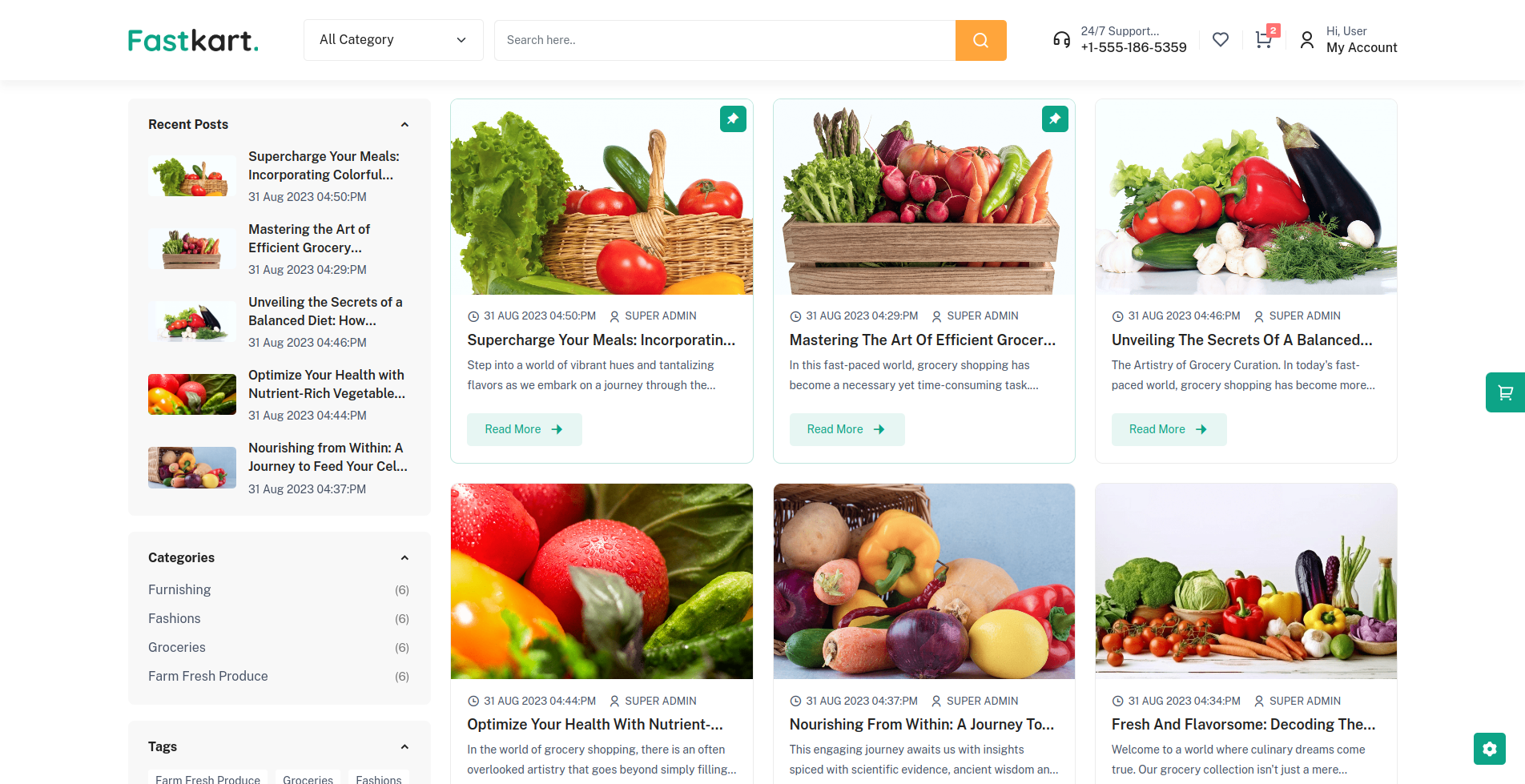
Blog Grid
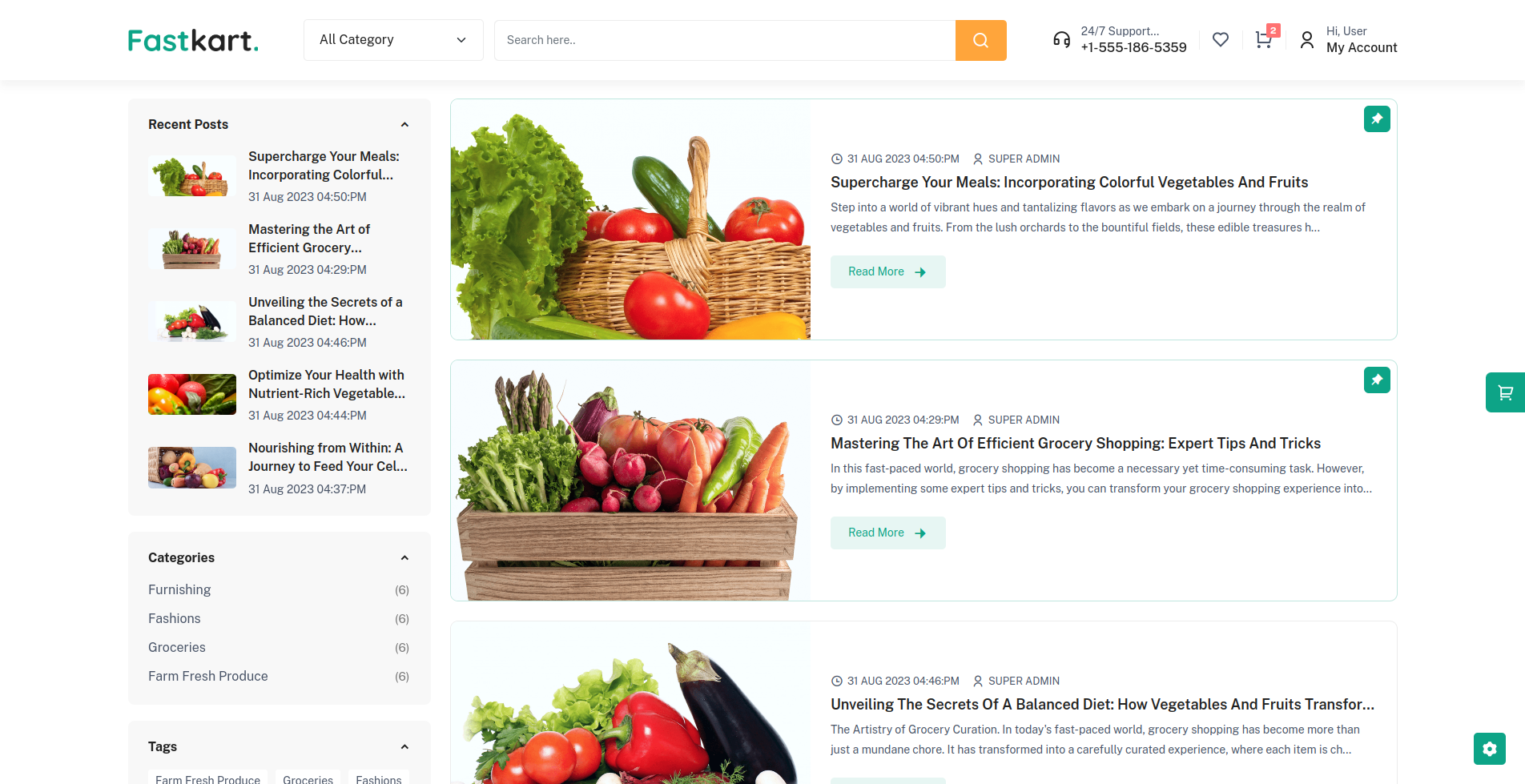
Blog List
Set Blog Sidebar Type
Then, make changes in the option => blog => blog_style
3 Option "left_sidebar", "right_sidebar", and "no_sidebar"
{
  "blog_sidebar_type": "left_sidebar",
  // Other JSON fields
}
Left Sidebar
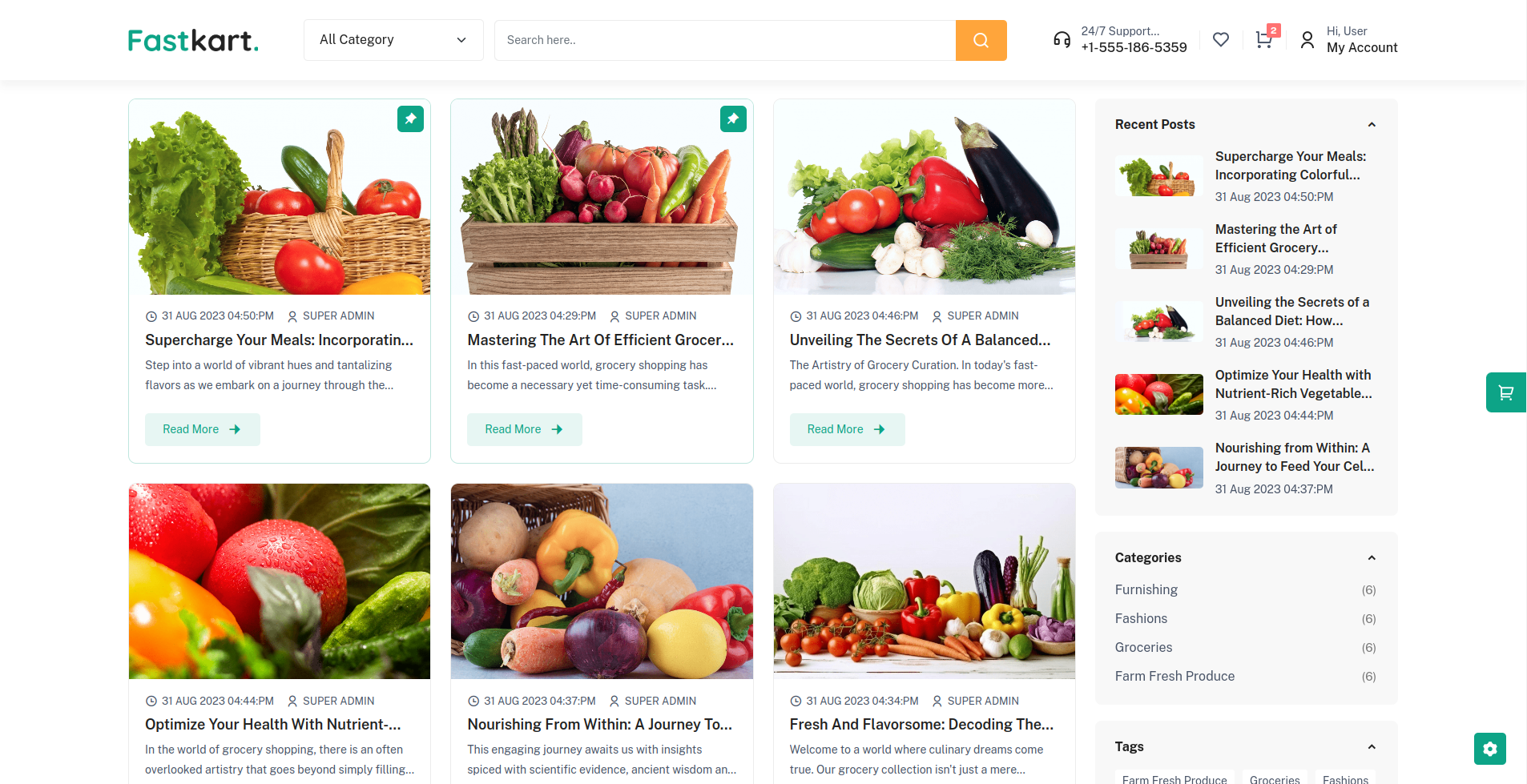
Right Sidebar
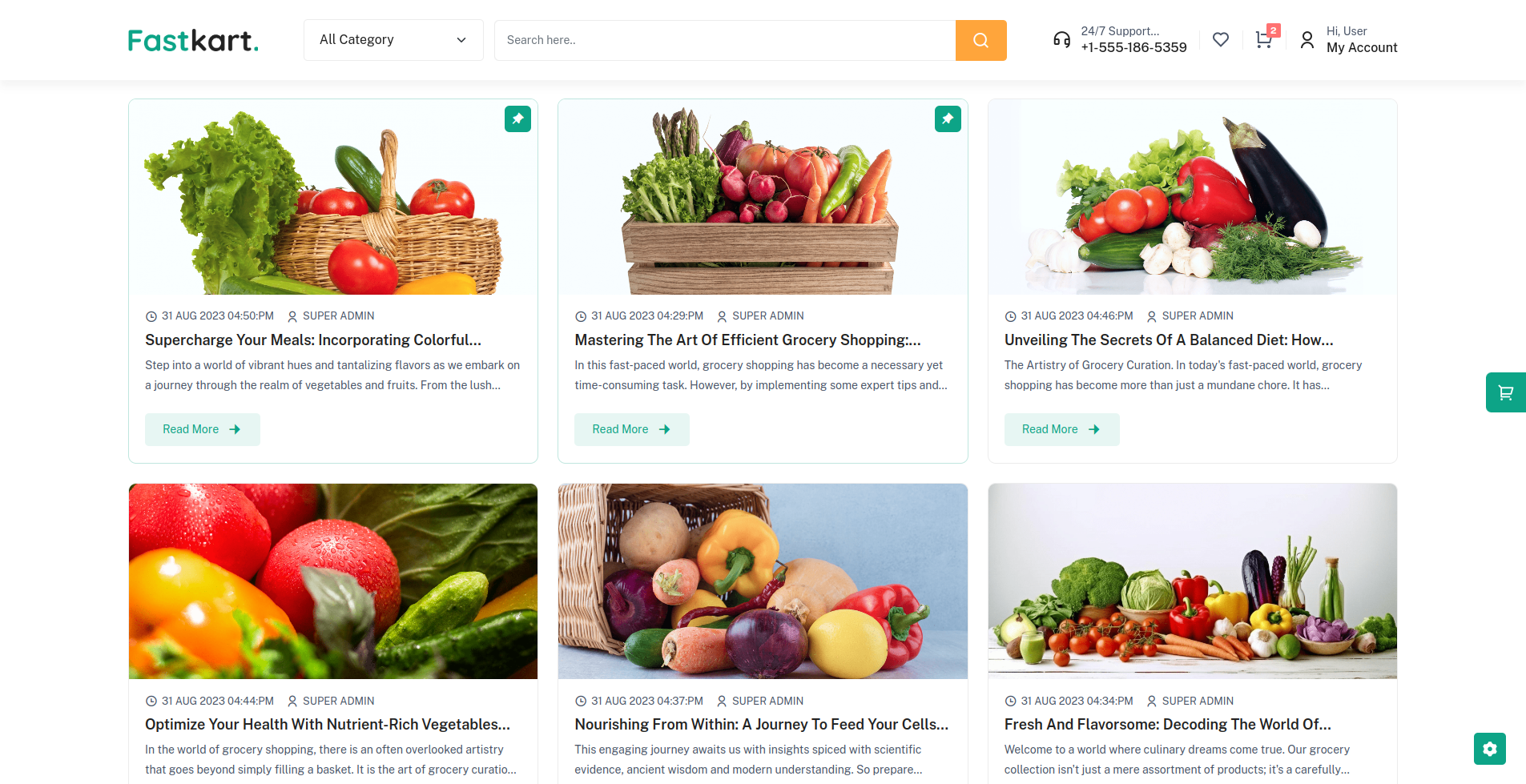
No Sidebar
"blog_author_enable": true,
Enable this option to show blog author name.
"read_more_enable": true,
Enable this option to show blog box in Read More button.
Seller
Seller Configuration
In seller theme-option.json => Then, make changes in the option => seller , you can make changes in the Seller Page Content.
"seller": {
    "about": {
        "status": true,
        "title": "BECOME A SELLER ON FASTKART...",
        "description": "Ready to showcase your products to the world? Join our dynamic marketplace and become a seller at our thriving multipurpose store. With a diverse customer base and a wide range of categories including groceries, fashion, electronics, and more, you'll have the perfect platform to reach a vast audience.\n\nAs a seller, you'll benefit from our user-friendly interface, seamless payment processing, and dedicated support to ensure your products shine. Whether you're a local artisan or a growing brand, our store provides the visibility and tools you need to succeed.\n\nTap into our established customer traffic, set up your shop with ease, and let your products take center stage. Join us in creating a shopping experience that caters to every need and taste. Your journey to success starts here – become a seller at our multipurpose store today!",
        "image_url": "https://laravel.pixelstrap.net/fastkart/frontend/images/common/seller-become/seller-become.svg"
    },
    "services": {
        "status": true,
        "title": "WHY SELL ON FASTKART ?",
        "service_1": {
            "title": "Lowest Cost",
            "description": "Unlock quality at the lowest cost, exceeding expectations.",
            "image_url": "https://laravel.pixelstrap.net/fastkart/frontend/images/common/services/1.png"
        },
        "service_2": {
            "title": "Lowest Cost",
            "description": "Unlock quality at the lowest cost, exceeding expectations.",
            "image_url": "https://laravel.pixelstrap.net/fastkart/frontend/images/common/services/2.png"
        },
        "service_3": {
            "title": "Dedicated Pickup",
            "description": "Enjoy the convenience of dedicated pickup services for your orders.",
            "image_url": "https://laravel.pixelstrap.net/fastkart/frontend/images/common/services/3.png"
        },
        "service_4": {
            "title": "Most Approachable",
            "description": "We take pride in being the most approachable choice for your needs.",
            "image_url": "https://laravel.pixelstrap.net/fastkart/frontend/images/common/services/4.png"
        }
    },
    "steps": {
        "status": true,
        "title": "Doing Business On Fastkart Is Really Easy",
        "step_1": {
            "title": "List Your Products & Get Support Service Provider",
            "description": "Elevate your business by listing your products with us. Experience dedicated support services for your growth."
        },
        "step_2": {
            "title": "Receive orders & Schedule a pickup",
            "description": "Effortlessly receive orders and schedule pickups for ultimate convenience. Your business is simplified."
        },
        "step_3": {
            "title": "Receive quick payment & grow your business",
            "description": "Receive swift payments, fuel the growth of your business seamlessly, and watch your ventures thrive."
        }
    },
    "start_selling": {
        "status": true,
        "title": "Start Selling",
        "description": "Fastkart marketplace is India's leading platform for selling online. Be it a manufacturer, vendor or supplier, simply sell your products online on Fastkart and become a top ecommerce player with minimum investment. Through a team of experts offering exclusive seller workshops, training, seller support and convenient seller portal, Fastkart focuses on educating and empowering sellers across India. Selling on Fastkart.com is easy and absolutely free. All you need is to register, list your catalogue and start selling your products."
    },
    "store_layout": "basic_store",
    "store_details": "basic_store_details"
},
Error Page
All Seller page content change to seller theme-option.json
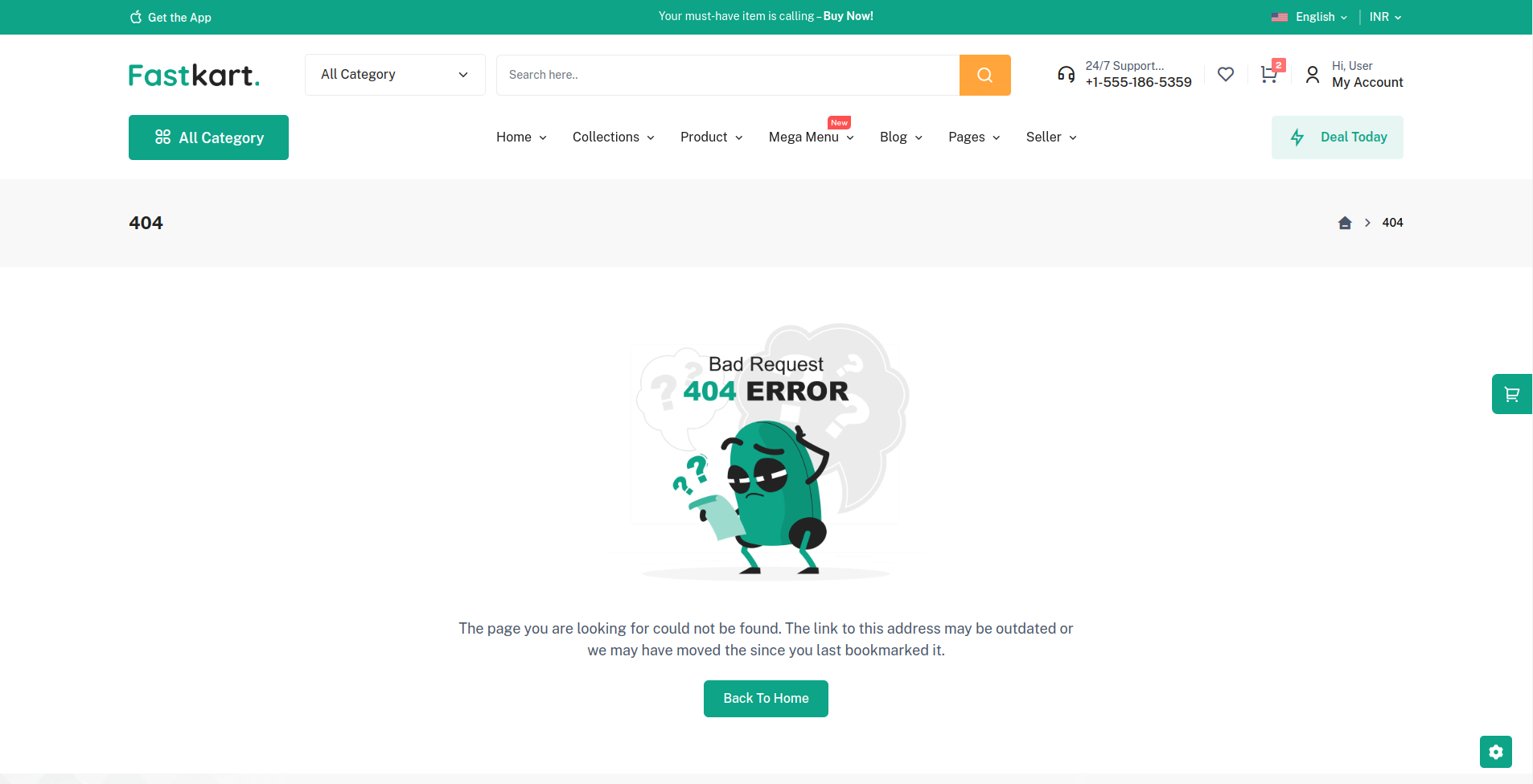
"error_page": {
    "error_page_content": "The page you are looking for could not be found. The link to this address may be outdated or we may have moved the since you last bookmarked it.",
    "back_button_enable": true,
    "back_button_text": "Back To Home"
},
SEO Configuration
"seo": {
    "meta_tags": "FastKart Marketplace: Where Vendors Shine Together",
    "meta_title": "Online Marketplace, Vendor Collaboration, E-commerce Platform",
    "meta_description": "Discover FastKart Marketplace – a vibrant online platform where vendors unite to showcase their products, creating a diverse shopping experience. Explore a wide range of offerings and connect with sellers on a single platform.",
    "og_title": "FastKart Marketplace: Uniting Vendors for Shopping Excellence",
    "og_description": "Experience a unique shopping journey at FastKart Marketplace, where vendors collaborate to provide a vast array of products. Explore, shop, and connect in one convenient destination.",
    "og_image_id": 4,
    "og_image": {
        "id": 4,
        "collection_name": "attachment",
        "name": "logo-dark",
        "file_name": "logo-dark.png",
        "mime_type": "image/png",
        "disk": "public",
        "conversions_disk": "public",
        "size": "4997",
        "created_by_id": "1",
        "created_at": "2023-08-24T08:16:03.000000Z",
        "updated_at": "2023-08-24T08:16:03.000000Z",
        "original_url": "https://laravel.pixelstrap.net/fastkart/storage/4/logo-dark.png"
    }
}