Change Your Project App Icon :
- click on File, choose Open, navigate to your project's Android location, select
it, and click Open (on Mac) or Ok (on Windows).
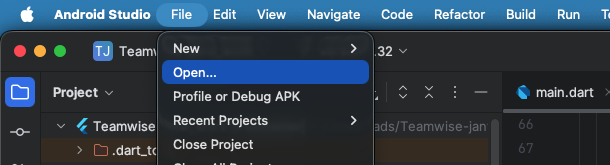
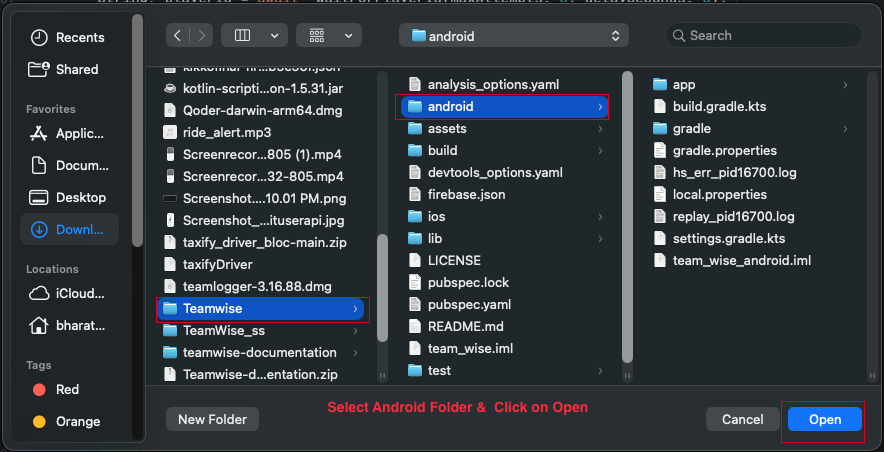
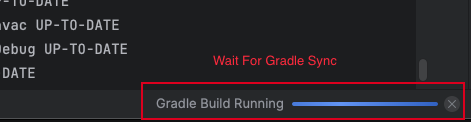
- Wait for the Gradle build to complete.
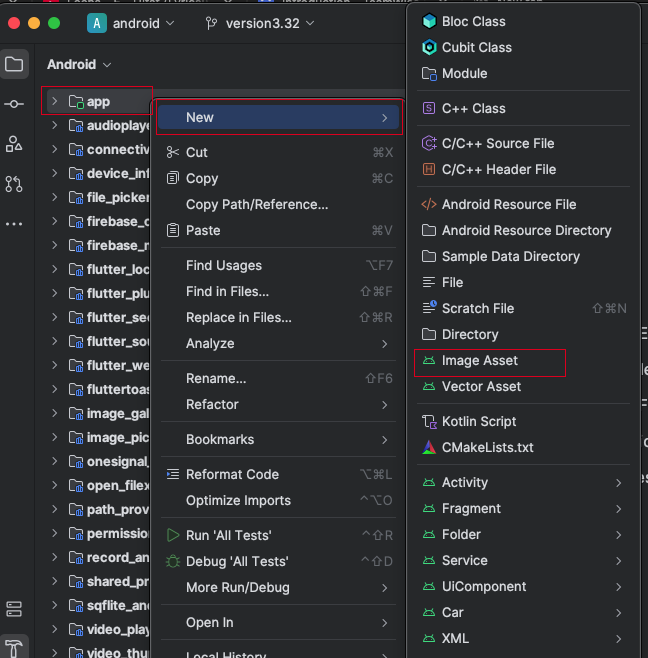
- In the app directory, right-click and select New, then choose Image Asset. Image Assets
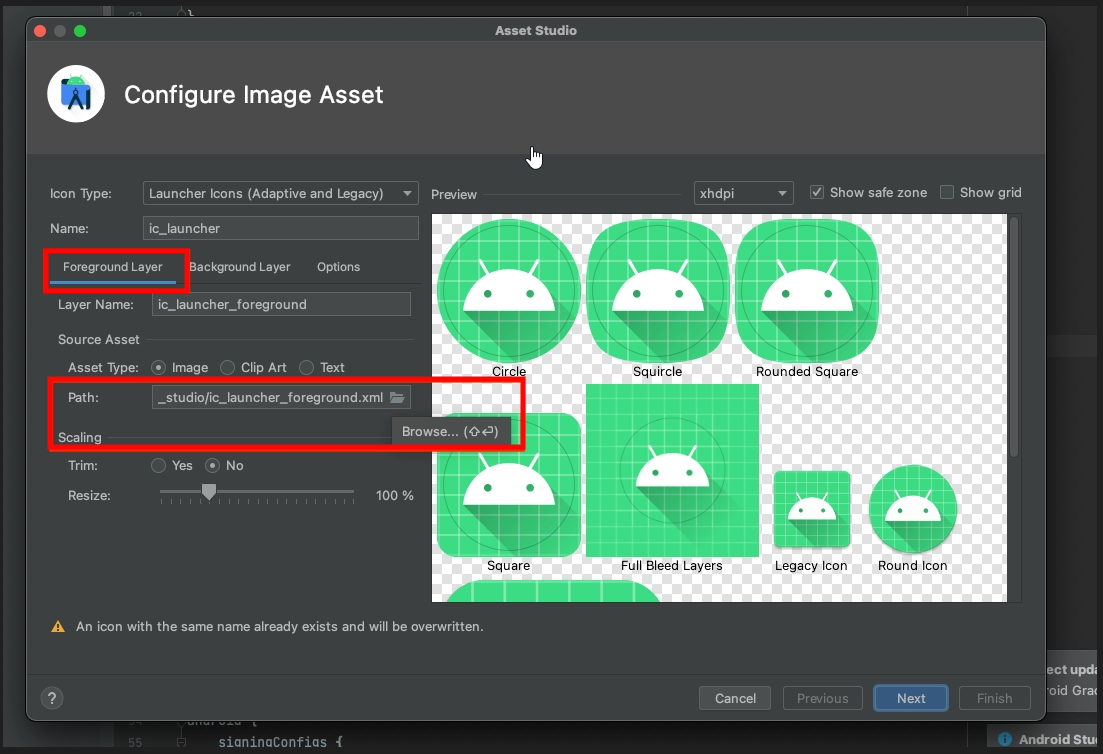
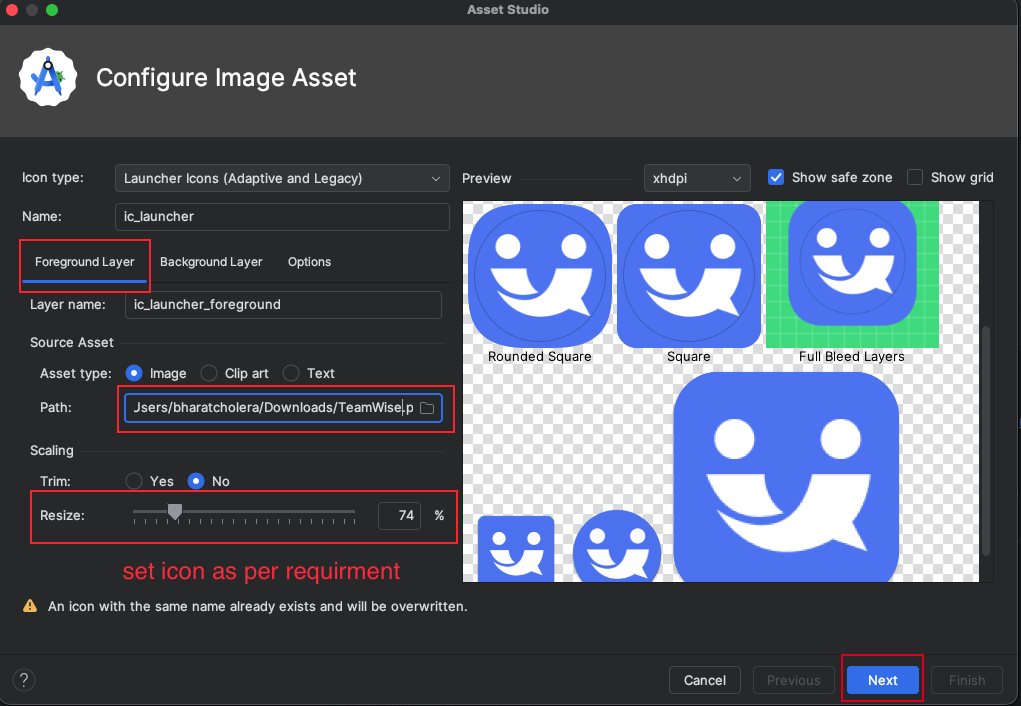
- A pop-up will appear. In the Foreground Layer, select the path to your app icon image.
- Adjust the icon size as needed.
- Select "release" in the Res directory and click the Finish button.
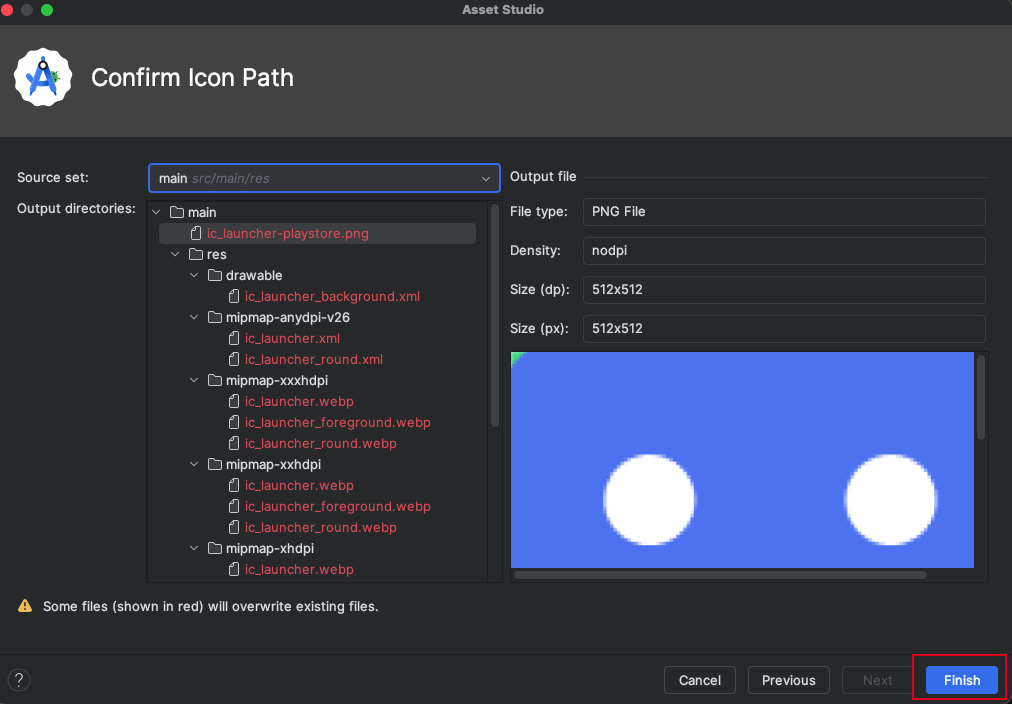
- Once the process is complete, open your project and run it again.