General
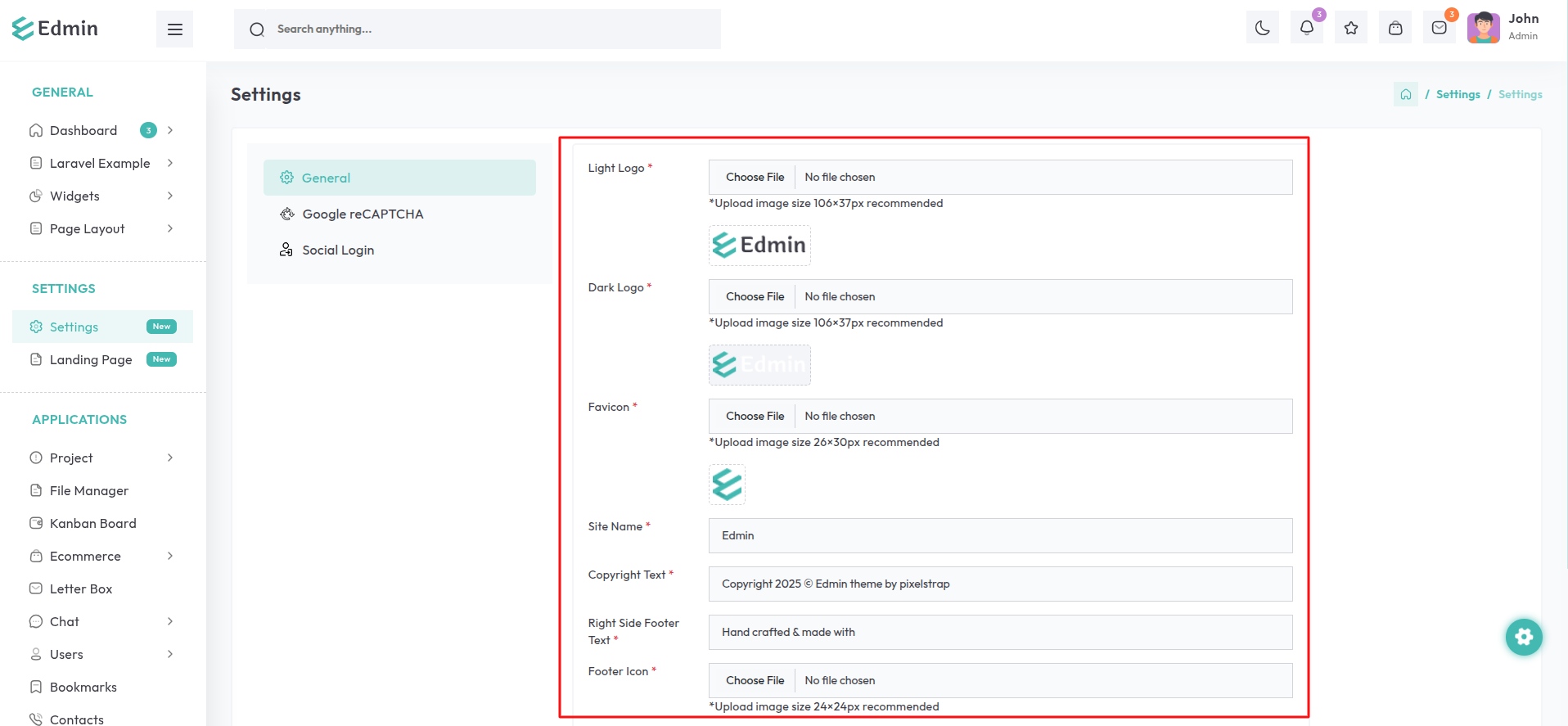
The General Tab within the Settings section offers a range of fields and features to help you customize the application effortlessly.
Navigate to the Settings option in the sidebar and select the General Tab.
Light Logo: Upload the light logo to be displayed in the dark theme.
(Recommended size:
106×37 pixels).
Dark Logo: Upload the dark logo to be displayed in the light theme.
(Recommended size:
106×37p pixels).
Favicon: Upload the favicon to be displayed in browser tabs.
(Recommended size: 26×30
pixels)
Site Name: Specify the site name to appear in browser tabs.
Copyright Text: Provide the copyright text to be displayed in the footer.
Right Side Footer Text: Enter the text or content to be displayed on the right side of the footer.
Footer Icon: Upload the footer icon to be displayed on the right side of the footer. (Recommended size: 24×24 pixels)
Footer Icon: Upload the footer icon to be displayed on the right side of the footer.
(Recommended size: 24×24 pixels)