 Theme Options
Navigate to the "Store Front" section, click "Theme Option," enter user details:
General
Set Header Logo, Footer Logo And Favicon Icon
Then, make changes in the Theme Option
Open Admin panel click Store Front => Theme Option. Click general tab
It would be similar for Header Logo, Footer Logo And Favicon Icon
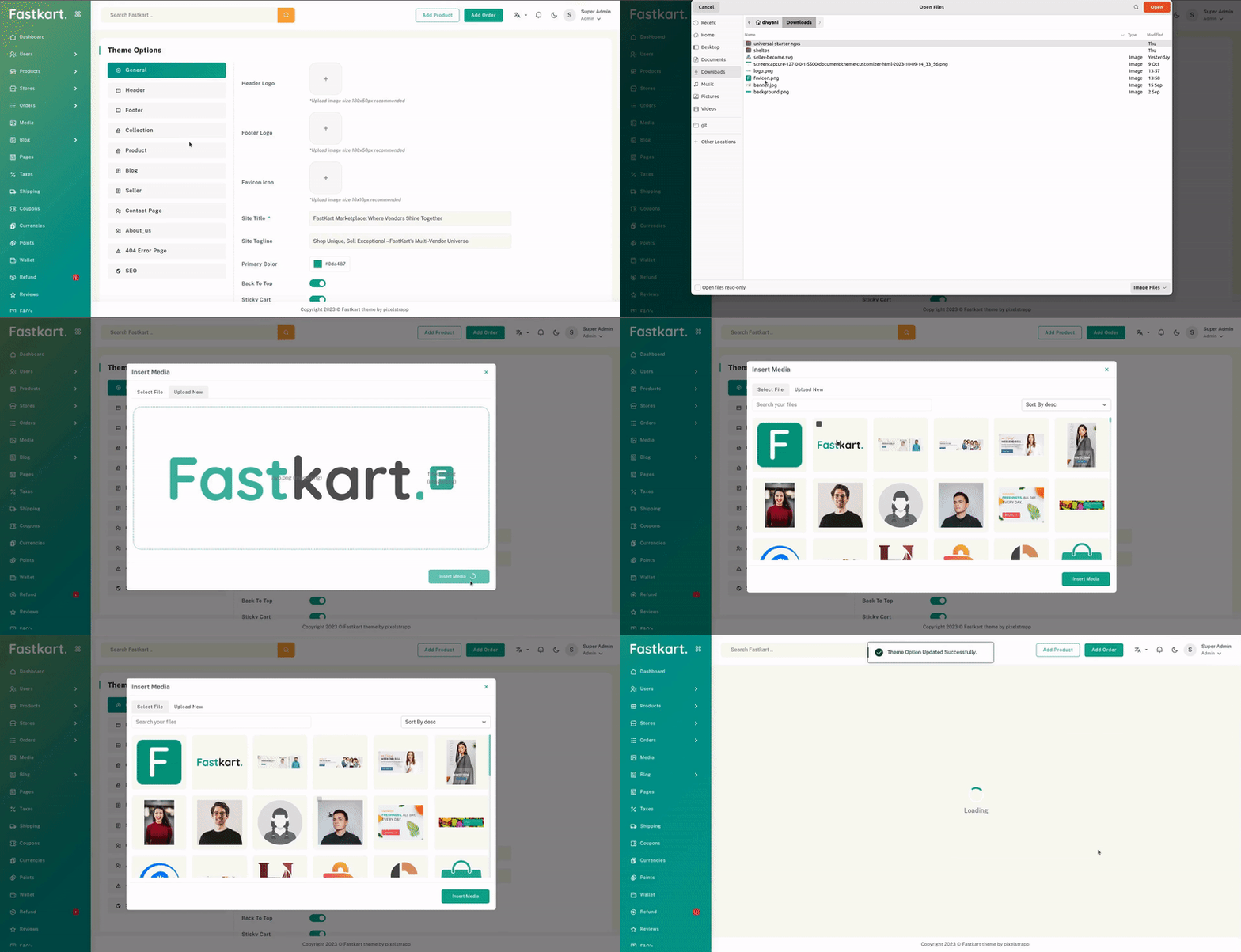
Change Site Title And Site Tagline

Cart Style
Then, make changes in the option > general > cart_style
2 option "cart_sidebar" and "mini_cart"

Cart Sidebar

Cart Mini

Back To Top
Then, make changes in the option > general > back_to_top_enable


Header
Header options
Then, make changes in the option > header > header_options
You can choose any of the 4 Styles:
- "basic_header"
- "classic_header"
- "standard_header"
- "minimal_header"
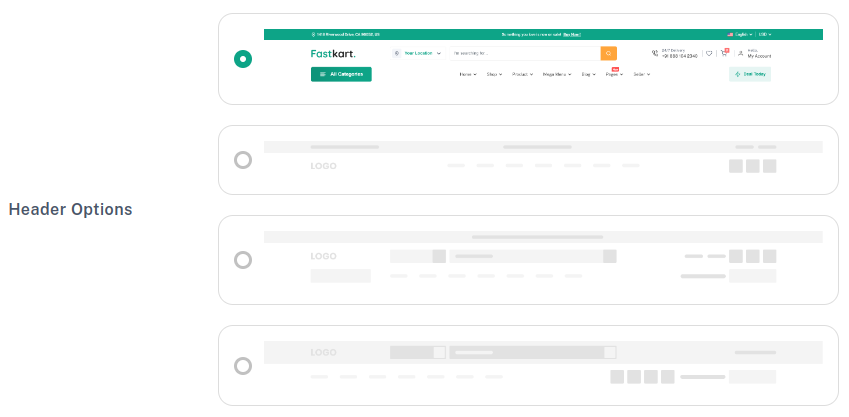
Basic Header

Classic Header

Standard Header

Minimal Header

Sticky header
Then, make changes in the option > header > sticky_header_enable

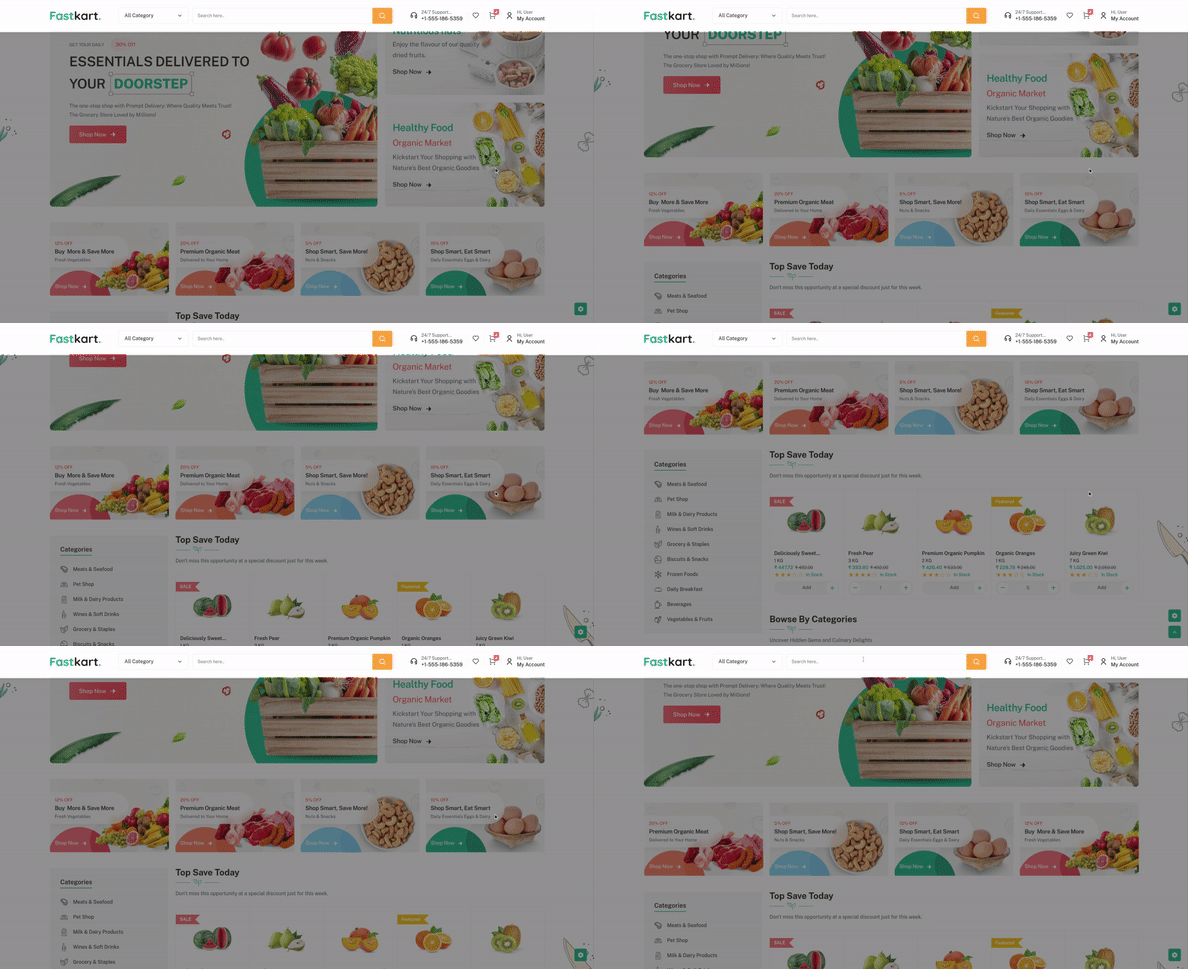
Page Top Bar Configuration
Then, make changes in the option > header > page_top_bar_enable


Change Support Number
Then, make changes in the option > header > support_number


Today Deals
Then, make changes in the option > header > today_deals


Note: *Choose products to display in the deal popup on the header. Select up to 3 recommended products.
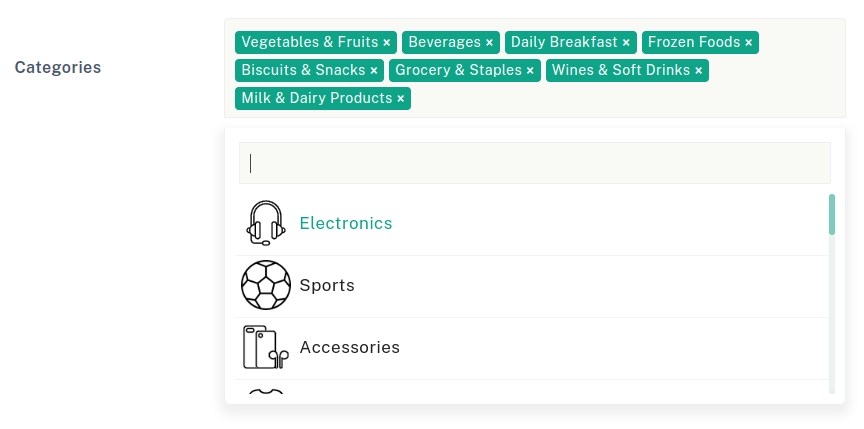
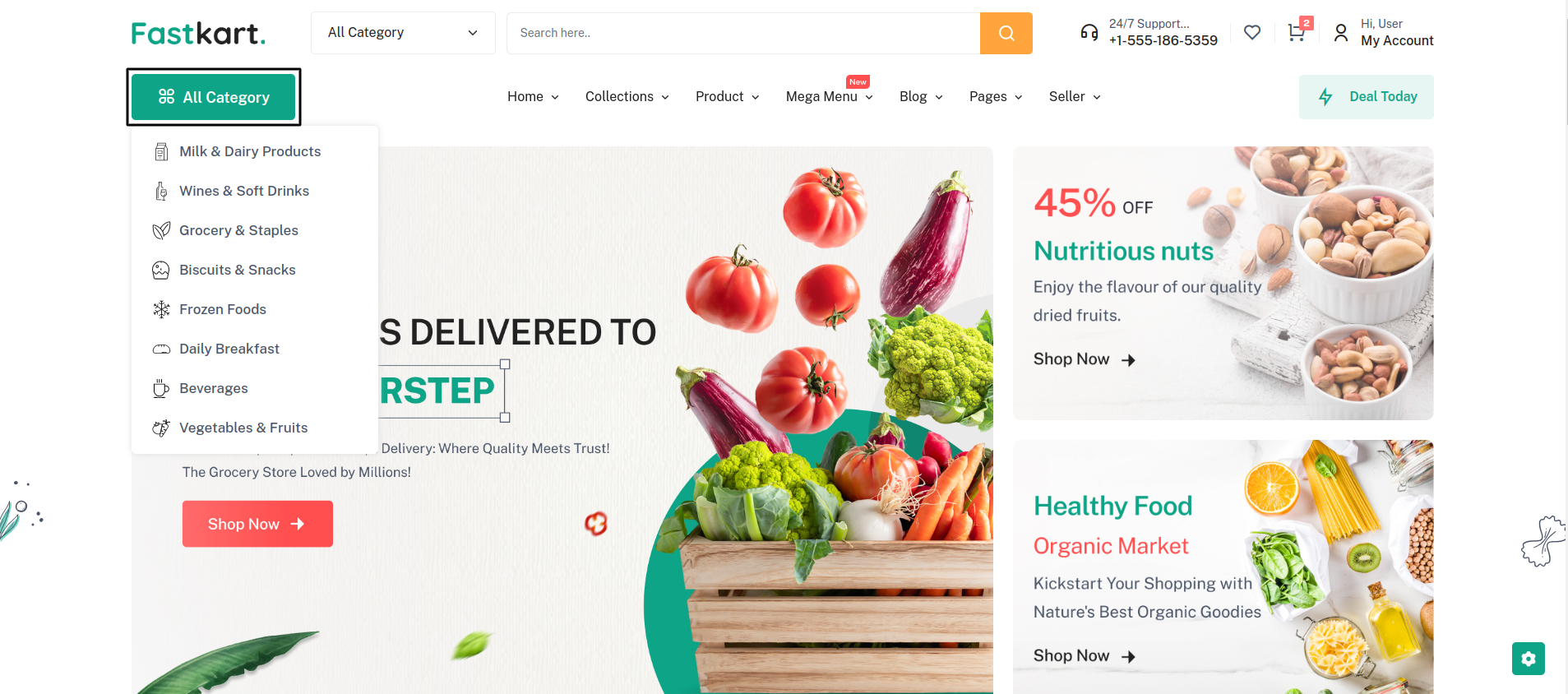
Select Categories
Then, make changes in the option > header > category_ids
Footer
Set Default Footer Style
Then, make changes in the option > footer > footer_style
You can choose any of the 2 Modes "light_mode" and "dark_mode"

Footer light

Footer Dark

Footer About

"footer_about": "Discover convenience redefined at our ...",
You can make changes in the Footer Description.
"about_address": "1418 Riverwood Drive, CA 96052, US",
You can make changes in the Footer Address.
"about_email": "support@fastkart.com",
You can make changes in the Footer Email Address.
Select Footer Link
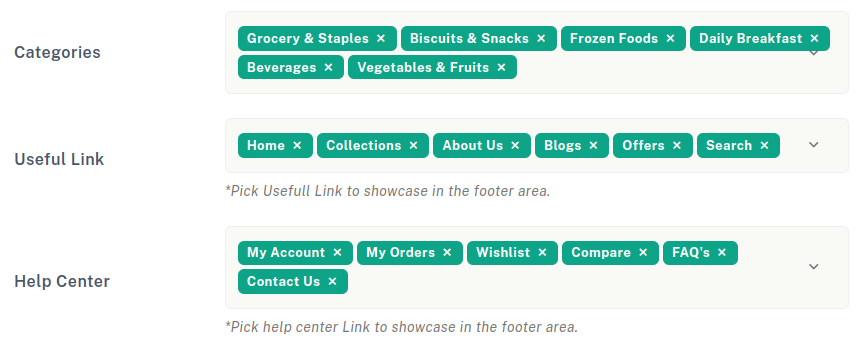
Warning: For the new page, you have to create component and routing! and add object in Useful link dropdown. Same as Help center.
Contact us
Then, make changes in the option > footer
You will be able to make changes in the values in the below keys.

Footer Bottom


Show Social Media : If you enable this, the social Media content will be
visible.
Facebook : Enter your Facebook account link
Instagram : Enter your Instagram account link
Twitter : Enter your Twitter account link
Pinterest : Enter your Pinterest account link
Footer Copyright : If you enable this, the copyright content will be visible.
Copyright Text : You can make changes in the Copyright Content.
Collection
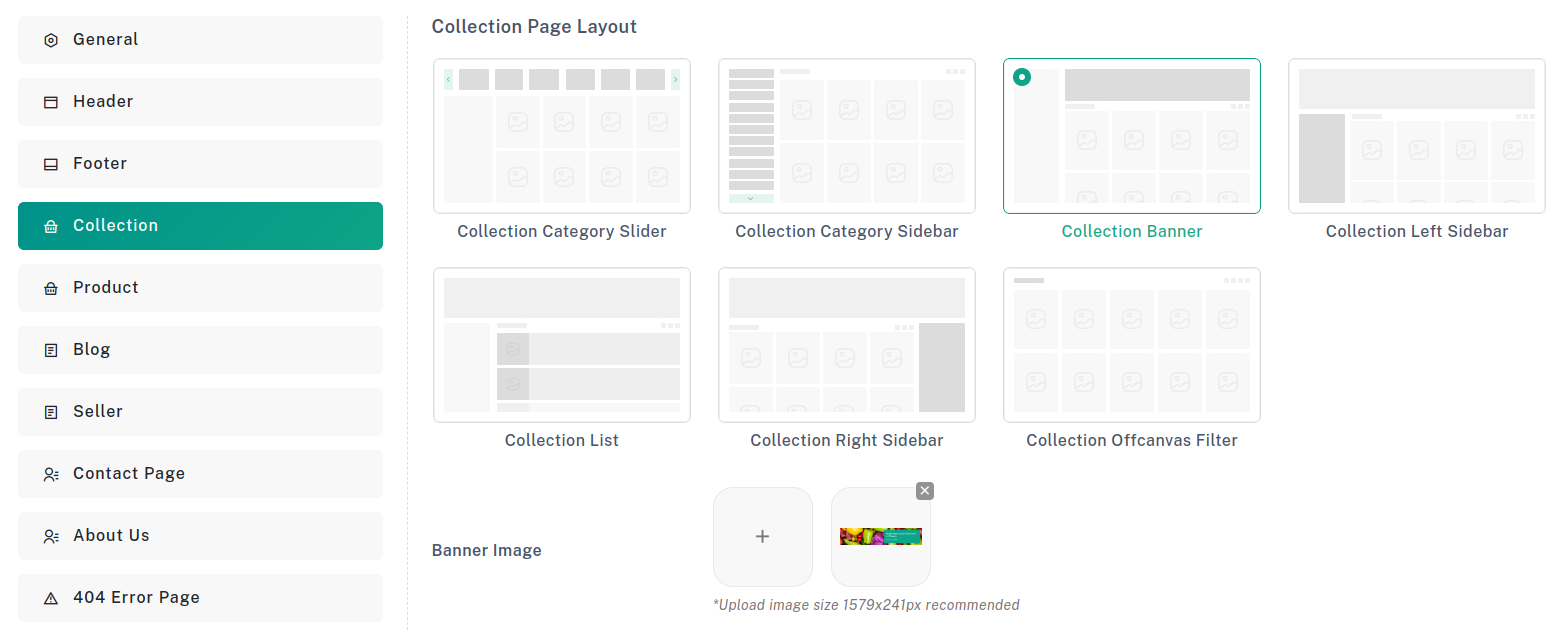
Set Default Collection Style
Then, make changes in the option > collection > collection_layout
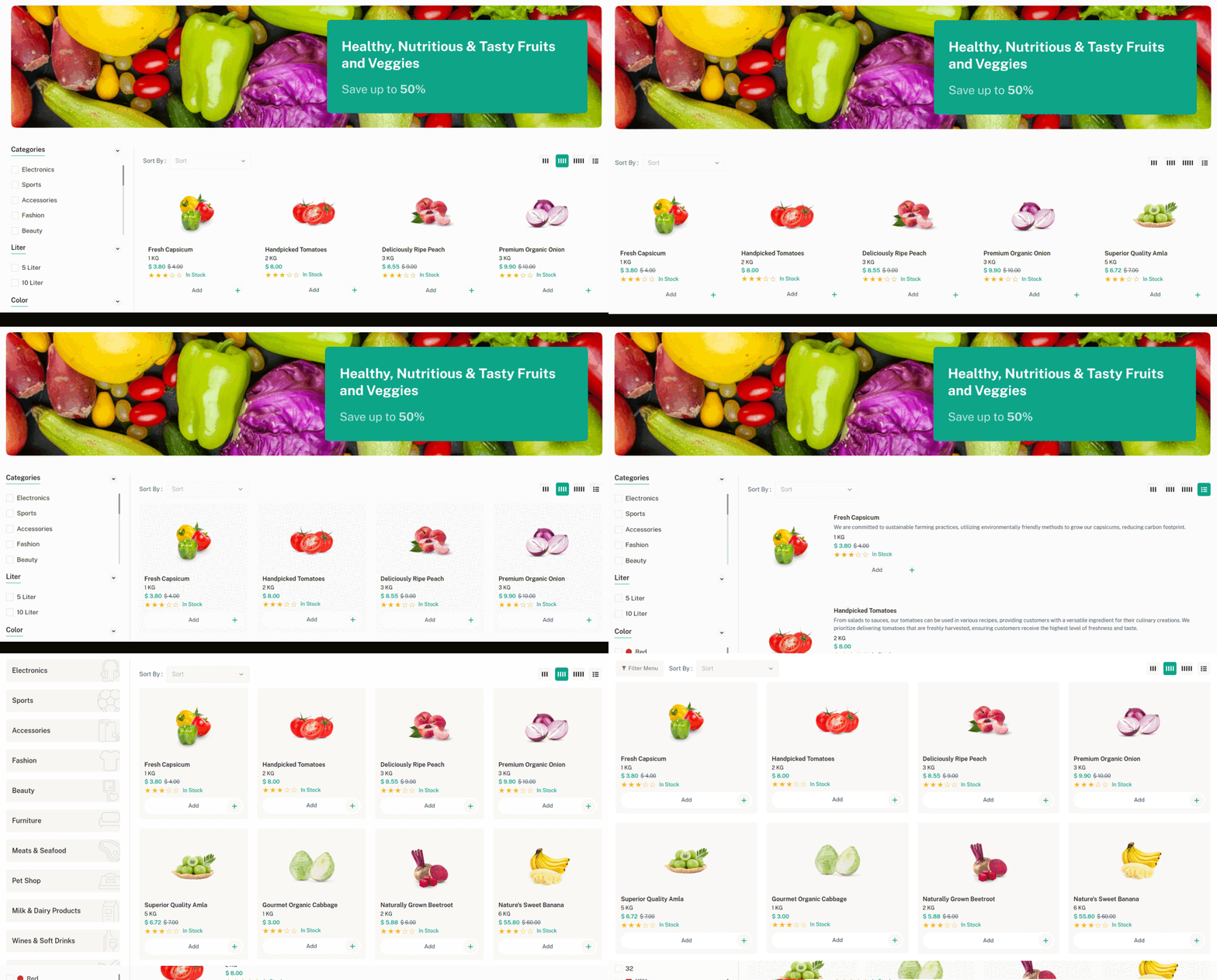
1) Collection Left Sidebar
2) Collection Right Sidebar
3) Collection No Sidebar
4) Collection 3 Grid
5) Collection 4 Grid
6) Collection 5 Grid
7) Lection List View
8) Category slider
9) Category sidebar
10) Category banner
11) Offcanvas Filter
Collection Page Layout :
Banner Image : Can be used in all Collection Style excluding these 3: Category slider, Category sidebar, and Offcanvas Filter
Product
Set Default Product Page Layout
Then, make changes in the option > product > product_layout
1) Product Image
2) Product thumbnail
3) Product Slider
4) Product Sticky
5) Product Tabs
6) Product Accordion

Trending Product :
Enabling this will showcase the product in the sidebar of the product page as a trending item.
Banner Status :
Enabling this will showcase the banner in the sidebar of the product page.
Banner Image :
Select Banner
Safe Checkout :
Enabling this will showcase the Safe checkout image in the product page
Safe Checkout Image :
A secure checkout image will appear on the product page.
Secure Checkout :
Secure Checkout Image :
Enabling this will showcase the Secure checkout Image image in the product page.
Encourage Order :
A random order count between 1 and 100 will be displayed to motivate user purchases.
Encourage Max Order Count :
Specify a number between 1 and 10 to encourage orders.
Encourage View :
This feature encourages users to view products by presenting engaging content or prompts.
Encourage Max View Count :
This feature encourages users to view products by presenting engaging content or prompts.
Sticky Checkout :
Enable to make the Add to Cart and checkout options sticky at the bottom of the product page.
Sticky Product :
Enable to showcase random products at the bottom of the website.
Social Share :
Enable this option to allow users to share the product on social media platforms.
Shipping & Return :
Enable to showcase random products at the bottom of the website.
Blog
Set Default Blog Style
Then, make changes in the option > blog > blog_style

Blog Style :
Select blog style

Blog Grid

Blog List
Set Blog Sidebar Type
Blog Sidebar Type :
Select blog sidebar style
Left Sidebar

Right Sidebar

No Sidebar
Blog Author :
Enable this option to show blog author name.
Read More Link :
Enable this option to show blog box in Read More button.
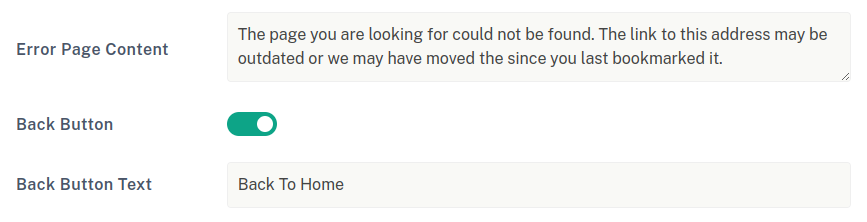
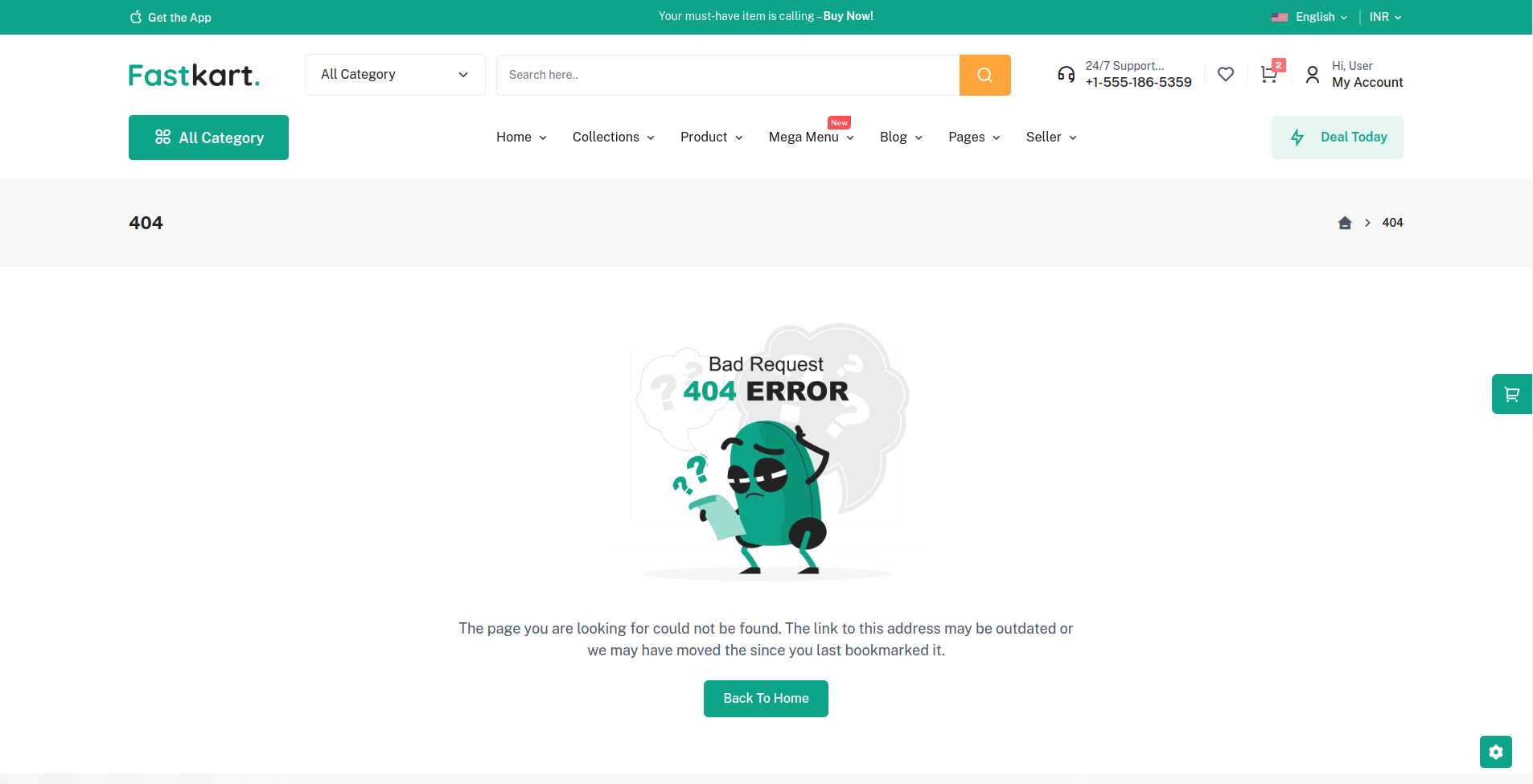
Error Page
SEO Configuration
