
Apps
Users preview link


Calender Offical link Preview link

npm i @fullcalendar/vue3Inside Your template tags add
<FullCalendar :options="calendarOptions" /> Inside Your script tags add
 import { onMounted } from "vue"
        import FullCalendar from "@fullcalendar/vue3";
        import dayGridPlugin from "@fullcalendar/daygrid";
        import { INITIAL_EVENTS, createEventId } from "@/core/data/calendardata";
        import interactionPlugin, { Draggable } from "@fullcalendar/interaction";
        import timeGridPlugin from "@fullcalendar/timegrid";

        const calendarOptions = {
        plugins: [dayGridPlugin, interactionPlugin, timeGridPlugin],
        initialView: "dayGridMonth",
        initialEvents: INITIAL_EVENTS,
        editable: true, selectable: true,
        selectMirror: true, dayMaxEvents: true, weekends: true,
        select: handleDateSelect, eventClick: handleEventClick,
        droppable: true,
        drop: HandleDrop,
        headerToolbar: {
        left: "prev,next today", center: "title", right: "dayGridMonth,timeGridWeek,timeGridDay",
        },
        }
        function HandleDrop(selectInfo: any) {
        let title = selectInfo.draggedEl.outerText
        let calendarApi = selectInfo.view.calendar
        calendarApi.unselect()
        if (title) {
        calendarApi.addEvent({
        id: createEventId(),
        title, start: selectInfo.date, allDay: true
        })
        }
        }
        function handleDateSelect(selectInfo: any) {
        let title = prompt('Please enter a new title for your event')
        let calendarApi = selectInfo.view.calendar
        calendarApi.unselect()
        if (title) {
        calendarApi.addEvent({
        id: createEventId(),
        title, start: selectInfo.startStr, end: selectInfo.endStr, allDay: selectInfo.allDay,
        })
        }
        }
        function handleEventClick(clickInfo: any) {
        if (confirm(`Are you sure you want to delete the event '${clickInfo.event.title}'`)) {
        clickInfo.event.remove()
        }
        }
        onMounted(() => {
        let buttons = document.getElementsByClassName('draggableButton')
        for (var i = 0; i < buttons.length; i++) {
        new Draggable(buttons[i]);
        }
        })
Inside Your store ts tags add
let eventGuid = 0
        let todayStr = new Date().toISOString().replace(/T.*$/, '')

        export const INITIAL_EVENTS = [
            {
                id: createEventId(),
                title: 'All-day event',
                start: todayStr
            },
            {
                id: createEventId(),
                title: 'Timed event',
                start: todayStr + 'T12:00:00'
            },

            {
                id: createEventId(),
                title: "All-day event",
                start: '2024-01-02',
                end: '2024-01-04'
            },
            {
                id: createEventId(),
                title: "event",
                date: "2024-02-03"
            },
            {
                id: createEventId(),
                title: "event 2",
                start: '2024-01-07',
                end: '2024-01-09'
            },
            {
                id: createEventId(),
                title: "all-day event",
                start: '2024-11-09T10:30:00',
                end: '2024-11-10T12:30:00'
            },
            {
                id: createEventId(),
                title: "event",
                date: "2024-02-10"
            },
            {
                id: createEventId(),
                title: "event2",
                date: "2024-01-12"
            },
            {
                id: createEventId(),
                title: "event",
                start: "2024-01-19",
                end: "2024-01-22"
            },
            {
                id: createEventId(),
                title: "event",
                date: "2024-01-10",
            },
            {
                id: createEventId(),
                title: "event",
                date: "2024-02-06",
            },
            {
                id: createEventId(),
                title: "All Day event",
                date: "2024-03-06",
            },
            {
                id: createEventId(),
                title: "BirthDay Party",
                date: "2024-02-22",
            },
            {
                id: createEventId(),
                title: "4p meeting",
                date: "2024-01-11",
            },
            {
                id: createEventId(),
                title: "3:30p meeting",
                date: "2024-02-05",
            },
            {
                id: createEventId(),
                title: "Tour with our team ",
                date: "2024-02-16",
            },
            {
                id: createEventId(),
                title: "4p meeting ",
                date: "2024-02-03",
            },
            {
                id: createEventId(),
                title: "event3",
                date: "2024-02-06",
            },
            {
                id: createEventId(),
                title: "4p meeting",
                date: "2024-01-22",
            },
            {
                id: createEventId(),
                title: "event1",
                date: "2024-02-22",
            },
            {
                id: createEventId(),
                title: "3:30p meeting",
                date: "2024-01-23",
            },
            {
                id: createEventId(),
                title: "3:30p meeting",
                date: "2024-01-27",
            },
            {
                id: createEventId(),
                groupId: 999,
                title: 'Meeting with Team',
                start: '2022-02-11T16:00:00'
            },
            {
                id: createEventId(),
                groupId: 999,
                title: 'Upload New Project',
                start: '2024-02-16T16:00:00'
            },
            {
                id: createEventId(),
                title: 'Birthday Party',
                start: '2024-11-24',
                end: '2024-03-26'
            },
            {
                id: createEventId(),
                title: 'Reporting about Theme',
                start: '2024-03-18T10:30:00',
                end: '2024-03-19T12:30:00'
            },
            {
                id: createEventId(),
                title: 'Lunch',
                start: '2024-02-28T12:00:00'
            },
            {
                id: createEventId(),
                title: 'Meeting',
                start: '2024-04-12T14:30:00'
            },
            {
                id: createEventId(),
                title: 'Happy Hour',
                start: '2024-04-24T17:30:00'
            },
        ]

        export function createEventId() {
        return String(eventGuid++)
        }
Gallery Preview link
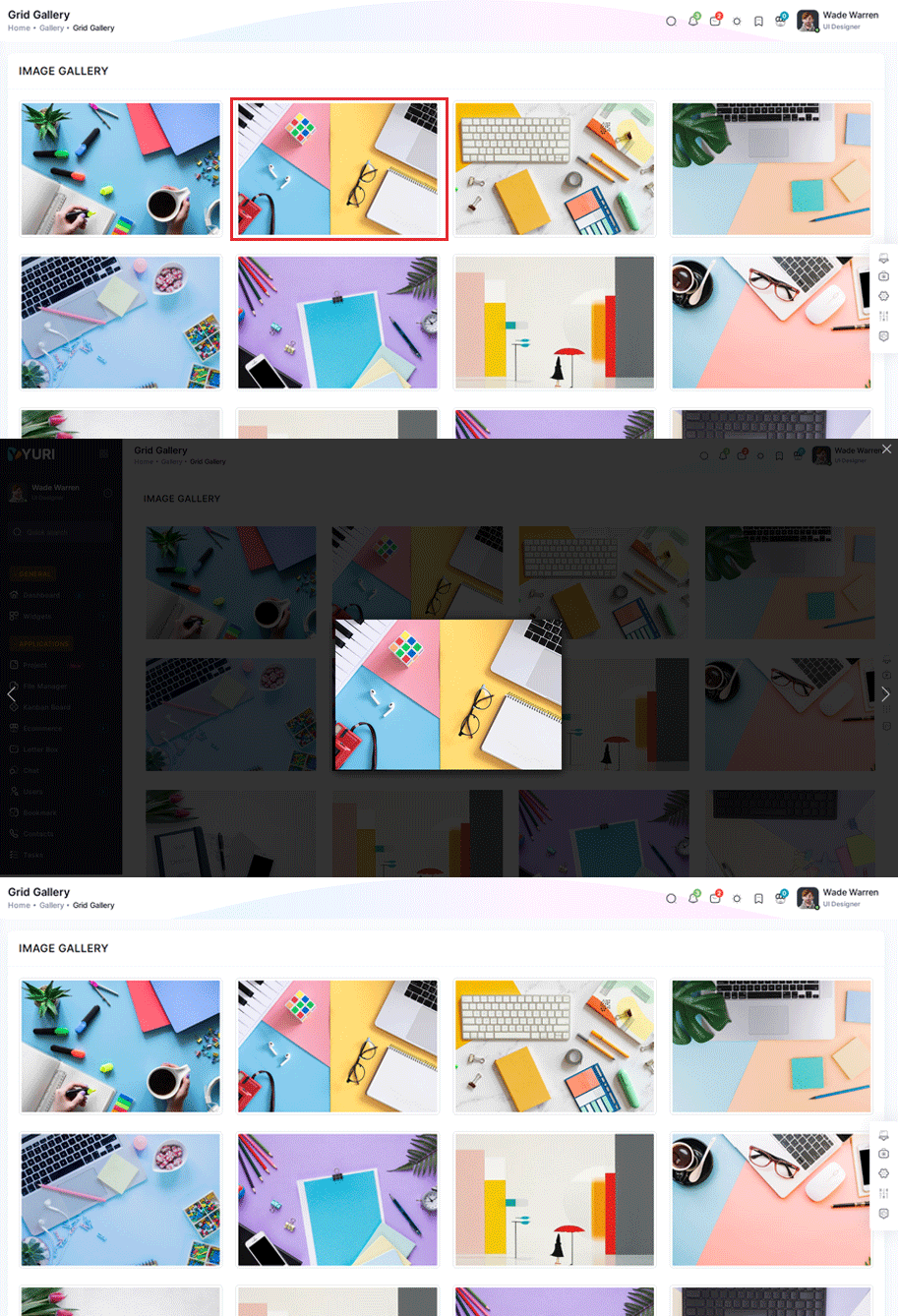
npm i vue-easy-lightboxIn your plugins.ts file all the following code:
import { defineNuxtPlugin } from '#app'
                                                import Lightbox from 'vue-easy-lightbox'
                                                export default defineNuxtPlugin(nuxtApp => {
                                                  nuxtApp.vueApp.use(Lightbox)
                                                })
Inside Your template tags add
<figure v-for="(src, index) in image" :key="index" class="col-xl-3 col-md-4 col-sm-6 xl-33 box-col-33 "
 @click="() => showImg(index)">
 <a itemprop="contentUrl" data-size="1600x950">
     <img :src="getImgUrl(src.image)" alt="Image description" class="img-thumbnail" />
 </a>
 <div class="caption">

 </div>
 </figure>
 <template #light-box>
     <vue-easy-lightbox :index="indexRef" :visible="visible" :imgs="lightBoxImages" @hide="handleHide">
     </vue-easy-lightbox>
 </template>
Inside Your script tags add
 import { ref, onMounted, defineAsyncComponent } from "vue"
                                import { image } from "~/core/data/masonry"

                          let lightBoxImages = ref([])
                          let visible = ref(false)
                          let indexRef = ref(0)

                          function showImg(index: number) {
                              indexRef.value = index
                              visible.value = true
                          }
                          function handleHide() {
                              visible.value = false
                          }
                          function getImgUrl(path: string) {
                              return '/images/' + path;
                          }
                          onMounted(() => {
                              masonryItems.forEach(item => {
                                  lightBoxImages.value.push({ src: '/images/' + item.image })

                              })
                          })
Inside Your ts tags add
interface item {
           image: string
         }
         export const image: item[] = [
         {
             image: "lightgallry/01.jpg"
         },
         {
             image: "lightgallry/02.jpg"
         },
         {
             image: "lightgallry/03.jpg"
         },
         {
             image: "lightgallry/04.jpg"
         },
         {
             image: "lightgallry/05.jpg"
         },
         {
             image: "lightgallry/011.jpg"
         },
         {
             image: "lightgallry/010.jpg"
         },
         {
             image: "lightgallry/08.jpg"
         },
         {
             image: "lightgallry/09.jpg"
         },
         {
             image: "lightgallry/010.jpg"
         },
         {
             image: "lightgallry/011.jpg"
         },
         {
             image: "lightgallry/012.jpg"
         }
        ]

npm i vue-easy-lightboxIn your plugins.ts file all the following code:
import { defineNuxtPlugin } from '#app'
                                            import Lightbox from 'vue-easy-lightbox'
                                            export default defineNuxtPlugin(nuxtApp => {
                                              nuxtApp.vueApp.use(Lightbox)
                                            })
Inside Your template tags add
 <figure v-for="(src, index) in imgs" :key="index" class="col-xl-3 col-sm-6 xl-33 box-col-33 "
                                  @click="() => showImg(index)">
                                  <a>
                                      <img :src="getImgUrl(src.image)" alt="Image description" class="img-fluid" />
                                      <div class="caption description">
                                          <h4>{{ src.title }}</h4>
                                          <p>{{ src.descr }}</p>
                                      </div>
                                  </a>
                              </figure>
                              <template #light-box>
                                  <vue-easy-lightbox :index="indexRef" :visible="visible" :imgs="lightBoxImages" @hide="handleHide">
                                  </vue-easy-lightbox>
                              </template>
Inside Your script tags add
import { ref, onMounted, defineAsyncComponent } from "vue"
                              import { imgs } from "~/core/data/masonry"

                                  let lightBoxImages = ref([])

                                  let visible = ref<boolean>(false)
                                  let indexRef = ref<number>(0)

                                  function showImg(index: number) {
                                      indexRef.value = index
                                      visible.value = true
                                  }
                                  function handleHide() {
                                      visible.value = false
                                  }

                                  function getImgUrl(path: string) {
                                      return '/images/' + path;
                                  }
                                  onMounted(() => {
                                      masonryItems.forEach(item => {
                                          lightBoxImages.value.push({ src: '/images/' + item.image, title: item.title })

                                      })
                                  })
Inside Your ts tags add
 interface photos {
          id?: number,
          title: string,
          descr: string,
          image: string
        }
                              export const imgs: photos[] = [
                              {
                                  title: "Portfolio Title",
                                  descr: "is simply dummy text of the printing and typesetting industry. Lorem Ipsum has been the industry's standard dummy.",
                                  image: "lightgallry/01.jpg"
                              },
                              {
                                  title: "Portfolio Title",
                                  descr: "is simply dummy text of the printing and typesetting industry. Lorem Ipsum has been the industry's standard dummy.",
                                  image: "lightgallry/02.jpg"
                              },
                              {
                                  title: "Portfolio Title",
                                  descr: "is simply dummy text of the printing and typesetting industry. Lorem Ipsum has been the industry's standard dummy.",
                                  image: "lightgallry/03.jpg"
                              },
                              {
                                  title: "Portfolio Title",
                                  descr: "is simply dummy text of the printing and typesetting industry. Lorem Ipsum has been the industry's standard dummy.",
                                  image: "lightgallry/04.jpg"
                              },
                              {
                                  title: "Portfolio Title",
                                  descr: "is simply dummy text of the printing and typesetting industry. Lorem Ipsum has been the industry's standard dummy.",
                                  image: "lightgallry/05.jpg"
                              },
                              {
                                  title: "Portfolio Title",
                                  descr: "is simply dummy text of the printing and typesetting industry. Lorem Ipsum has been the industry's standard dummy.",
                                  image: "lightgallry/011.jpg"
                              },
                              {
                                  title: "Portfolio Title",
                                  descr: "is simply dummy text of the printing and typesetting industry. Lorem Ipsum has been the industry's standard dummy.",
                                  image: "lightgallry/010.jpg"
                              },
                              {
                                  title: "Portfolio Title",
                                  descr: "is simply dummy text of the printing and typesetting industry. Lorem Ipsum has been the industry's standard dummy.",
                                  image: "lightgallry/08.jpg"
                              },
                              {
                                  title: "Portfolio Title",
                                  descr: "is simply dummy text of the printing and typesetting industry. Lorem Ipsum has been the industry's standard dummy.",
                                  image: "lightgallry/01.jpg"
                              },
                              {
                                  title: "Portfolio Title",
                                  descr: "is simply dummy text of the printing and typesetting industry. Lorem Ipsum has been the industry's standard dummy.",
                                  image: "lightgallry/02.jpg"
                              },
                              {
                                  title: "Portfolio Title",
                                  descr: "is simply dummy text of the printing and typesetting industry. Lorem Ipsum has been the industry's standard dummy.",
                                  image: "lightgallry/03.jpg"
                              },
                              {
                                  title: "Portfolio Title",
                                  descr: "is simply dummy text of the printing and typesetting industry. Lorem Ipsum has been the industry's standard dummy.",
                                  image: "lightgallry/04.jpg"
                              },
                              {
                                  title: "Portfolio Title",
                                  descr: "is simply dummy text of the printing and typesetting industry. Lorem Ipsum has been the industry's standard dummy.",
                                  image: "lightgallry/05.jpg"
                              },
                              {
                                  title: "Portfolio Title",
                                  descr: "is simply dummy text of the printing and typesetting industry. Lorem Ipsum has been the industry's standard dummy.",
                                  image: "lightgallry/011.jpg"
                              },
                              {
                                  title: "Portfolio Title",
                                  descr: "is simply dummy text of the printing and typesetting industry. Lorem Ipsum has been the industry's standard dummy.",
                                  image: "lightgallry/010.jpg"
                              },
                              {
                                  title: "Portfolio Title",
                                  descr: "is simply dummy text of the printing and typesetting industry. Lorem Ipsum has been the industry's standard dummy.",
                                  image: "lightgallry/08.jpg"
                              }
                          ]

npm i vue-easy-lightbox
                                            npm i @yeger/vue-masonry-wall
In your plugins.ts file all the following code:
import { defineNuxtPlugin } from '#app'
                                            import Lightbox from 'vue-easy-lightbox'
                                            import MasonryWall from '@yeger/vue-masonry-wall'
                                            export default defineNuxtPlugin(nuxtApp => {
                                              nuxtApp.vueApp.use(Lightbox)
                                              nuxtApp.vueApp.use(MasonryWall)
                                            })
Inside Your template tags add
 <MasonryWall class="my-gallery row grid gallery-with-description" :items="imagearray" :column-width="350" :gap="15">
                                            <template #default="{ item, index }" class="grid-item col-xl-3 col-sm-6">
                                                <figure :key="index" @click="() => showImg(index)">
                                                    <a>
                                                        <img :src="getImgUrl(item.image)" class="img-fluid" />

                                                    </a>
                                                </figure>
                                            </template>
                                        </MasonryWall>
                          <vue-easy-lightbox :index="indexRef" :visible="visible" :imgs="lightBoxImages" @hide="handleHide">
                          </vue-easy-lightbox>
Inside Your script tags add
 import { imags } from "~/core/data/masonry"
                                            let lightBoxImages = ref<string | number | boolean[]>([])
                                            let visible = ref<boolean>(false)
                                            let indexRef = ref<number>(0)


                                            function showImg(index: number) {
                                                indexRef.value = index
                                                visible.value = true
                                            }
                                            function handleHide() {
                                                visible.value = false
                                            }

                                            function getImgUrl(path: string) {
                                                return '/images/' + path;
                                            }
                                            onMounted(() => {
                                                masonryItems.forEach(item => {
                                                    lightBoxImages.value.push({ src: '/images/' + item.image })

                                                })
                                            })
Inside Your json tags add
interface item {
          image: string
        }
         export const imags: item[] = [
         {
             image: "masonry/1.jpg"
         },
         {
             image: "masonry/2.jpg"
         },
         {
             image: "masonry/3.jpg"
         },
         {
             image: "masonry/4.jpg"
         },
         {
             image: "masonry/6.jpg"
         },
         {
             image: "masonry/5.jpg"
         },

         {
             image: "masonry/7.jpg"
         },
         {
             image: "masonry/8.jpg"
         },
         {
             image: "masonry/9.jpg"
         },
         {
             image: "masonry/10.jpg"
         },
         {
             image: "masonry/11.jpg"
         },
         {
             image: "masonry/12.jpg"
         },
         {
             image: "masonry/13.jpg"
         },
         {
             image: "masonry/14.jpg"
         },
         {
             image: "masonry/15.jpg"
         },
         {
             image: "masonry/1.jpg"
         }
        ]

npm i vue-easy-lightbox
                                        npm i @yeger/vue-masonry-wall
In your plugins.ts file all the following code:
import { defineNuxtPlugin } from '#app'
                                        import Lightbox from 'vue-easy-lightbox'
                                        import MasonryWall from '@yeger/vue-masonry-wall'
                                        export default defineNuxtPlugin(nuxtApp => {
                                          nuxtApp.vueApp.use(Lightbox)
                                          nuxtApp.vueApp.use(MasonryWall)
                                        })
Inside Your template tags add
  <MasonryWall class="my-gallery row grid gallery-with-description" :items="imagearray" :column-width="350" :gap="15">
                                        <template #default="{ item, index }" class="grid-item col-xl-3 col-sm-6">
                                            <figure :key="index" @click="() => showImg(index)">
                                                <a>
                                                    <img :src="getImgUrl(item.image)" class="img-fluid" />
                                                    <div class="caption description">
                                                        <h4>{{ item.title }} </h4>
                                                        <p>{{ item.descr }} </p>
                                                    </div>
                                                </a>
                                            </figure>
                                        </template>
                                    </MasonryWall>
                      <vue-easy-lightbox :index="indexRef" :visible="visible" :imgs="lightBoxImages" @hide="handleHide">
                      </vue-easy-lightbox>
Inside Your script tags add
 import { imagearray } from "~/core/data/masonry"

                                        let lightBoxImages = ref <object[]>([])

                                        let visible = ref<boolean>(false)
                                        let indexRef = ref<number>(0)


                                        function showImg(index: number) {
                                            indexRef.value = index
                                            visible.value = true
                                        }
                                        function handleHide() {
                                            visible.value = false
                                        }

                                        function getImgUrl(path: string) {
                                            return '/images/' + path;
                                        }
                                        onMounted(() => {
                                            masonry.forEach(item => {
                                                lightBoxImages.value.push({ src: '/images/' + item.image, title: item.title })

                                            })
                                        })
                                        })
Inside Your json tags add
interface photos {
         id?: number,
         title: string,
         descr: string,
         image: string
        }
         export const imagearray: photos[]  = [
        {
            image: "masonry/1.jpg",
            title: "Portfolio Title",
            descr: "is simply dummy text of the printing and typesetting industry. Lorem Ipsum has been the industry's standard dummy."
        },
        {
            image: "masonry/2.jpg",
            title: "Portfolio Title",
            descr: "is simply dummy text of the printing and typesetting industry. Lorem Ipsum has been the industry's standard dummy."
        },
        {
            image: "masonry/3.jpg",
            title: "Portfolio Title",
            descr: "is simply dummy text of the printing and typesetting industry. Lorem Ipsum has been the industry's standard dummy."
        },
        {
            image: "masonry/4.jpg",
            title: "Portfolio Title",
            descr: "is simply dummy text of the printing and typesetting industry. Lorem Ipsum has been the industry's standard dummy."
        },
        {
            image: "masonry/5.jpg",
            title: "Portfolio Title",
            descr: "is simply dummy text of the printing and typesetting industry. Lorem Ipsum has been the industry's standard dummy."
        },
        {
            image: "masonry/6.jpg",
            title: "Portfolio Title",
            descr: "is simply dummy text of the printing and typesetting industry. Lorem Ipsum has been the industry's standard dummy."
        },
        {
            image: "masonry/8.jpg",
            title: "Portfolio Title",
            descr: "is simply dummy text of the printing and typesetting industry. Lorem Ipsum has been the industry's standard dummy."
        },
        {
            image: "masonry/9.jpg",
            title: "Portfolio Title",
            descr: "is simply dummy text of the printing and typesetting industry. Lorem Ipsum has been the industry's standard dummy."
        },
        {
            image: "masonry/10.jpg",
            title: "Portfolio Title",
            descr: "is simply dummy text of the printing and typesetting industry. Lorem Ipsum has been the industry's standard dummy."
        },
        {
            image: "masonry/11.jpg",
            title: "Portfolio Title",
            descr: "is simply dummy text of the printing and typesetting industry. Lorem Ipsum has been the industry's standard dummy."
        },
        {
            image: "masonry/12.jpg",
            title: "Portfolio Title",
            descr: "is simply dummy text of the printing and typesetting industry. Lorem Ipsum has been the industry's standard dummy."
        },
        {
            image: "masonry/14.jpg",
            title: "Portfolio Title",
            descr: "is simply dummy text of the printing and typesetting industry. Lorem Ipsum has been the industry's standard dummy."
        },
        {
            image: "masonry/15.jpg",
            title: "Portfolio Title",
            descr: "is simply dummy text of the printing and typesetting industry. Lorem Ipsum has been the industry's standard dummy."
        },
        {
            image: "masonry/13.jpg",
            title: "Portfolio Title",
            descr: "is simply dummy text of the printing and typesetting industry. Lorem Ipsum has been the industry's standard dummy."
        }
        ]
Letter Box Preview link

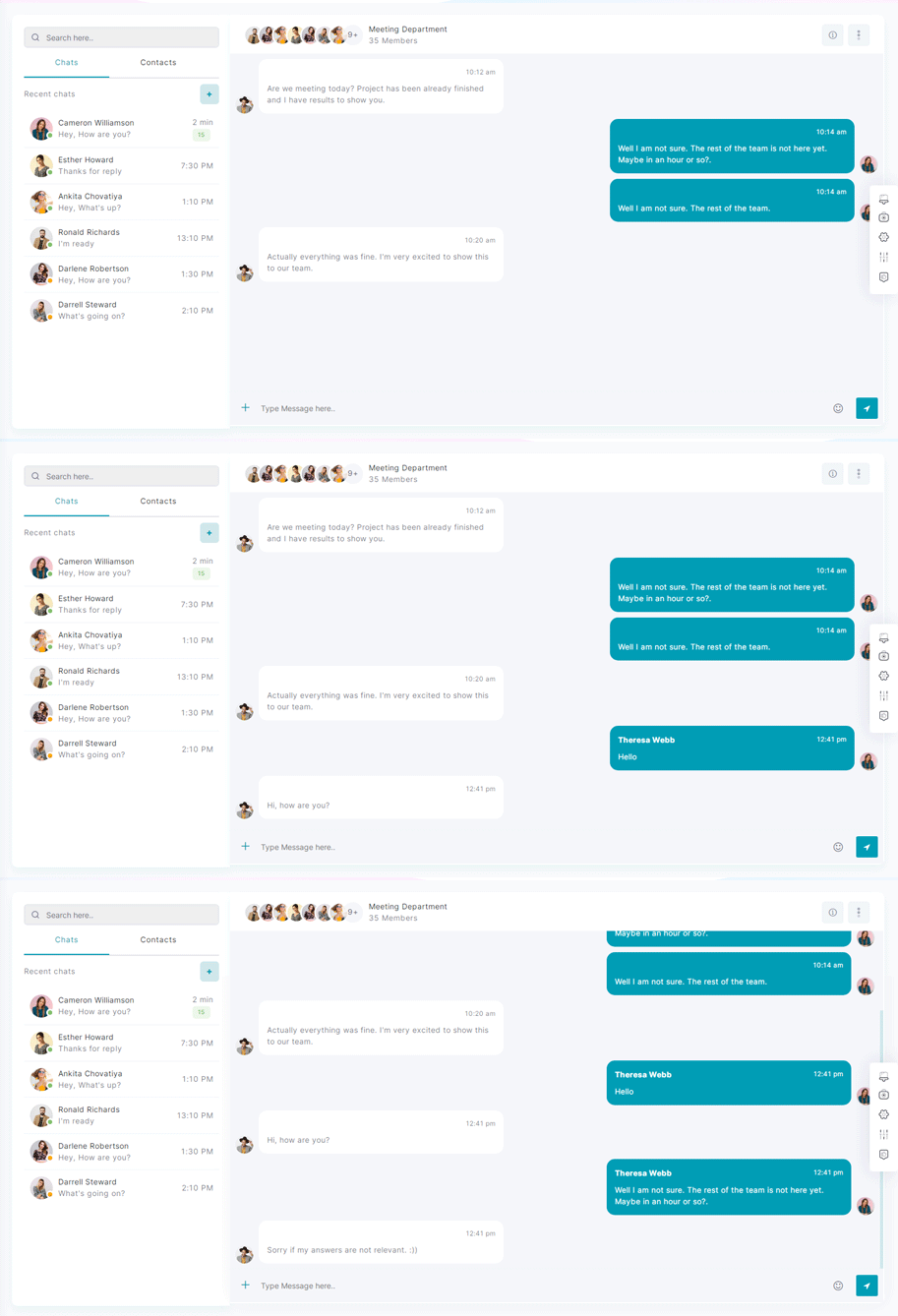
Chat Preview link



Ecommerce Preview link
We have made many different applications to help you with your admin side work. Amongst those is an E-Commerce application
You can directly use complete E-commerce app to manage your E-commerce with ready-made functionality of Add to cart,Quick-view, and Checkout with Stripe as well as Paypal. Apart from that if you want to use it in your frontend application then you just need to change your json with your API data and you get complete workable E-commerce for your frontend.


