Change Default Language:
NOTE :
- Before running the app make sure you have import Collection json in Firestore database which we have provided.
- Before import json in firestore database remember to give rule permission or
create Firestore Data.
See the Firebase Rules for create
Firestore
Database and how to give
permission
in firebase.
Also you can check below video for how to import json in firebase:
VIDEO URL :
https://youtu.be/Jd0sW8Wrc5Y?si=AxC6BmWBFwZfZU4a
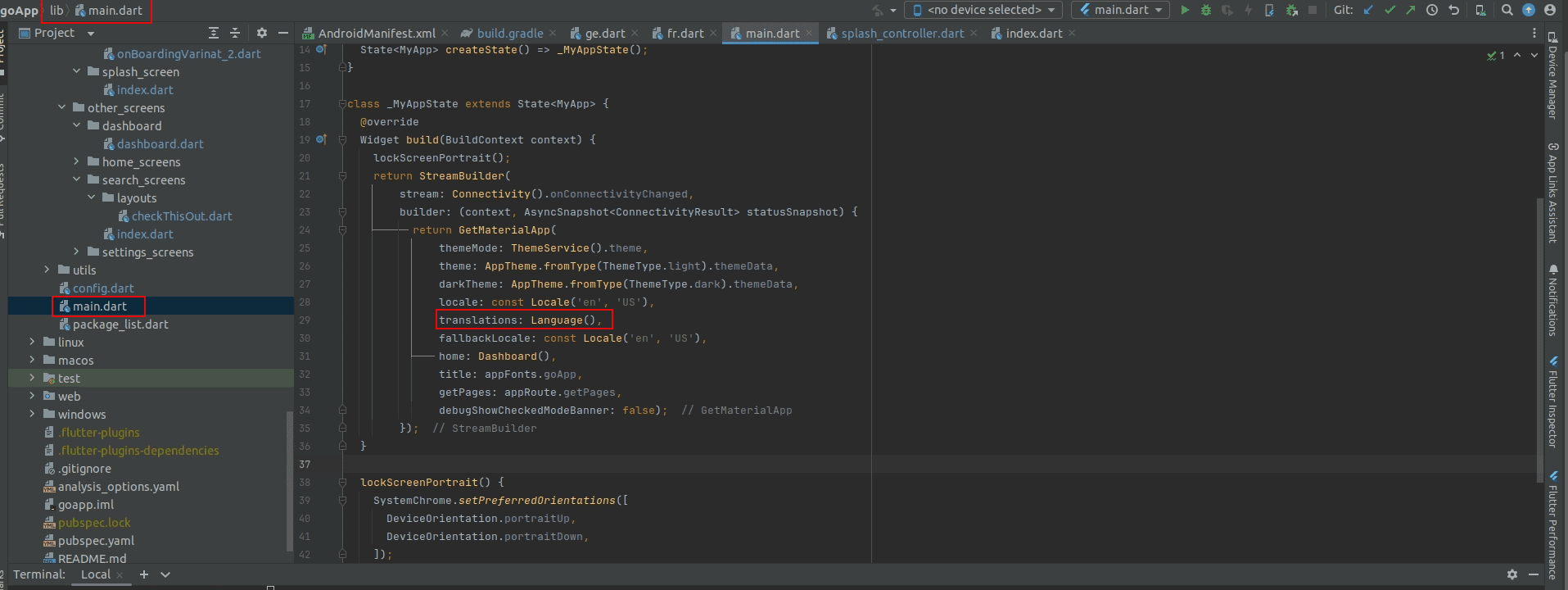
- open your project, go to lib -> main.dart.
- Now set your Default Language in locale and fallbackLocale
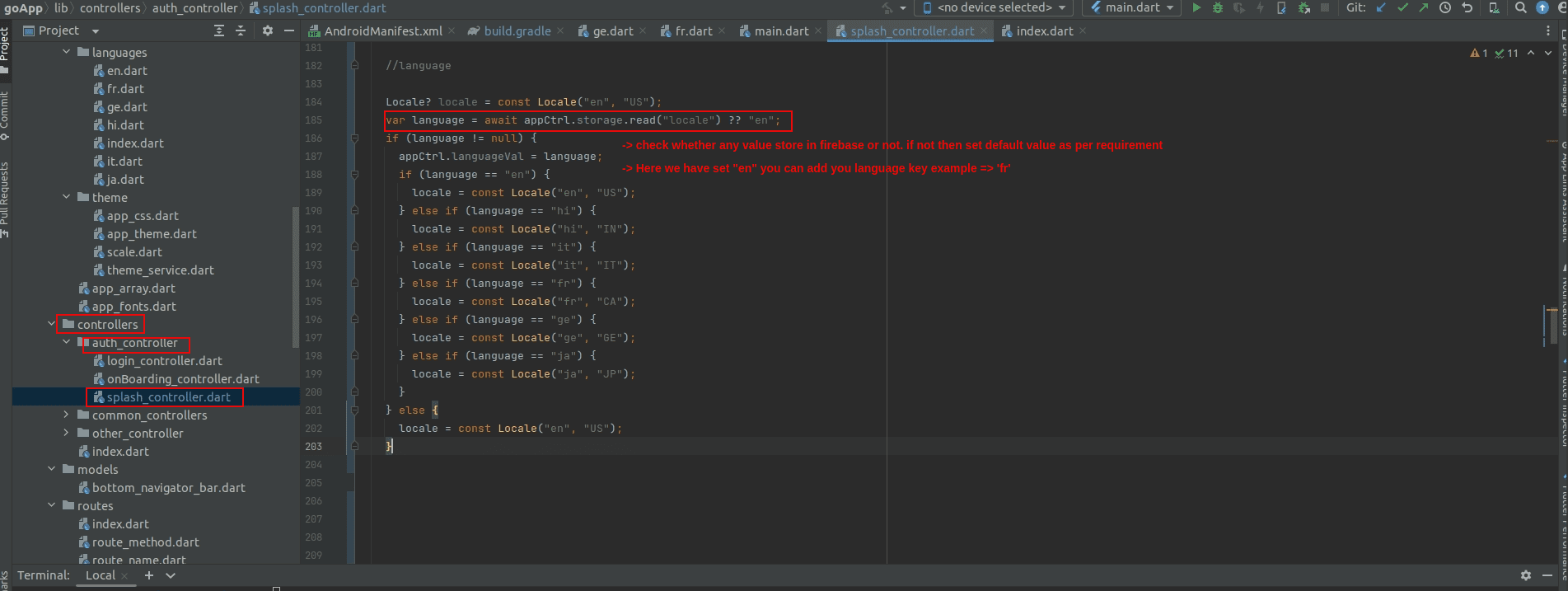
- Now Go to Splash Controller which is in lib -> controllers -> auth_controller -> splash_controller
- In that onReady Function set default language code if no data store in local storage
- If there is no data save in storage we have set "en" you can set language code as per your requirement
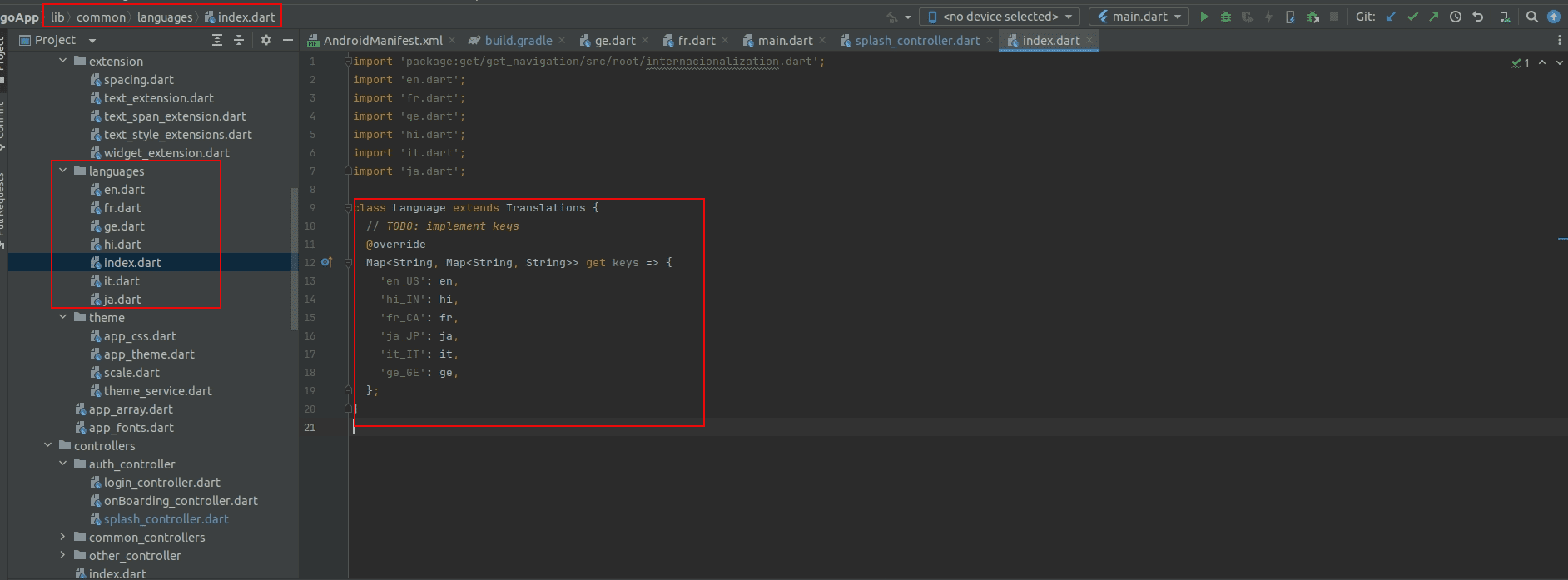
- Now Add all language dart file as per your requirement and call all language in Language page which in lib -> common -> languages
- Now call Language class in lib -> main.dart
- Now you can change langugae as per your requirement
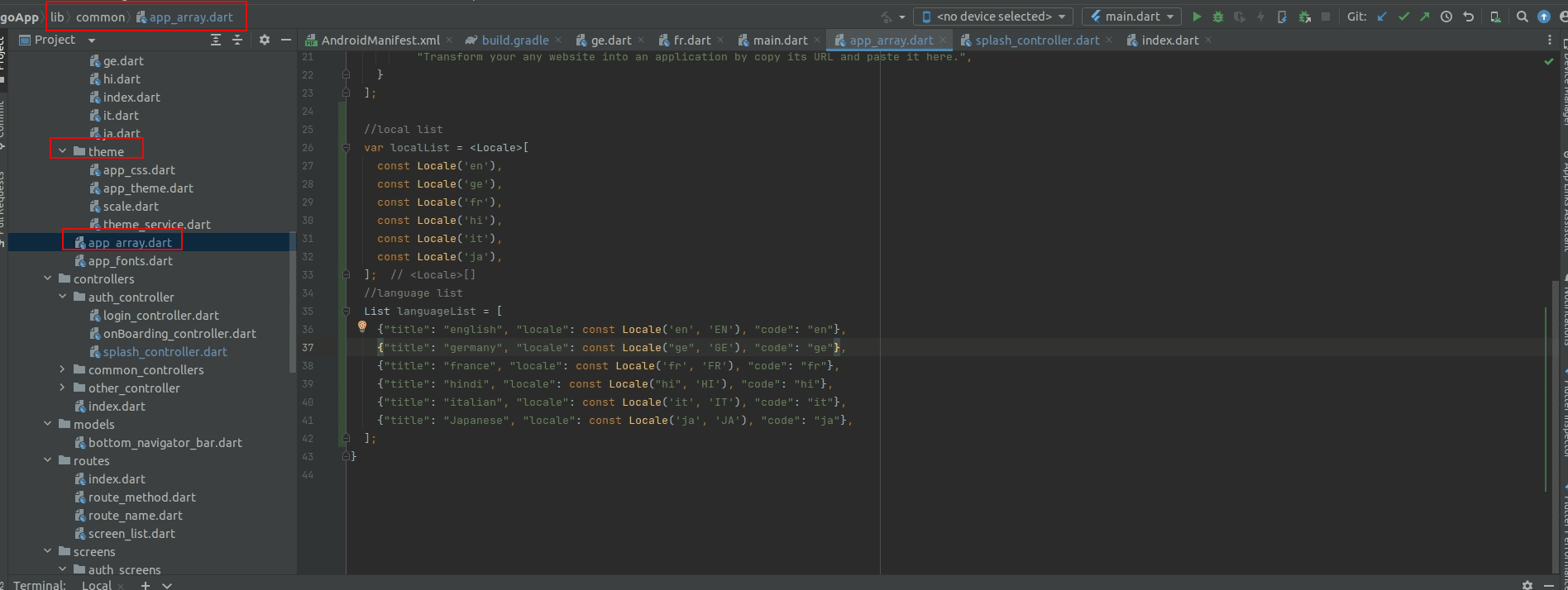
- If you want to add or remove lanaguage from JSON then go to lib -> common -> app_array
- Search languageList and remove or add as per requirement