
Applications
The Applications Tab provides a variety of fields and options for customizing the Applications Section of the front-end landing page.
Applications Section
Navigate to the Landing Page option in the sidebar, select the Applications Tab, and then choose the Applications sub-tab.
Title: Provide a descriptive title for the applications section.
Sub Title: Provide a descriptive sub title for the applications section.
Add Application Banner Button: This button is used to add new banners to the applications section, each with customizable details.
Fields for Each Banner:
Title: Provide a descriptive title for the applications banner.
Image: Upload an image to be displayed on the banner in the applications section. (Recommended dimensions: 488×350 pixels)
URL: Enter the destination URL for redirection when the banner is clicked.


The Applications banners are displayed as shown. You also have the option to remove the banners.

Customization Section
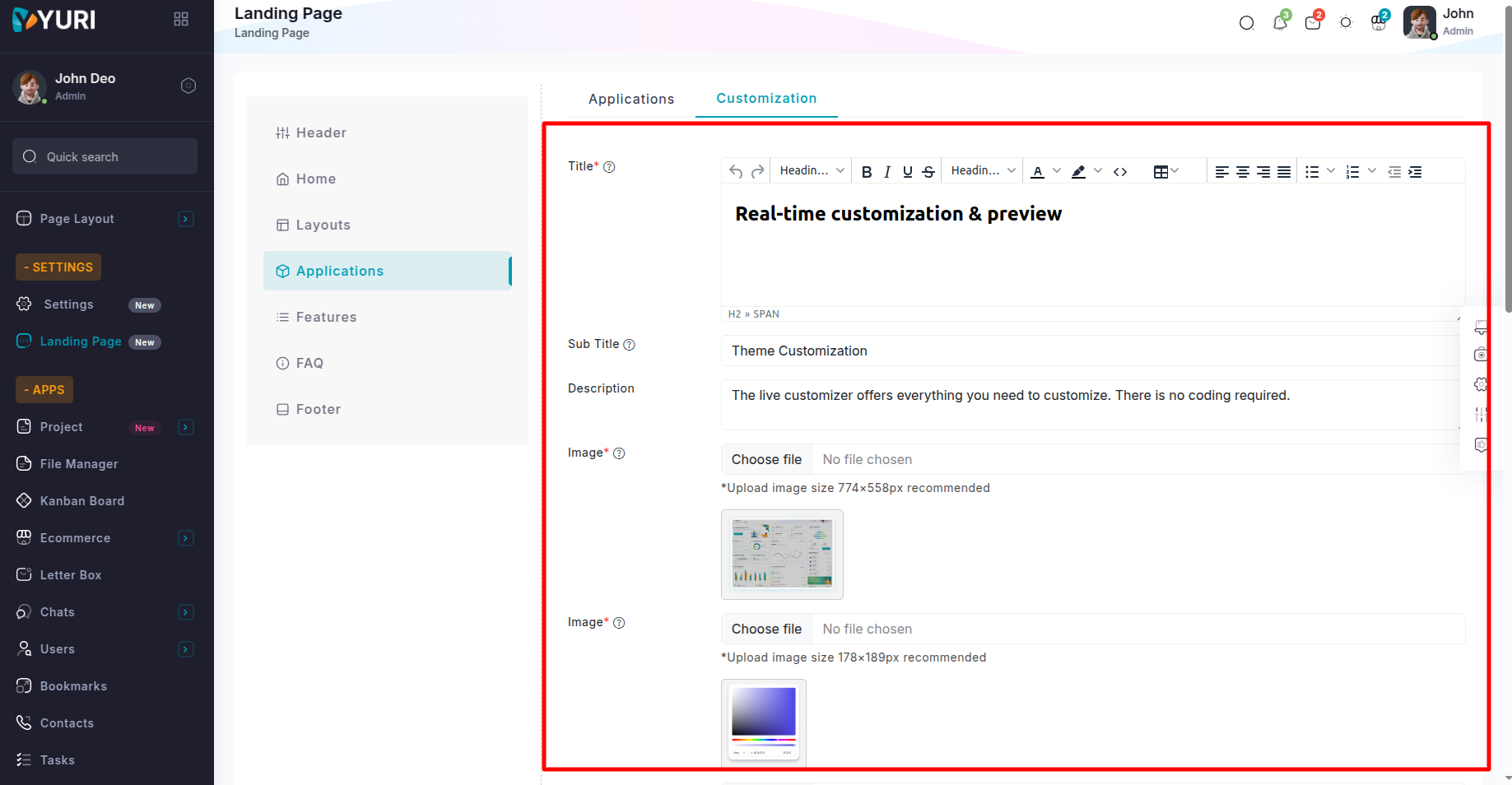
Navigate to the Landing Page option in the sidebar , select the Applications Tab, and then choose the Customization sub-tab.
Title: Provide a descriptive title for the customization section.
Sub Title: Provide a descriptive sub title for the customization section.
Description: Include a short and descriptive text for the application customization section.
Image: Upload an image to be displayed on the application customization section. (Recommended dimensions: 774×558 pixels).
Image: Upload an image to be displayed on the left side top front of the application customization section. (Recommended dimensions: 178×189 pixels).
Image: Upload an image to be displayed on the left side top back of the application customization section. (Recommended dimensions: 336×340 pixels).
Image: Upload an image to be displayed on the right side front of the application customization section. (Recommended dimensions: 301×542 pixels).
Image: Upload an image to be displayed on the right side back of the application customization section. (Recommended dimensions: 685×1558 pixels).
Image: Upload an image to be displayed on the left side bottom front of the application customization section. (Recommended dimensions: 338×221 pixels).
Image: Upload an image to be displayed on the left side bottom back of the application customization section. (Recommended dimensions: 336×340 pixels).
Add Banner Button: This button is used to add new banners to the customization section, each with customizable details.
Fields for Each Banner:
Title: Provide a descriptive title for the banner.
Description: Include a short and descriptive text for the banner.


The banners are displayed as shown. You also have the option to remove the banners.
