
FAQ
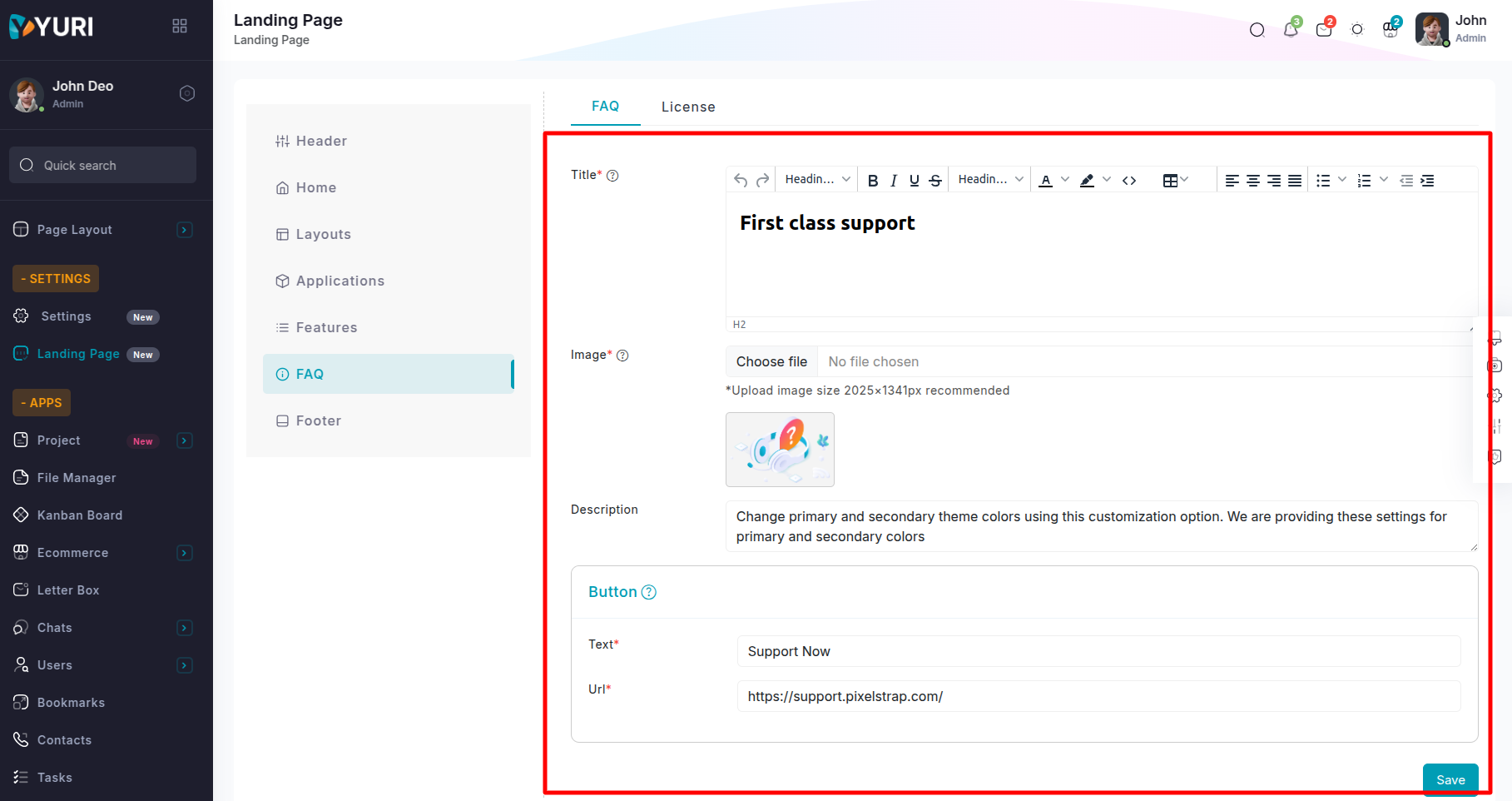
The FAQ Tab provides a variety of fields and options for customizing the FAQ Section of the front-end landing page.
FAQ Section
Navigate to the Landing Page option in the sidebar , select the FAQ Tab, and then choose the FAQ sub-tab.
Title: Provide a descriptive title for the faq section.
Image: Upload an image to be displayed on the faq section of the landing page. (Recommended dimensions: 2025×1341 pixels)
Description: Include a short and descriptive text in the faq section.
Button
Text: Specify the text to display on the button in the faq
section.
Url: Enter the destination URL for redirection when the button
is clicked.
License Section
Navigate to the Landing Page option in the sidebar , select the FAQ Tab, and then choose the License sub-tab.
Title: Provide a clear and descriptive title for the License section.
Sub Title: Enter a descriptive subtitle for the License section.
Description: Include a concise and informative description for the License section.
Fields for Regular & Extended License :
Title: Provide a descriptive title for the Regular & Extended License.
Description: Include a short and descriptive text in the Regular & Extended License.
Price: Specify the pricing details for the Regular & Extended License.
Svg Icon: Upload an svg icon to visually represent key points in the Regular & Extended License.(Recommended dimensions: 23×22 pixels).
Text 1: Provide the first key detail or point for the Regular & Extended License section.
Text 2: Provide the second key detail or point for the Regular & Extended License section.
Text 3: Provide the third key detail or point for the Regular & Extended License section.
Button
Text: Specify the text to display on the button in the
Regular & Extended License.
Url: Provide the destination URL for redirection when the
button is clicked.


