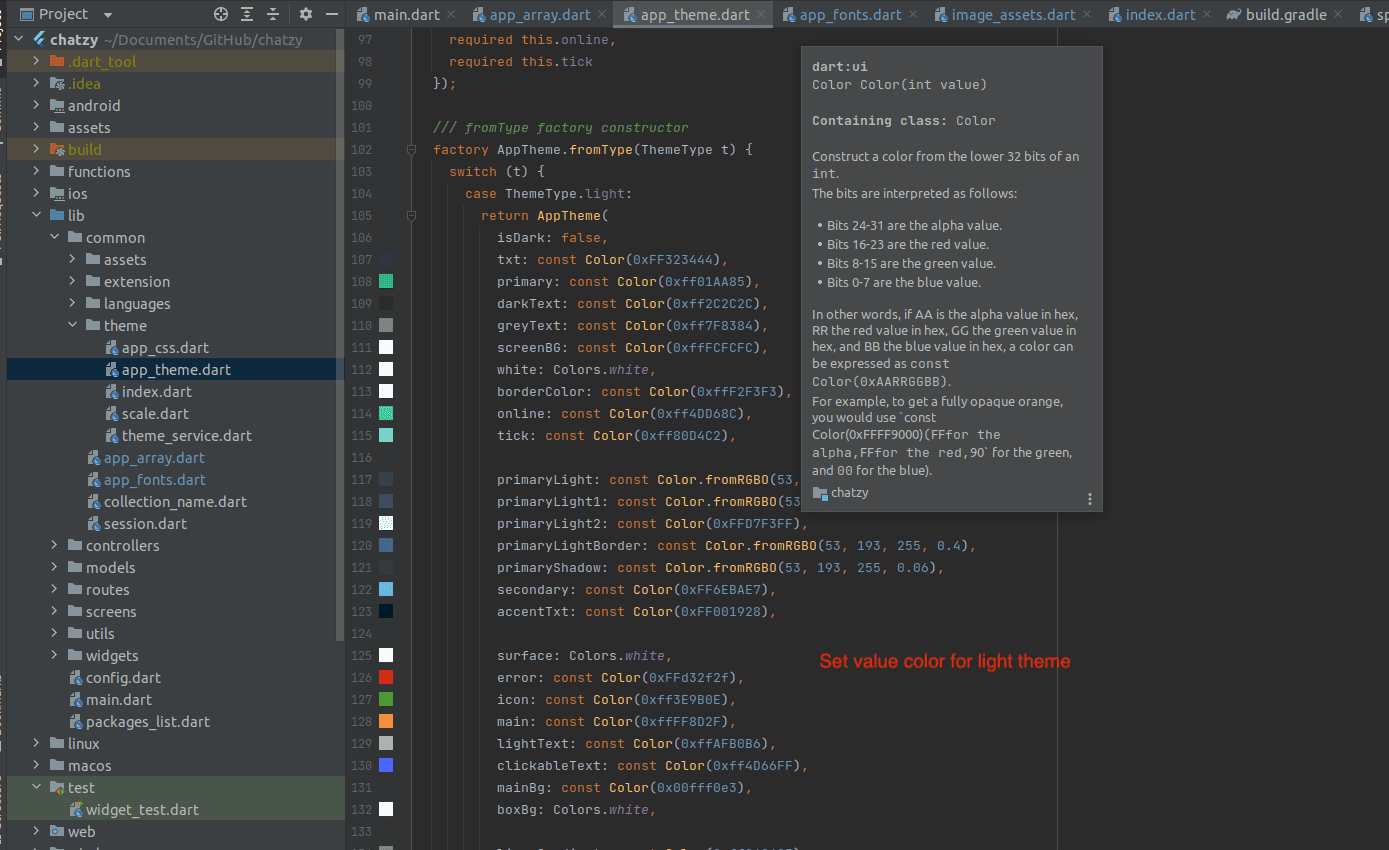
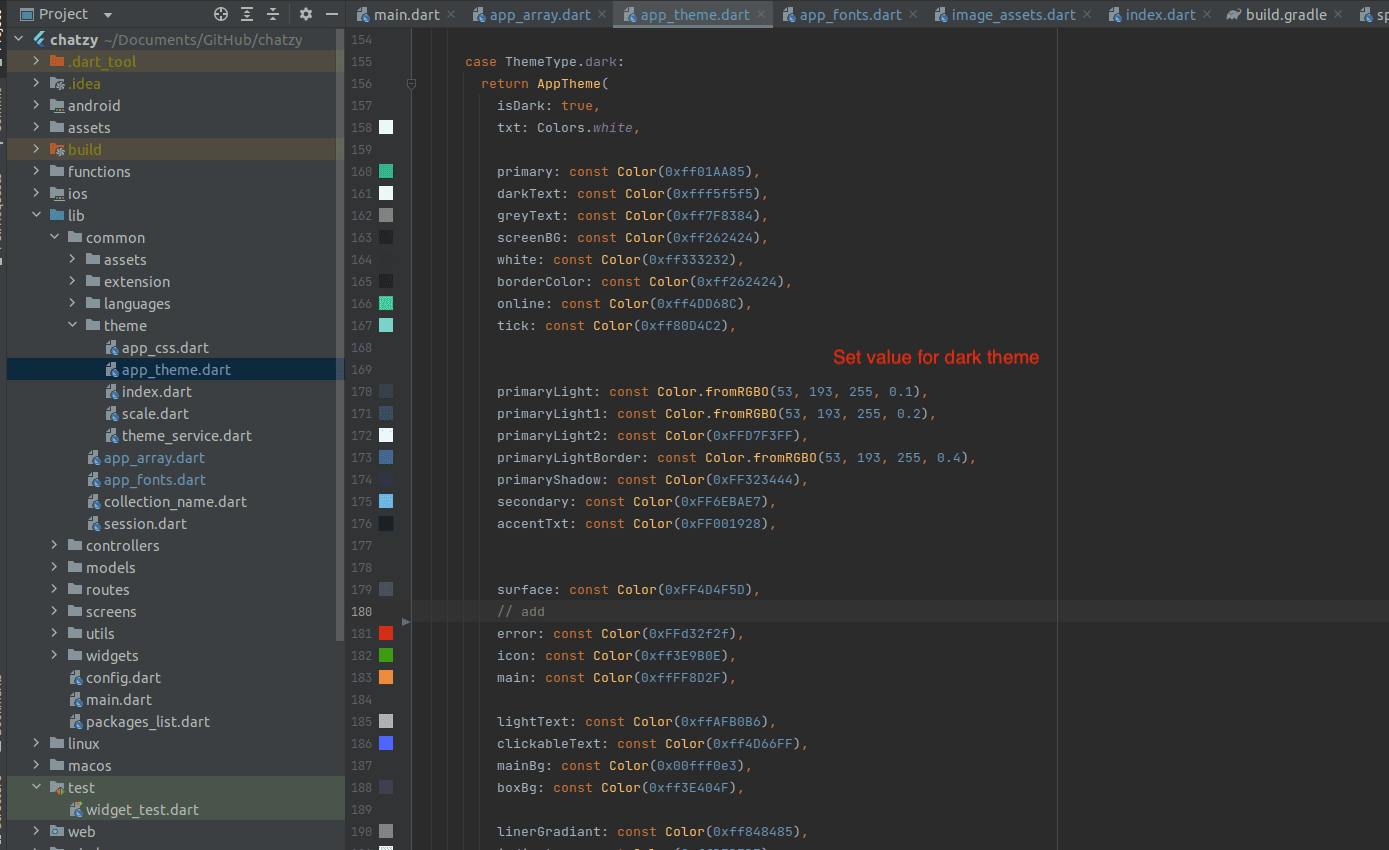
Change App Color:
NOTE :
- Before running the app make sure you have import Collection json in
Firestore database which we have provided.
- Before import json in firestore database remember to give rule permission or
create Firestore Data.
See the Firebase Rules for create
Firestore
Database and how to give
permission
in firebase.
Also you can check below video for how to import json in firebase:
VIDEO URL :
https://youtu.be/Jd0sW8Wrc5Y?si=AxC6BmWBFwZfZU4a
NOTE :
Remeber if you change color in any any color for light or dark where the color that
color is used it will change. If in some place you don't want to keep that color
after change with your color then add new color in app_theme.dart
- Open your project, go to lib -> main.dart we already apply for theme for dark mode and light mode
- For change primary color or text color or button color for dark or light mode go to your project -> lib -> common -> theme -> app_theme.dart
- If you want to change primary color then change in both light and dark theme,
Remeber if
you want to keep different color for light dark give according to that.
Example :
In Light Theme primary color is black and in black mode it is white, then in light theme give primary color black and in black theme give primary color white - Change color for text, button according to you requirement.