

 Firebase Setup:
NOTE :
- Before running the app make sure you have import Collection json in
Firestore database which we have provided.
- Before import json in firestore database remember to give rule permission or
create Firestore Data.
See the Firebase Rules for create
Firestore
Database and how to give
permission
in firebase.
Also you can check below video for how to import json in firebase:
VIDEO URL :
https://youtu.be/Jd0sW8Wrc5Y?si=AxC6BmWBFwZfZU4a
- For Firebase Phone Authentication, you need to enable billing on your
Firebase account, as it is required. Please refer to the url below for
instructions on enabling billing for your firebase account.
URL :
https://youtu.be/Jd0sW8Wrc5Y?si=AxC6BmWBFwZfZU4a
- If you haven’t Firebase Project Account ? Click here for create projet https://console.firebase.google.com/


Android :
- Select an Android app in the firebase console.
- Write project package name and SHA-1 Key.
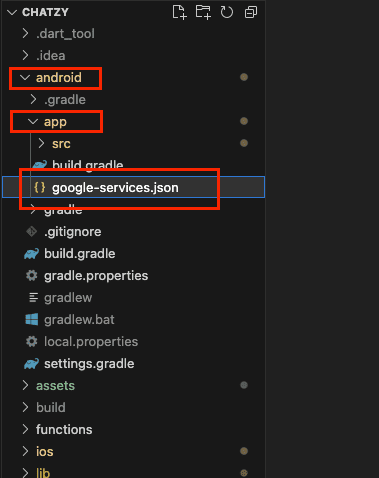
- Download google-service.json file and keep in project root directory
- Example Chatzy(Project Name) -> android -> app
- Replace the file in "android/app"
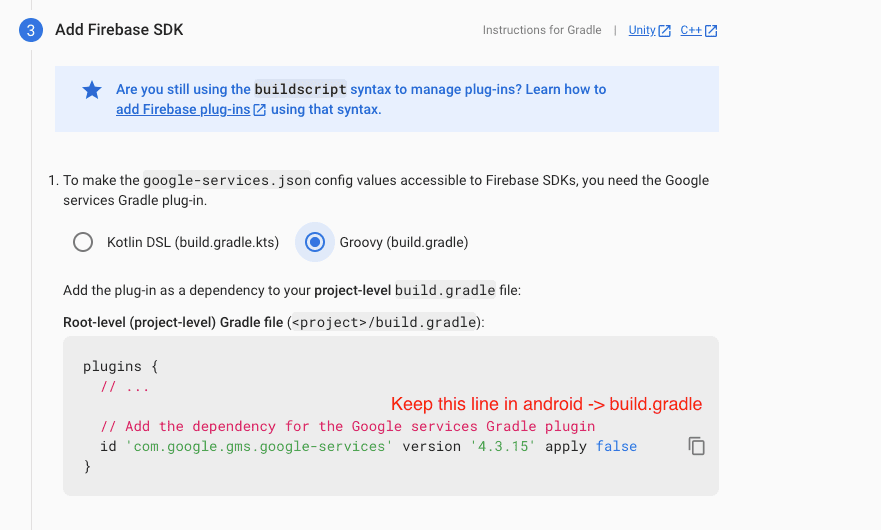
- Update in project -> build.gradile
- Update in project ->android -> app -> build.gradile



iOS:
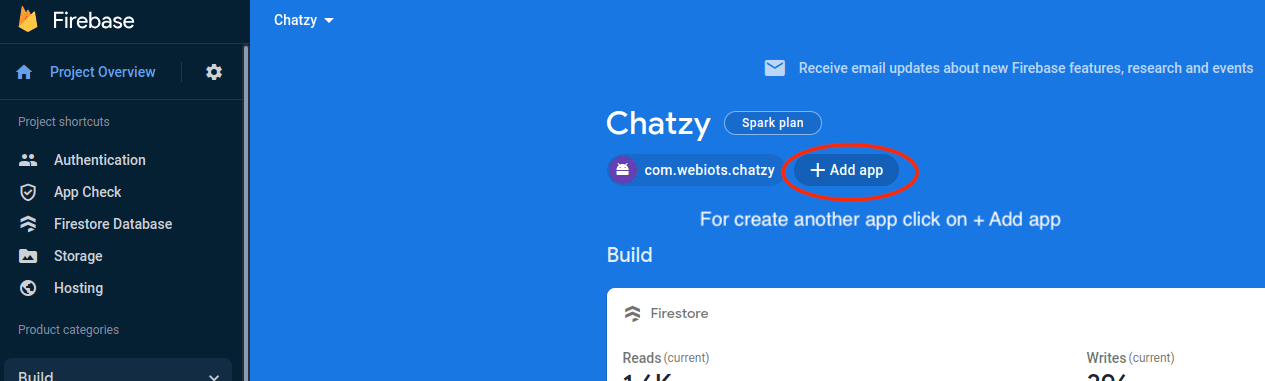
- Create an IOS or Android click on Add app
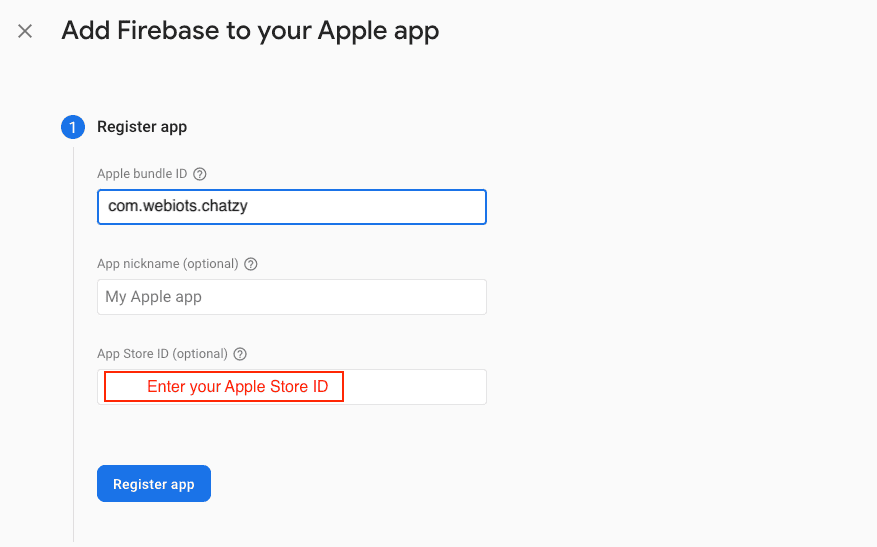
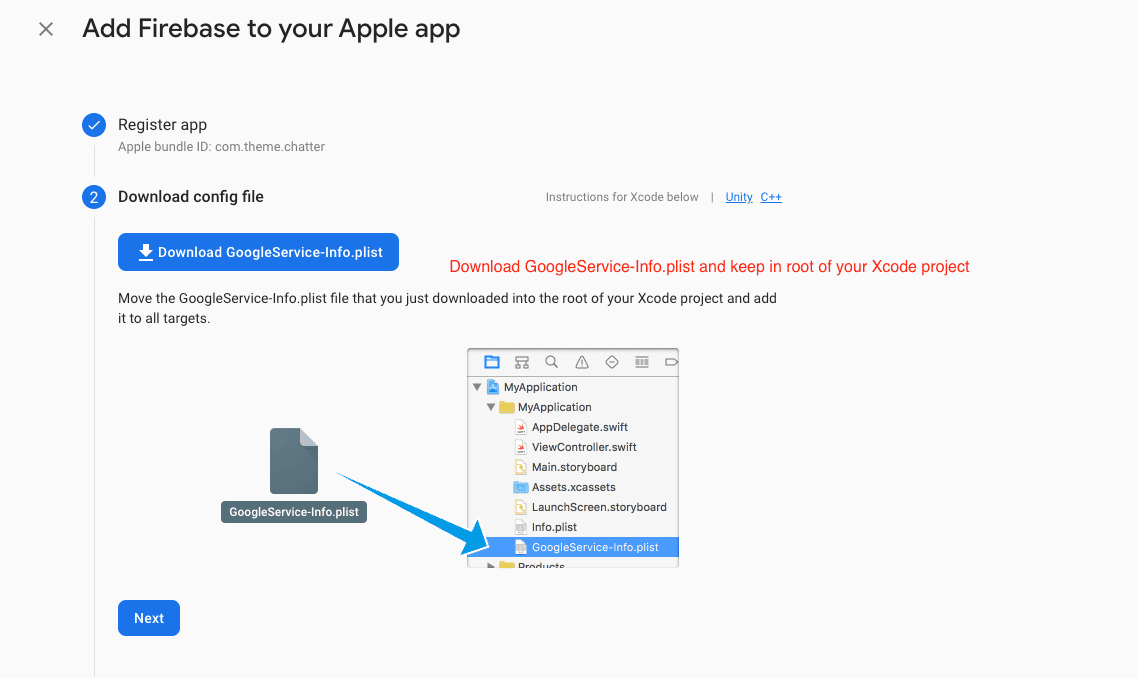
- Select an iOS app in the firebase console.
- Write bundlid and APPID
- Download the Googleservice-info.plist file
- Replace the file in "ios/Runner/info.plist"
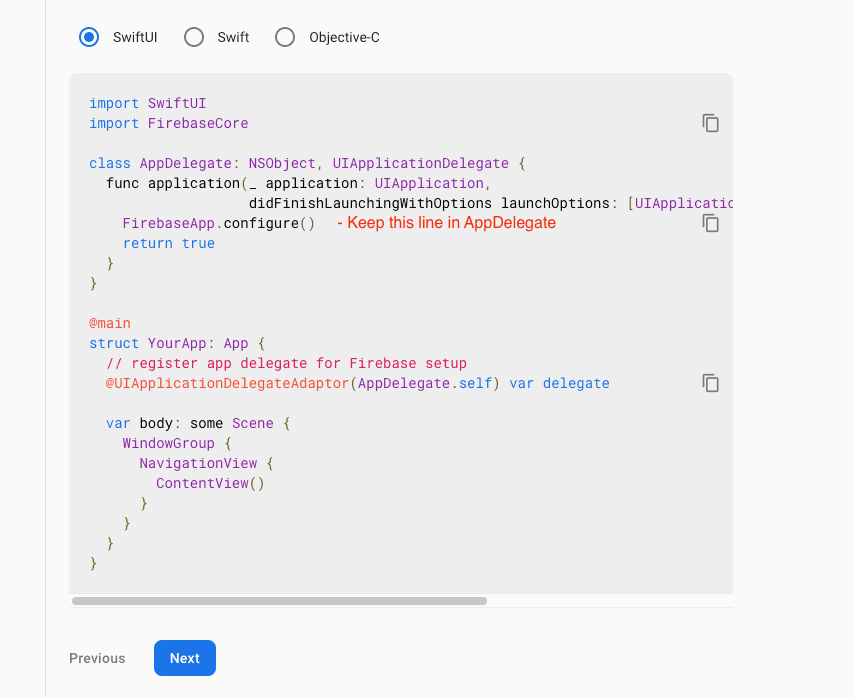
- Update "FirebaseApp.Configure()" in AppDelegate File

Firebase Configuration
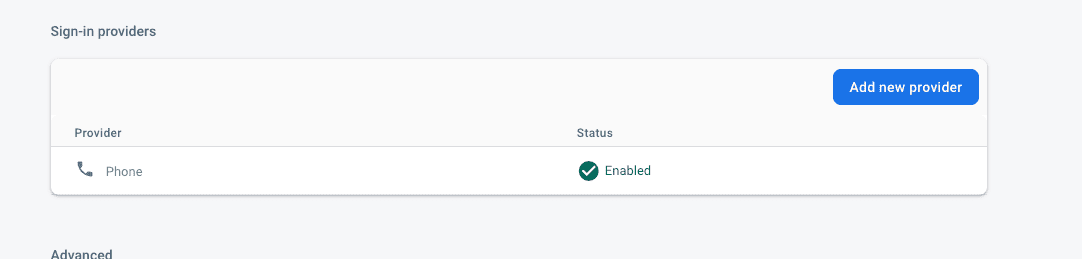
- Please enable phone.
How to add SHA-1 key in firebase
- On left hand side panel click on setting icon. On click Setting button pop open open. In that click on Project Settings
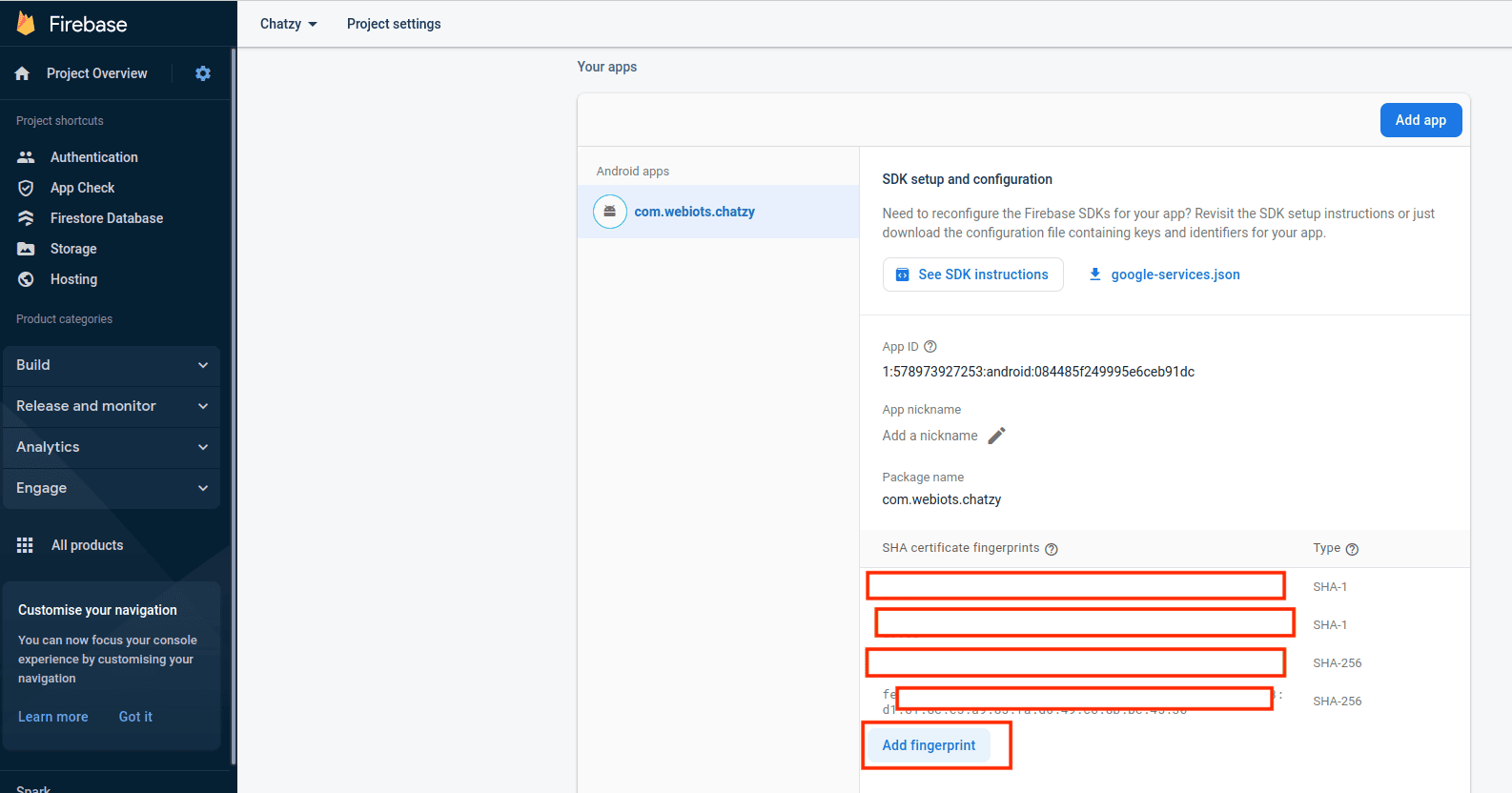
- In General tab, go down in that click Add fingerprint
- Generate debug and release SHA1 and SHA26 key and in fingerprint

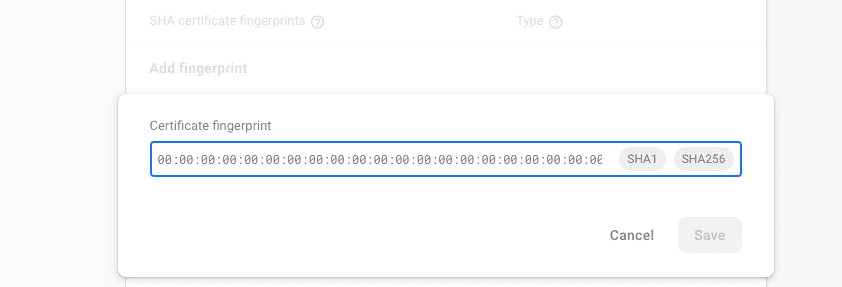
Create Debug and Release SHA-1 add in firebase
- For Debug mode:
- keytool -list -v -keystore ~/.android/debug.keystore -alias androiddebugkey
- -storepass android -keypass android
- for Release mode:
- keytool -list -v -keystore [keystore_name] -alias [alias_name].
- For Create Bundle in android :
- If you want to create bundle instead of apk you have to add new signin
SHA-1 From
you google console like :
Go to Google play console ⇒ Select you app ⇒ Go to release Management ⇒ Open App Signin ⇒ Copy SHA-1 from app singin certificated and paste it to firebase project settings.
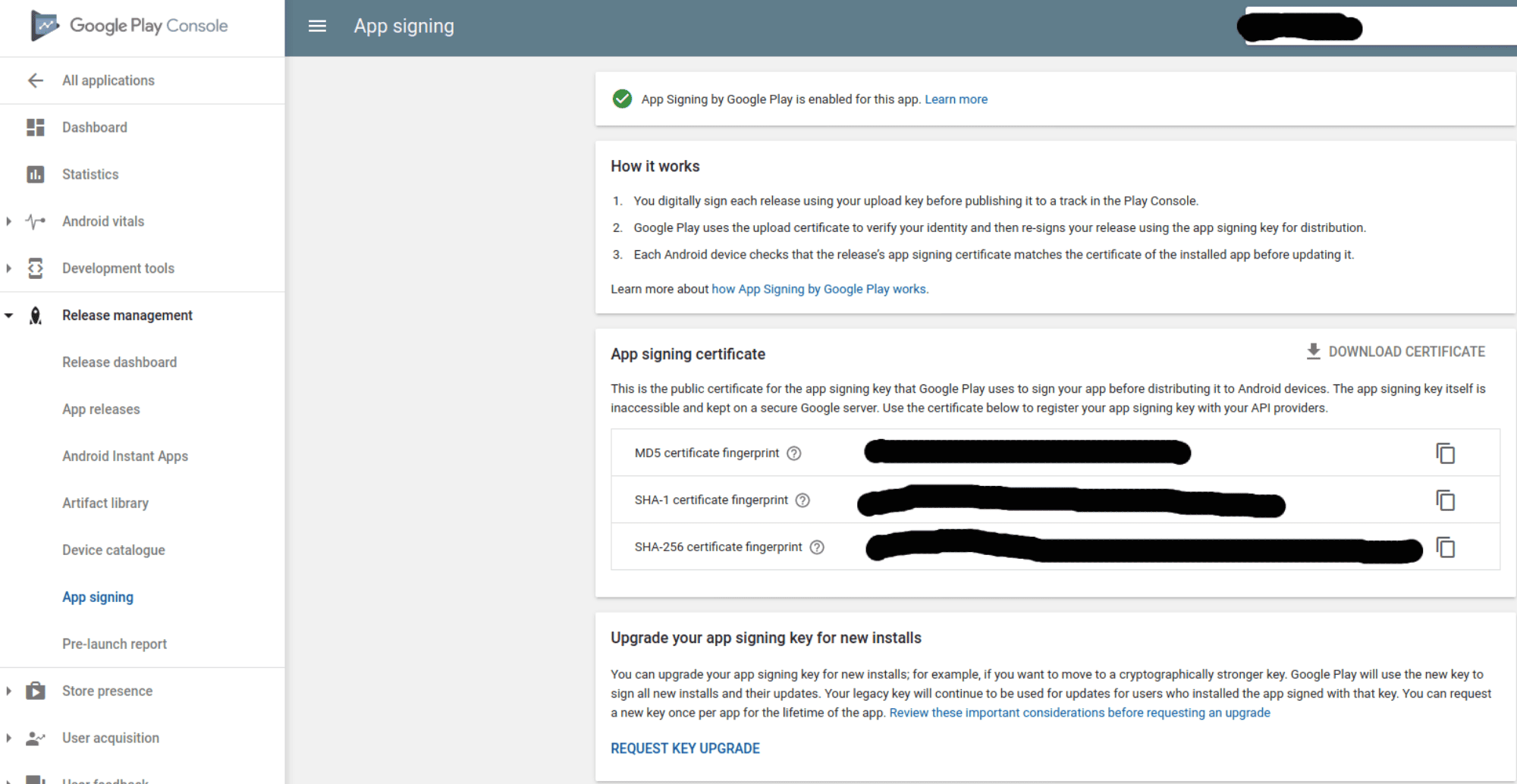
- If you want to create bundle instead of apk you have to add new signin
SHA-1 From
you google console like :