

NOTE :
- Before running the app make sure you have import Collection json in
Firestore database which we have provided.
- Before import json in firestore database remember to give rule permission or
create Firestore Data.
See the Firebase Rules for create
Firestore
Database and how to give
permission
in firebase.
Also you can check below video for how to import json in firebase:
VIDEO URL :
https://youtu.be/Jd0sW8Wrc5Y?si=AxC6BmWBFwZfZU4a
 How to maintain future Updates with Old Version
If you want which file changes are on the latest updated version then you have to manage the git repository by yourself. You can give same name as we have given probot or give your name like demoTest. For Example we have create project with name demoTest.
NOTE :
Do not directly change in your real project it will show errors Regards
package name, version and etc.
Follow below steps on how to update existing source code:
- Download Github Desktop from url as per your system like MacOs or Windows https://desktop.github.com/
- Now Login in Github Desktop and configure the setup with your github.
- You have already create your project in Android or Visual Studio.
- Open Github Desktop, on left hand panel top click on

- One side menu open in that click on Add button
- On click add button dropdown menu will open in that click on Create New
Repository...

- After click create new repository one pop-up will appear in the form add your
project name your project path where it is located and click on Create
repository button

- Now copy all folder inside the chatzy folder we have provided you and paste in
the demo_test [Your project which you have give while create in Github]

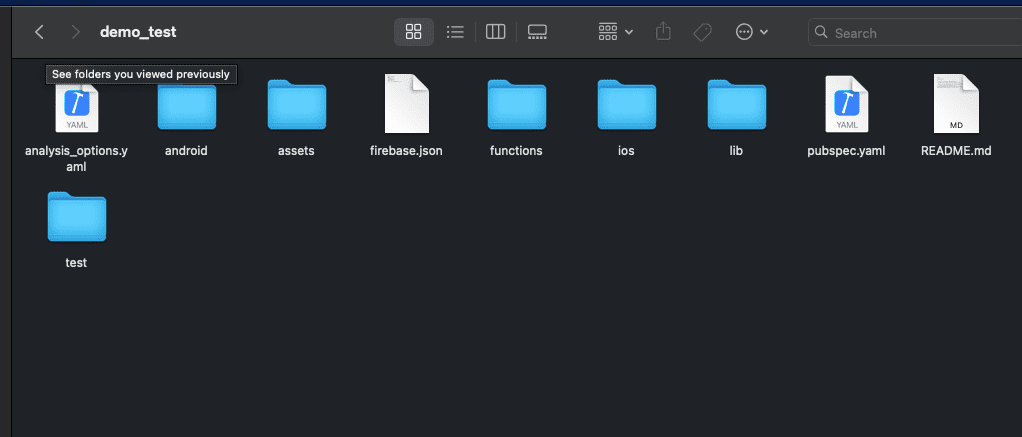
- After above process complete Commint and click on Publish repository, one
confirmation
pop-up will appear in that again click on Publish repository button

- For check open github in google crome login in your git and check

- Now go to project in Android Studio or Visual Studio open terminal and copy
below command and paste it and enter it
flutter pub get - Now Again go to Github Desktop give comment and click on commint on main button.

- Now click on Push origin

- Now again click on n
- Click right click on your project name from list and click on View on
Github.
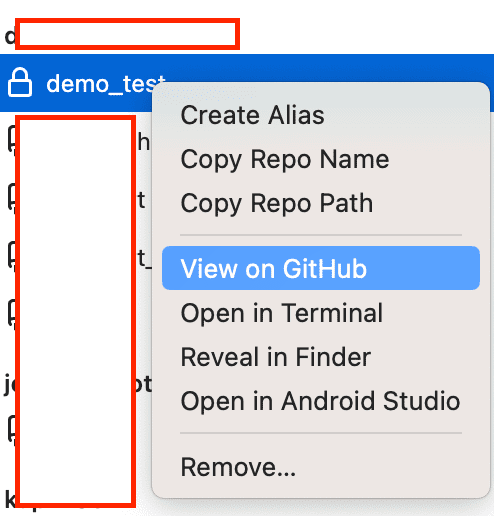
- Now click on Your commit which you have given for check total number for
file changes and which
files has
been changed.


- Every time when ever new update came in project do same process download code unzip folder and paste in your dumy project and push it and go to github and click on changes you can see the in all the files where ever changes happens.
- Copy the changes one by one and paste it your real project.