Collection Missing:
NOTE :
- Before running the app make sure you have import Collection json in
Firestore database which we have provided.
- Before import json in firestore database remember to give rule permission or
create Firestore Data.
See the Firebase Rules for create
Firestore
Database and how to give
permission
in firebase.
Also you can check below video for how to import json in firebase:
VIDEO URL :
https://youtu.be/Jd0sW8Wrc5Y?si=AxC6BmWBFwZfZU4a
As you have know for App Run we need some setting data from firbase and we run the
                                    app diectly without add any config data
While app run if you face any query like this :
" The following RangeError was thrown
building StreamBuilder
Follow the steps below to add manually Required collection in firebase :
- config - [REQUIRED] - Need to add manually
- usageControls
- userAppSettings
- agoraToken

Let see detail about all the collections.
1. config: [REQUIRED] - Need to add manually
In config collection there are 3 more documents
Note: You have to add config collection data manually in Firebase in Firestore Database
- usageControls
- userAppSettings
- agoraToken
- usageControls
usageControls for controlles your whole app for accessing limited data like if you want hide or enter limited media sharing etc.
No. Fields  -> datatype
 statusDeleteTime -> string -> /// set your status delete time;
 allowCreatingBroadcast -> bool -> /// If you want to create brodcast just give true else false in value;
 allowCreatingGroup -> bool -> /// If you want to create group just give true else false in value;
 allowCreatingStatus -> bool -> /// If you want to create status just give true else false in value;
 allowUserSignup -> bool -> /// If you want to Users to Sign up just give true else false in value;
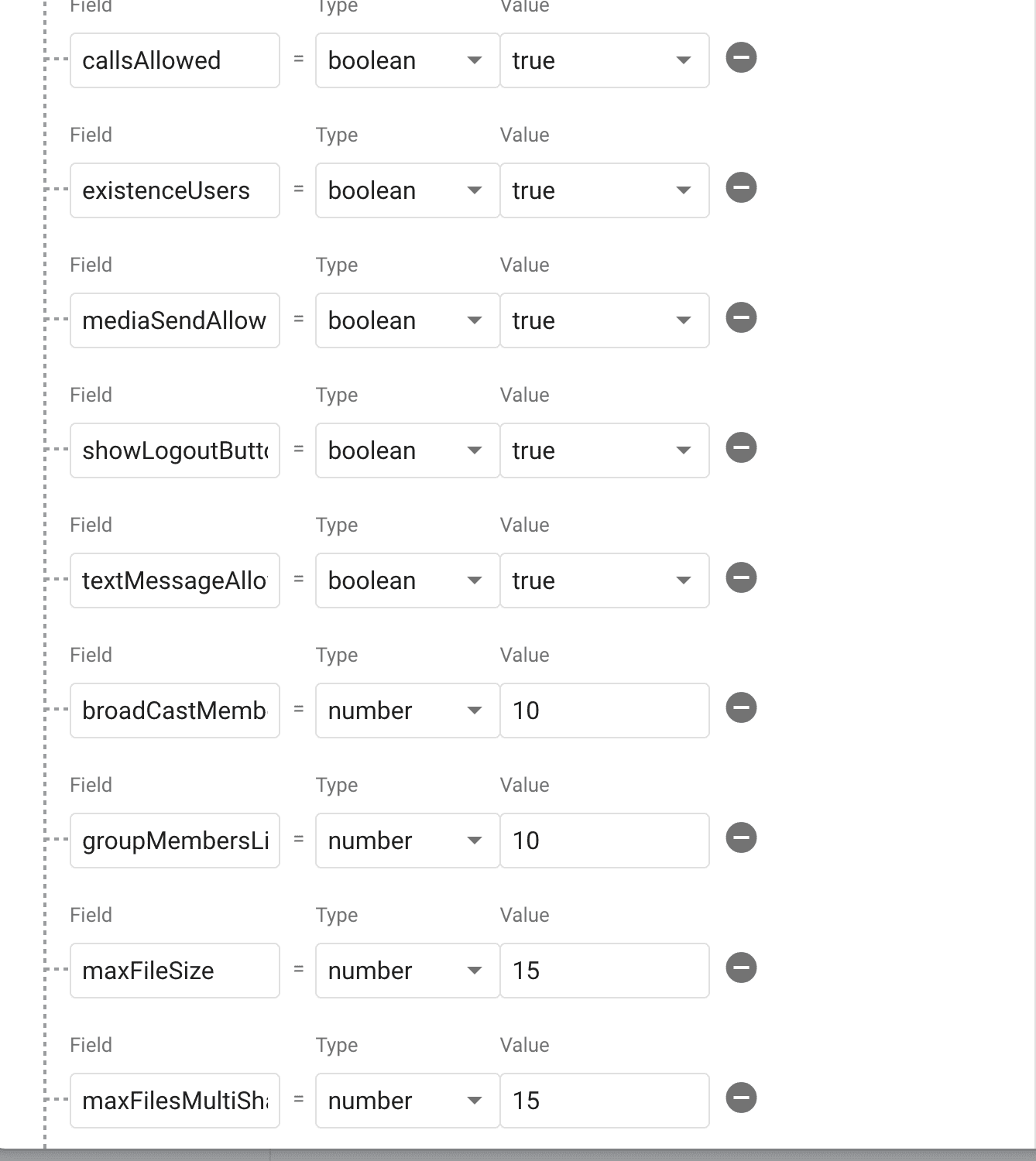
 callsAllowed -> bool -> /// If you want to Users can call just give true else false in value;
 existenceUsers -> bool -> /// If you want to add existence user just give true else false in value;
 mediaSendAllowed -> bool -> /// If you want to Users can send media just give true else false in value;
 showLogoutButton -> bool -> /// If you want to show logout button just give true else false in value ;
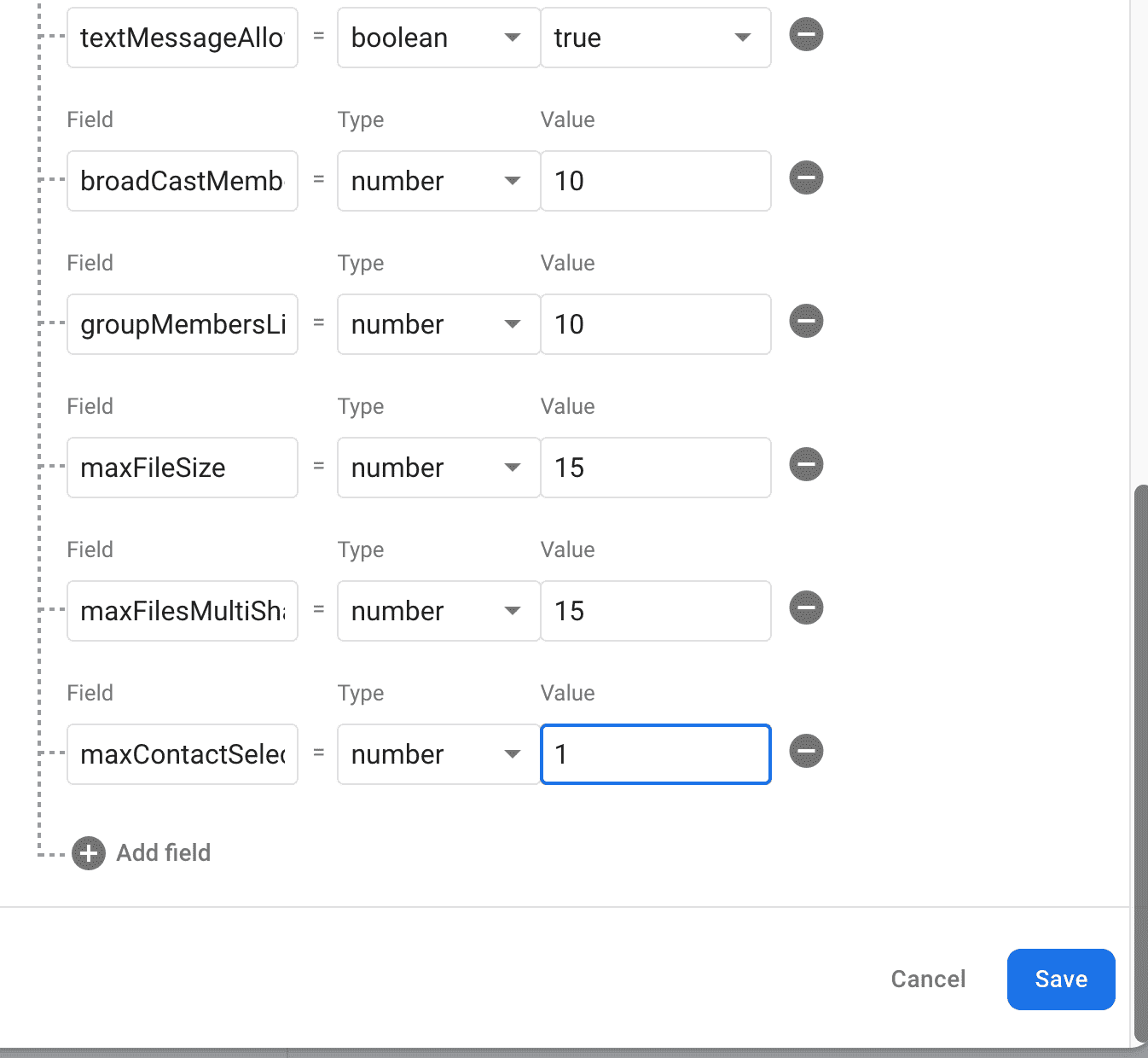
 textMessageAllowed -> bool -> /// If you want to user can text message just give true else false in value;
 broadCastMembersLimit -> number -> /// set your brodcast mamber limit;
 groupMembersLimit -> number -> /// set your group mamber limit;
 maxFileSize -> number -> /// set your maximum file size share limit;
 maxFilesMultiShare -> number -> /// set your maximum multi share file limit;
 maxContactSelectForward -> number -> /// set your maximum selected contects forward limit;
- userAppSettings
userAppSettings for change some ID's like banner Ad Id etc.
No. Fields  -> datatype
allowUserBlock -> bool -> /// If you want user can block other user you just give true else false in value;
approvalMessage -> string -> /// Add your custom message for user user
approvalNeeded ->  bool -> /// If approval needed from admin you just give true else false in value;

firebaseServerToken -> string -> /// Your Firebase server token for send notification;  How to fetch api click on Firebase Messaging
gifAPI -> string -> /// Your Gif Api Key; How to fetch api click on 3rd Party Plugin
isAdmobEnable -> bool -> /// If approval needed from admin you just give true else false in value;
isGoogleAdEnable -> bool -> /// If you want user can show Ads just give true else false in value;
isMaintenanceMode -> bool -> /// If you want user can show Maintenance Mode just give true else false in value;
maintenanceMessage -> string -> /// Your Maintenance Message;
rateApp -> string -> /// Your App Id;
rateAppIos -> string -> /// Your IOS App Id;


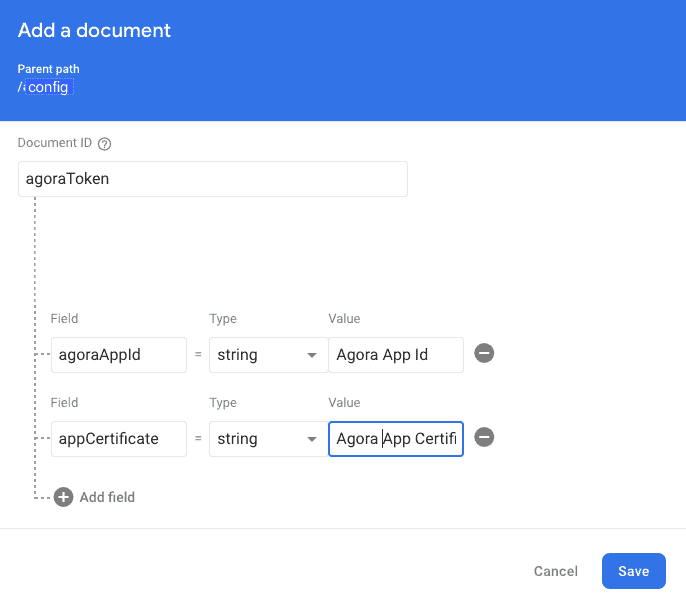
- agoraToken
Add your Agora App id and Certificate
No. Field  -> datatype
agoraAppId -> string -> /// Your agora App id;
appCertificate -> string -> /// Your agora Primary App Certificate;