 AI Chatbot Builder
Overview
The AI Chatbot Builder is a powerful, unified tool that allows you to create smart, AI-powered assistants for both your website and social messaging channels. Whether you need a floating chat bubble for your homepage or a bot for Telegram and WhatsApp, the builder provides a seamless 4-step workflow to get your assistant live in minutes.
How It Works
- Configure your chatbot's core settings and AI goals.
- Train it with your own knowledge base and data.
- Customize its identity and visual appearance.
- Deploy it via website embed or social channels.
Once added, the chatbot appears as a floating support assistant on your site.
1. Configure
In this initial step, you define the core purpose and intelligence of your chatbot. You can:
- Pick a Goal: Choose from preset categories like Customer Support, Lead Capture, or Product Q&A to automatically set optimal defaults.
- Select AI Provider: Connect to leading AI engines including OpenAI, Google Gemini, Anthropic, or use a custom endpoint.
- Connect API Key: Securely link your own API key to power the AI model.
- Choose Model: Select the specific LLM model (e.g., GPT-4o, Gemini 2.0 Flash) that best fits your requirements.
This layout ensures your chatbot starts with the right foundation for its intended task.

2. Train (Knowledge Base)
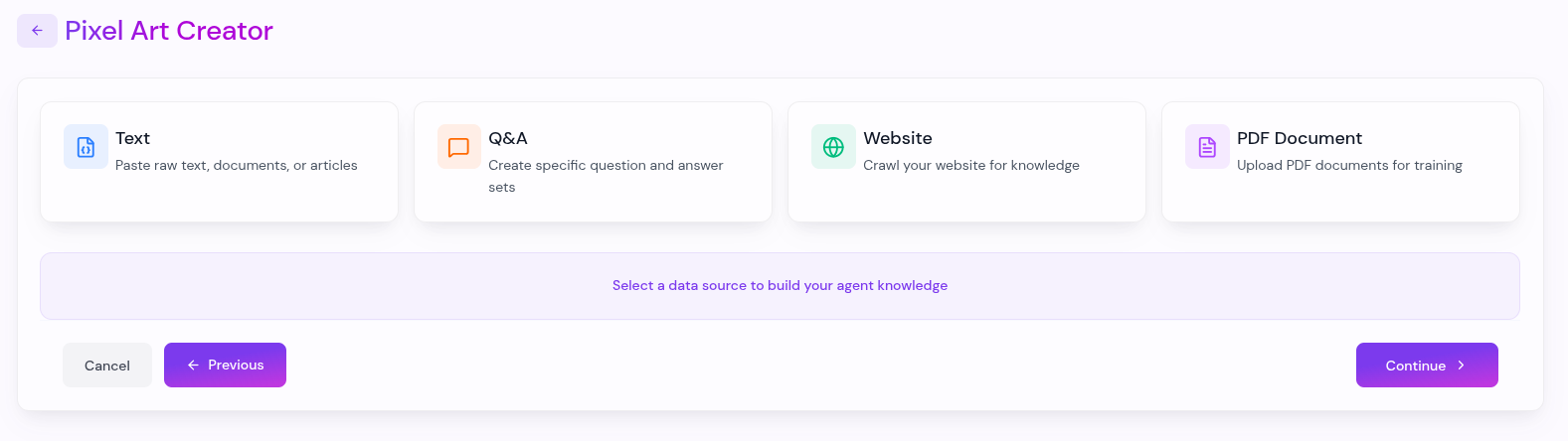
Equip your chatbot with specific knowledge about your business or project. You can train it using multiple sources:
- Website URLs: Crawl your website or specific pages to extract information.
- PDF Documents: Upload manuals, guides, or brochures for the AI to reference.
- Custom Text: Directly input any relevant text or information.
- Q&A Pairs: Define specific questions and answers to ensure consistent responses.
A well-trained knowledge base is key to providing accurate and helpful responses to your users.
3. Customize
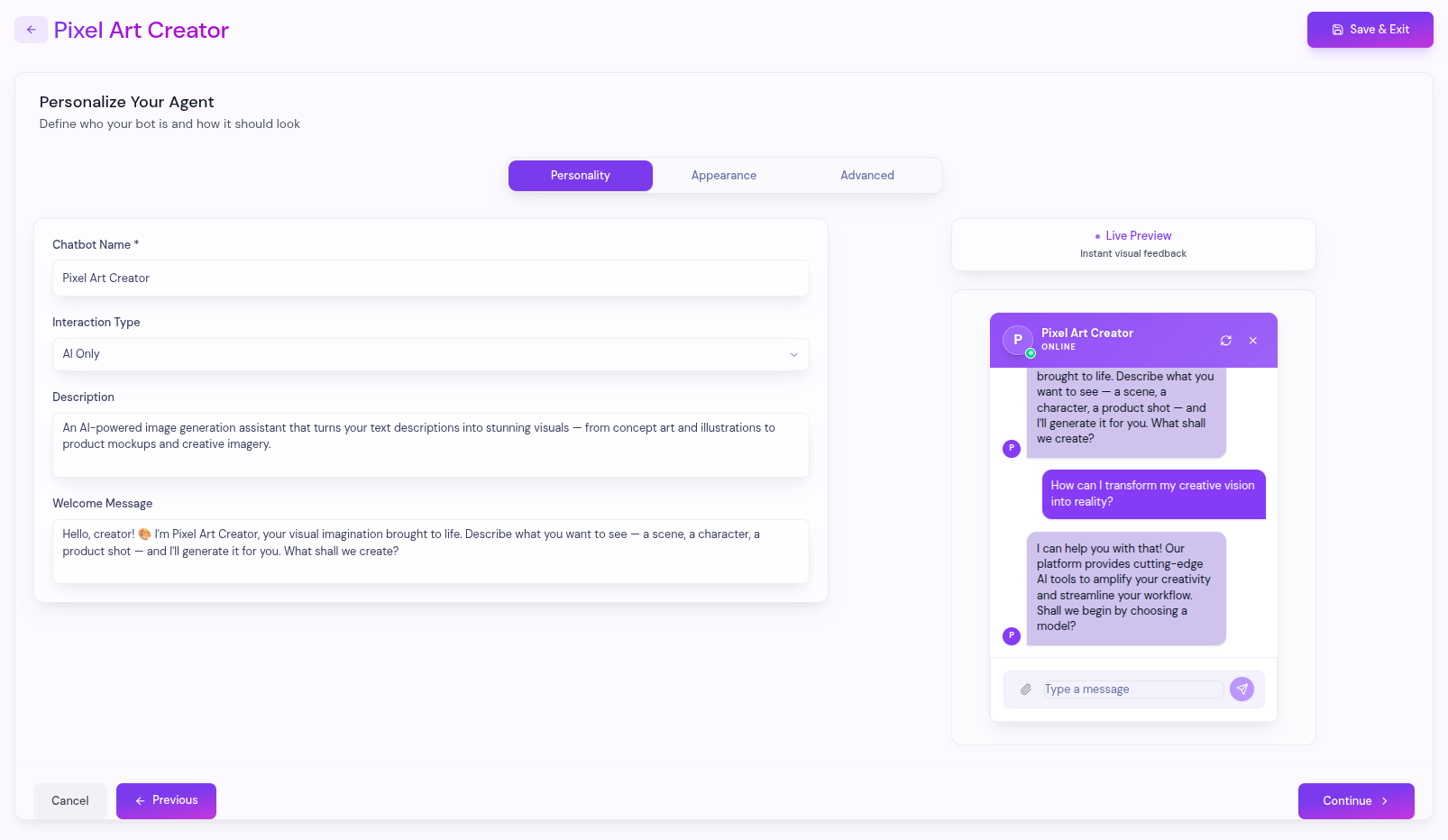
This step focuses on the personality and visual appearance of your chatbot. You can fine-tune:
- Personality & Identity: Set the chatbot name, description, and welcome messages. Choose the interaction mode (AI Only, Human Only, or Hybrid).
- Appearance: Upload a custom avatar, choose accent colors, and adjust UI elements like corner rounding and typography.
- Advanced Settings: Fine-tune technical parameters like Temperature (creativity) and Max Tokens (response length).
The Live Preview allows you to see all changes instantly as you make them.
4. Deployment
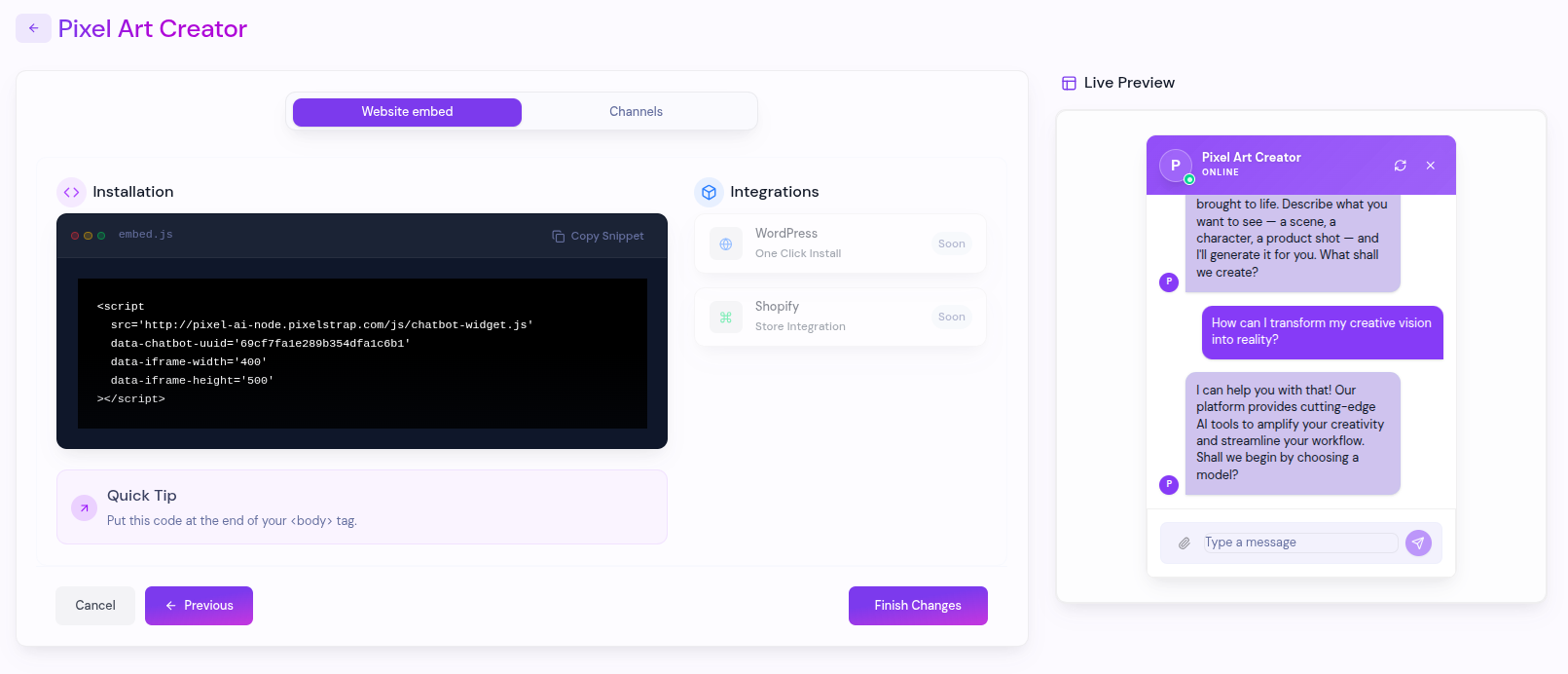
The final step is to make your chatbot accessible to your audience. You have two primary deployment tracks:
- Website Embed: Copy the generated script tag and paste it before the closing
</body>tag of your website to display the floating chat widget. - Channels: Connect your chatbot directly to popular messaging platforms including Telegram, WhatsApp, Messenger, and Instagram.
Once deployed, your chatbot is ready to engage with visitors across all your digital touchpoints.
What's Next?
Let's get started — your journey with Pixel AI begins here!

