 Social Post Management
Post Wizard (Content Wizard)
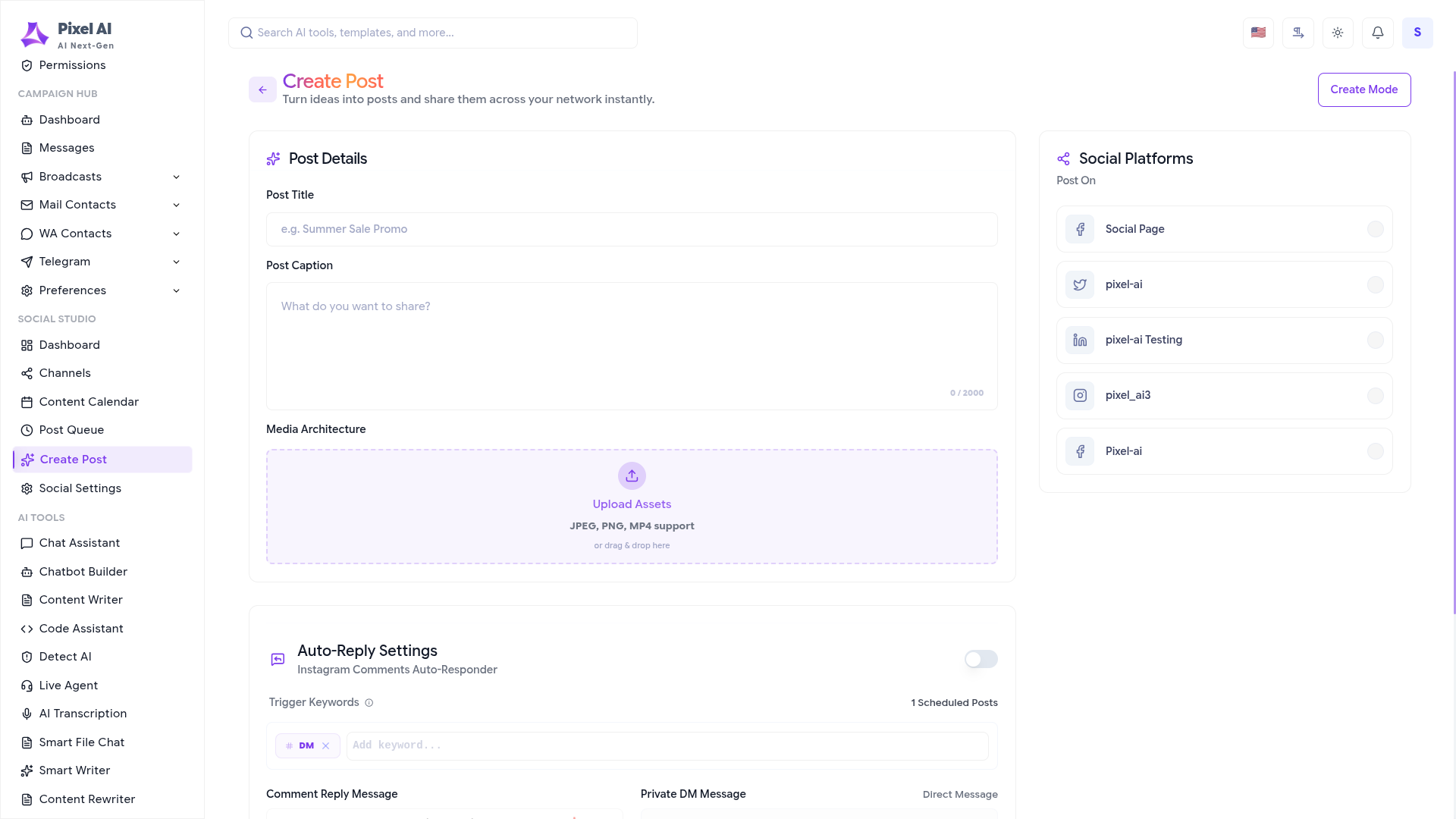
The Post Wizard is a comprehensive tool designed to streamline your content creation and distribution process. It allows you to craft engaging messages, attach media, and broadcast them across multiple social channels simultaneously.
Key Features:
- Message Architecture: Draft your post content with a live character count and formatting options.
- Media Assets: Drag and drop or upload images and videos (JPG, PNG, MP4 support) to accompany your posts.
- Broadcast Hubs: Select the connected social accounts (Facebook, Instagram, LinkedIn, Twitter) to which you want to publish the content.
- Engagement Automation: Toggle advanced triggers and rules for post interactions.
- Post Scheduler: Choose to publish instantly or schedule for a specific date and time.
With the Post Wizard, you can ensure consistency across all your social platforms with just a few clicks.
Content Timeline (Calendar)
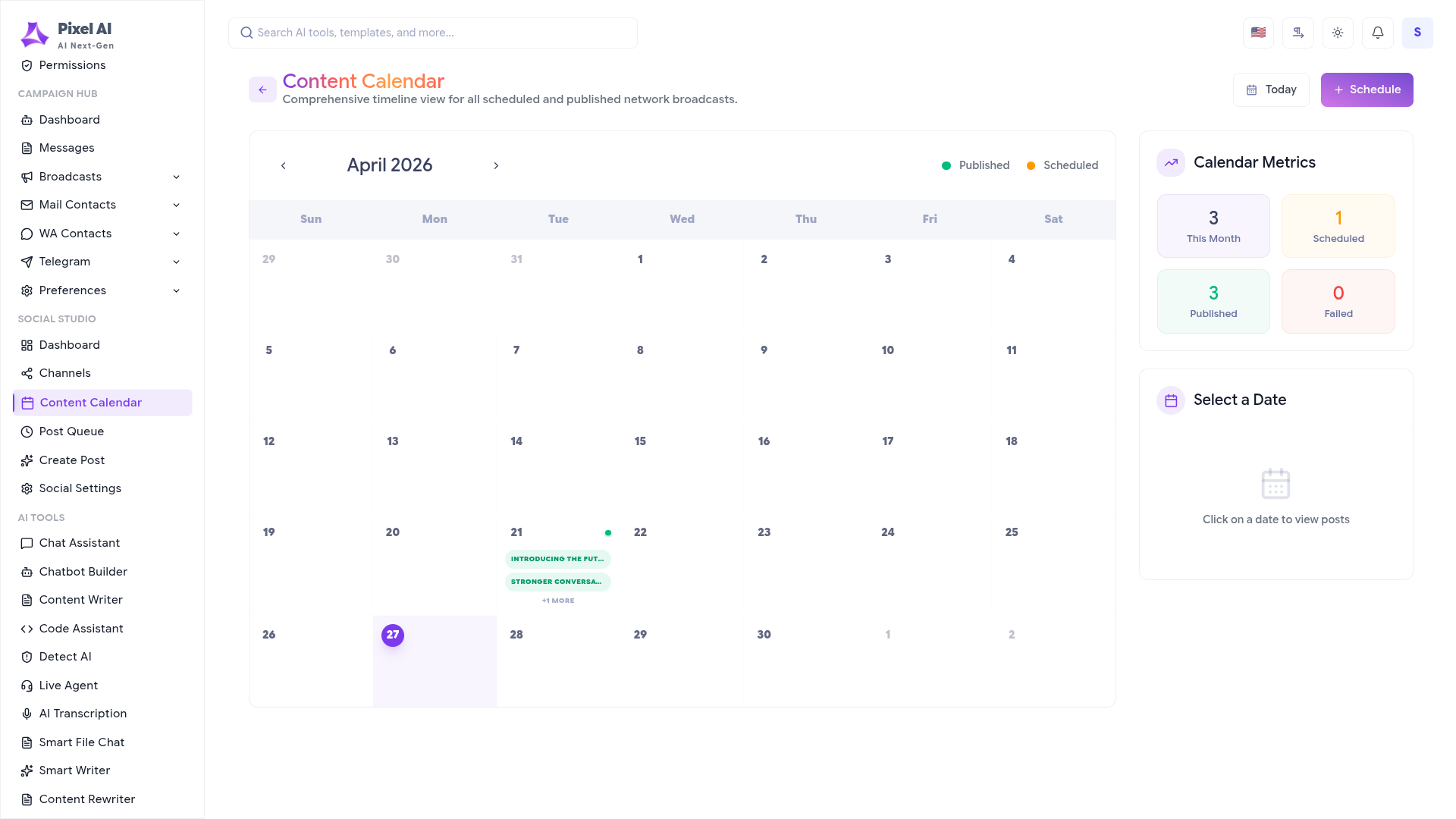
The Calendar view provides a visual representation of your past, present, and future social activity. It serves as a central timeline for monitoring your content strategy's execution.
Operational Insights:
- Interactive Timeline: View published (green) and scheduled (orange) posts directly on the monthly grid.
- Daily Granularity: Click on any specific date to view the precise posts published or queued for that day.
- Metric Summaries: Track your monthly output with quick-glance published and scheduled counts.
- Unified Management: Create new posts directly from the calendar interface to fill gaps in your schedule.
The Content Timeline helps you maintain an active and balanced social presence by identifying optimal posting days.
Scheduled Posts
Manage your upcoming deployments with precision. The Scheduled Posts section gives you full control over your content queue, allowing you to edit, monitor, and reschedule future broadcasts.

Queue Management:
- Active Post Queue: See a list of all posts awaiting deployment.
- Next Scheduled Slot: A dedicated indicator shows exactly when your next broadcast will trigger, ensuring you never miss a beat.
- Status Monitoring: Track the readiness of each pending post.
- Centralized Actions: Quickly add new posts to the queue or modify existing ones before they go live.
The Scheduled Post module ensures your automation runs smoothly, keeping your audience engaged even when you're offline.
Next Steps
Now that you've mastered post management, explore the rest of the Social Media Studio.


