 Email Templates
Overview
The Email Templates module allows administrators to manage and customize the system-generated emails sent to WAPI users. These templates are triggered by specific platform events, such as plan expirations, account activations, or password resets.
While the templates themselves are core system components (meaning you cannot add or delete them), you have full control over their Subject lines and Body content to align with your brand's voice.
System Templates List
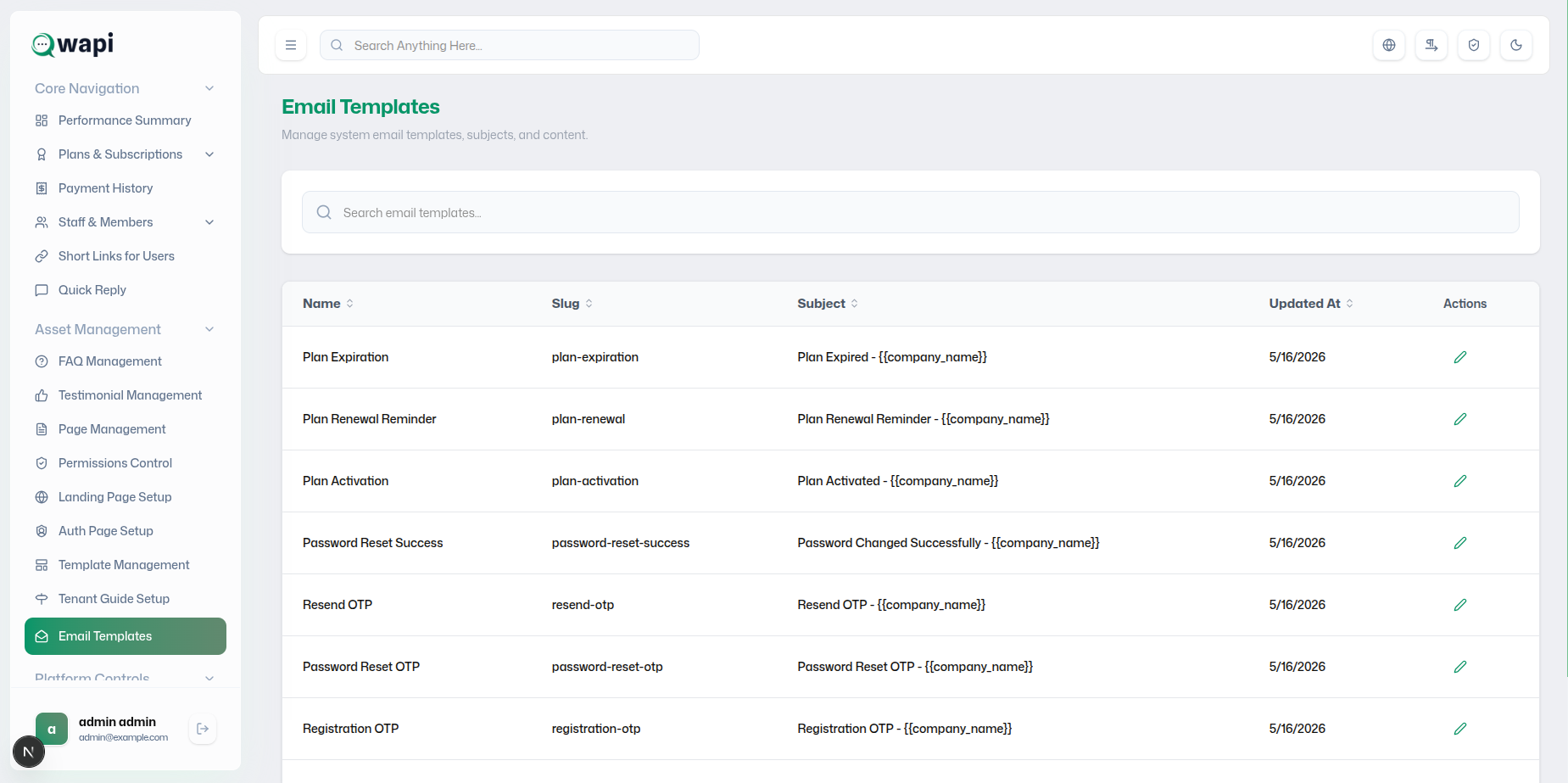
The main dashboard displays all available system templates. You can quickly identify templates by their functional slugs and current subject lines.
- Standardized Slugs: Each template uses a unique identifier
(e.g.,
plan-expiration) that links it to a platform event. - Quick Search: Use the dedicated search bar to find specific templates by name or subject.
- Action Control: Click the Edit (Pencil) icon to modify the template content.
- System Protected: To ensure platform stability, creating new templates or deleting existing ones is disabled.
Customizing Template Content
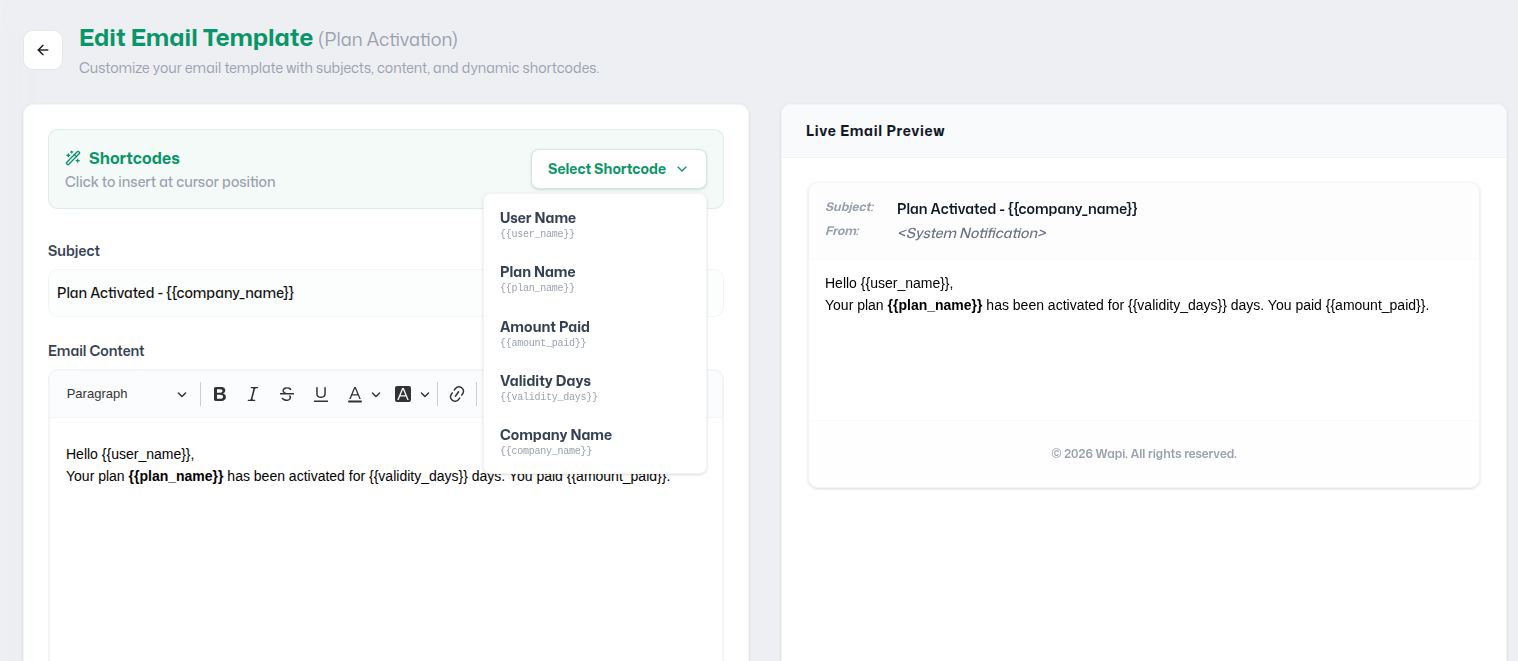
When editing a template, you can use dynamic shortcodes to personalize the message for each recipient:
Shortcodes
Insert dynamic tags like {{user_name}} or
{{plan_name}} to pull real-time data into the email.
Subject Line
Craft compelling subject lines that support dynamic placeholders for better engagement.
Live Preview
The right-side panel shows an instant rendering of how the email will appear to the user.
Content Editor
A full rich-text editor allowing for professional formatting, links, and bold text.
Dynamic Shortcodes Reference
| Shortcode | Data Inserted |
|---|---|
{{user_name}} |
The recipient's full name. |
{{plan_name}} |
The name of the user's current subscription plan. |
{{amount_paid}} |
The transaction amount (useful for activation/renewal emails). |
{{validity_days}} |
The number of days remaining or added to the plan. |
{{company_name}} |
The platform or company brand name. |
How to Access
Log in to the WAPI Admin Panel.
Navigate to Asset Management in the primary sidebar.
Click Email Templates to manage your notifications.