 Welcome to WAPI!
Subscription Billing & Invoice Management
The **Payment Transactions** module is the financial control center of the WAPI platform. It provides administrators with a comprehensive, real-time audit trail of all subscription-related financial activities, ensuring transparency and facilitating rapid resolution of billing inquiries.
Payment Transactions Dashboard
The dashboard interface is engineered for rapid data retrieval and financial auditing. Admins can monitor the pulse of platform revenue through a detailed transaction grid.
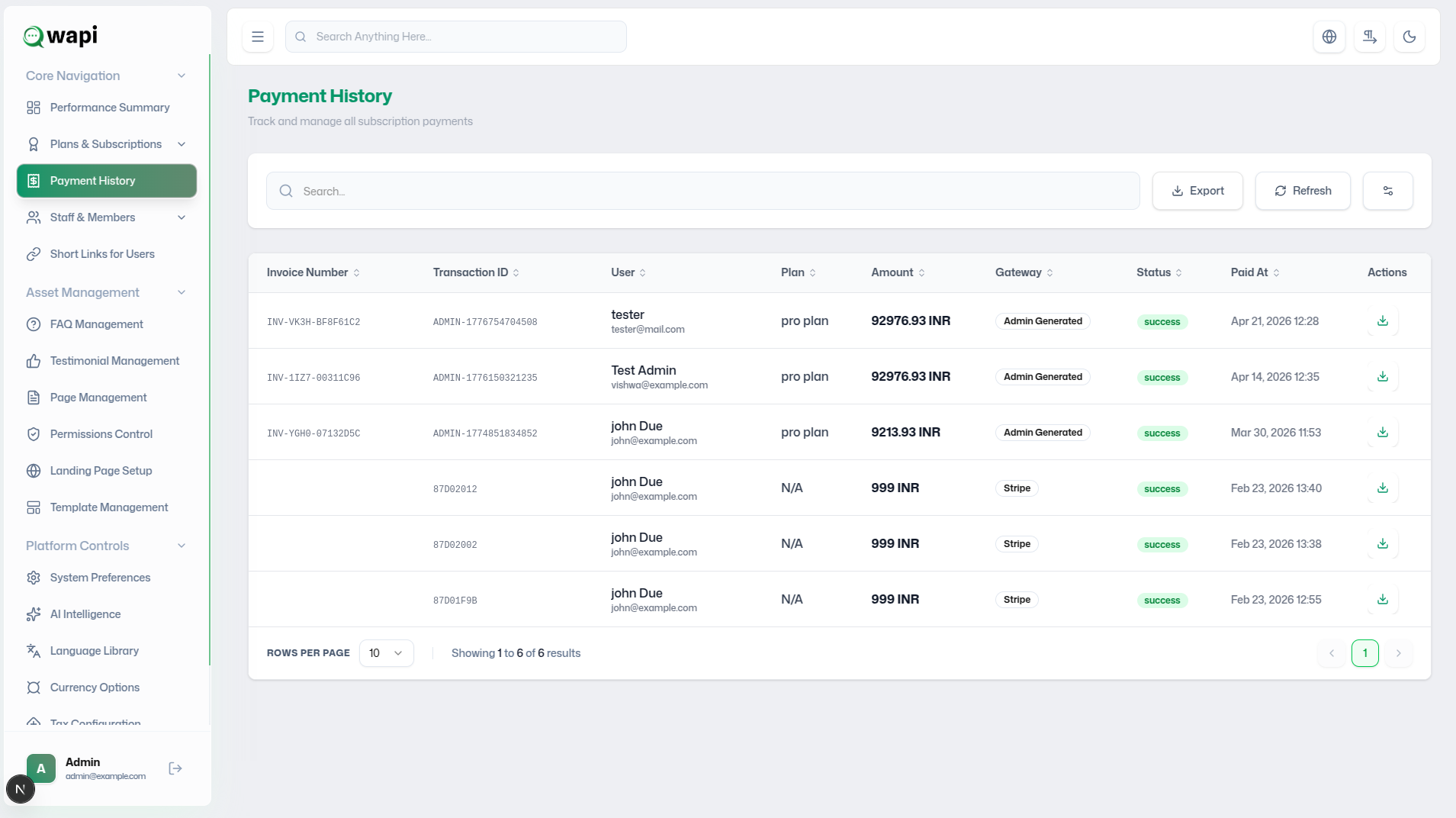
- Transaction Listing: A chronologically ordered table of all payment attempts.
- Dynamic Filtering: Use the search bar to locate records by user name, email, or ID.
- Column Visibility: Customize the data points shown to focus on specific financial metrics.
- Instant Actions: One-click access to invoice downloads and detailed record viewing.
Transaction Data Points
Each transaction record captures a specific set of critical billing attributes for precise auditing.
Identification
- Transaction ID: Unique alphanumeric identifier.
- Customer: Name & Email of the subscriber.
- Plan Name: Purchased subscription tier.
Financials
- Amount: Total payment with currency.
- Gateway: Processor (Stripe/Razorpay).
- Status: Success, Pending, or Failed.
Context
- Date & Time: Exact timestamp of the event.
- Actions: Operations available for the record.
Invoice Management
Invoices are automatically generated for every successful transaction, serving as a legal documentation of the purchase.
- Invoice Data: Contains payment summary, user details, plan tier, and transaction timestamps.
- Download Protocol: Access via the "Actions" column to retrieve a PDF version for record-keeping.
- Customer Support: Share invoices directly with customers to resolve billing disputes or provide receipts.
Strategic Benefits
- Full Revenue Visibility: Comprehensive oversight of platform health.
- Simplified Auditing: Quick access to historical billing records.
- Dispute Efficiency: Rapid verification of transaction legitimacy.
Primary Use Cases
- Revenue Reporting: Exporting data for financial statements.
- Billing Verification: Confirming successful upgrades for users.
- Administrative Archiving: Maintaining organized invoice records.
Best Practices
Regularly export logs for accounting, monitor payment gateway performance metrics, and proactively verify pending or failed payments to ensure user service continuity.