 Welcome to WAPI!
Overview
Event Notifications allow you to get real-time WhatsApp event updates sent directly to your server. This webhook integration acts as a bridge between Wapi and your external ecosystem, ensuring your backend systems remain instantly synchronized with key conversational activities.
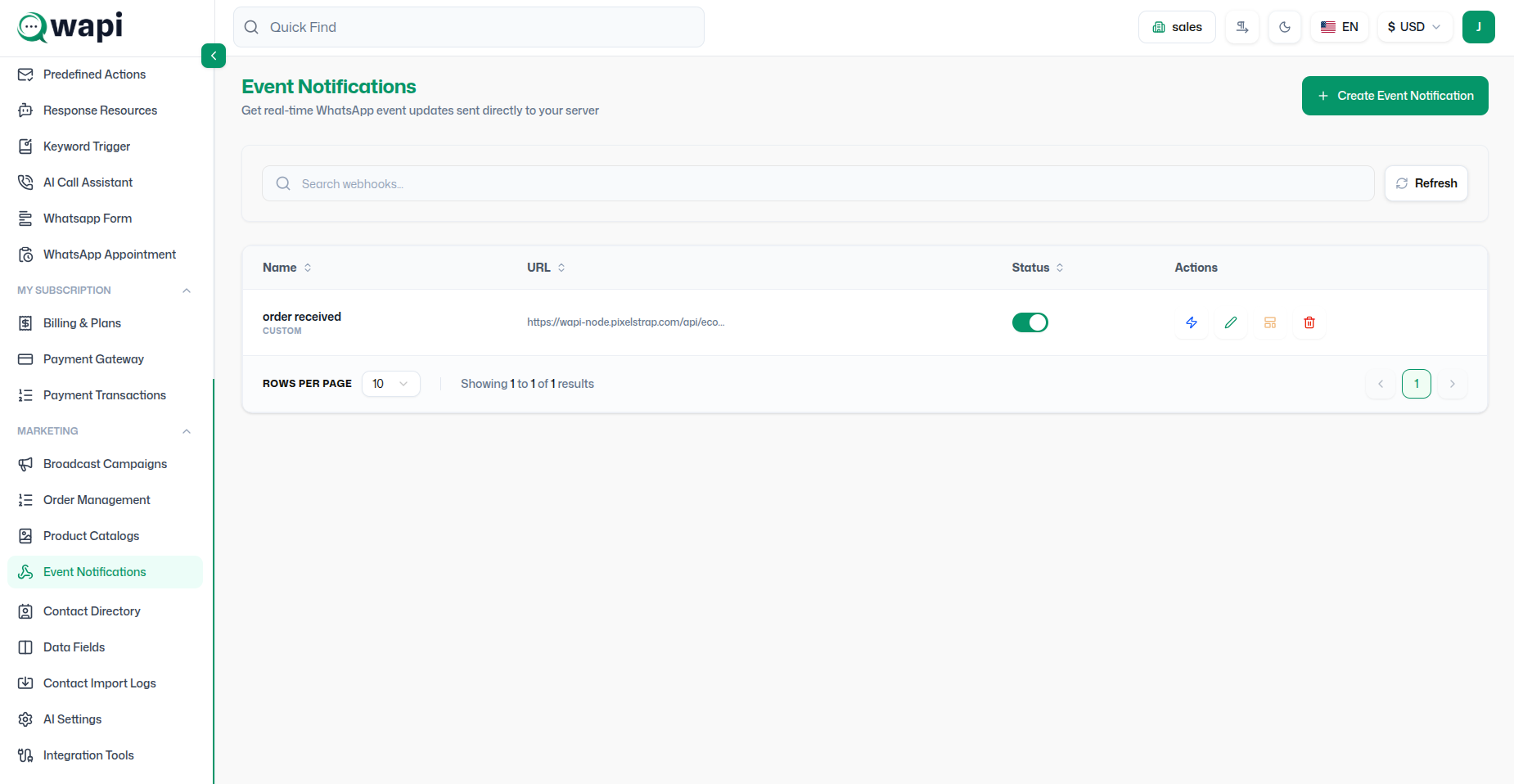
Webhook Configuration
Setting up a webhook involves creating an endpoint in Wapi and mapping external payloads to specific message triggers.
Core Features
- Dynamic Endpoint Creation: Generate unique URLs for different incoming event sources.
- Cross-Platform Mapping: Align external event keys (e.g., "order_status") with WhatsApp Template triggers.
- Real-time Fulfillment: Instantly notify customers of shipment updates, payment confirmations, or policy changes.
Implementation Protocol
Follow these steps to synchronize your business events with WhatsApp messages.
Step 1: Generate Webhook URL
- Navigate to Webhooks in the Wapi sidebar.
- Click on + Create Webhook.
- Copy the generated Webhook URL.

Step 2: External System Setup
- Go to your platform's Webhook settings (e.g., Shopify, WooCommerce).
- Paste the Wapi Webhook URL.
- Select the events you wish to track (e.g., "Order Created", "Subscription Cancelled").
Step 3: Trigger & Template Mapping
- Back in Wapi, map the incoming event to a specific WhatsApp Template.
- Define conditional triggers if you only want messages sent under specific circumstances.
- Click Activate to begin live processing.
Scenario: Payment Failure Alert
Recover lost revenue with proactive conversational alerts.
- Trigger Source: Payment Gateway (Stripe/Razorpay).
- Event:
charge.failed. - Wapi Action: Send "Payment Link" template with a direct checkout button.
Monitoring & Advanced Notification Logic
Wapi provides deep visibility into your webhook lifecycle and supports sophisticated dual-notification workflows.
System Audit Logs
Trigger Logs
Review raw JSON payloads from external systems to debug incoming data structures.
Message Logs
Track real-time delivery, read status, and response metrics for every automated message.
Dual-Template Mapping
Customer Notification
The primary flow sent to the end-user identified in the webhook payload.
- Variable Mapping: Dynamically insert payload data (e.g., Names, IDs) into the template.
Owner (Internal) Alert
Independent alerts for your team to monitor high-value events in real-time.
- Enabled Toggle: Control internal alerts per trigger.
- Custom Recipient: Set a specific Wapi owner number.
- Variable Mapping: Map payload data to internal templates.
Strategic Governance
Integration Best Practices
- Security First: Always verify the incoming payload with the Wapi Secret Key to prevent spoofing.
- Rate Management: Ensure your external system doesn't exceed WhatsApp's messaging rate limits during bulk events.
- Message Sequencing: Use Delays to avoid overwhelming customers with multiple webhooks at once.
Operational Tip: Monitor the Webhook Logs daily to identify any failed payload deliveries or mapping errors.