 Agent Daily Tasks
Overview
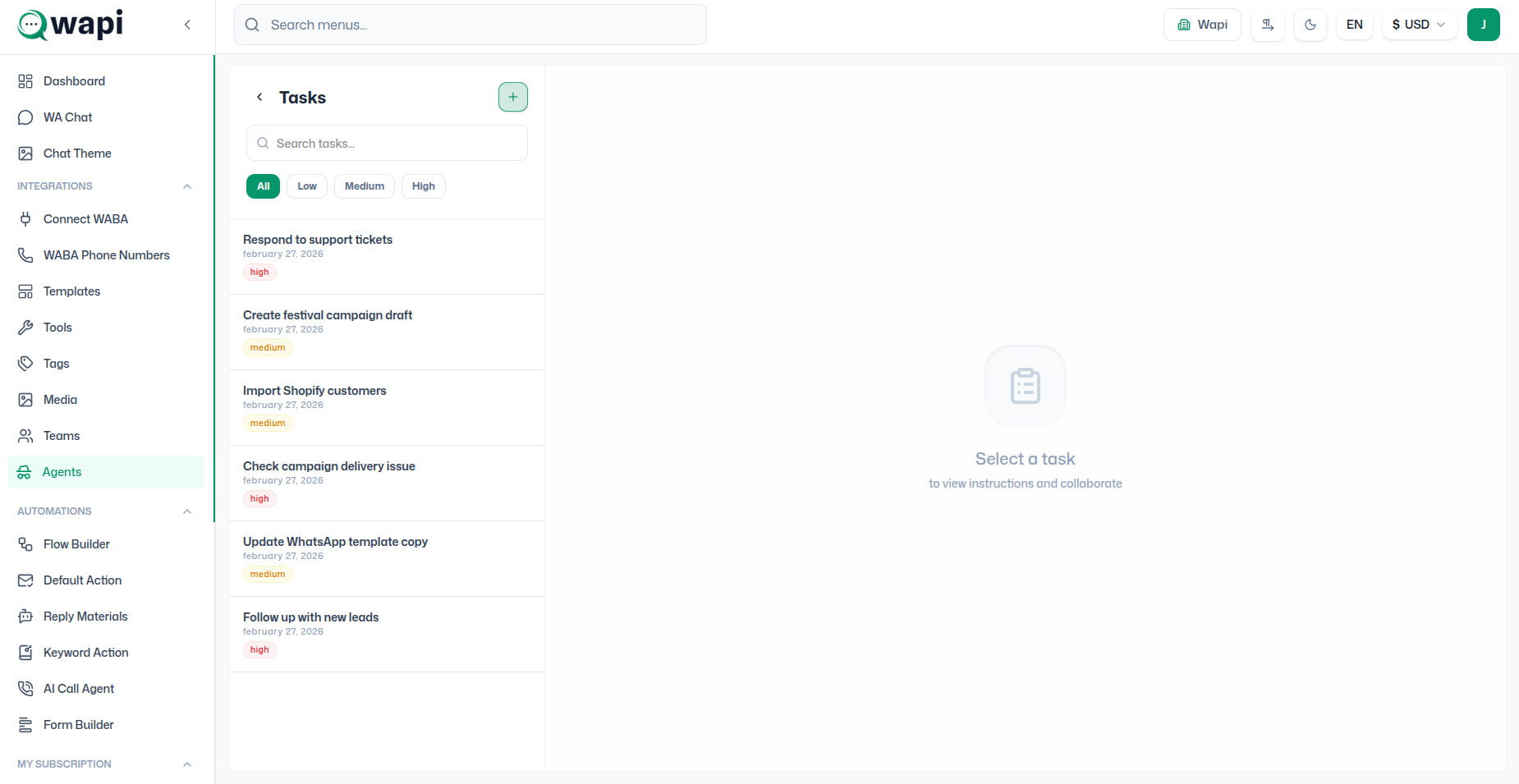
Agent Task Management is a powerful feature in WAPI that allows tenants to assign, track, and manage specialized tasks for their agents. This module ensures team productivity stays high and workflows remain coordinated across the support and sales ecosystem.
Purpose
The core objective of this module is to help tenants:
- Directly assign tasks to specific agents.
- Track task progress and real-time status updates.
- Enable seamless collaboration through task-based communication.
- Manage team priorities and deadlines with precision.
Navigation Flow
Step 1: Access Agent List
To begin managing your team, first locate the agents within your administrative dashboard.
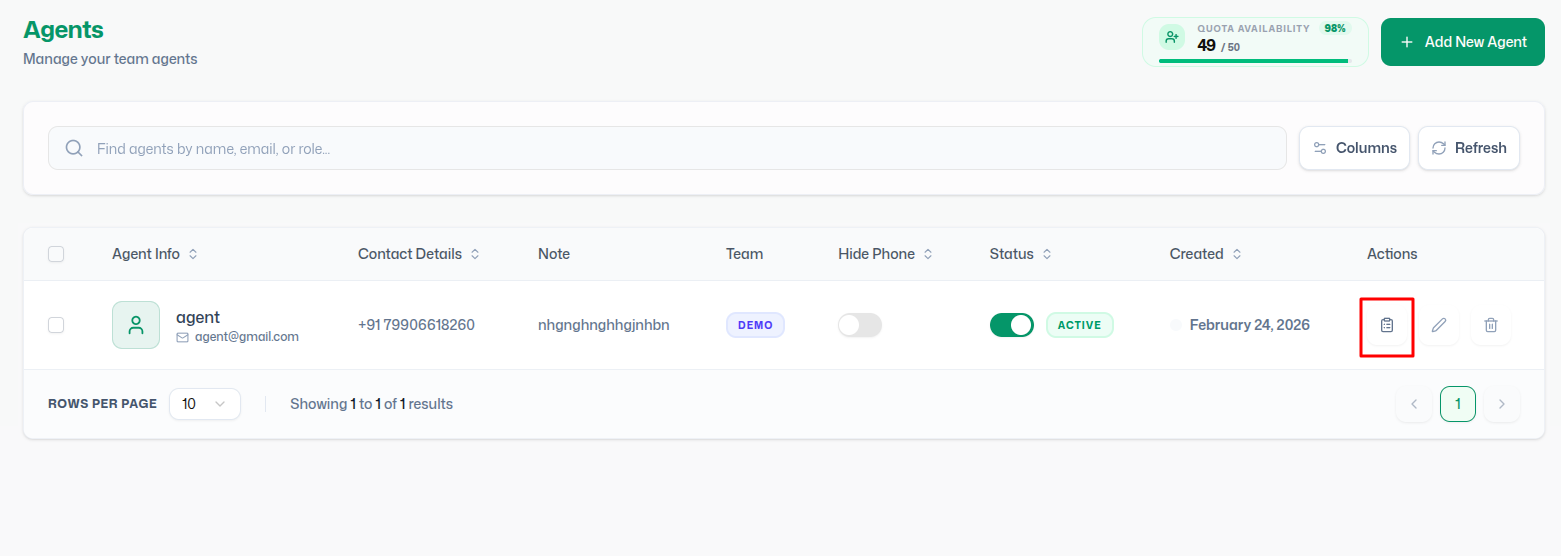
- Log in to your WAPI Admin Panel.
- Navigate to the Teams / Agents section via the side menu.
- Locate the desired agent from the list.
Step 2: Open Agent Task Dashboard
Each agent has a dedicated workspace for task management accessible from the main list.
- In the Actions column, locate and click the Task Icon (Clipboard icon).
- This will instantly redirect you to that agent's specific Agent Task Dashboard.
Step 3: View Task Dashboard
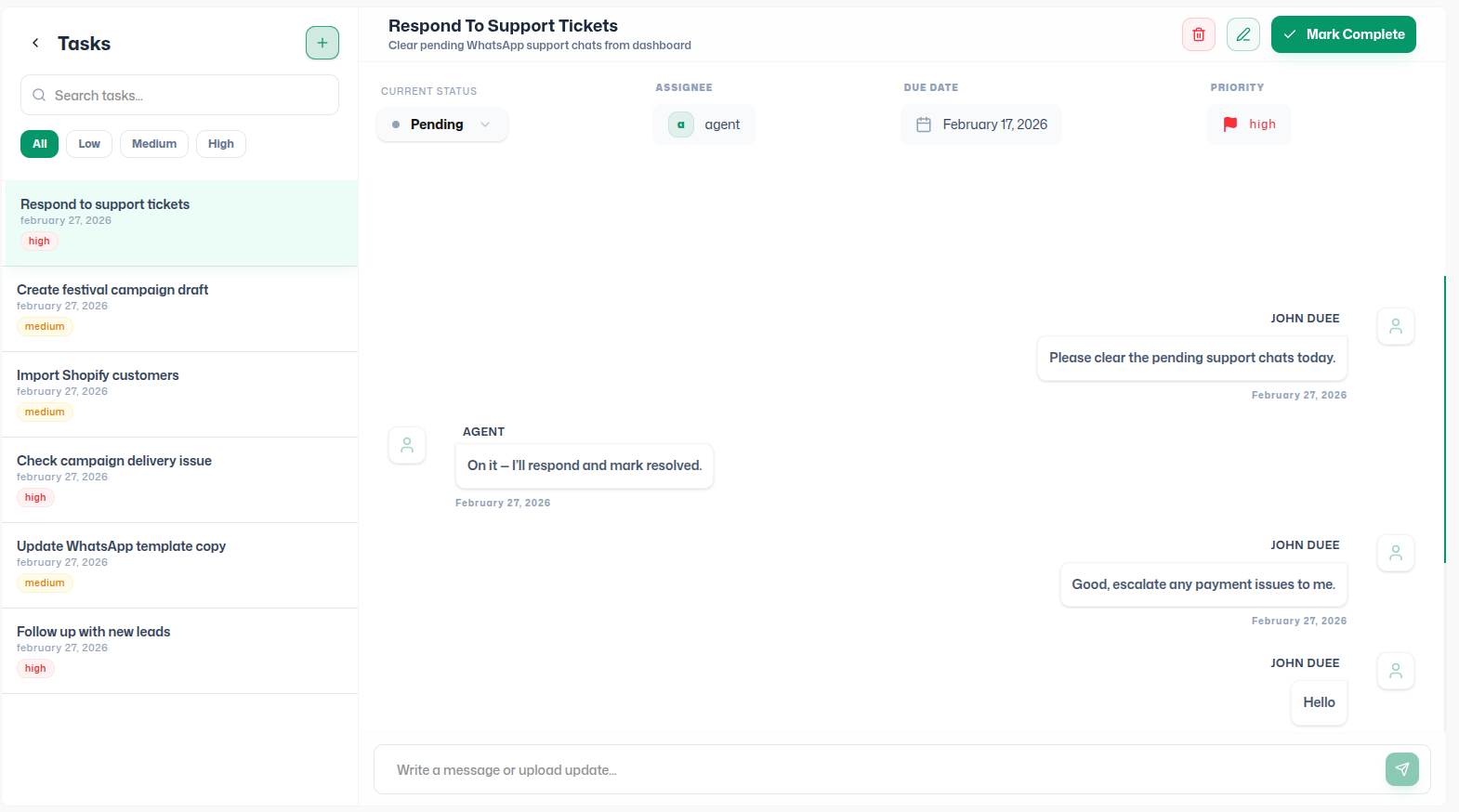
The Task Panel is logically divided into two primary zones for optimal workflow:
Left Side:
- Dynamic Task List
- Global Search Bar
- Priority Filters (All, Low, Medium, High)
Right Side:
- Task Detail View (when selected)
- Interactive Collaborative Interface
Operations Blueprint
How to Create a New Task
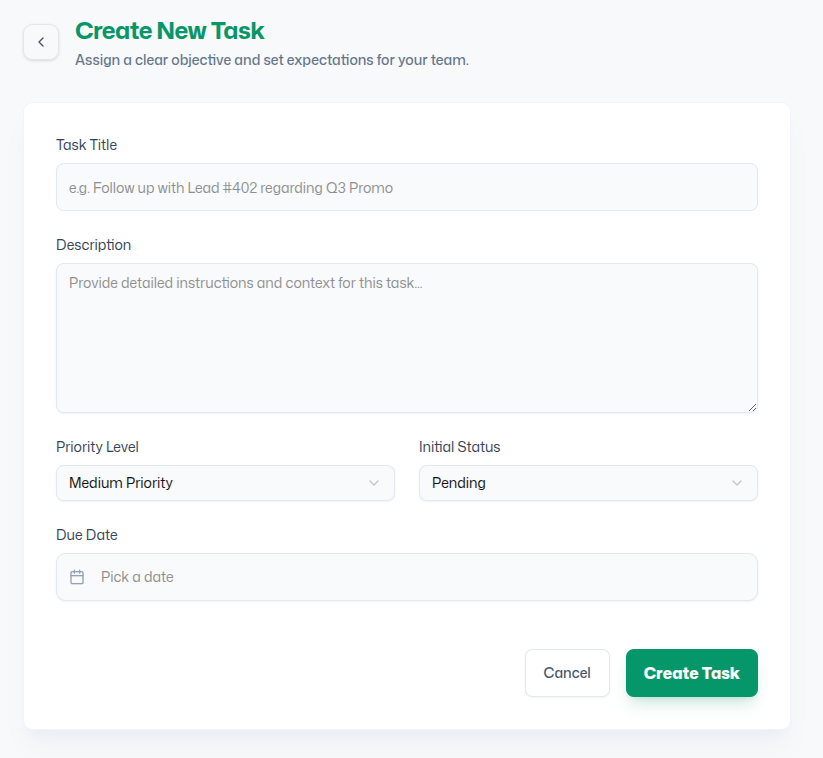
Tenants can quickly create tasks to assign responsibilities to agents.
Quick Action: Look for the floating green "+" (Plus Button) at the top of the task panel to initiate creation.
| Field | Description | Required |
|---|---|---|
| Task Title | A concise, actionable title for the task. | Yes |
| Description | Detailed instructions, context, or notes for the agent. | Yes |
| Priority Level | Select from Low, Medium, or High. | Yes |
| Initial Status | Set the default starting state (e.g., Pending). | Yes |
| Due Date | Optional deadline for task completion. | No |
Task Collaboration & Communication
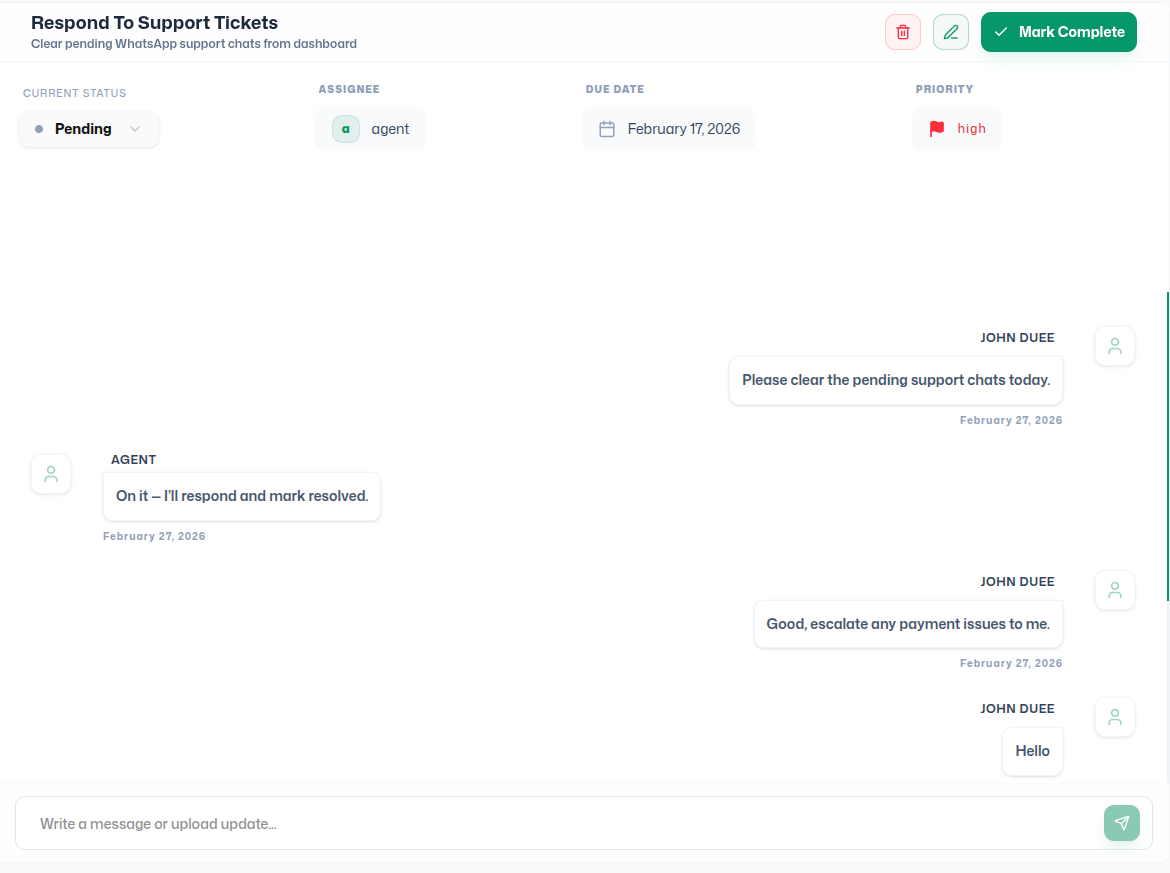
WAPI fosters real-time alignment between (tenants) and agents through an integrated, internal chat interface dedicated to every individual task.
Key Collaboration Features
- Dedicated Task Chat: Tenants can initiate direct conversations with the assigned agent about the specific requirements of a task.
- In-Context Communication: Eliminate the need for external messaging tools; all discussions, updates, and clarifications stay within the task record.
- Historical Audit Trail: Every message and status update is logged, providing a clear history of how a task evolved from creation to completion.
- Instant Updates: Agents can provide real-time status updates and feedback, ensuring tenants are always informed about progress.
Strategic Use Cases
- Support: Assign high-priority ticket resolutions.
- Marketing: Coordinate campaign delivery checks.
- Lead Gen: Assign lead follow-up tasks to sales agents.
- Internal Ops: Track system updates or team alignments.
Best Practices & Governance
Use clear, actionable titles.
Map Priorities to business impact.
Define Due Dates for accountability.
Use Task Chat over external tools.
Note: Every task is uniquely linked to an individual agent. Use filters strategically to manage high-volume task lists without losing visibility on critical items.
What's Next?
Continue exploring the WAPI platform to maximize your team's potential.


