 Role Management (Dynamic
RBAC)
Role Management (Dynamic
RBAC)
AutoCall features a flexible Dynamic Role-Based Access Control (RBAC) system that allows admins to create custom roles, manage permissions, and control user access across platform modules and features. Admins can assign READ and WRITE access permissions, update role settings, and manage secure access control with precision across the entire platform.
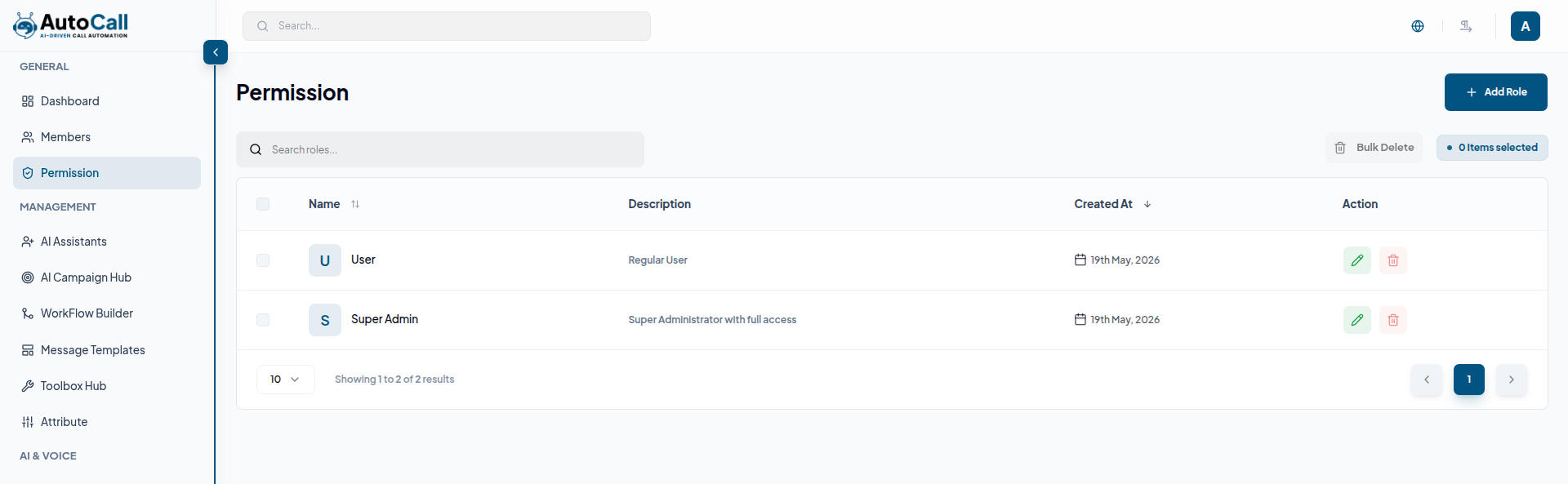
1. Roles List View
The Main interface displays all roles in a searchable and paginated table for efficient role management. Each role entry includes the role name, description, creation date, and quick action options such as edit role details and delete role. Admins can use the search bar to quickly filter roles by name or description and manage platform permissions more effectively.
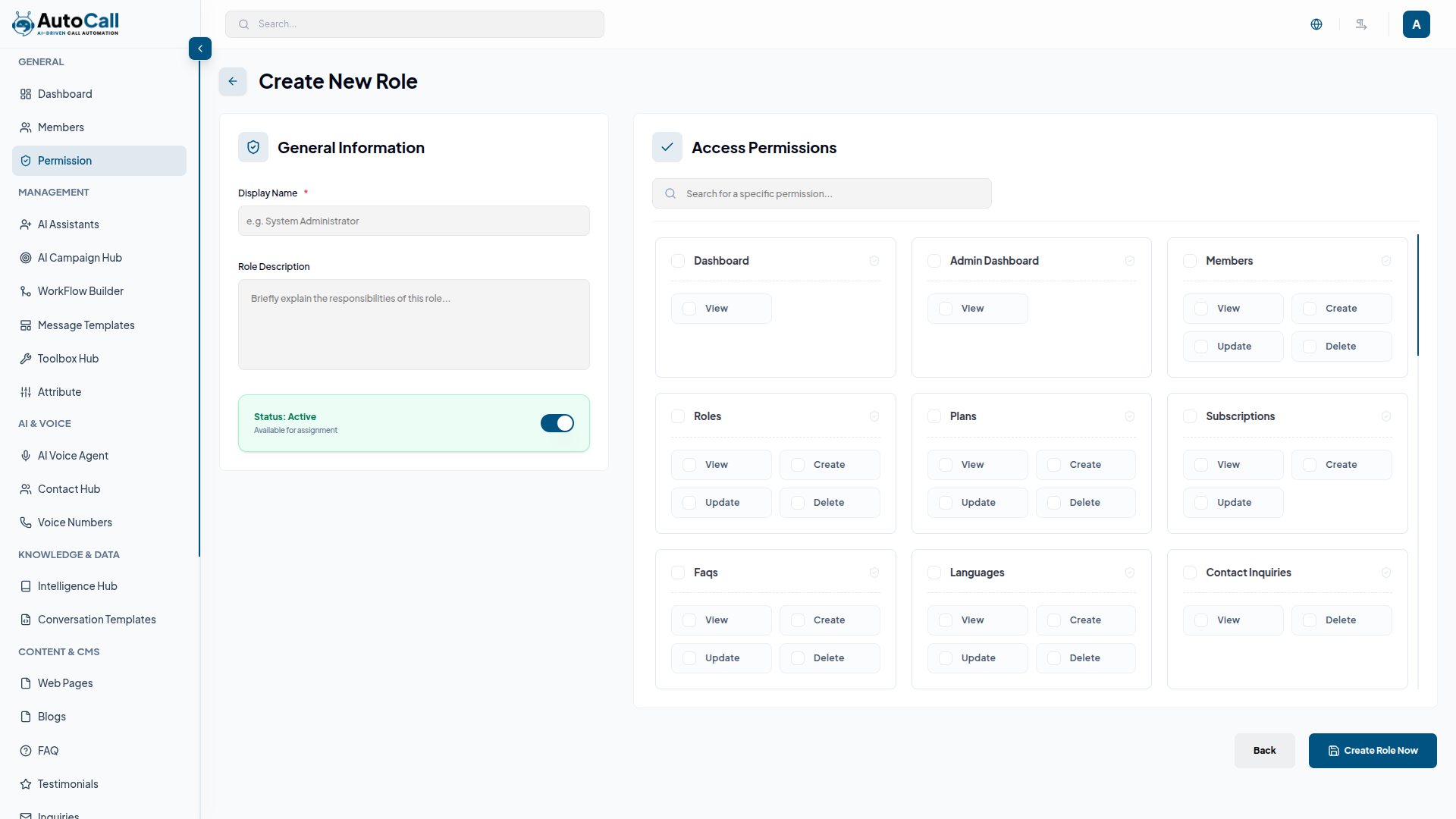
2. Add New Role With Permissions
Click the “+ Add Role” button to open the role creation form. Admins can enter a unique role name, add a description, and assign module permissions while creating the role. At least one permission must be selected before saving the role configuration successfully.
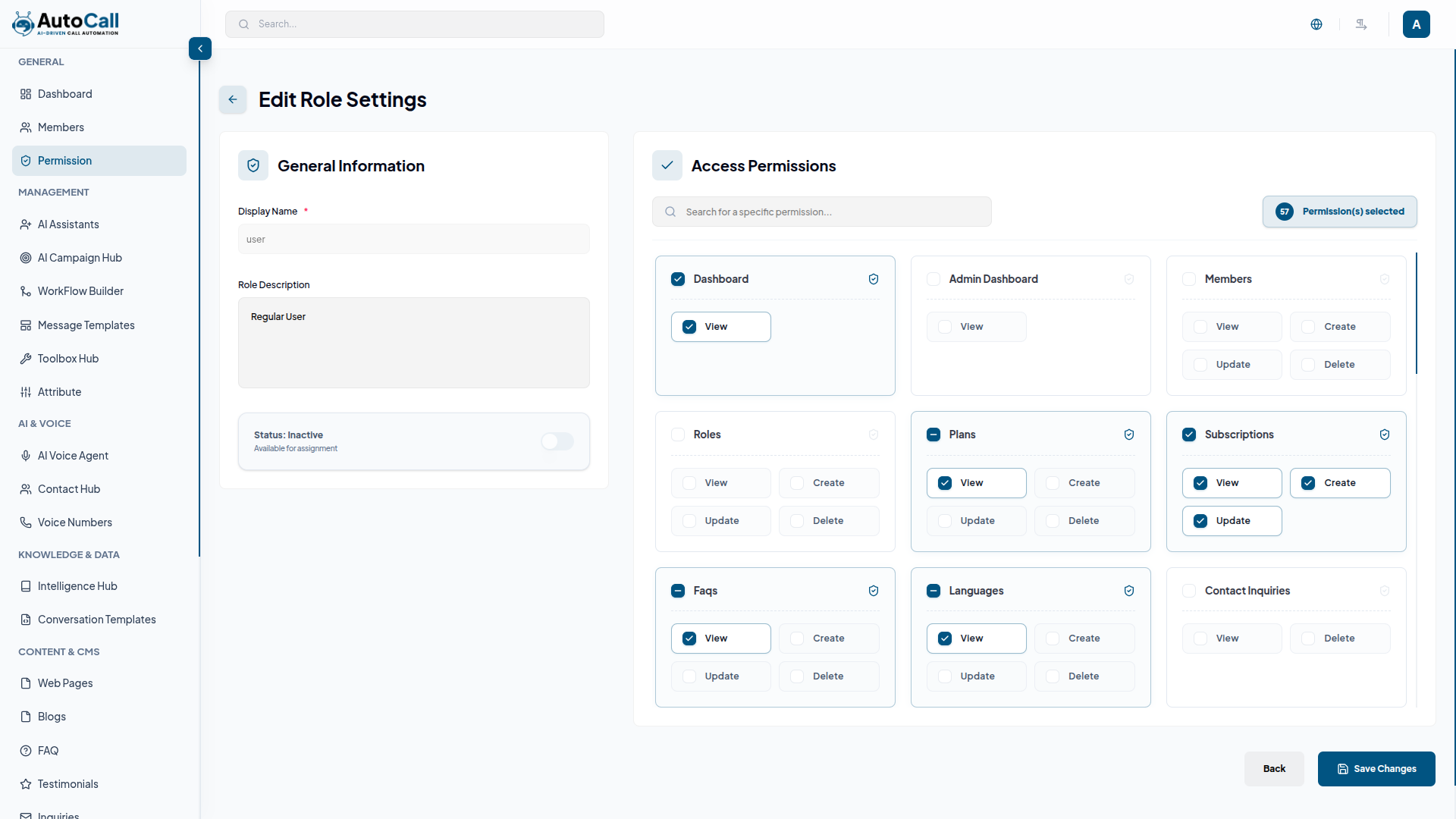
3. Update Role Details & Permissions
Click the pencil icon next to any role to open the edit role form. Admins can update the role name, description, and modify assigned permissions based on access requirements. All changes are applied instantly and reflected across the platform without affecting existing user sessions.
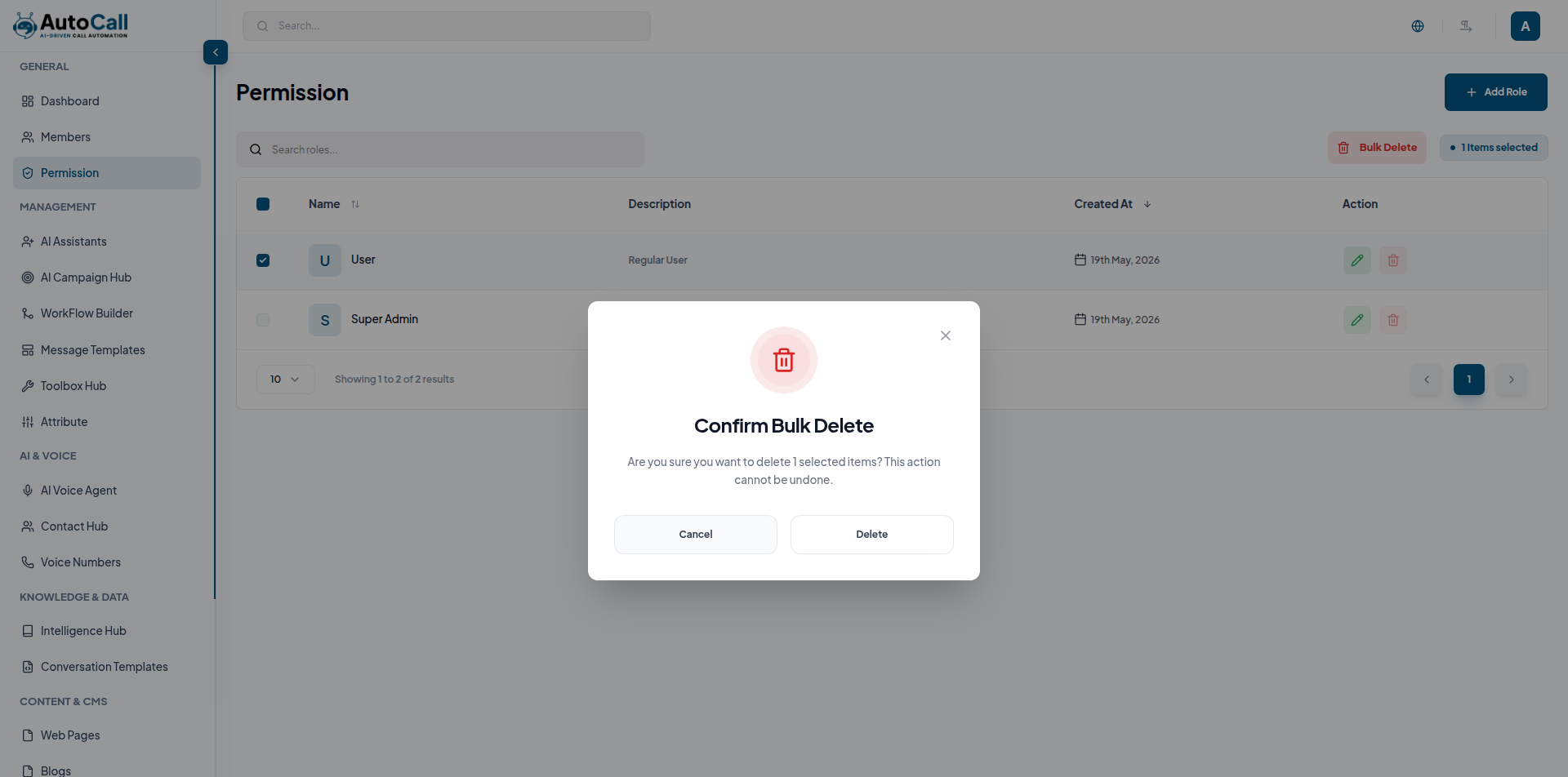
4. Delete Role
Click the trash icon next to any role to open the delete confirmation modal. The system displays a warning message before deletion to prevent accidental role removal and potential access issues for assigned users. Once confirmed, the selected role is permanently deleted from the platform and this action cannot be undone.
Key Points
- Permissions are managed with granular READ and WRITE access control for individual modules and features.
- Role and permission updates are applied instantly to all assigned users across the platform.
- Role deletion is protected with a secure confirmation modal to prevent accidental access issues.
- Use clear role names and descriptions for better permission management and audit tracking.
What's Next?
Continue exploring the Admin Module tools.


