 Voice Numbers
Overview
The Voice Numbers module helps manage all phone numbers used for AI calling and communication workflows. Users can sync phone numbers from Twilio and Plivo, assign numbers to AI agents, manage verification status, and control active voice communication channels from a centralized dashboard.
These voice numbers are used during campaign execution, automated calling workflows, and AI-based customer interactions to place and receive calls.
Dashboard
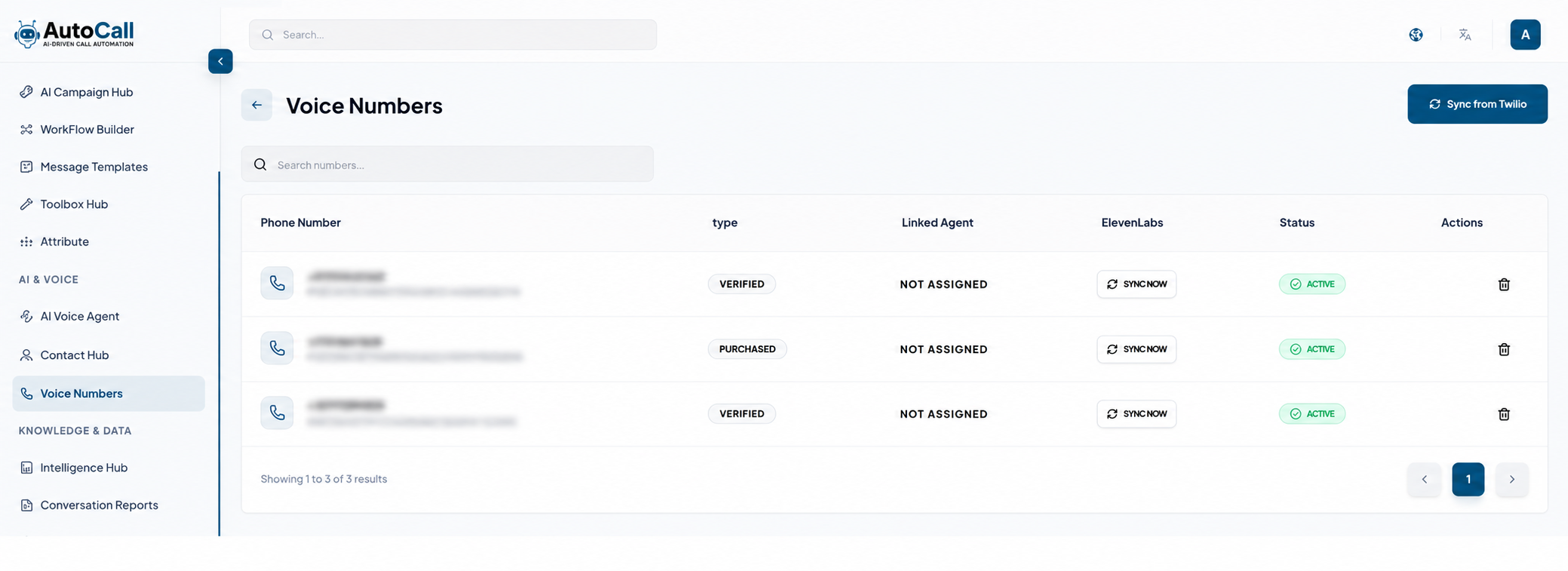
The Voice Numbers Dashboard displays all connected phone numbers with details such as Phone Number, Type, Linked Agent, ElevenLabs sync status and current Status. Users can search numbers, monitor assigned agents, and manage number availability directly from the dashboard.
The dashboard also provides quick actions for syncing voice settings, managing linked agents, and deleting unused phone numbers.
Sync Voice Numbers
Click the Sync Numbers button to import and synchronize available phone numbers from your integrated Twilio or Plivo accounts. Synced numbers become available for AI calling workflows and campaign usage within the platform.
After syncing, users can assign numbers to AI agents and configure voice-related settings.
Manage Voice Numbers
Users can manage linked AI agents, monitor verification status and sync ElevenLabs voice configurations for each phone number. Active numbers are available for campaigns and automated AI calls.
The platform also supports purchased and verified numbers for flexible communication management.
Set Price & Purchase Numbers
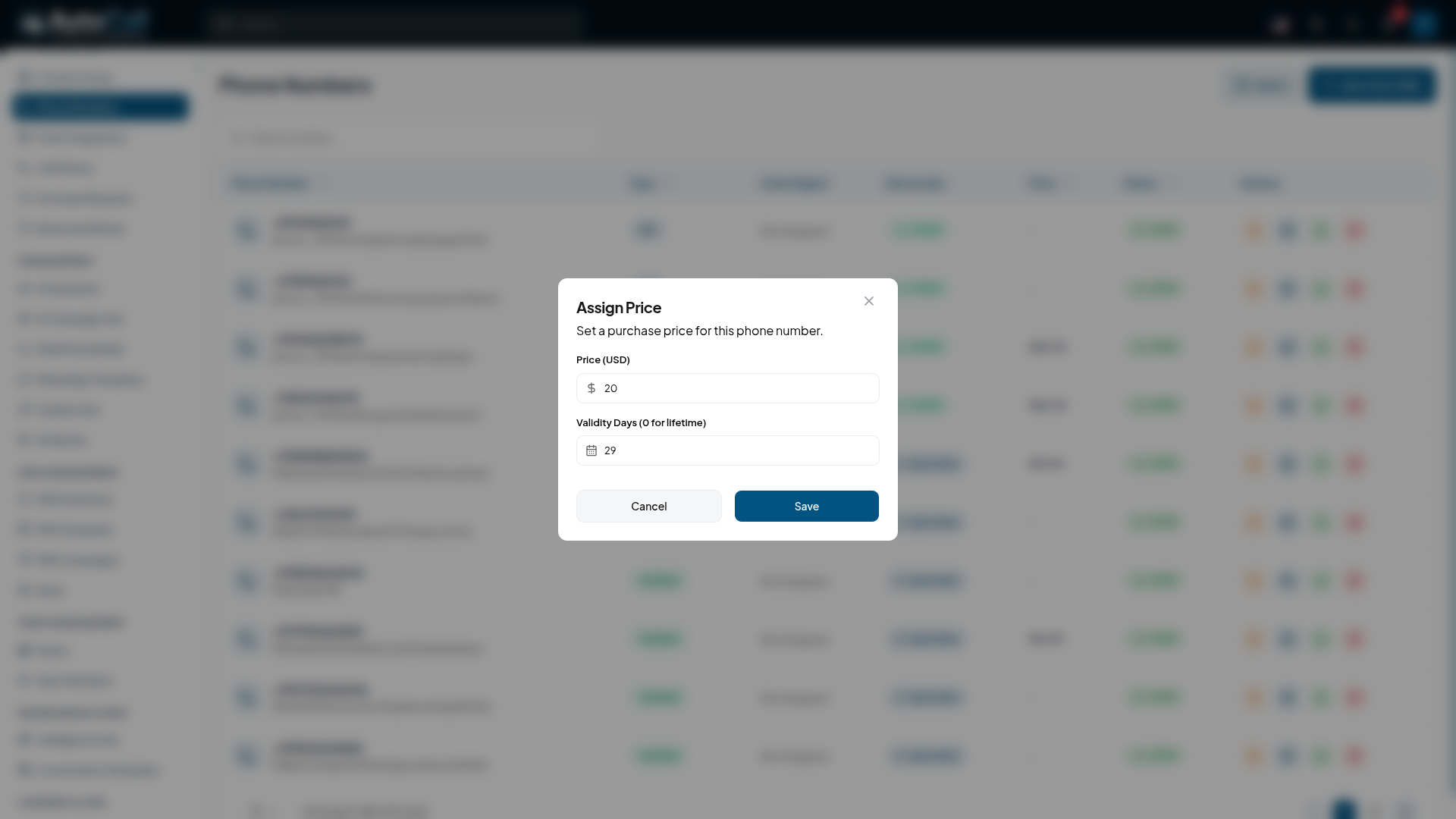
From the admin side, you can set a custom price for specific phone numbers using the Set Price ($ icon) button in the Actions column. If a user has not synced their own Twilio or Plivo accounts, they have the option to purchase these available numbers directly from the platform.
This enables you to monetize voice numbers and provide a seamless onboarding experience for users who don't have external telephony configurations.
Purchase Numbers
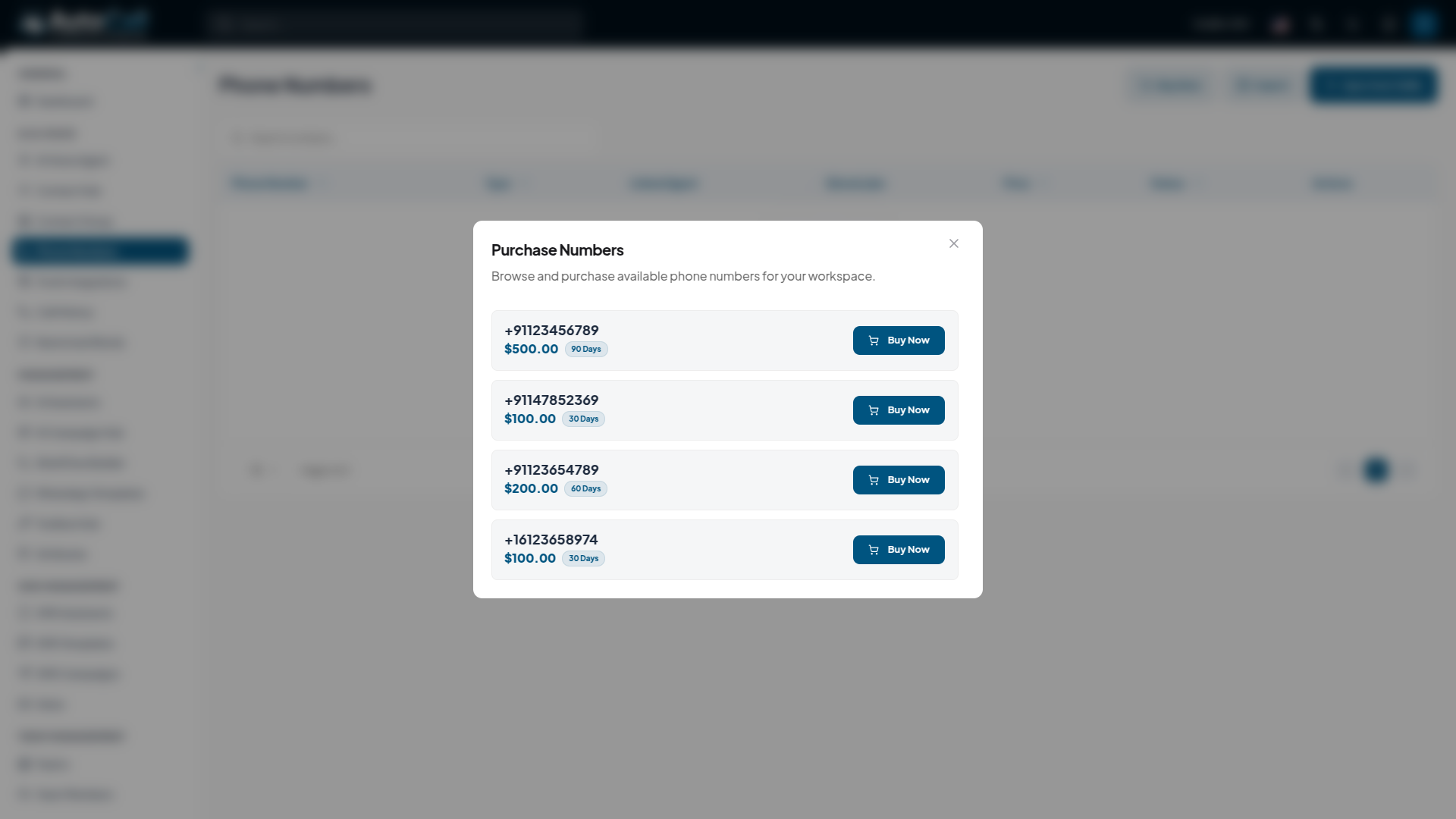
If a user does not have their own Twilio or Plivo accounts synced, they have the option to purchase a phone number directly from the platform.
Click the Buy Number button to view the available phone numbers for purchase. A menu will display the available numbers along with their respective prices and validity periods (e.g., 30 Days, 60 Days).
Select the desired number and click Buy Now to proceed with the payment.
KYC Verification
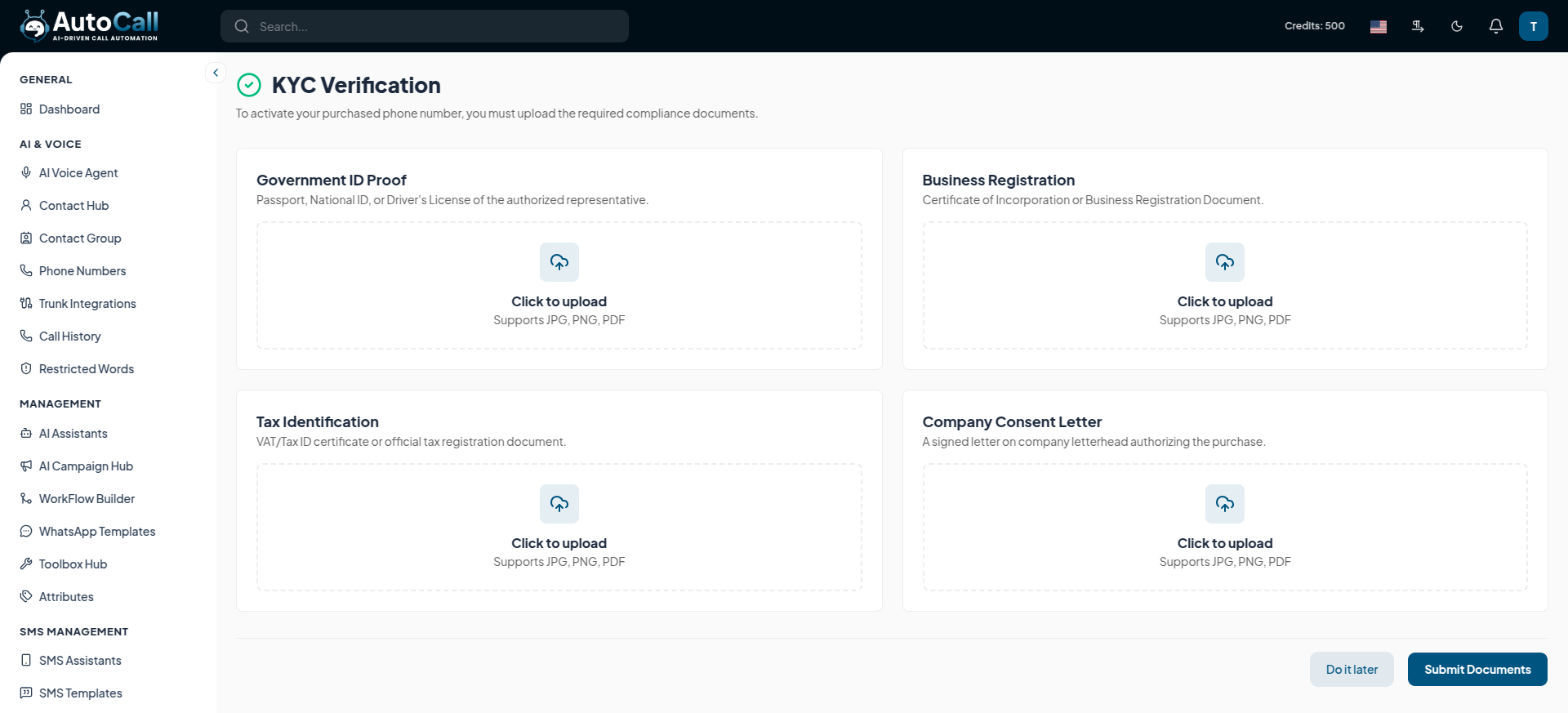
After successfully completing the payment for the selected number, you must complete the KYC (Know Your Customer) verification process to activate it.
You will be required to upload compliance documents, such as:
- Government ID Proof: Passport, National ID or Driver's License
- Business Registration: Certificate of Incorporation or Business Registration Document
- Tax Identification: VAT/Tax ID certificate or official tax registration document
- Company Consent Letter: A signed letter on company letterhead authorizing the purchase
Delete Voice Numbers
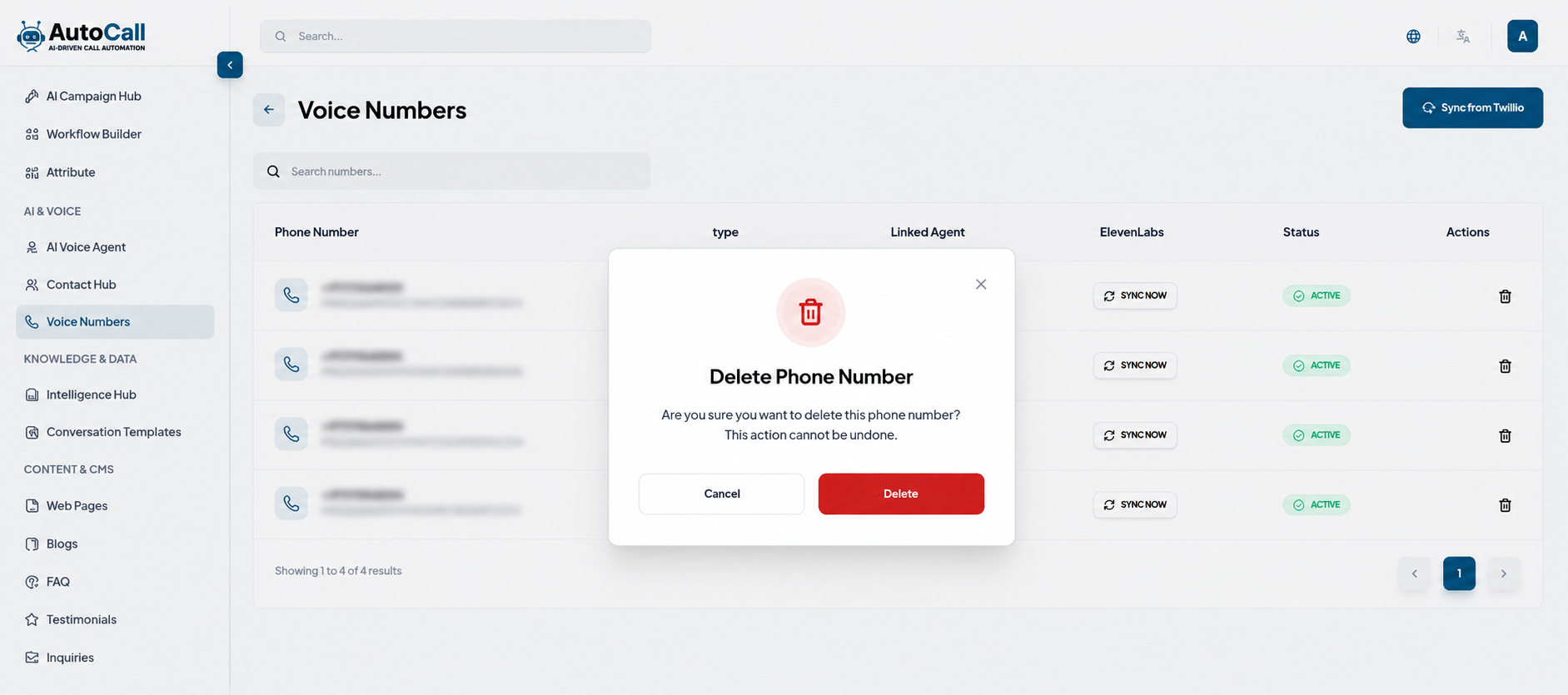
Click the Delete (trash icon) to any voice number to permanently remove it from the system. A confirmation prompt will appear before deletion to prevent accidental removal.
Once deleted, the number will no longer be available for campaigns, AI agents or calling workflows.
Key Points
- Twilio and Plivo Synchronization imports numbers instantly.
- AI Agent Linking assigns phone numbers to AI agents for automated calling workflows.
- Verified Number Support improves communication reliability.
- Quick Search helps find phone numbers easily.
What's Next?
Let's get started — your journey with AutoCall begins here!

