 Conversation
Templates
Conversation
Templates
Overview
The Conversation Templates page allows you to define predefined instructions, behaviors, and messaging structures for your AI agents. These templates are essential during Agent Creation to dictate how the AI will communicate with users.
Conversation Templates List
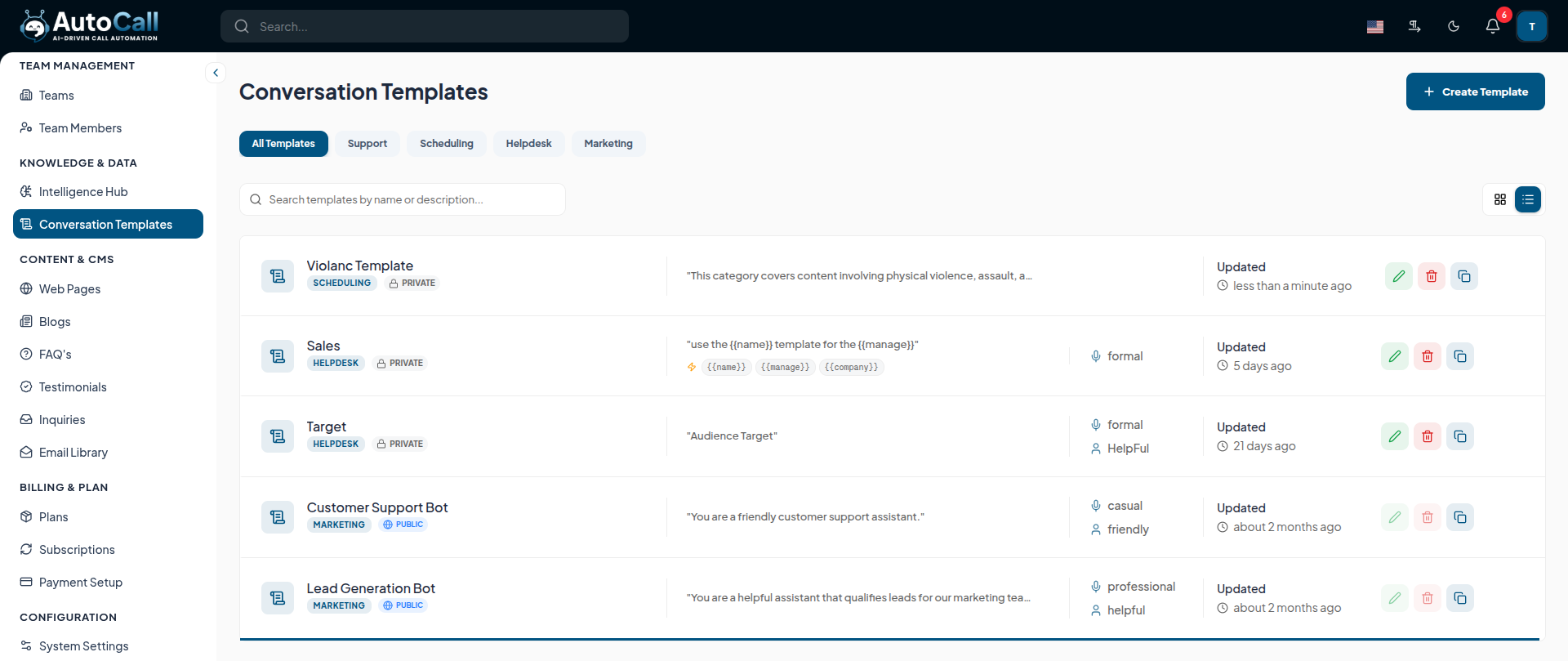
The dashboard provides a list of all your created templates with the following details:
- Template Details: Name, designated Category (e.g., Helpdesk, Marketing), and whether it is Public or Private.
- Instructions Preview: A snippet of the system prompt showing
any dynamic variables like
{{name}}or{{company}}. - Voice & Personality: The suggested tone (e.g., formal, casual) and persona attributes.
- Actions: Quick options to Edit, Delete, or Copy a template.
1. Create New Template
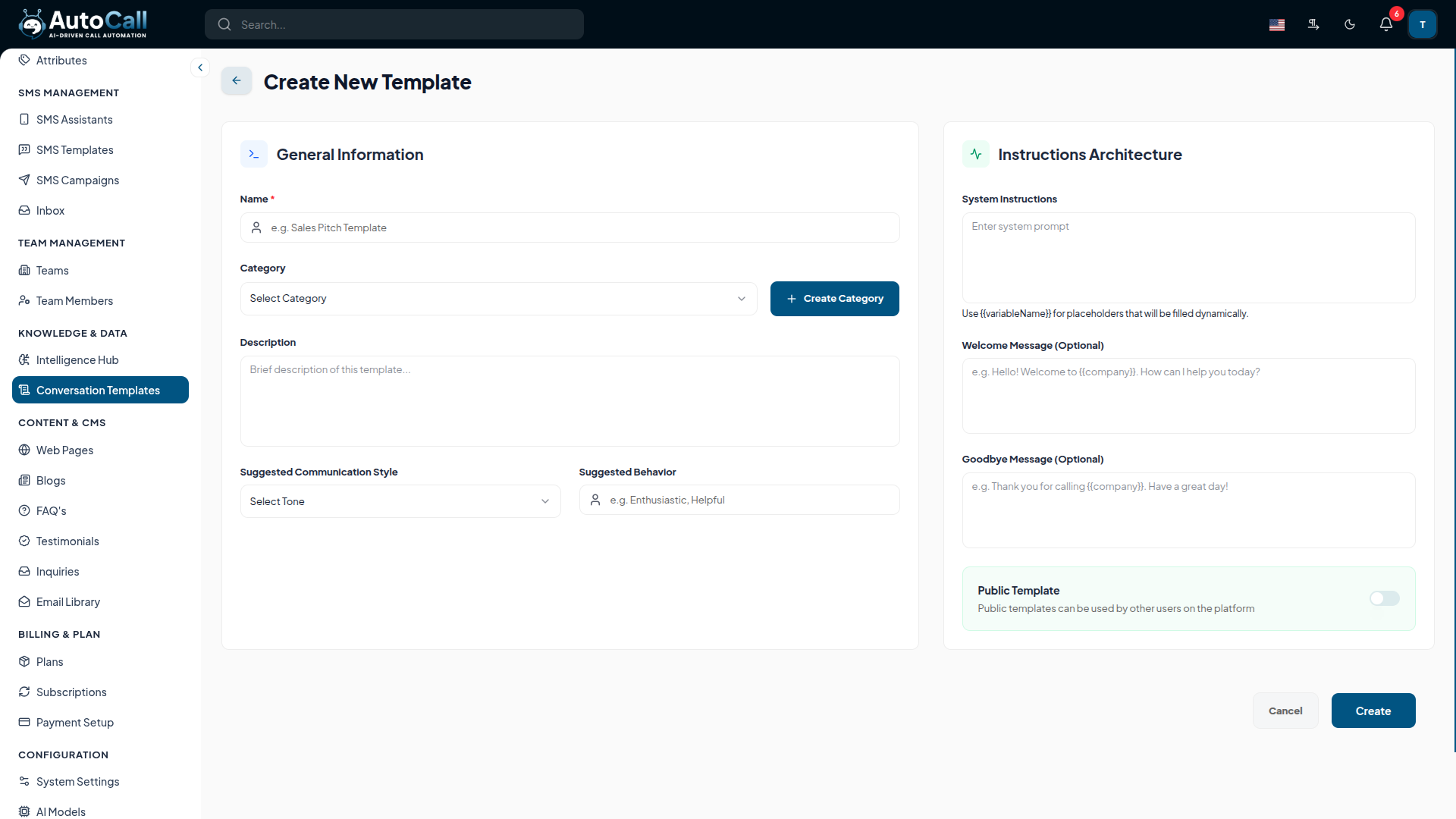
Click the + Create Template button to build a new set of instructions. The setup is divided into two sections:
General Information
- Template Name & Category: Assign a unique name and select an appropriate template category.
- Description: Provide a brief overview of the template's purpose.
- Tone & Personality: Define the Suggested Voice Tone (e.g., Formal, Enthusiastic) and Personality traits.
Instructions Architecture
- System Prompt: Enter the core instructions. Use placeholders
like
{{variableName}}which will be dynamically filled during campaigns. - First Message & Goodbye Message: Set optional opening and closing statements for the AI agent.
- Public Toggle: Optionally make this template public so other users on the platform can utilize it.
2. Edit Template
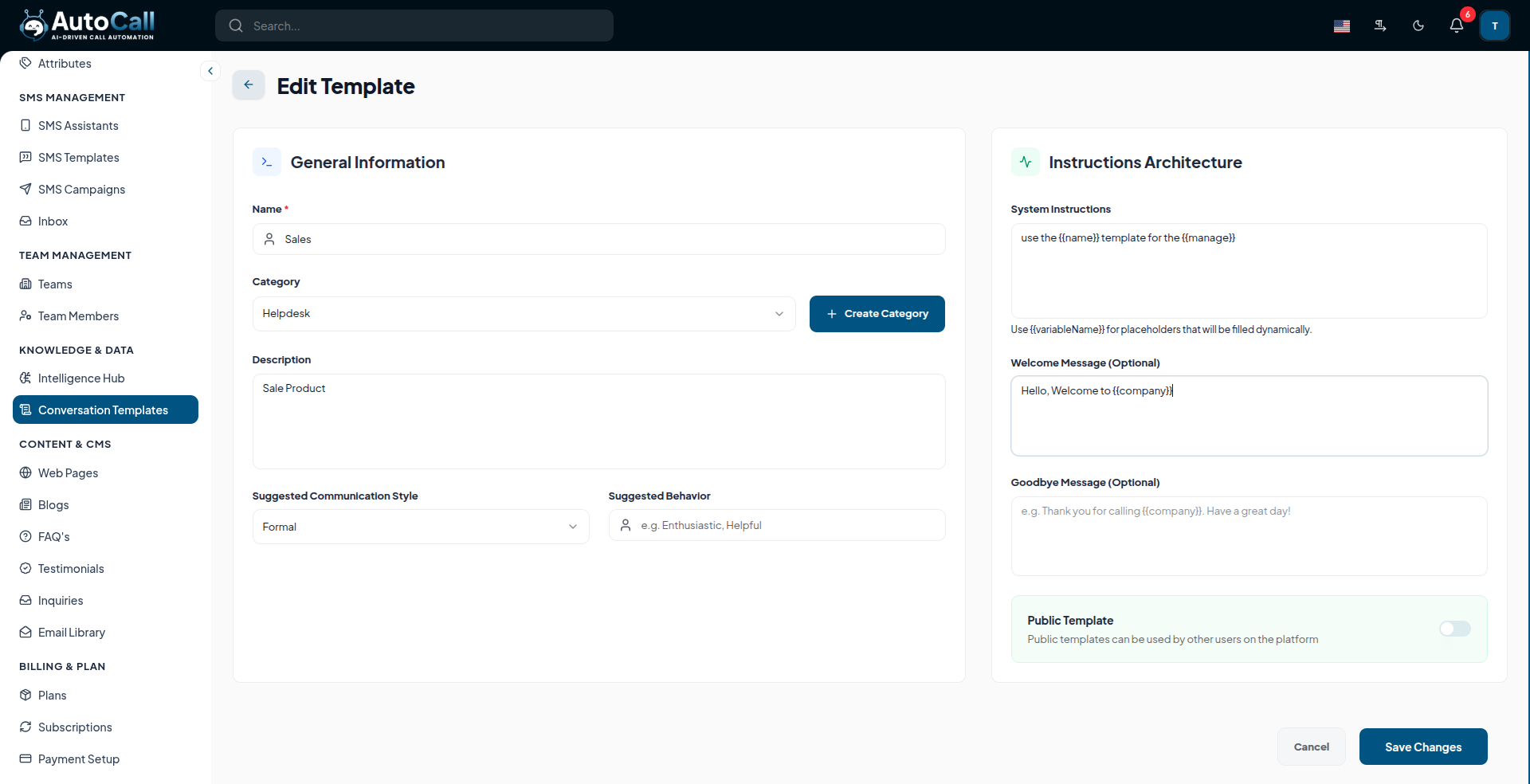
Click the Edit (pencil icon) to modify an existing template's instructions or metadata. Make sure to click Save Changes once you are done modifying the architecture.
3. Delete Template
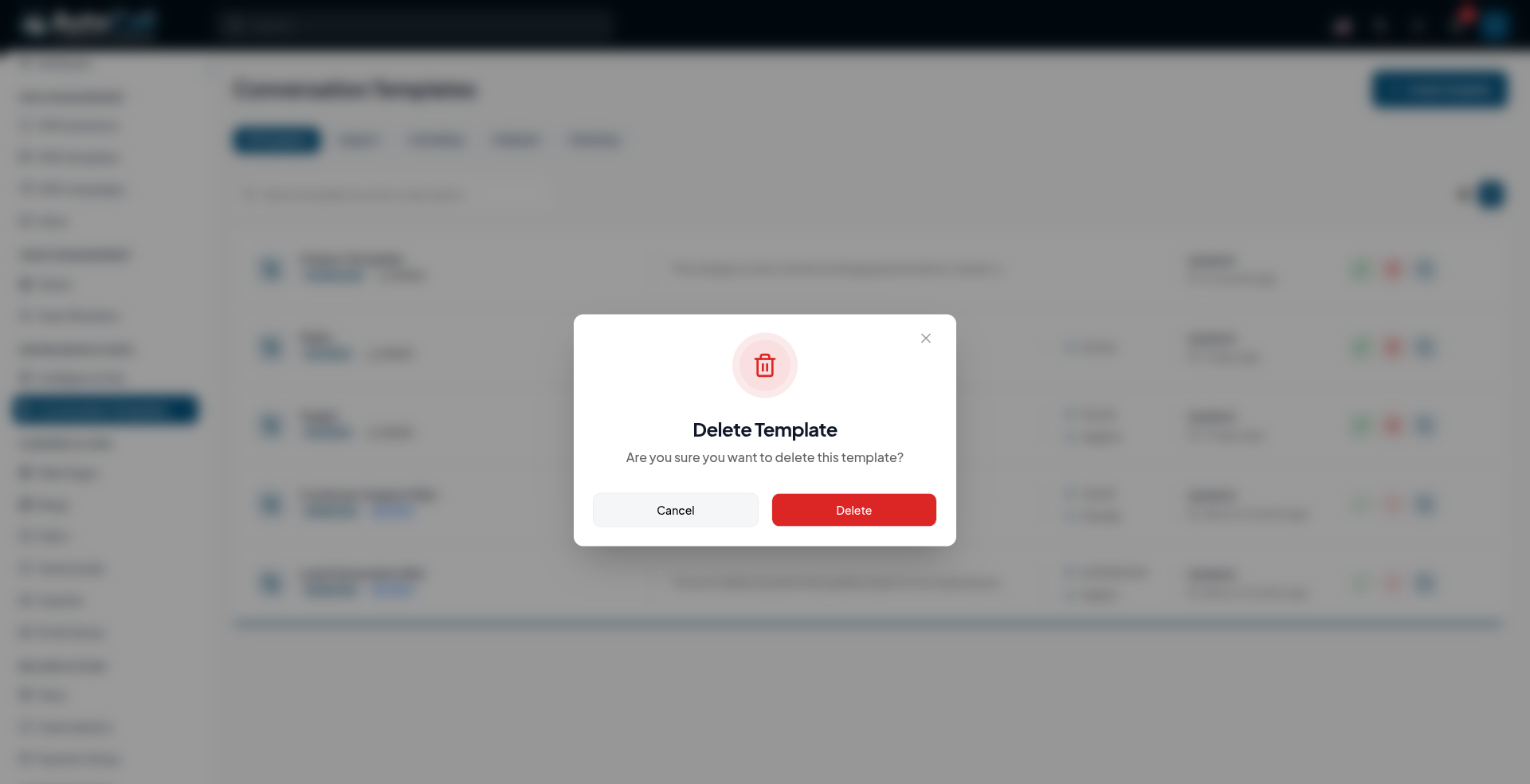
Click the Delete (trash icon) button to permanently remove a template. A confirmation warning will appear.
Warning: This action cannot be undone. Ensure no active campaigns or agents rely on this specific template structure.
Key Points
- Easily inject
dynamic data using
{{variables}}directly into system prompts. - Essential building block applied during Agent Creation to streamline AI deployment.
- Categorize templates systematically (e.g., Helpdesk, Marketing) for quick retrieval and organization.
What's Next?
Let's get started — your journey with AutoCall begins here!


