 Contact Hub
Overview
The Contact Hub helps manage all customer contacts from a centralized location. Users can store contact details such as first name, last name, phone number and email address for use in campaigns and automated communication workflows.
Contacts created in the Contact Hub are available during campaign creation, allowing users to quickly select recipients without manually entering contact details each time.
Dashboard
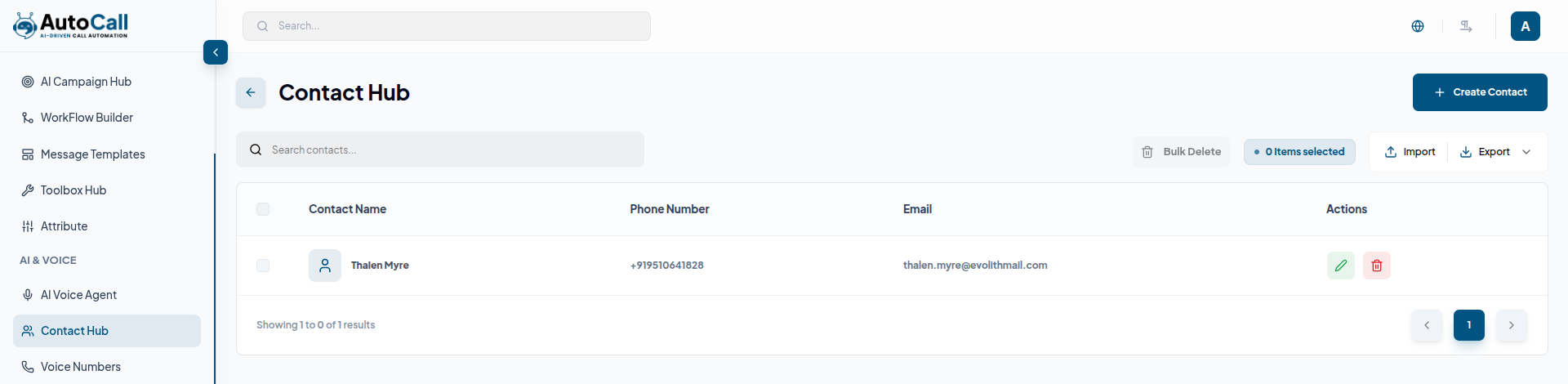
The Contact Hub Dashboard displays all saved contacts in a table view with details like Contact Name, Phone Number, Email, and available Actions. Users can search contacts, import contact lists, export existing data and manage contacts from a single interface.
The dashboard also supports bulk selection and bulk delete operations for managing multiple contacts efficiently.
1. Create Contact
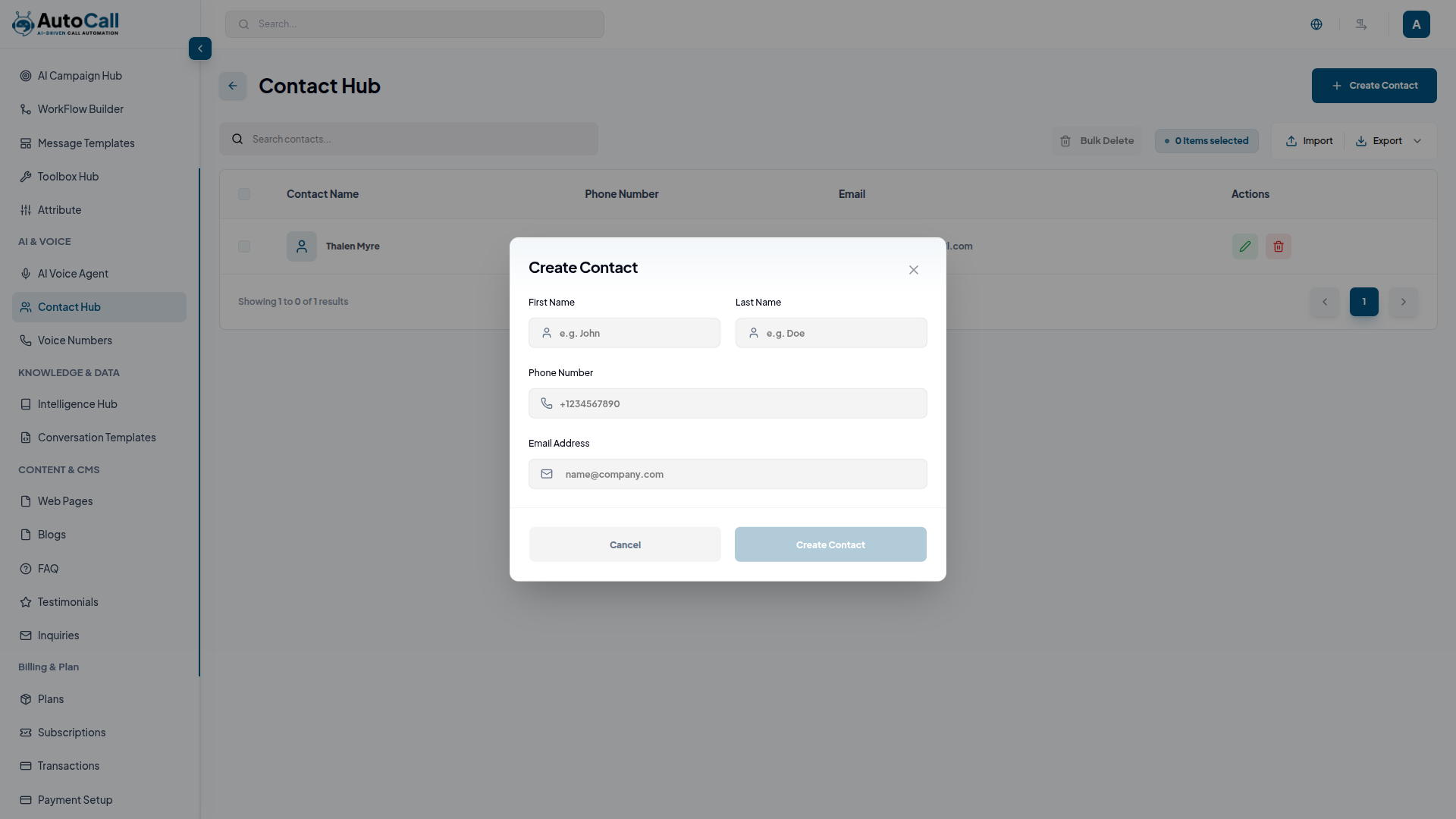
Click the Create Contact button to add a new contact to the centralized hub. Users can enter details such as First Name, Last Name, Phone Number and Email Address.
After filling all required information, click the Create Contact button to save the contact. The created contact will become available during campaign creation and recipient selection.
2. Edit Contact
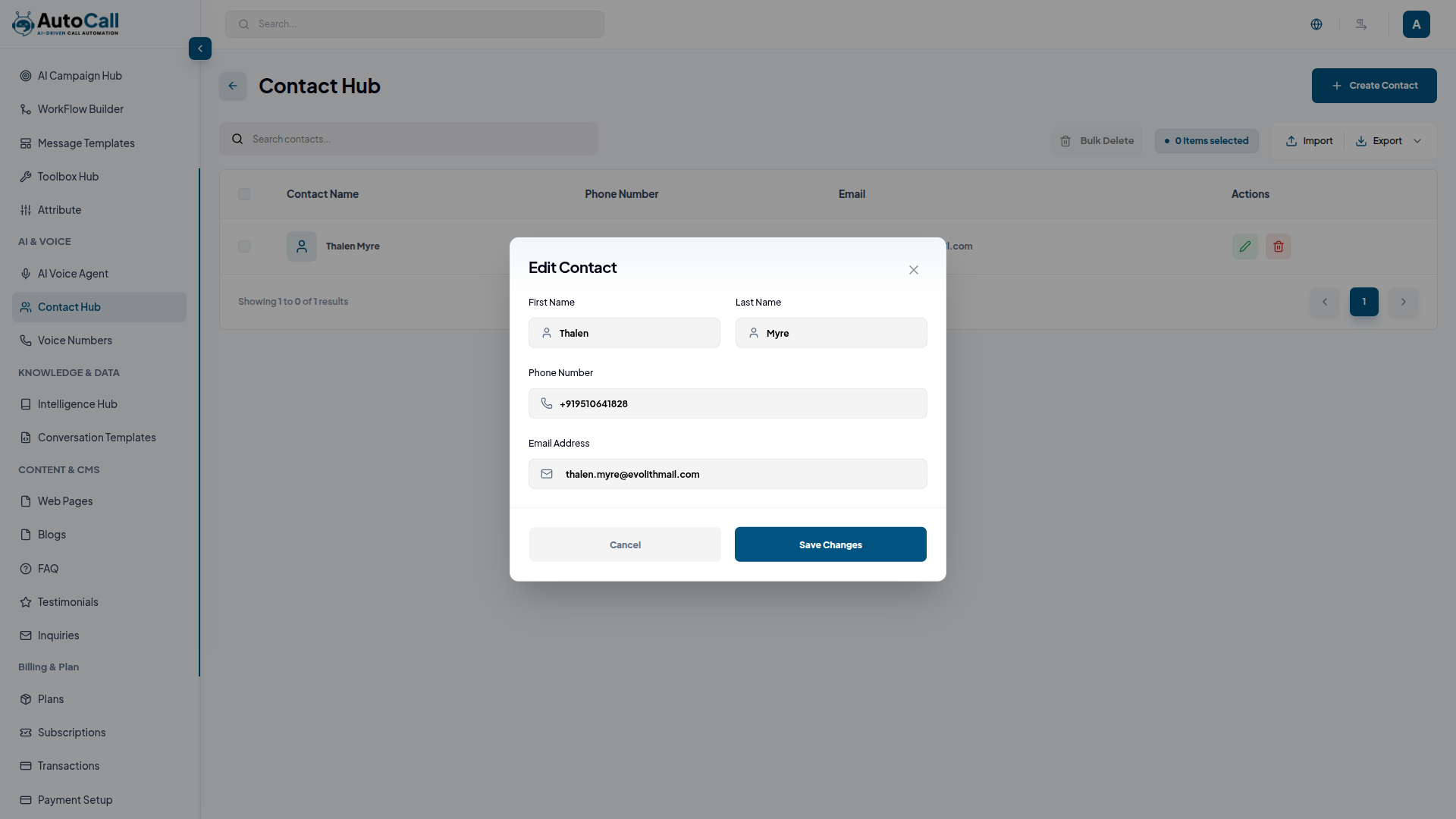
Click the Edit (pencil icon) next to any contact in the Contact Hub to update contact information. Users can modify the contact name, phone number and email address.
Once changes are completed, click Save Changes to apply the updates.
3. Delete Contact
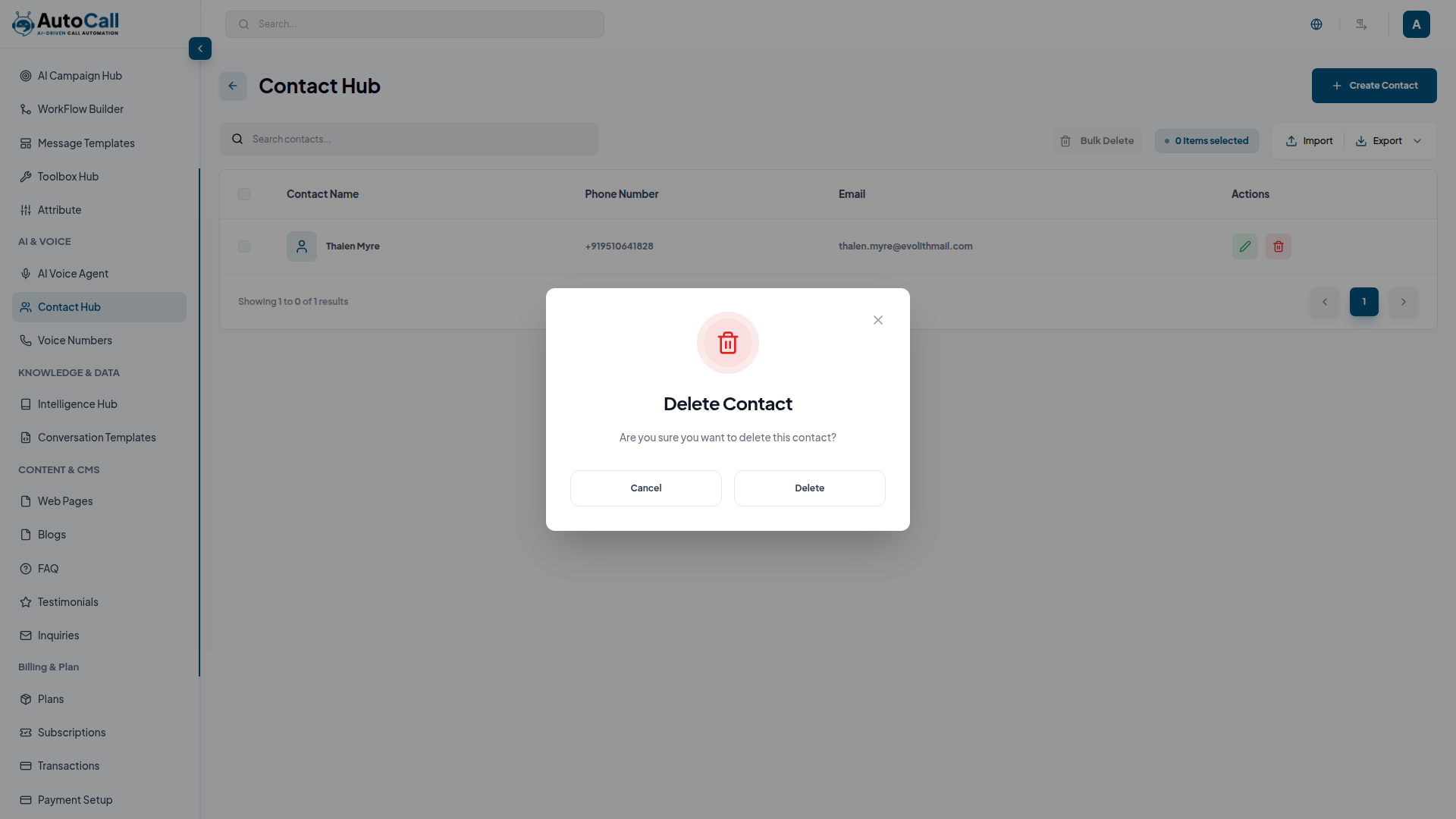
Click Delete (trash icon) to any contact in the dashboard to permanently remove it from the system. A confirmation dialog will appear before deletion to prevent accidental removal.
Key Points
- Quick Contact Search helps find contacts instantly.
- Bulk Import and Export simplify contact management.
- Bulk Delete Option helps manage multiple contacts quickly.
- Campaign Integration allows direct contact selection in campaigns.
What's Next?
Let's get started — your journey with AutoCall begins here!

