 Restricted Word
Overview
The Restricted Word module allows administrators to define a list of banned or inappropriate words and phrases. When these terms are detected during AI Voice calls or SMS conversations, the system automatically flags the interaction for review. This ensures brand safety and compliance across all automated communications.
Dashboard
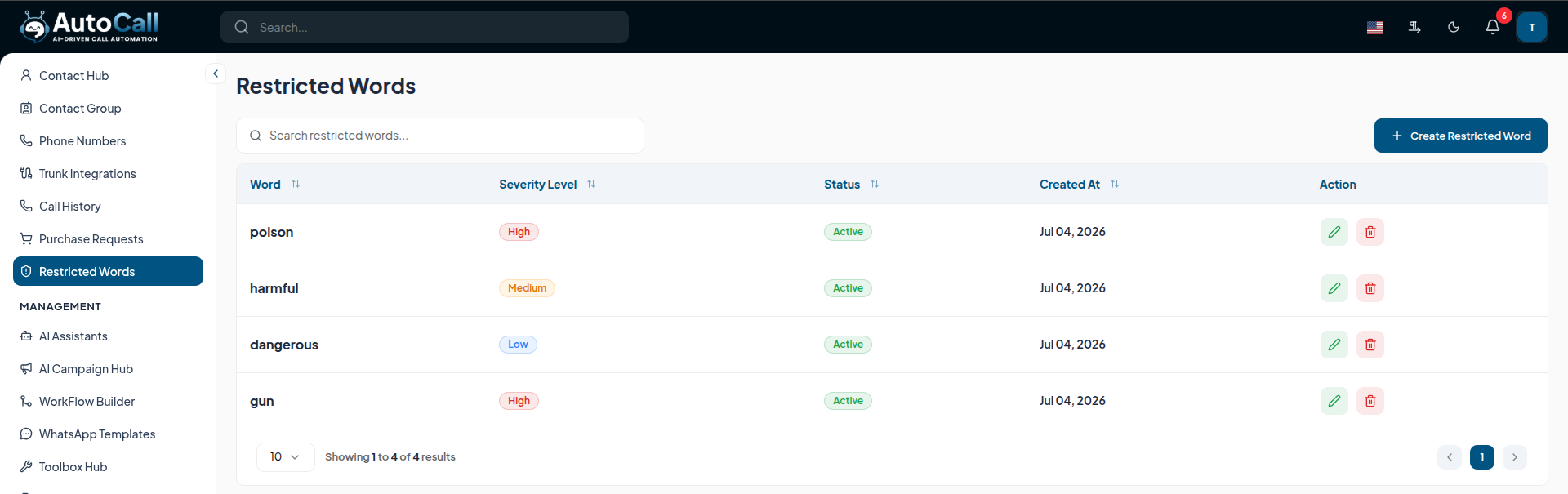
The Restricted Word dashboard provides a comprehensive view of all currently monitored keywords. You can view the term, the severity level, and the action to be taken when the word is detected (e.g., flag, terminate call, alert administrator).
Adding a Restricted Word
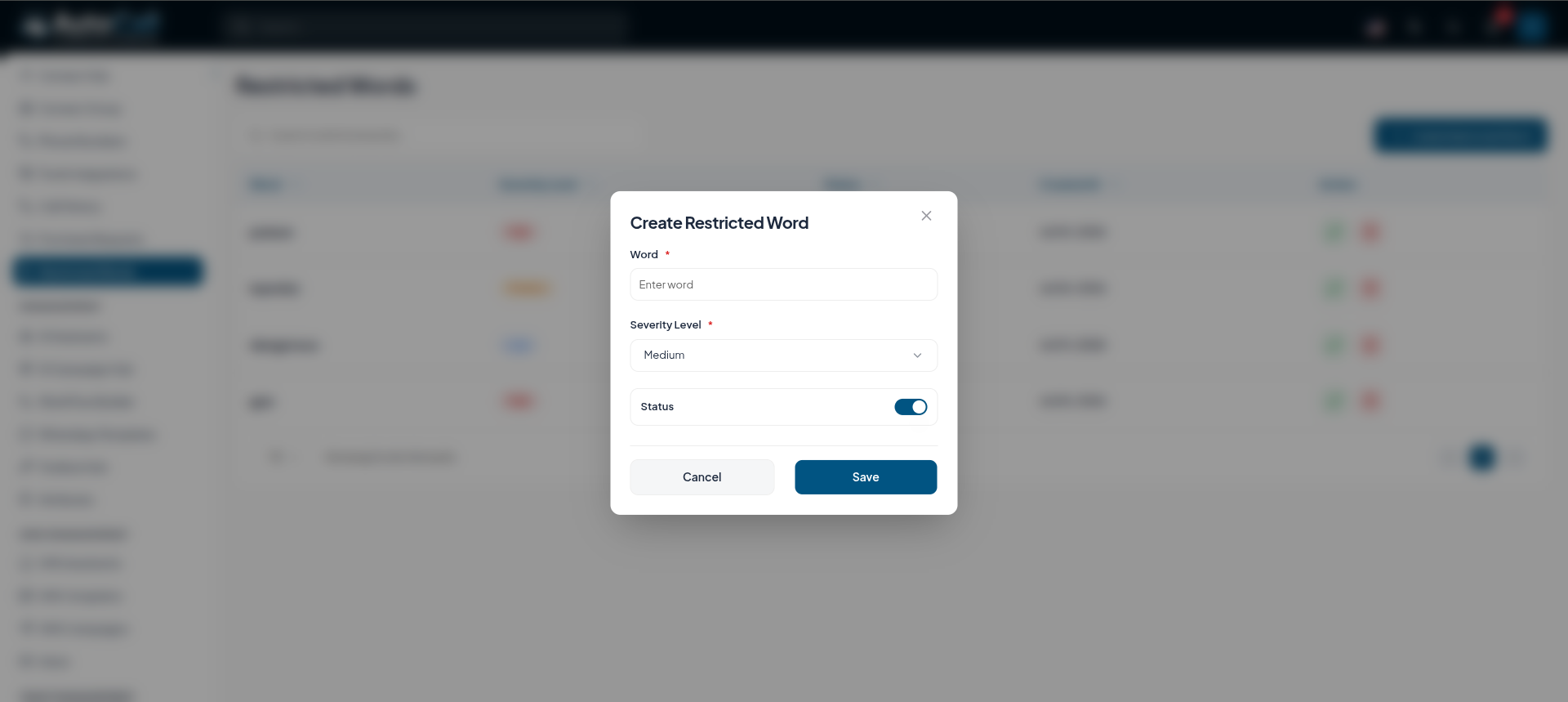
To add a new term, click the Add New Word button. You will be prompted to provide:
- Word or Phrase: The exact text string to monitor.
- Severity: Categorize the term (e.g., Low, Medium, High).
- Active: Enable or disable the term.
Edit Restricted Word
To edit a restricted word, click on the Edit icon in the Actions column. You will be able to modify the Word or Phrase, Severity, and Active status.

Delete Restricted Word
To delete a restricted word, click on the Delete icon in the Actions column. A confirmation prompt will appear to prevent accidental deletion.

Key Points
- Real-time Monitoring ensures inappropriate language is caught immediately.
- Customizable Actions allow for flexible responses based on term severity.
- Comprehensive Logging provides a full audit trail for compliance purposes.
What's Next?
Let's get started — your journey with AutoCall begins here!

