 Team Member Dashboard
Overview
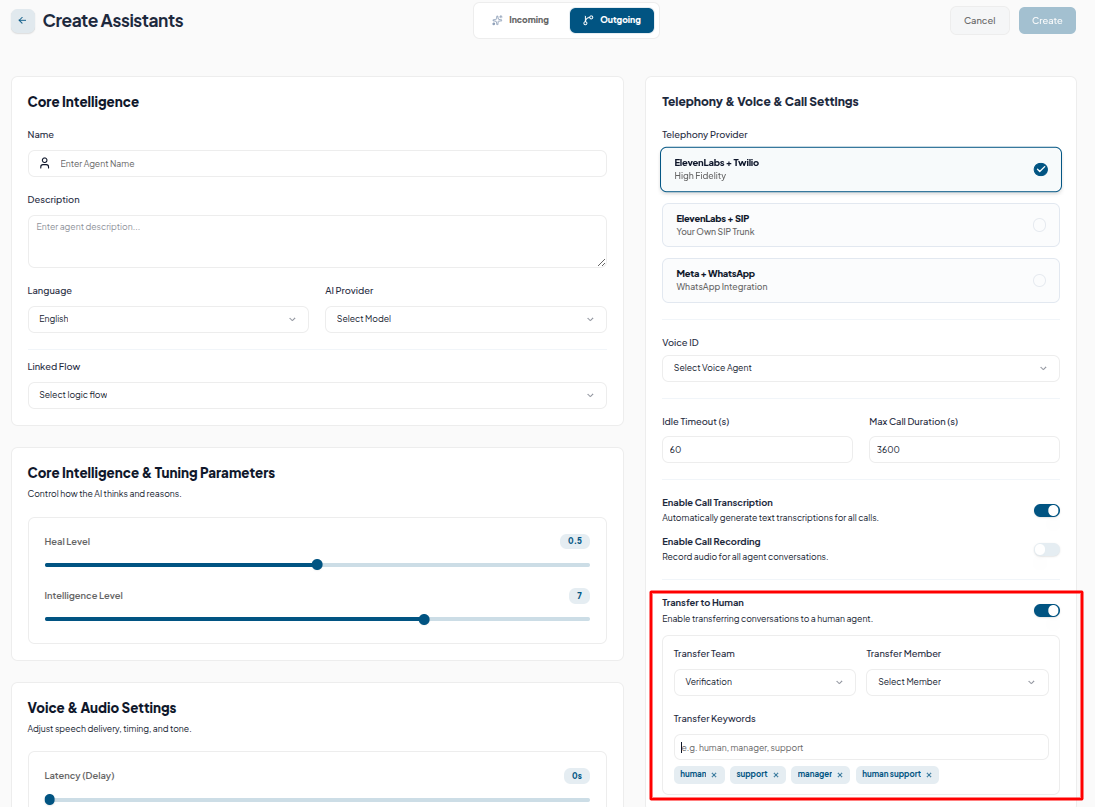
The Team Member Dashboard acts as a centralized workspace for managing interactions transferred from AI agents. When "Human Transfer" is enabled during AI agent creation, any user explicitly requesting human assistance using specified keywords will be automatically routed here.
Call Transfer Workflow
When a caller asks to speak to a human (using predefined keywords like "human," "manager," or "support"), the system ends the AI interaction and immediately logs the transferred call onto the dashboard for an available team member to review and follow up.
Team Member Dashboard Features
- Call Analytics: View overall metrics, including total transferred calls, success and failure rates and total time spent on calls.
- Transfer Details: Each transferred call shows duration, transfer time and credits used.
- Call Recordings: Play back the AI interaction before the transfer to understand the customer's context instantly.

SMS Transfer Workflow (Inbox)
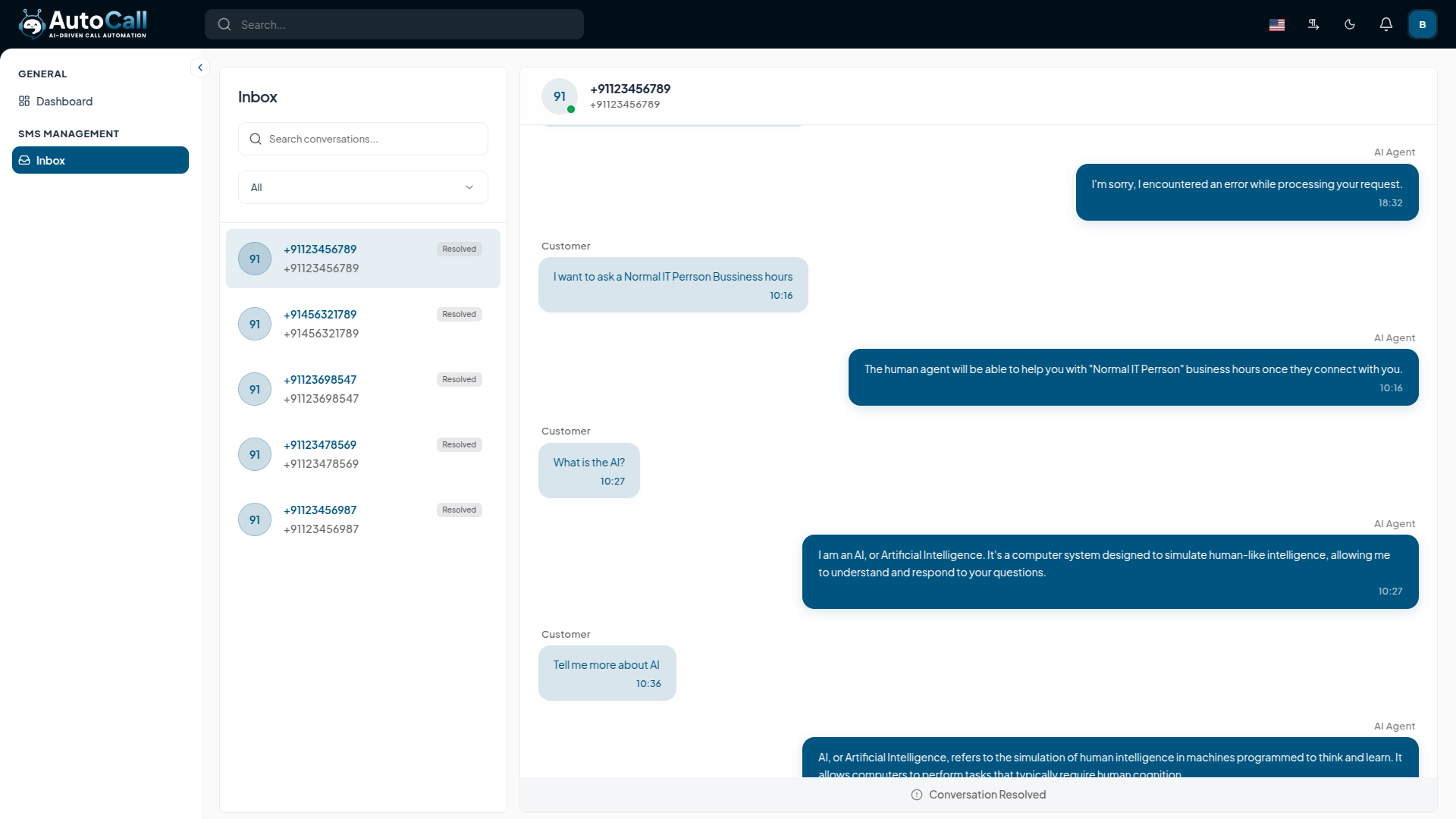
The SMS Inbox is integrated into the workspace for human agents to manage and resolve incoming text message conversations transferred by the AI. Any active SMS conversation assigned to the team will appear here.
- View Context: Easily review the full conversation history, including what the customer previously discussed with the AI.
- Talk to Human: A team member can directly reply to the user from the interface, continuing the conversation seamlessly.
- Resolve Chat: Once the customer is satisfied and the issue is addressed, the team member can mark the conversation as "Resolved", clearing it from the active queue.
Permissions Required
To access and handle these interactions, the specific team member requires the following permissions:
- View Dashboard (Call): To see the analytics and lists of transferred calls.
- Handle Transfer (Call): To take action on the transferred call.
- View Permission (SMS): To see the SMS Inbox and conversation history.
- Reply Permission (SMS): To actively send messages and talk in the SMS thread.
What's Next?
Explore more features of Team Management!


