 KYC Configuration
Overview
The KYC Configuration module allows administrators to define the dynamic form fields required for users to complete Know Your Customer (KYC) verification before they can purchase phone numbers. This ensures regulatory compliance and verifies user identity dynamically based on your requirements.
General KYC Rules
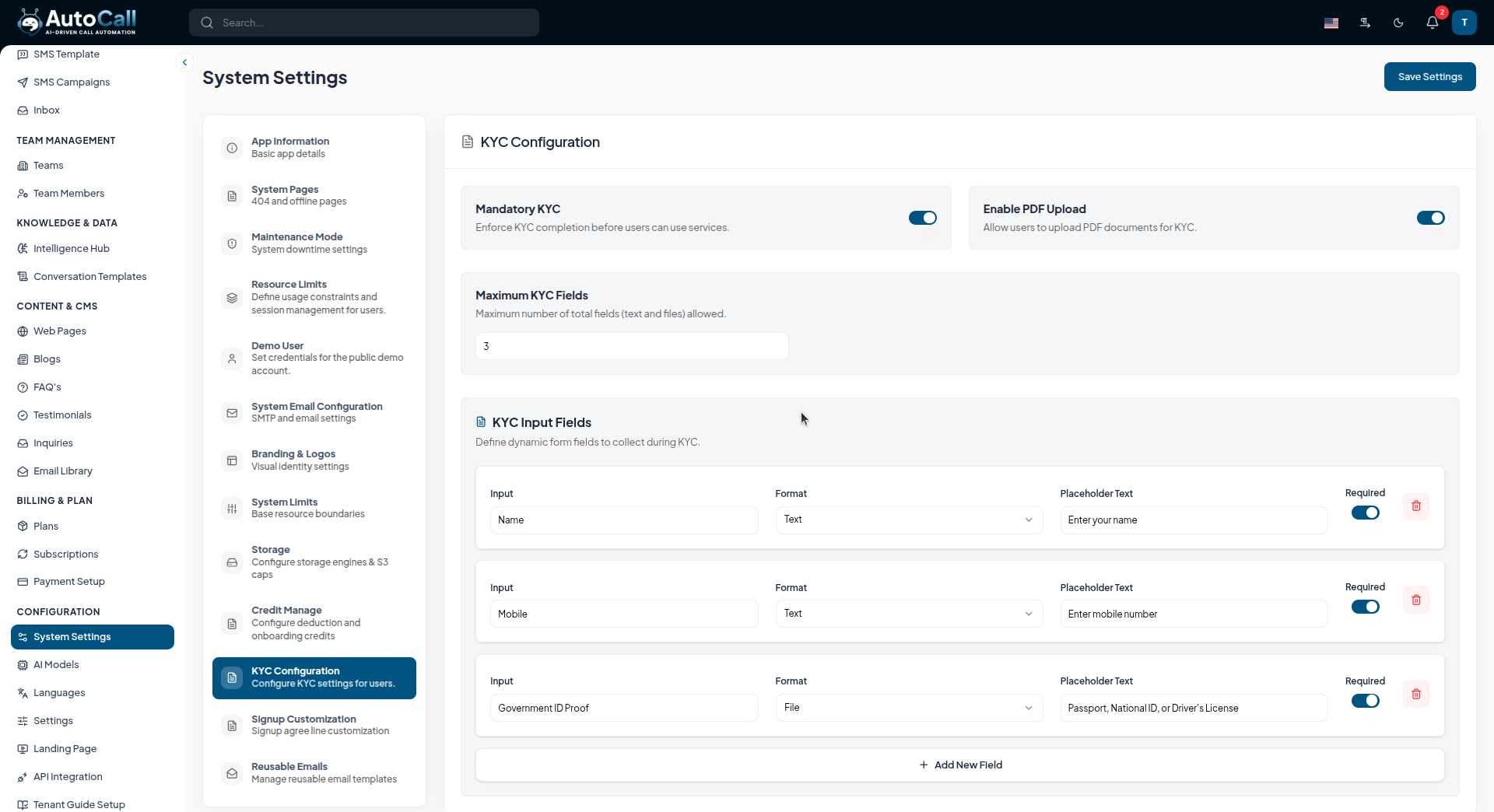
- Mandatory KYC: Enforce KYC completion globally. If enabled, users cannot use services (like purchasing a number) until their KYC is submitted and approved.
- Enable PDF Upload: Allow users to upload PDF documents as part of their verification proofs.
- Maximum KYC Fields: Limit the total number of dynamic fields (text and files) allowed in the user-facing KYC form.
Dynamic KYC Input Fields
Administrators can dynamically construct the exact KYC form that will be presented to users on the client side.
- Input Name: The label displayed to the user (e.g., "Full Name", "Government ID Proof").
- Format: The type of field. Select Text for typed inputs or File for document uploads.
- Placeholder Text: Helpful text displayed inside the field before the user types.
- Required Toggle: Set whether a field is mandatory or optional. When users attempt to purchase a number, they must complete all fields marked as required.
Adding Fields: Click the + Add New Field button to dynamically append new requirements to the KYC form. The user-side application will automatically render all defined fields.
What's Next?
Continue exploring the Admin Module tools.

