 AI Assistants
Overview
AI Assistants in AutoCall are intelligent, voice-enabled AI assistants powered by advanced Large Language Models (LLMs). They can conduct natural, human-like phone conversations for various business use cases such as customer support, lead generation, appointment booking, reminders and outbound campaigns.
The platform supports two primary types of AI Assistants:
- Incoming Assistants
- Call Direction : User / Customer calls the assistants (Inbound).
- Behavior : Real-time conversational AI — the assistants answer calls and handles dynamic conversations.
- Best For : Customer support, inquiry handling, reception, booking appointments, technical helpdesk, etc.
- Outgoing Assistants
- Call Direction : Assistants proactively calls the user (Outbound).
- Behavior : Follows a pre-designed visual workflow created in the Workflow Builder.
- Best For : Appointment reminders, lead qualification, promotional campaigns, survey collection, payment reminders, etc.
Dashboard
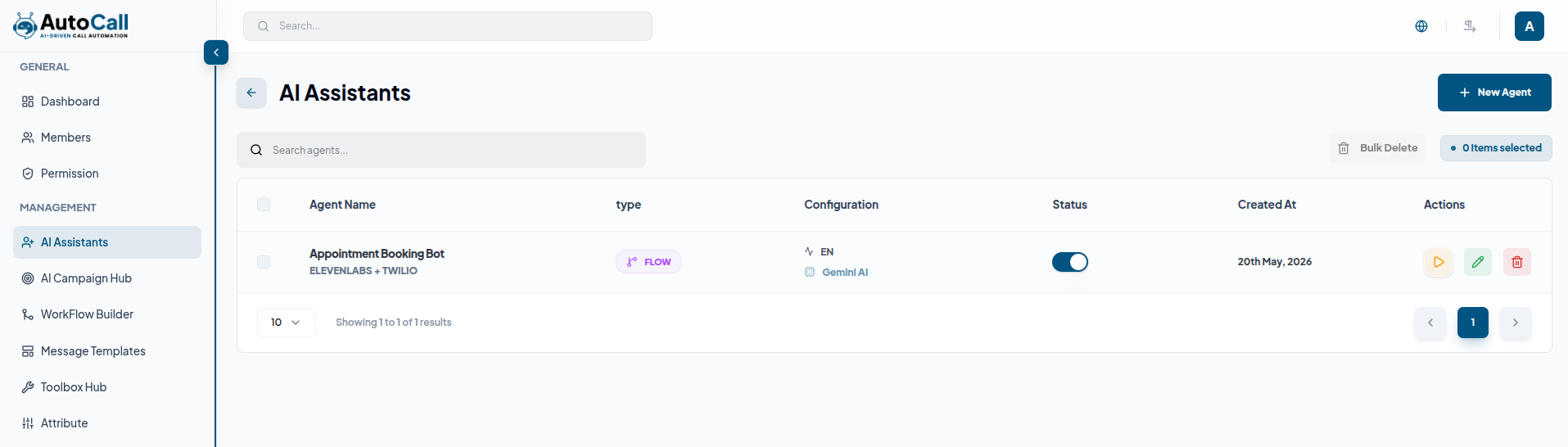
The AI Assistants Dashboard displays all created AI voice Assistants in a modern and structured management layout. Each agent entry shows the agent name, type (Incoming or Flow Based), configuration summary, status, created date and quick action options.
The dashboard also includes:
- Search functionality for quick agent lookup
- Active/Inactive agent status management
- Bulk selection and bulk delete support
- Quick actions on each agent: edit, delete
- Real-time agent type and configuration tracking
- Complete overview of all AI voice agents
Users can quickly manage existing agents or create new automation agents using the Create button.
1. Add Agent
Click the New Agent button on the AI Agent Dashboard to open the agent creation interface.
The form is divided into two main modes/tabs:
- Incoming Agent
- Flow Builder Agent
The only major difference in configuration is that Flow Builder agents require you to select a Linked Flow from the Workflow Builder, while Incoming agents rely purely on the system prompt and real-time AI conversation.
Common Configuration Fields (Available in Both Modes):
The agent creation form includes the following core settings:
- Agent Name : Enter a clear name for the agent (e.g., John - Support Lead, Appointment Booker)
- Language : Select the primary language (Default: English)
- AI Provider : Choose the AI provider (e.g., OpenAI)
- Voice Tone : Select tone (Professional, Friendly, Serious)
- Personality : Define the agent’s personality (Helpful, Analytical)
- Telephony & Voice : Select provider (ElevenLabs + Twilio) and Voice ID
- Knowledge Base Integration : Link knowledge sources using Dynamic RAG
- Core Intelligence & Latency : Adjust Temperature (creativity) and Latency (natural pause)
- System Prompt & Initial Message : Define agent behavior and greeting message
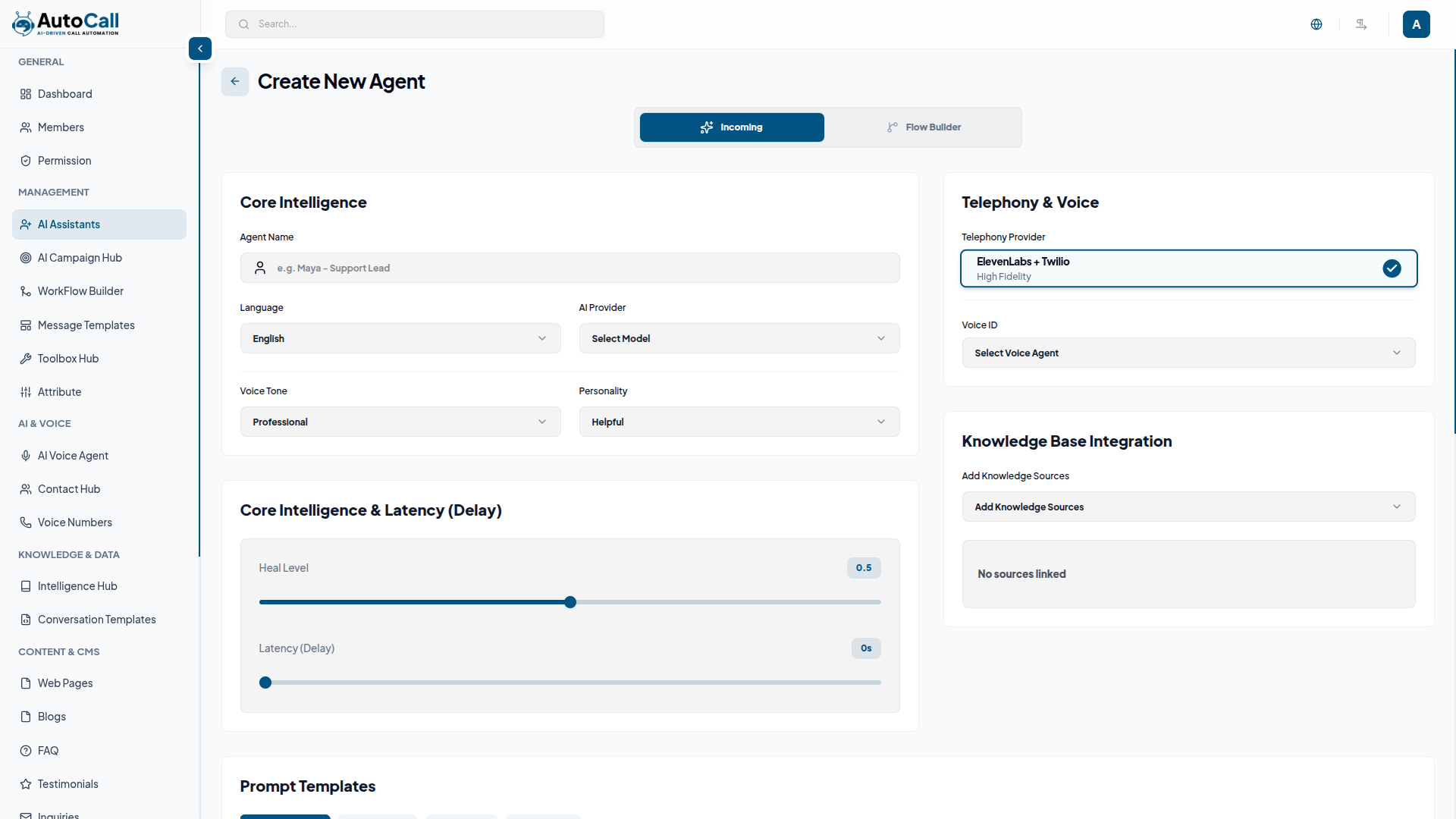
Click the Create button after completing all configurations to activate and publish the agent for use.
2. Edit Agent
Click the Edit button in the AI Agent Dashboard to open the agent editor.
From there, you can easily update your AI agent by changing the agent name, modifying Core Intelligence settings, updating Telephony & Voice configuration, adjusting Knowledge Base sources, editing System Prompt, changing Personality & Voice Tone, and updating Latency and Temperature settings.
You can also switch between Incoming and Flow Builder modes (where applicable), modify Linked Flow, apply new Prompt Templates, and fine-tune the entire agent behavior.
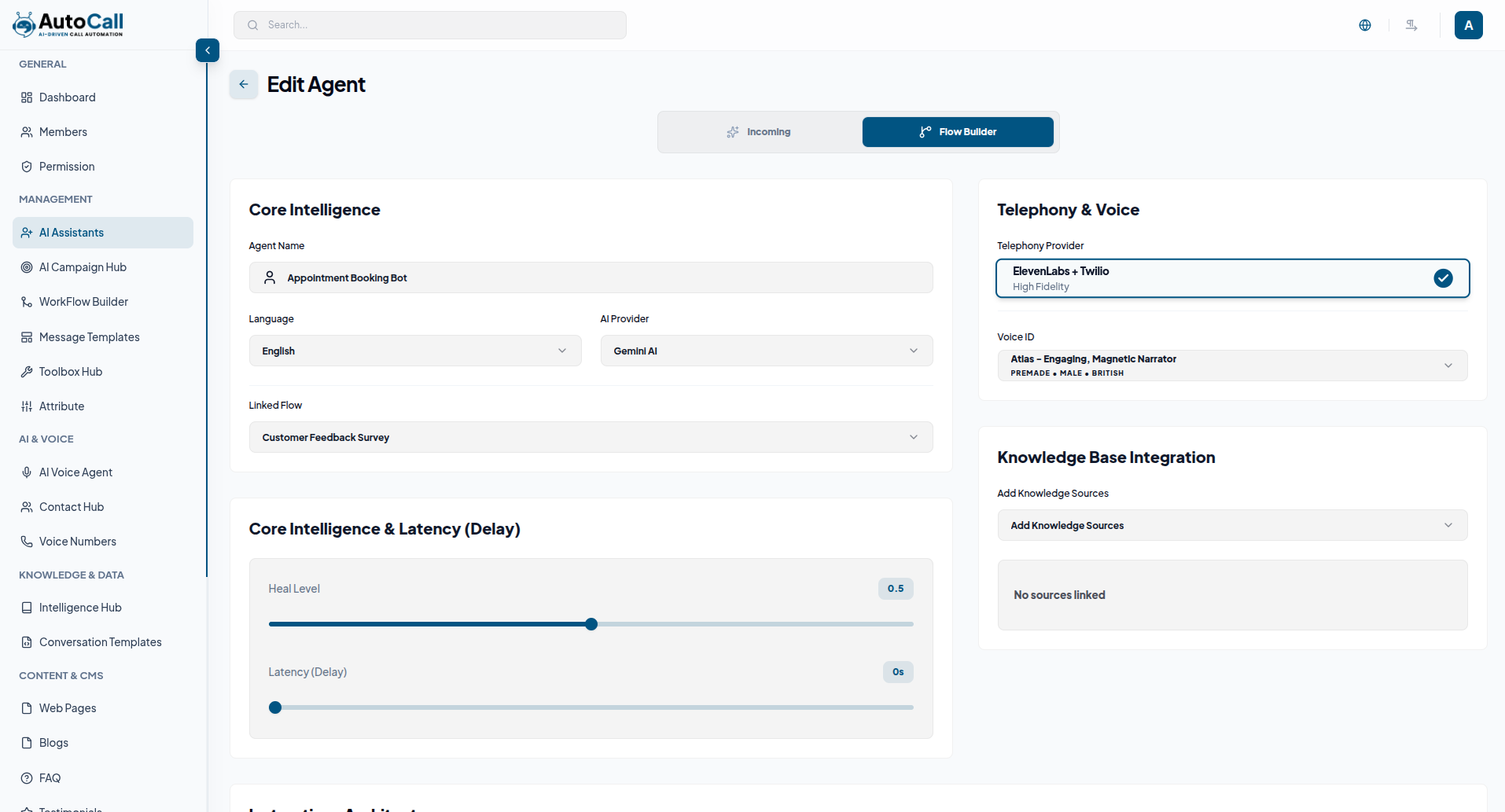
Once your changes are complete, simply click the Save Changes button to save and apply the updated AI agent configuration.
3. Delete Agent
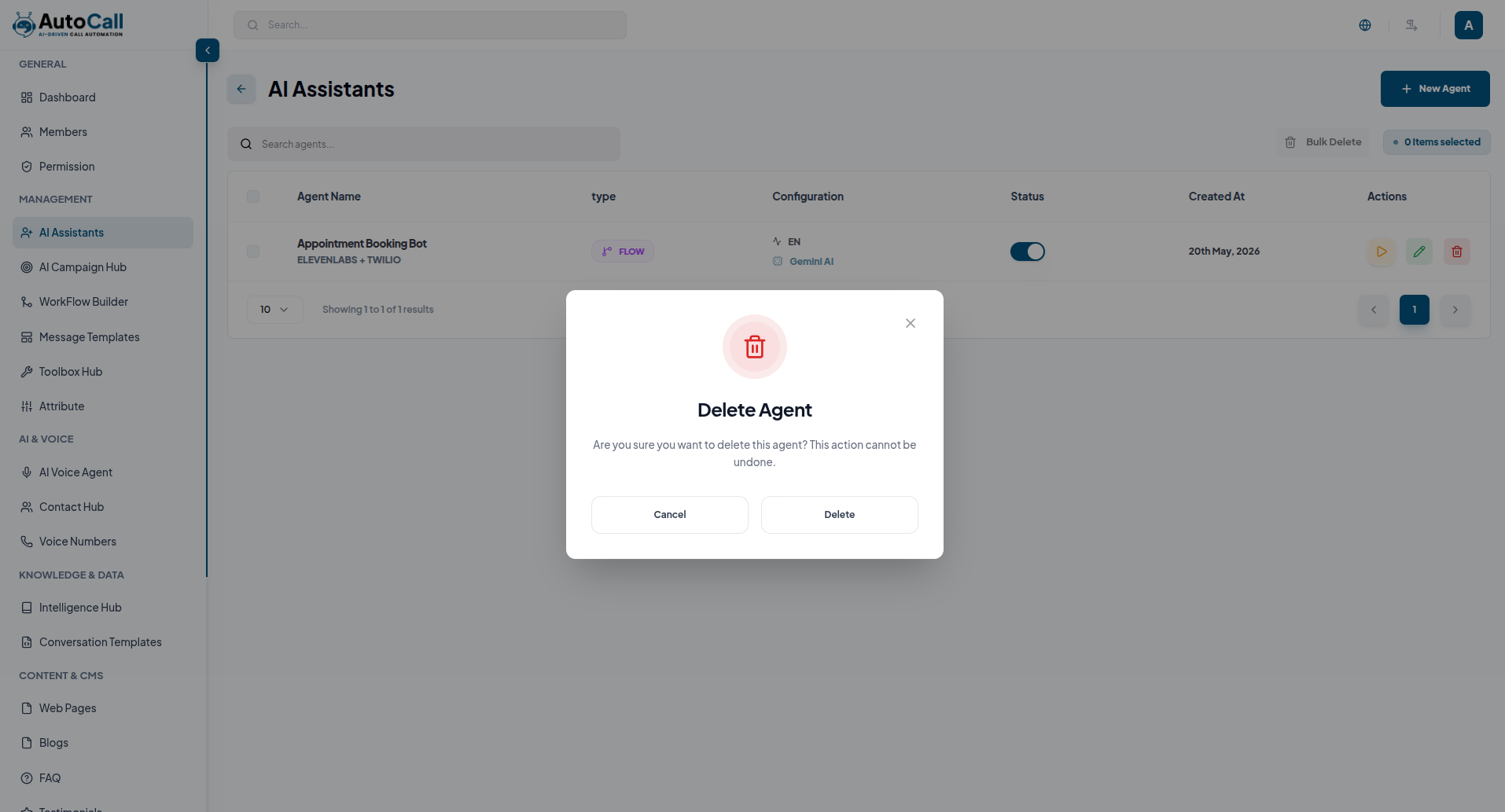
Click Delete Agent to permanently remove the selected agent from the dashboard. A confirmation prompt will appear before deletion to prevent accidental removal. Once confirmed, the agent will be permanently removed from the system.
Key Points
- Intelligent Conversational AI powers natural and human-like voice conversations using advanced LLM models.
- Dual Mode Operation supports both Incoming agents (user calls agent) and Flow Builder agents (agent calls user).
- High-Fidelity Voice System delivers clear and realistic voice interactions through ElevenLabs + Twilio integration.
- Dynamic Knowledge Base enables real-time access to your documents and data for accurate responses.
What's Next?
Let's get started — your journey with AutoCall begins here!


