 Appointment
Booking
Appointment
Booking
Overview
The Appointment Scheduling module allows users to book appointments directly through AI call campaigns and automated workflows. When an appointment booking campaign is connected with an AI agent, users can schedule appointments during the live AI call interaction itself.
The system automatically stores booked appointments, manages scheduling details, and helps organize all bookings in one place. It also reduces manual coordination by enabling direct appointment confirmation during campaign calls.
Dashboard
Access the Appointment Scheduling module from the Toolbox Hub by clicking the Configure button on the Appointment Scheduling card.
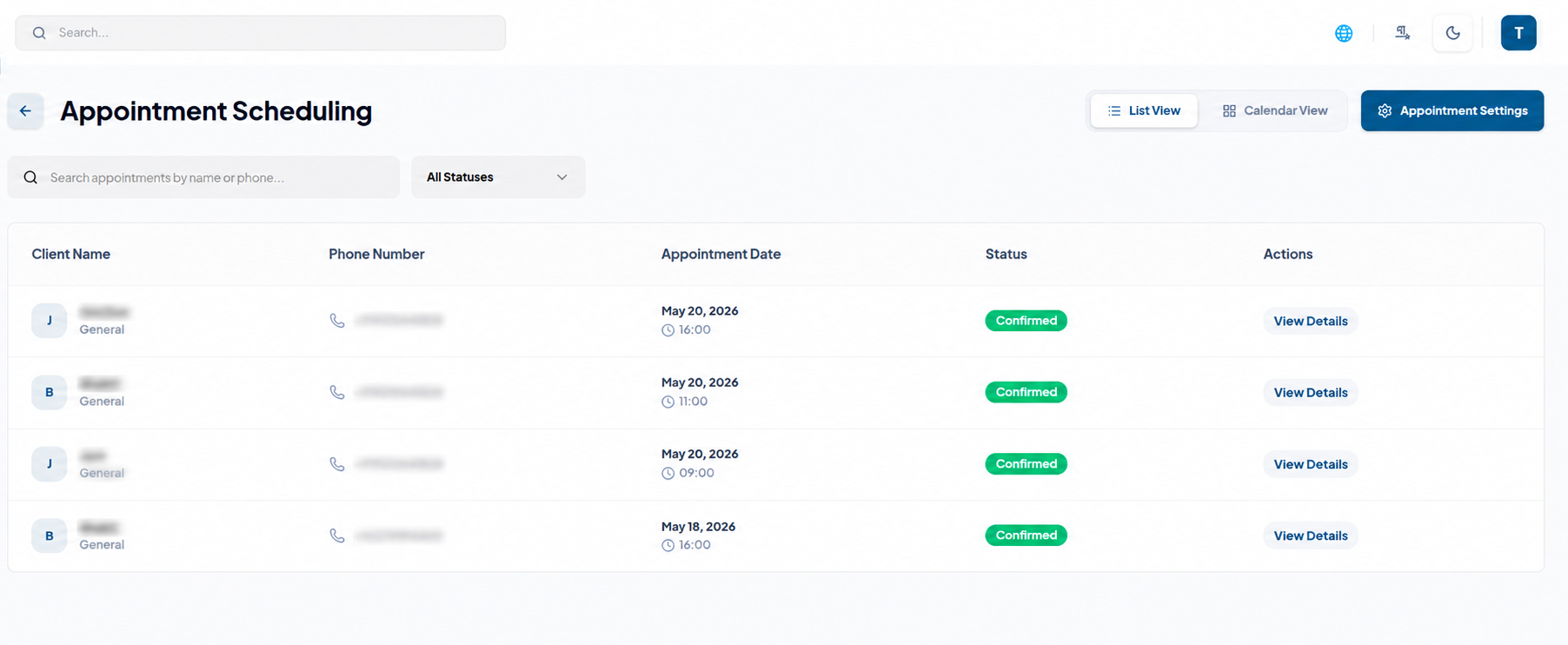
The dashboard provides two appointment management views:
- List View:
- Client Name
- Phone Number
- Appointment Date
- Status
- Actions
- Calendar View:
- Month, Week, and Day views
- Previous and Next month navigation
- Today button for quick access
Displays appointments in a table format with details such as:
Displays appointments in a full calendar layout with:
Appointment Settings
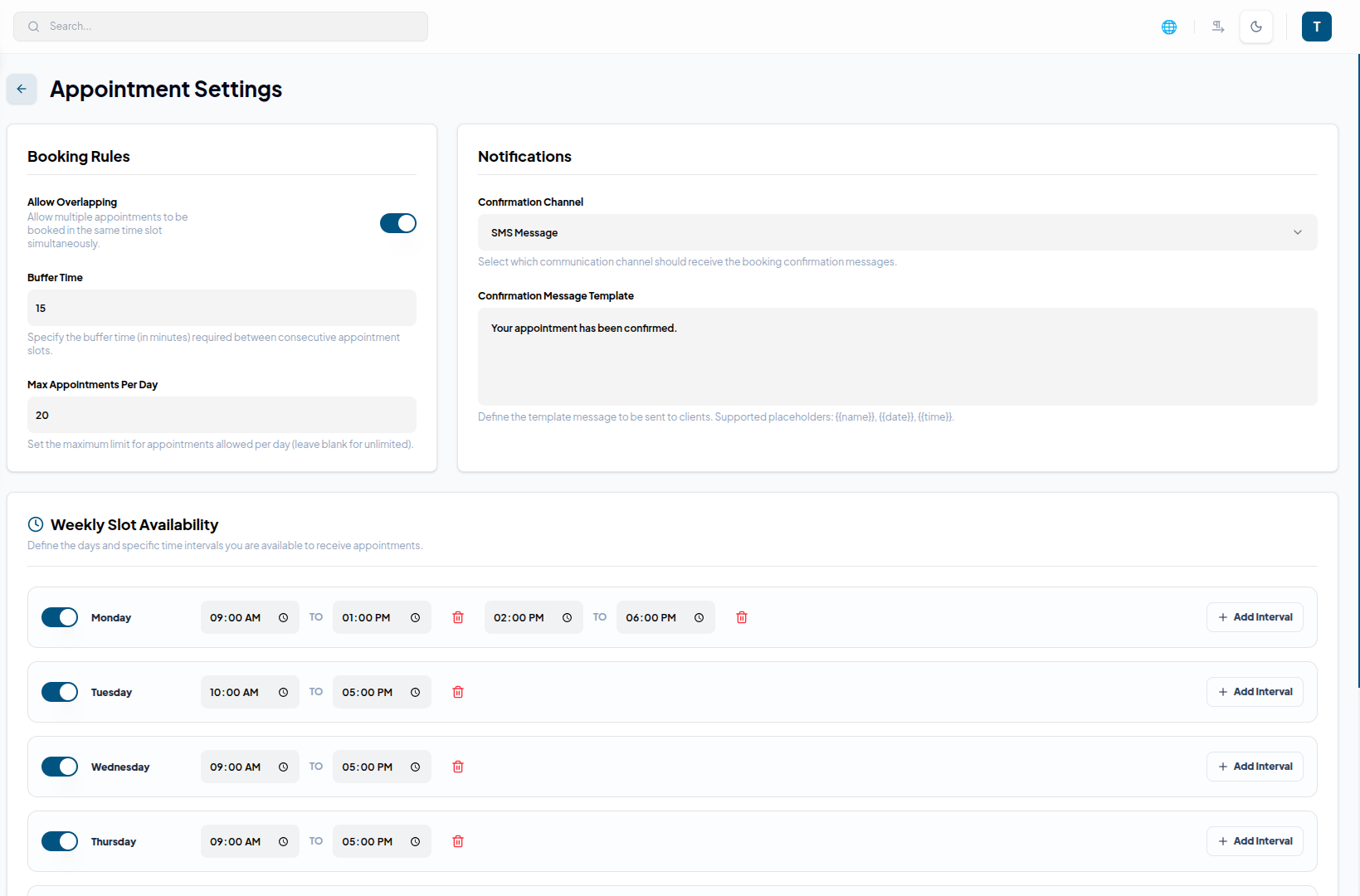
Booking Rules
Configure appointment scheduling behavior using the following options:
- Allow Overlapping to permit multiple bookings in the same slot
- Buffer Time to define gaps between appointments
- Maximum Appointments Per Day to control daily booking limits
Notifications
Manage automated appointment confirmations and reminders. Users can configure:
- Confirmation Channel
- Confirmation Message Template
Example: “Hello {{name}}, your appointment is confirmed for {{time}}.”
Weekly Slot Availability
Define available working hours for each day of the week.
Features include:
- Individual day enable/disable toggles
- Custom time slots
- Multiple intervals per day
- Delete interval option for schedule management
Workflow
Configure Settings
Set booking rules, availability, notification preferences, and working hours from the Appointment Settings section.
Flow Creation
Build AI-powered appointment booking flows by adding nodes that capture customer information and check availability. The flow uses user responses and availability data to confirm appointments seamlessly during the call.
Manage Appointments
Monitor and manage appointments through List View or Calendar View. Users can search appointments by client name or phone number and update appointment statuses when required.
Sync with Google Workspace
Connect Google Calendar for automatic two-way synchronization between the platform and external calendars.
Key Points
- Automated Notifications send confirmation messages instantly.
- AI Call Booking enables appointment scheduling during campaign calls.
- Multiple Views support both List View and Calendar View.
- WhatsApp Integration sends appointment confirmations automatically.
What's Next?
Let's get started — your journey with AutoCall begins here!

